
Entina Tina2C
4.4Editor score
Start printing in eight minutes
Compact mini starter design
Auto leveling included
This guide compares the top easy to use 3D printer models for beginners, kids, and professionals based on setup speed, automation, and print quality.
Finding an easy to use 3D printer can transform your creative projects into reality without the usual technical headaches. Modern machines now feature automated leveling and intuitive interfaces that simplify the entire process for users of all skill levels.
We evaluated ten leading models based on setup complexity, calibration features, and overall user experience. Each product was analyzed for its ability to deliver consistent results while minimizing the time spent on maintenance and troubleshooting.
Every pick highlights key strengths and potential trade-offs to help you choose the right fit. Prices and availability can change frequently, so please verify current details directly on the product pages before making your final decision.
4.4Editor score

4.7Editor score

4.2Editor score
This side-by-side comparison highlights the key specifications and unique selling points of each model to help you quickly identify the best fit for your specific needs.






The Bambu Lab A1 stands out as a top choice for anyone seeking an easy to use 3D printer that delivers professional results without the complexity. With a high rating of 4.7, it combines speed and precision with automated features that eliminate common setup hassles.
We may earn a commission when you buy through this link, at no additional cost to you.
Its standout qualities include full-auto calibration that handles bed leveling and Z-offset automatically, ensuring flawless first layers every time. The active flow rate compensation maintains consistency, while the user-friendly touchscreen interface simplifies operation for users of all levels.
While the device is impressive, note that multi-color printing requires purchasing the AMS lite separately or buying the Combo version. The price is higher than entry-level models, but the time saved on calibration and maintenance justifies the investment for serious creators.
If you want a reliable printer that reduces troubleshooting time, this model is highly recommended. It is ideal for beginners who want advanced features and professionals seeking quick turnaround on prints without compromising quality or ease of use.
The A1 handles all calibration processes automatically, ensuring optimal performance for every print without manual adjustments.
Unlock creativity with the optional AMS lite for multi-colored prints that bring designs to life in stunning detail.
We may earn a commission when you buy through this link, at no additional cost to you.
The FLASHFORGE Adventurer 5M offers a compelling blend of speed and ease of use for those looking to produce prints quickly. While its rating is solid, it appeals to users who prioritize rapid prototyping and high-efficiency workflows in their home or office setups.
We may earn a commission when you buy through this link, at no additional cost to you.
Key strengths include a CoreXY all-metal structure that supports travel speeds up to 600mm/s, ensuring efficiency without sacrificing precision. The 3-second nozzle changes and smart app monitoring make maintenance and progress tracking seamless for daily projects.
However, the build volume is smaller at 220mm, which may limit larger projects. Some users report mixed experiences with consistency compared to higher-rated models, so verifying your specific needs is important before purchase.
This printer is best for users who need fast production cycles and value remote management capabilities. It is a strong contender if you are focused on speed and versatility, provided the build size meets your typical project requirements.
Featuring a CoreXY structure, the AD5M maximizes efficiency and reduces production cycles for rapid prototyping.
Monitor progress and receive alerts remotely with the Flash Studio mobile app for seamless operation.
We may earn a commission when you buy through this link, at no additional cost to you.
The Bambu Lab A1 mini is designed to make 3D printing easy from day one, especially for beginners. It features automatic calibration and a smooth setup experience that lets you focus on creating rather than troubleshooting common issues.
We may earn a commission when you buy through this link, at no additional cost to you.
It integrates well with the Bambu Lab ecosystem, providing access to a huge library of ready-to-print models and remote management via the app. The included LED Lamp Kit adds a creative twist for DIY projects and personalized gifts.
While the build volume is compact, it delivers high-speed, high-quality printing that fits naturally into a home or studio. The only trade-offs are the limited size for large objects and fewer advanced multi-material features compared to larger models.
For hobbyists and students who need a reliable and straightforward printer, the A1 mini is an excellent choice. It simplifies the learning curve while maintaining the quality and speed expected from a modern entry-level machine.
Automatic calibration and simple setup ensure a smooth printing experience that lets you focus on creating.
The included LED Lamp Kit lets you print compatible models to turn creations into functional lights.
We may earn a commission when you buy through this link, at no additional cost to you.
The Bambu Lab P1S is a powerful option for users who need an easy to use 3D printer capable of handling advanced materials. Its enclosed design improves performance for filaments like ABS and ASA, making it versatile for various applications.
We may earn a commission when you buy through this link, at no additional cost to you.
Setup is streamlined with a user-friendly design that allows assembly in just 15 minutes. The fully enclosed body, high-speed printing, and automatic bed leveling ensure high-quality results with minimal manual intervention.
It supports up to 16 colors when paired with the AMS, though the AMS must be purchased separately. The price point is higher than entry-level models, reflecting its advanced capabilities and enclosed structure.
This printer is ideal for makers who need to print with engineering-grade materials without the hassle of manual calibration. If you want a reliable machine that balances speed and material versatility, the P1S is a strong contender.
The fully enclosed body improves print performance for advanced filaments like ABS and ASA.
Spend more time printing and less time setting up with a hassle-free assembly experience.
We may earn a commission when you buy through this link, at no additional cost to you.
The AOSEED AI 3D Printer is designed specifically for kids, making creativity accessible through AI tools like AI Doodle and AI MiniMe. It provides a safe, enclosed environment for children to bring their imagination to life easily.
We may earn a commission when you buy through this link, at no additional cost to you.
It includes an all-in-one starter kit with filament and tools, allowing families to start creating immediately. The built-in camera and real-time monitoring add convenience for parents to track progress from their phones.
While it only supports single-color printing, it makes creating multi-color designs by assembling separate parts. The price is higher than basic models, but the educational value and included accessories justify the cost.
This printer is perfect for families seeking an engaging educational gift that sparks creativity without technical complexity. It simplifies the design process with AI, making it a top choice for young aspiring makers.
Use voice, text, or image prompts with AI Doodle to create custom 3D models without design skills.
Everything is ready right out of the box with filament, tools, and DIY stickers included.
We may earn a commission when you buy through this link, at no additional cost to you.
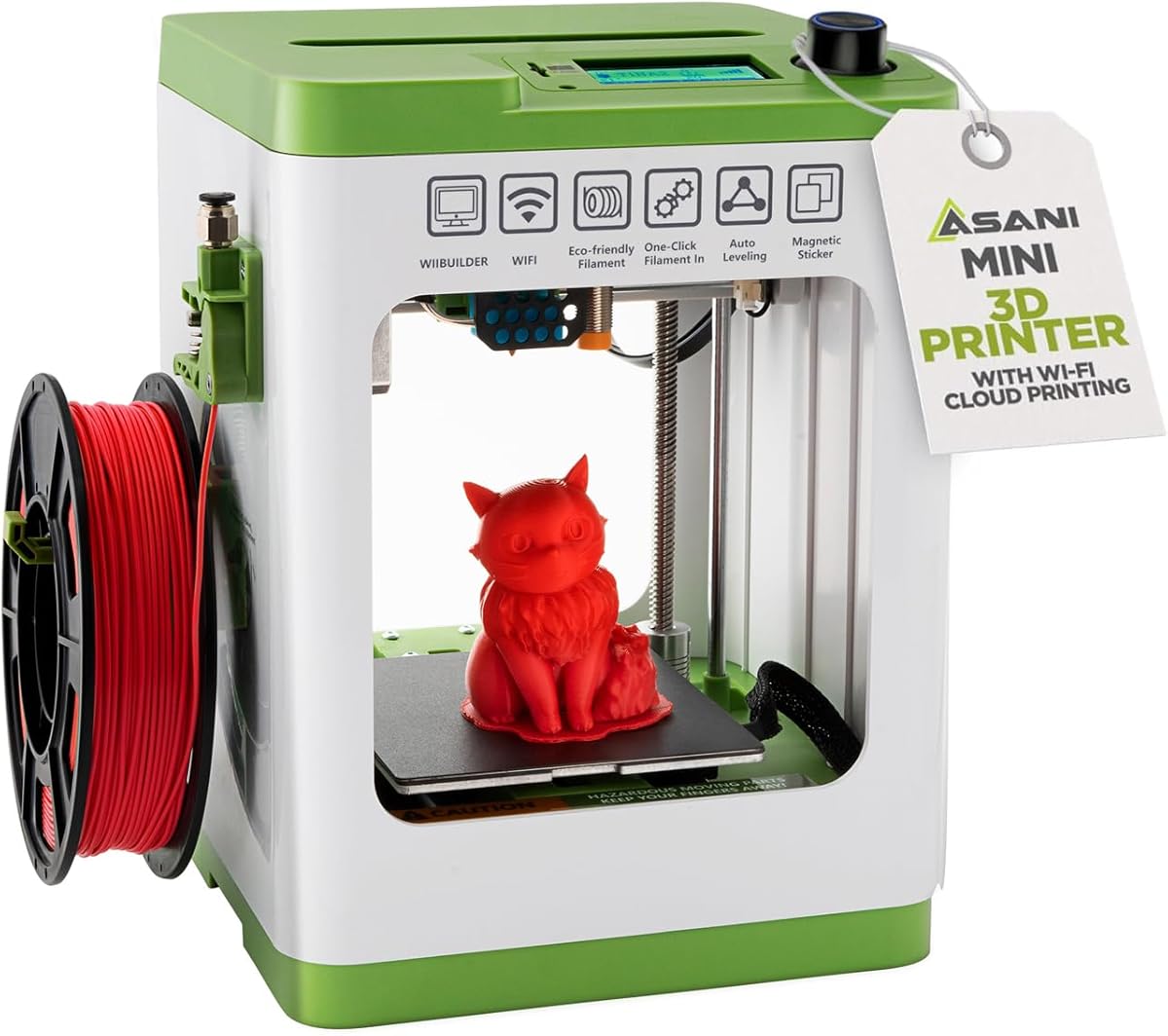
The Entina Tina2C is a fantastic budget option for beginners and kids looking to start 3D printing with minimal setup. It allows users to begin their first print in as fast as eight minutes thanks to guided setup.
We may earn a commission when you buy through this link, at no additional cost to you.
It features auto leveling, power-loss recovery, and a compact mini design that fits anywhere. The app provides access to a large model library and creative modules that encourage STEM learning and creativity at home.
While the print volume is small at 3.9 inches, it is ideal for small projects and educational use. The compact size and quiet operation make it safe for classrooms and home environments.
For those on a budget who want a reliable and educational tool, the Tina2C is an excellent choice. It removes friction from the process, allowing users to focus on creativity rather than technical hurdles.
Guided setup through the app allows users to start their first 3D print in as fast as eight minutes.
Interactive tools and regularly updated STEM courses turn creativity into an engaging educational experience.
We may earn a commission when you buy through this link, at no additional cost to you.
The FLASHFORGE AD5M combines speed and ease of use with a fully automatic one-click leveling system that ensures precise calibration every time. It is suitable for both beginners and experts who need reliability and speed.
We may earn a commission when you buy through this link, at no additional cost to you.
Its patent quick-release nozzle allows swaps in as little as three seconds, simplifying maintenance and enabling versatile printing needs. The CoreXY all-metal structure ensures smooth motion and low-noise performance even at high speeds.
Power-loss recovery helps continue prints after interruptions, which is a valuable feature for long jobs. The print volume is standard at 220mm, which may not suit larger projects but is adequate for most standard prints.
This printer is recommended for those who want a balance of speed and maintenance convenience. The ease of nozzle changes and leveling makes it a practical tool for daily use and prototyping.
The tool-free nozzle can be swapped in as little as three seconds, simplifying maintenance for all users.
If power shuts down, it saves the ongoing layer and resumes from that point when power is restored.
We may earn a commission when you buy through this link, at no additional cost to you.
The TINA2S Fully Assembled Mini 3D Printer is a complete starter kit that removes assembly frustration for new users. With everything included and a reliable long-term design, it is perfect for home, classrooms, and dorms.
We may earn a commission when you buy through this link, at no additional cost to you.
Its auto leveling and dual z-axis rail ensure high-precision prints with minimal manual adjustment. The one-touch filament loading feature makes operation straightforward and reduces the time needed for basic tasks.
While it is open-source compatible with common slicers, the note to use only the included platform plate is crucial to avoid malfunctions. The compact size makes it space-saving but limits larger print options.
This printer is ideal for families or students who need a ready-to-use solution without assembly challenges. Its high rating reflects its reliability and user-friendly design for consistent prints.
The kit comes with the printer, PLA filament, pre-installed microSD card, and essential accessories.
Load and retract filament at the touch of a button for easy maintenance and operation.
We may earn a commission when you buy through this link, at no additional cost to you.
The Creality Ender 3 V3 SE is a reliable entry-level printer designed for fast and straightforward setup. It features CR Touch auto leveling and a proven Sprite direct drive extruder for consistent filament feeding.
We may earn a commission when you buy through this link, at no additional cost to you.
It prints at speeds up to 250mm/s with a 32-bit silent mainboard that reduces operating noise. The flexible PC spring steel build plate allows printed models to be removed quickly with minimal effort.
The dual synchronized Z-axis lead screws help reduce vibration and ensure consistent print quality. This model is well-suited for those seeking a cost-effective solution that balances speed and usability.
For beginners who want to dive into 3D printing without breaking the budget, this printer offers strong value. Its ease of use and reliable performance make it a top choice for standard projects and learning.
Assembled in just a few simple steps, the Ender 3 V3 SE can be ready quickly for printing.
Dual synchronized Z-axis lead screws reduce vibration to support accurate layer alignment.
We may earn a commission when you buy through this link, at no additional cost to you.
The Anycubic Kobra X stands out with native 4-color printing capabilities, allowing vibrant designs without extra hardware. It features LeviQ 3.0 leveling that ensures flawless first layers through a 49-point calibration.
We may earn a commission when you buy through this link, at no additional cost to you.
Its smart AI monitoring detects foreign objects and allows remote control via app. The large model library offers thousands of ready-to-print options, making it ideal for home and educational use.
Filament is not included, so users must purchase spools separately. The hardened steel nozzle ensures every layer remains smooth, even at high speeds of 600mm/s.
This printer is best for users who want colorful prints without complex setups. If multi-color capability and smart features are priorities, the Kobra X delivers a premium experience for creators.
The Kobra X comes born with 4 colors built-in to turn every idea into reality.
Features spaghetti detection and foreign object detection for remote monitoring and control.
We may earn a commission when you buy through this link, at no additional cost to you.
Choosing the right easy to use 3D printer requires understanding several key factors that impact your experience. This section breaks down the most important considerations.
Look for models with auto leveling and one-click calibration. Features like these reduce manual adjustments and ensure the first layer is perfect every time.
Prioritize printers that advertise automatic setup processes to save time on initial configuration and daily maintenance.
Ensure the printer's bed size accommodates your typical projects. A larger volume allows more freedom but may require more space on your desk.
Choose a size that balances your project needs with available room in your home or workspace.
Quick-swap nozzles and accessible parts simplify routine upkeep. Tools-free maintenance features prevent downtime and frustration during regular use.
Opt for models with modular designs that let you change parts easily without specialized tools.
A companion app with remote monitoring and slicing tools enhances the workflow. Check if the printer supports open-source slicers for greater flexibility.
Prioritize printers with intuitive apps that make starting prints and troubleshooting simple.
Quieter motors and silent mainboards are essential for home or office environments. Noise can be a distraction if the printer is placed near living spaces.
Check reviews for noise feedback to ensure it fits your setting without causing disturbances.
If you want colorful prints, verify if the printer supports multiple colors out of the box or requires add-ons. Native support saves extra costs and complexity.
Consider whether you need multi-color features now or can start with single-color and upgrade later.
Ensure the extruder can handle the filaments you plan to use. Some machines require direct drive or heated chambers for specific materials.
Match the printer's specs to your material needs to avoid extrusion issues.
Check what comes in the box, such as filament and tools. A complete starter kit saves money and reduces initial setup complexity.
Prioritize value by comparing total costs including necessary accessories.
Start by reading the quick start guide and loading filament using the provided tools. Ensure the bed is clean and level before beginning your first print to avoid adhesion issues.
Regularly update firmware and clear the build plate to maintain consistent quality. Cleaning the nozzle and checking belts will prevent common mechanical problems over time.
Store filament properly to keep it dry and prevent clogging. When finishing a print, let the bed cool before removing objects to protect the model and the plate.
No, many modern printers offer apps and AI tools that let you create or download designs without coding. Platforms like MakerWorld provide pre-made models ready to print.
With auto-leveling and guided software, beginners can start printing in under an hour. The learning curve focuses more on design than machine mechanics.
Yes, many models feature enclosed designs and pinch-resistant parts. Always supervise younger users and ensure the printer is in a well-ventilated area.
PLA is the most beginner-friendly material due to low warping and low temperature. Start with PLA before exploring advanced materials like PETG or ABS.
Use isopropyl alcohol and a soft cloth to wipe the plate. Avoid harsh chemicals that might degrade the surface coating over time.
Auto-leveling reduces failures, but check adhesion settings if issues occur. Most apps provide troubleshooting guides to fix common errors.
The top picks like the Bambu Lab A1 and Entina Tina2C offer the best blend of automation and value for most users. These models simplify setup while maintaining high print quality for everyday projects.
When choosing, prioritize features that match your specific goals whether it is multi-color, speed, or a compact footprint. The best printer is one that removes technical barriers to creativity.
Always check current prices and availability on the product pages before purchasing. Models may change features or offers over time, so verifying details ensures you get the best value today.