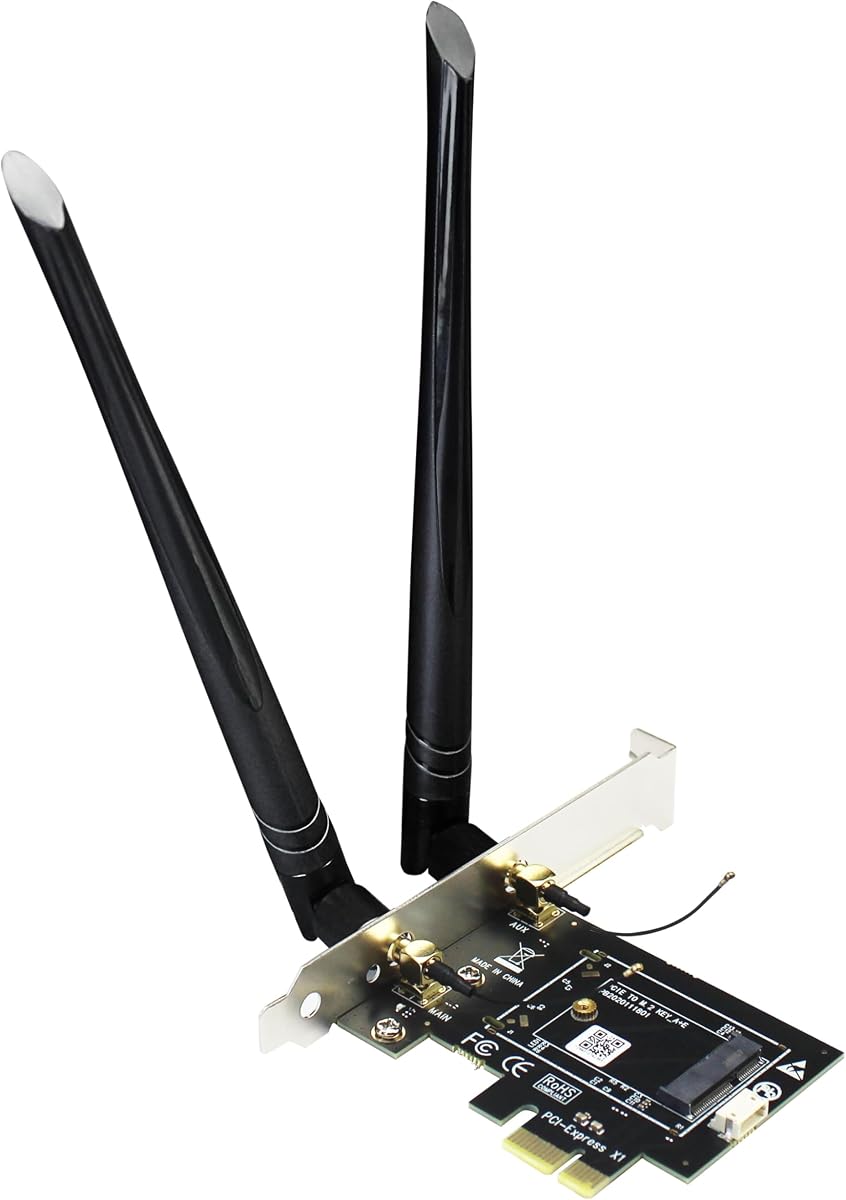
GLOTRENDS WA01 Adapter
4.1Editor score
PCIe X1 to M.2 Key E
Supports WiFi 4 to 7
Includes 6-dBi Antenna Kit
This guide compares the top ten M2 Key E WiFi cards for laptops and desktops, covering WiFi 6E and WiFi 7 models to help you find the right wireless adapter.
Modern computing demands reliable wireless connectivity for streaming, gaming, and work. M2 Key E WiFi cards offer a compact solution to upgrade network performance in laptops and desktops without needing external dongles.
We evaluated ten real products based on chipset quality, supported bands, antenna gain, and compatibility. Our analysis focuses on how each card handles speed, latency, and driver support across different operating systems.
Each pick highlights specific strengths like tri-band support or Bluetooth integration. Prices fluctuate frequently so verify current offers before buying. These selections represent the best available options for upgrading your internal wireless hardware.
4.1Editor score

4.5Editor score

4.6Editor score
This table provides a side-by-side look at the key specifications and capabilities of each card. Use it to quickly identify which model matches your hardware requirements and performance needs.


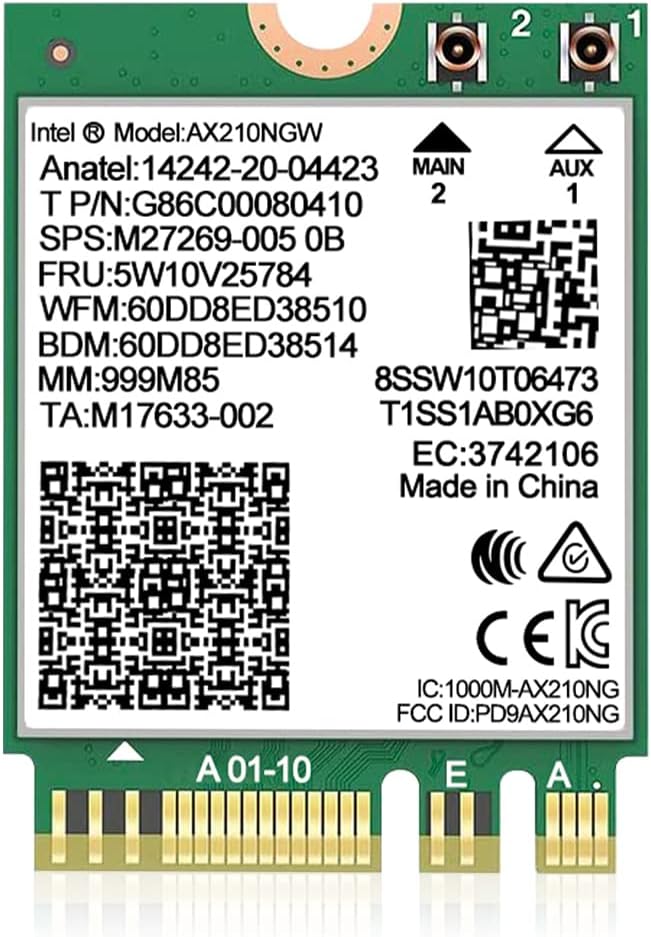
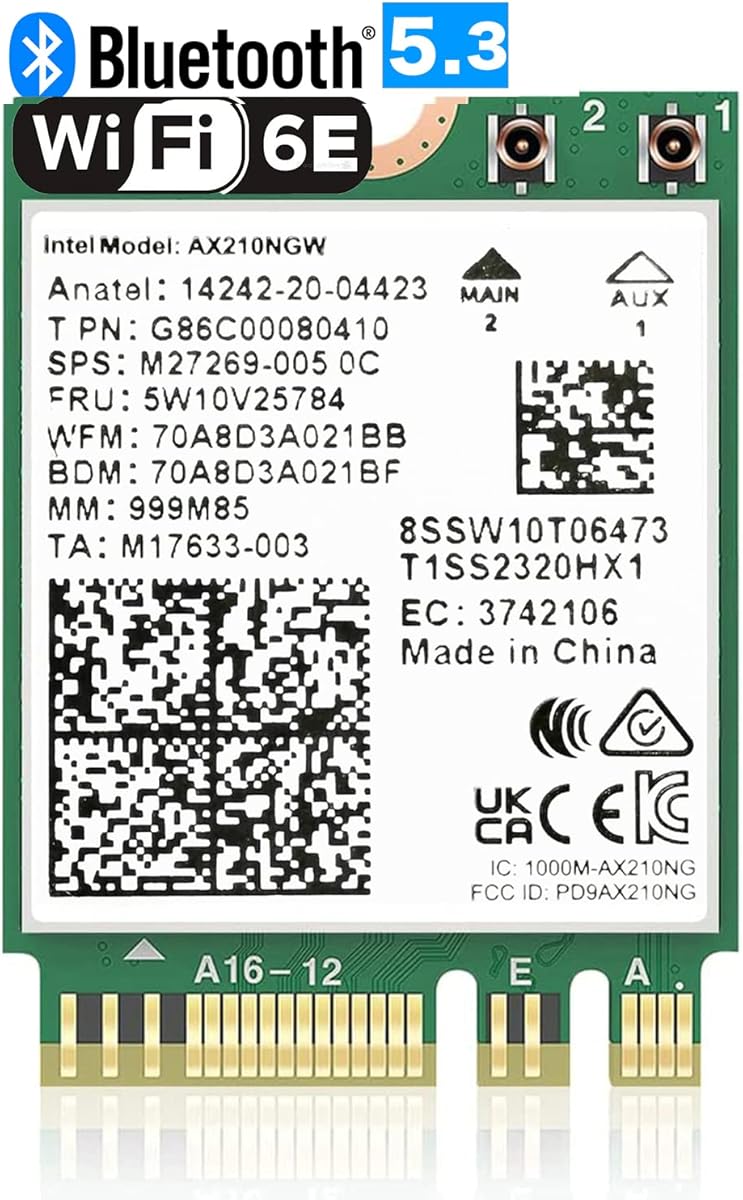


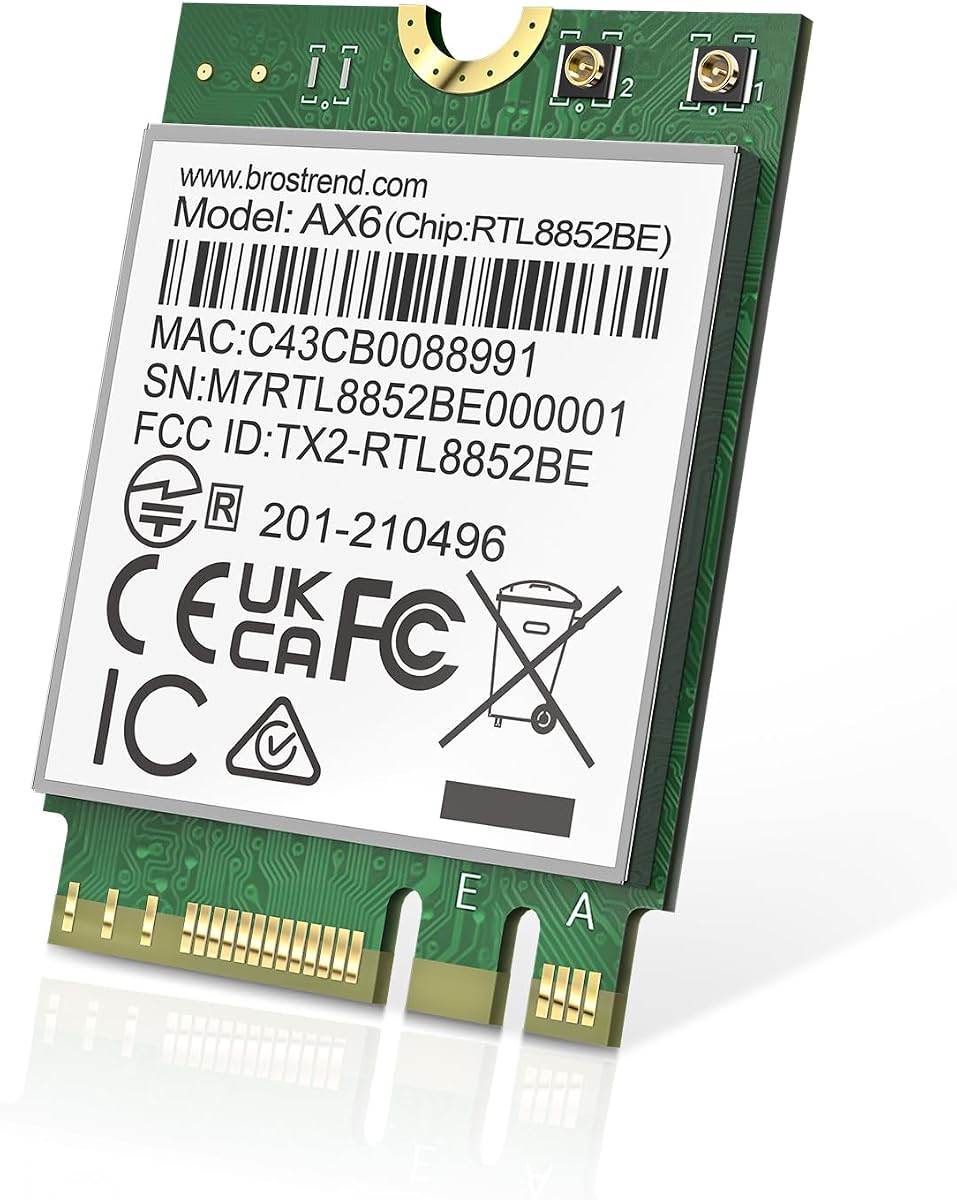
This card delivers strong performance with Intel AX210 chipset support. It offers tri-band connectivity and includes essential installation tools for easy setup.
We may earn a commission when you buy through this link, at no additional cost to you.
The AX210 chipset ensures robust data transmission across 2.4GHz, 5GHz, and 6GHz bands. Users benefit from OFDMA and MU-MIMO technologies that improve network efficiency.
Bluetooth functionality requires connecting a cable to the motherboard USB header. This setup step is straightforward but necessary for full wireless peripheral support.
Buyers seeking reliable tri-band upgrades should consider this option. It provides high speeds and low latency suitable for demanding home or work environments.
The addition of 6GHz band reduces congestion for faster streaming and gaming without interference from other devices.
Included brackets and cables simplify the process of mounting the card in various desktop chassis types.
We may earn a commission when you buy through this link, at no additional cost to you.
This adapter converts M.2 Key E modules to PCIe slots for desktop use. It supports a wide range of WiFi standards from 4 to 7.
We may earn a commission when you buy through this link, at no additional cost to you.
Users can install various NGFF modules into this card to customize their wireless capabilities. The included antennas provide strong signal reception.
Bluetooth connectivity depends on linking a USB cable to the motherboard header. This is standard for many adapters and ensures proper peripheral pairing.
Budget conscious buyers looking to add WiFi to desktops should find this useful. It offers flexibility for different module choices at a low cost.
You can swap different M.2 WiFi cards into this adapter to upgrade speeds without replacing the whole card.
The 6-dBi SMA antennas help maintain a stable connection even at a distance from the router.
We may earn a commission when you buy through this link, at no additional cost to you.
This card enables desktop PCs to use M.2 wireless modules from laptops. It supports both Intel and AMD motherboards for broad compatibility.
We may earn a commission when you buy through this link, at no additional cost to you.
The adapter expands into x1, x4, x8 or x16 slots offering flexible installation options. It comes with a full height baffle for tower cases.
Bluetooth requires a small 4-pin to USB 9-pin cable. This cable must connect to the motherboard header for wireless peripherals to function.
Users wanting to reuse old laptop cards in desktops will appreciate this solution. It provides a straightforward path to adding internal WiFi.
The adapter works across different system architectures making it a universal choice for many desktop builds.
Included brackets ensure the card fits securely in standard PC chassis for proper ventilation and stability.
We may earn a commission when you buy through this link, at no additional cost to you.
This card brings next generation WiFi 7 speeds to compatible laptops. It supports Multi-link Operation for reduced latency and improved stability.
We may earn a commission when you buy through this link, at no additional cost to you.
The QCNCM865 chipset handles up to 5.8Gbps across tri-band frequencies. It uses 4K QAM for faster data transmission when paired with matching hardware.
Full performance requires a compatible WiFi 7 router. Otherwise it works with older routers but at lower speeds without full benefits.
Users with latest hardware should consider this for maximum future proofing. It prepares systems for advanced networking standards in upcoming years.
Multi-link Operation allows simultaneous use of bands to boost speed and cut lag significantly during heavy use.
Supporting the newest WiFi standards ensures your system stays current as infrastructure upgrades become more common.
We may earn a commission when you buy through this link, at no additional cost to you.
This module offers trusted performance with the widely used AX210 chipset. It provides tri-band connectivity for enhanced network options.
We may earn a commission when you buy through this link, at no additional cost to you.
Users get speeds up to 5400Mbps across 2.4GHz, 5GHz and 6GHz bands. Bluetooth 5.3 ensures smooth peripheral connectivity for wireless devices.
Installation works on systems with M.2 2230 A/E key slots. The card reduces power consumption to help extend battery life on laptops.
Buyers prioritizing reliable brand support should select this module. It balances high performance with broad compatibility for many platforms.
Intel chipsets are known for stable drivers and consistent performance across different hardware environments.
Optimized power management helps reduce energy drain which is beneficial for portable laptop usage scenarios.
We may earn a commission when you buy through this link, at no additional cost to you.
This module supports advanced WiFi 6E technology with tri-band capabilities. It delivers high speeds and maintains low latency for real time applications.
We may earn a commission when you buy through this link, at no additional cost to you.
The AX210 chip handles MU-MIMO and OFDMA to improve network flexibility. It supports WPA3 security for safer connections on public or home networks.
Windows 10 and 11 systems with compatible CPU can use this card. Drivers must be downloaded to activate full functionality after installation.
Users seeking enhanced security and speed will find this valuable. It offers a solid balance of features for general use.
WPA3 support provides stronger encryption which protects data against modern security threats and attacks.
MU-MIMO allows simultaneous data transmission to multiple devices reducing congestion on busy networks.
We may earn a commission when you buy through this link, at no additional cost to you.
This package includes the WiFi card plus essential antenna and mounting hardware. It supports tri-band WiFi 6E for better coverage and speed.
We may earn a commission when you buy through this link, at no additional cost to you.
The 8dBi antennas provide strong signal reception to extend range effectively. Users can install it in systems with M.2 2230 A/E key slots.
Bluetooth connectivity improves battery life and offers stronger interference resistance. Security protocols include the latest WPA3 standards.
Buyers wanting a full setup kit should consider this option. It simplifies installation by including most required components.
High gain antennas help maintain connections even when the device is far from the router.
Included cables and brackets save the user from sourcing extra parts separately during setup.
We may earn a commission when you buy through this link, at no additional cost to you.
This card uses the latest WiFi 7 technology for faster throughput. It supports Multi-link Operation to combine bands for better reliability.
We may earn a commission when you buy through this link, at no additional cost to you.
Users get speeds up to 5800Mbps across tri-band frequencies. It features advanced Bluetooth connectivity for smoother peripheral performance.
Windows 11 is required for this module to function properly. Old drivers should be disabled to avoid conflicts during installation.
Those with modern systems should consider this for maximum speed. It offers significant improvements over previous WiFi generations.
MLO allows data to move across bands to reduce delays for gaming and calls.
Users must ensure their OS is updated to 64-bit Windows 11 for full support.
We may earn a commission when you buy through this link, at no additional cost to you.
This card offers solid WiFi 6 performance with dual-band connectivity. It supports speeds up to 1800Mbps for smooth browsing and streaming.
We may earn a commission when you buy through this link, at no additional cost to you.
Bluetooth 5.2 provides broader range and faster transmission. It fits standard M.2 2230 slots easily without modification.
Users benefit from MU-MIMO and OFDMA technologies for better throughput. Linux support is available with specific kernel versions.
Buyers needing reliable dual-band upgrades should consider this. It provides stable performance for daily tasks without complexity.
Dual-band support helps maintain steady connections even when 5GHz traffic is high.
Standard 2230 size ensures fit with most laptop and desktop motherboards.
We may earn a commission when you buy through this link, at no additional cost to you.
This premium card uses the Killer BE200 chipset designed for speed. It delivers ultra-low latency ideal for gaming and demanding tasks.
We may earn a commission when you buy through this link, at no additional cost to you.
It supports Tri-Band 802.11BE for speeds up to 5.8Gbps. It requires a compatible router to unlock full performance potential.
Windows 11 64-bit and Intel processors are mandatory for operation. The card features specific enhancements for gaming network traffic.
Gamers with compatible hardware should select this for best results. It offers top tier performance for modern networking needs.
The Killer suite helps prioritize gaming packets to reduce lag during play.
BE200 delivers high throughput which is critical for large file transfers and 8K streaming.
We may earn a commission when you buy through this link, at no additional cost to you.
Selecting the right wireless card involves checking compatibility and performance metrics. This guide explains key factors to consider before making a purchase.
Check whether the card supports WiFi 6E or WiFi 7. Newer standards offer faster speeds and lower latency. Ensure your router matches the card standard to get maximum benefits.
Choose the latest standard your hardware can support for future proofing.
Most cards use Intel or third-party chipsets. Intel AX210 is widely supported while newer BE200 cards require specific processors. Verify motherboard support before buying.
Match the chipset to your system CPU to avoid driver conflicts.
Tri-band cards use 2.4GHz 5GHz and 6GHz. Dual-band models omit 6GHz. Tri-band reduces congestion and improves range. Consider your network density.
Pick tri-band if you have many connected devices at home.
Bluetooth connectivity is essential for peripherals. Versions 5.2 and 5.3 provide better range and efficiency. Verify the required USB header exists.
Ensure your motherboard has the USB header for Bluetooth pairing.
Modules are standalone cards for laptops. Adapters convert M.2 to PCIe for desktops. Determine if you need installation components like brackets.
Choose a module for laptops and an adapter for desktop upgrades.
Newer cards often require Windows 11. Older cards support Windows 10. Check driver availability for your OS. Some models restrict usage to 64-bit systems.
Confirm OS support before installing drivers to avoid incompatibility.
Cards include antennas with varying dB gain. Higher gain improves signal stability. Ensure cables and connectors match your case.
Look for kits with high-gain antennas for better signal.
Modern cards support WPA3 security. This protects against advanced threats. Verify support if using public networks frequently.
Prioritize cards with WPA3 for enhanced data protection.
Power down the system before installation to prevent static damage. Insert the card into the M.2 slot and secure with a screw.
Connect antenna cables to the card connectors firmly. Ensure the USB cable for Bluetooth is linked to the motherboard header.
Download and install the latest drivers from the manufacturer website. Restart the system to activate full functionality.
They work with laptops that have M.2 Key E slots. Cards with CNVio2 protocols may not fit. Always check your motherboard manual before purchasing.
WiFi 7 adds Multi-link Operation and higher speeds. It supports larger bandwidth channels. Newer models are required for 7 features.
Standard antennas work but tri-band gain is better. Ensure connectors match the card ports. Some kits include necessary cables.
Most AX210 cards work on AMD. Newer BE200 cards require Intel CPUs. Verify processor compatibility before buying.
Use the manufacturer website or Intel support pages. Avoid generic OS updates for best performance. Uninstall old drivers first.
No, a USB header cable is usually required. If the cable is missing pairing will fail. Check included accessories before setup.
MLO reduces latency by using multiple bands. It helps with gaming and streaming. Best for users with advanced routers.
Installation is straightforward for most desktops. Laptop users may need to open the chassis. Ensure you have proper tools.
Our top picks cover budget to premium needs for most users. The AX210 cards offer great value while newer models provide future proofing.
Prioritize compatibility with your motherboard and operating system. Consider if tri-band support is necessary for your home environment.
Prices change often so check current listings before finalizing your order. These selections represent solid upgrades for internal wireless hardware.