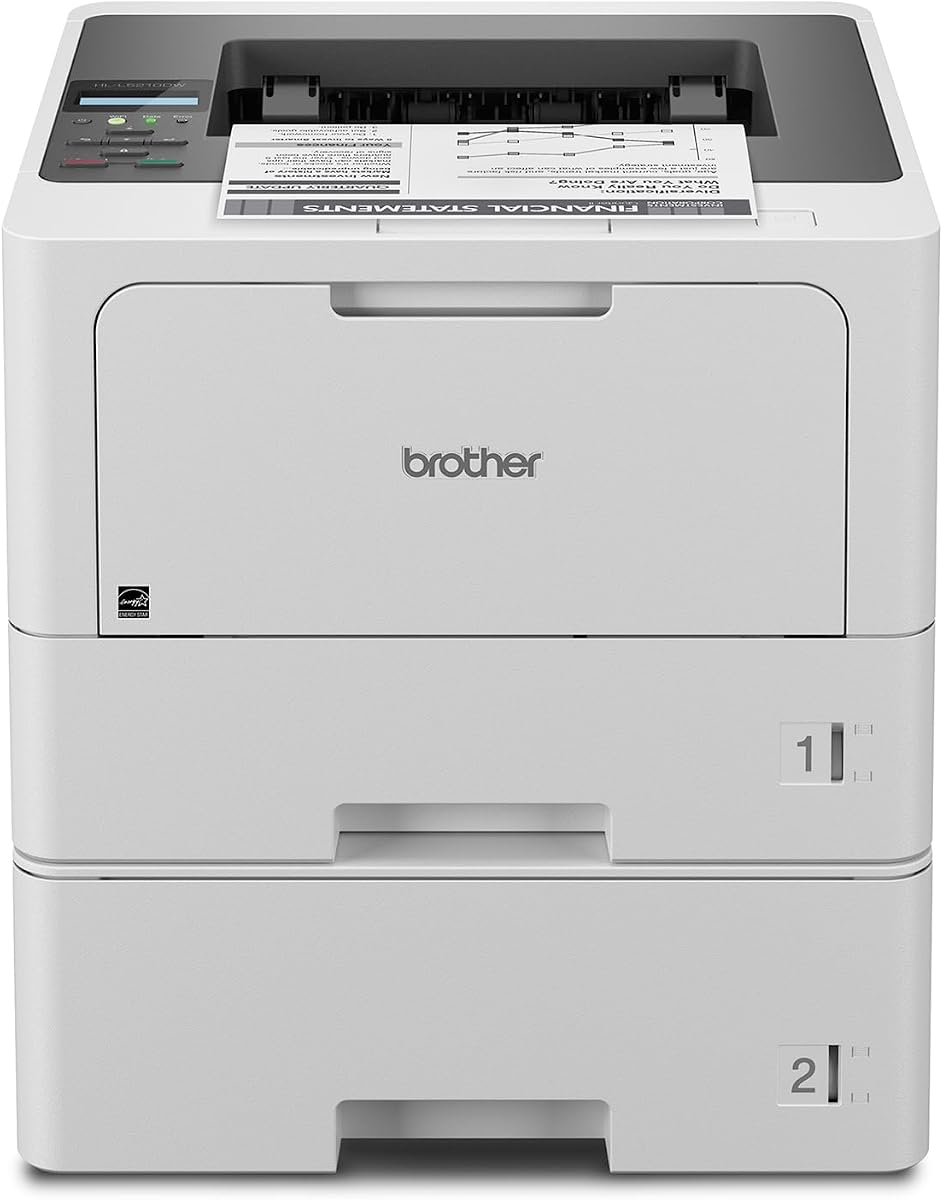
Brother HL-L5210DWT
4.3Editor score
Fast monochrome printing up to 48ppm
Dual paper trays for reduced refilling
Triple Layer Security features included
This guide compares the top 10 laser printers for large workgroups based on speed, security, capacity, and cost efficiency to help teams choose the right model.
Choosing the right laser printer for large workgroups is essential for maintaining high productivity and consistent document quality across busy offices. A capable machine must handle high-volume tasks while offering reliable connectivity and robust security features to protect sensitive business information effectively.
We have evaluated ten top-rated models based on real-world performance, user feedback, and technical specifications. Our analysis focuses on print speed, paper capacity, security protocols, and long-term operational costs to ensure you find a printer that meets your specific workflow demands.
Each pick in this guide highlights key strengths and potential trade-offs so you can make an informed decision for your team. Please note that product availability and pricing can change frequently, so verify current details before making a purchase to ensure you get the best value.
4.3Editor score
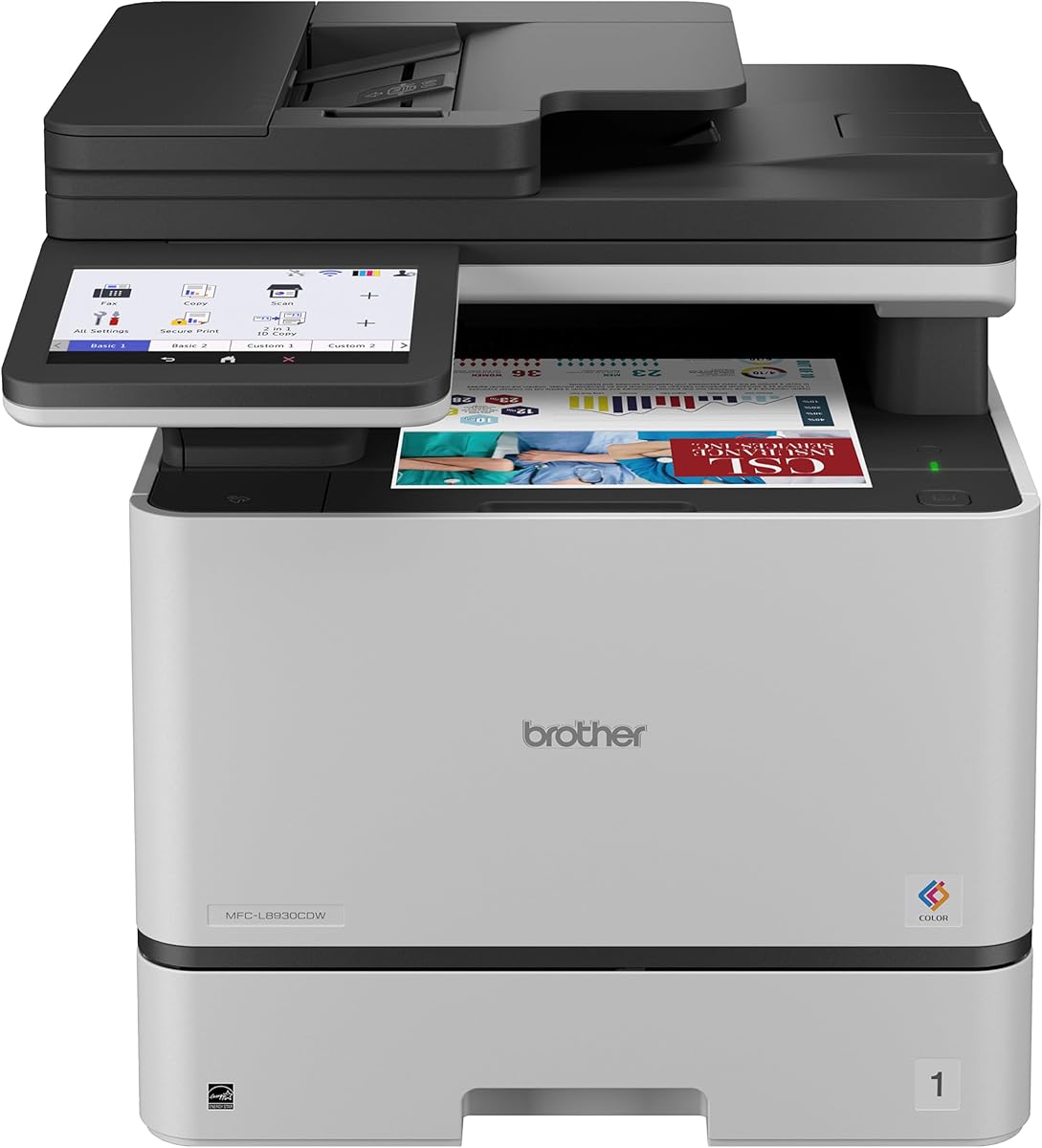
4.4Editor score

4.0Editor score
The following table provides a side-by-side comparison of all ten models to help you quickly identify which printer aligns best with your office size and technical requirements.


The Brother MFC-L8930CDW stands out as a top choice for teams needing vibrant color prints alongside robust security. It holds a strong rating and delivers sharp, professional output suitable for client-facing documents and internal reports alike.
We may earn a commission when you buy through this link, at no additional cost to you.
Its standout qualities include a fast 33 ppm print speed and a versatile 7-inch touchscreen for easy navigation. The built-in NFC card reader ensures secure printing by requiring badge authentication before releasing jobs.
While the upfront investment is higher than monochrome units, the cost per page is optimized with high-yield toner options. Some users find the initial setup of network features slightly involved compared to simpler models.
This printer is ideal for departments that frequently print marketing materials or color charts. If your workgroup prioritizes secure, high-quality color printing, this model is a highly recommended choice.
The integrated NFC reader allows employees to print securely by tapping their badge, reducing the risk of sensitive documents being left in the output tray.
Scan directly to cloud services or email from the touchscreen, streamlining workflows for remote teams or mobile users without needing a computer.
We may earn a commission when you buy through this link, at no additional cost to you.
The Brother HL-L5210DWT is perfect for workgroups focused purely on high-volume text printing. It offers an impressive 48 ppm speed that keeps up with busy office demands without requiring constant monitoring or refills.
We may earn a commission when you buy through this link, at no additional cost to you.
Key strengths include dual paper trays that reduce refill frequency and support for mobile devices. The use of Genuine TN920XXL toner ensures low operating costs over the life of the machine.
Since it is a printer-only unit, it lacks scanning capabilities which might be a limitation for some offices. However, the reliability and speed make it a strong contender for dedicated print tasks.
Choose this model if your team needs a fast, affordable printer for reports and documents. It provides excellent value for businesses prioritizing speed and efficiency over multifunctionality.
With two trays holding up to 770 sheets plus an optional tray, this printer can handle large batches without stopping for paper.
The ability to use super high-yield toner cartridges significantly lowers the cost per page for departments printing thousands of pages monthly.
We may earn a commission when you buy through this link, at no additional cost to you.
The HP LaserJet Enterprise M406dn is designed for environments where security and management are top priorities. It delivers solid performance with 42 ppm speeds and includes advanced security features like HP Wolf Enterprise Security.
We may earn a commission when you buy through this link, at no additional cost to you.
Its key strength lies in the ability to integrate seamlessly with existing IT policies through firmware updates and card reader support. The automatic two-sided printing helps reduce paper waste and costs effectively.
One trade-off is the lack of built-in wireless connectivity, which may require additional setup for mobile users. For wired offices, this limitation is minimal compared to the security benefits provided.
This printer is a great fit for corporate offices needing centralized control and strong security. If you need a reliable, secure workhorse for daily printing, it is a solid investment.
The printer uses self-healing firmware to protect against malware and ensure secure boot, keeping your network safe from potential attacks.
FutureSmart firmware allows for easy updates to add new features, ensuring the printer stays relevant as business needs evolve over time.
We may earn a commission when you buy through this link, at no additional cost to you.
The Brother MFC-L6810DW offers blazing fast monochrome performance for large workgroups. With speeds up to 52 ppm and single-pass duplex scanning, it handles heavy volumes efficiently without compromising on quality or security.
We may earn a commission when you buy through this link, at no additional cost to you.
Its standout features include a generous 520-sheet tray and an expandable capacity reaching 1660 sheets. This ensures that high-volume tasks are completed without constant manual intervention or paper refills.
While the machine is robust, it takes up more space than some compact units. The advanced features require some initial configuration, but this investment pays off in long-term productivity gains.
This model is best for offices needing rapid document processing and scanning. If speed and capacity are your main concerns, this printer will significantly reduce wait times for your team.
Work with Alexa to check printer status or manage settings using voice commands, offering a convenient hands-free management option.
The 80-page ADF can scan up to 200 pages per minute, allowing bulk digitization projects to be completed much faster.
We may earn a commission when you buy through this link, at no additional cost to you.
The Brother HL-6210DW delivers high-volume printing in a compact package. It is an excellent choice for teams that need speed and efficiency but have limited desk space or need a secondary printer.
We may earn a commission when you buy through this link, at no additional cost to you.
It features a rapid 50 ppm output and a standard 520-sheet tray to minimize interruptions. The high-yield toner options ensure that the cost per page remains low for budget-conscious departments.
As a printer-only model, it cannot scan or copy, which might be a drawback for some users. However, for focused printing needs, its reliability and speed are unmatched in this class.
If your team needs a dedicated high-speed printer that fits well in shared spaces, this model is a great fit. It balances performance and size effectively for daily operations.
Despite its smaller size, the printer maintains a professional output speed that rivals larger units, ensuring no downtime during busy periods.
Dual-band wireless support ensures stable connectivity even in congested office environments with many devices connecting simultaneously.
We may earn a commission when you buy through this link, at no additional cost to you.
The Brother MFC-L5915DW offers a solid combination of speed and versatility for office teams. With 50 ppm printing and copy speeds, it handles daily documents and contracts with ease and efficiency.
We may earn a commission when you buy through this link, at no additional cost to you.
Key strengths include its wireless connectivity and dual-band WiFi, making it easy to connect from various devices without cables. The scanning speed is adequate for most standard office needs.
The machine is well-built but feels slightly lighter than enterprise-grade units. However, the features provided justify the cost and make it a competitive option for many businesses.
Choose this model if you need an affordable all-in-one that doesn't sacrifice speed. It is a practical solution for departments looking to streamline both printing and scanning.
Users can print directly from mobile devices via the Brother app, ensuring flexibility when working away from a desk.
Dual-band WiFi ensures you can place the printer anywhere in the office without worrying about signal drops or interference.
We may earn a commission when you buy through this link, at no additional cost to you.
The HP LaserJet Enterprise M507n prioritizes security with over 200 embedded features designed to thwart malware and protect data. It is a reliable choice for organizations handling sensitive information daily.
We may earn a commission when you buy through this link, at no additional cost to you.
Its performance is steady at 43 ppm, and it supports advanced management through Web JetAdmin. This allows IT teams to control security policies and update devices across the network easily.
The lack of built-in WiFi in this model means you must rely on Ethernet for connectivity. For secure networks, this is often a benefit rather than a drawback for safety.
This printer is ideal for corporate environments where data protection is paramount. If security is your top priority, the HP M507n delivers strong peace of mind.
The printer continually monitors for potential attacks and stops them before they can compromise your network or sensitive documents.
IT managers can set corporate policies and update features from a single dashboard, simplifying maintenance across the office.
We may earn a commission when you buy through this link, at no additional cost to you.
The HP LaserJet Enterprise MFP M634z is a powerhouse for offices with extreme volume needs. With 2300 sheets of capacity and a 3-bin stapler, it handles complex finishing tasks without manual sorting.
We may earn a commission when you buy through this link, at no additional cost to you.
Its standout features include a 150-sheet ADF and a massive 9-inch touchscreen for intuitive management. The high speed of 55 ppm ensures that even large jobs are completed quickly.
This unit requires significant floor space and a higher investment, which may not suit smaller teams. However, the efficiency gains make it worthwhile for large enterprise environments.
Select this model if your workgroup handles thousands of pages daily. It reduces manual handling and improves workflow for departments needing professional output.
The integrated stapler allows you to automate finishing tasks like sorting and binding, saving valuable employee time.
With over 2000 sheets of capacity, you can run days of printing without needing to refill paper, ensuring uninterrupted work.
We may earn a commission when you buy through this link, at no additional cost to you.
The Brother HL-L8430CDWT is an excellent choice for teams needing vibrant color prints without breaking the bank. It offers professional color output and strong security features for a reasonable investment.
We may earn a commission when you buy through this link, at no additional cost to you.
Key strengths include support for high-yield toner to lower costs and a compact design that fits in shared spaces. The built-in NFC reader ensures that only authorized users can print sensitive documents.
Being a printer-only unit, it lacks scanning capabilities which might be a drawback for some. However, its color quality and value make it a strong contender for marketing and design teams.
Choose this printer if you need cost-effective color printing for reports and visuals. It balances performance and security well for small to mid-sized departments.
This model is Energy Star certified and made with recycled materials, helping your office meet green initiatives easily.
With high-yield toner options available, the cost per color page is significantly reduced for budget-conscious teams.
We may earn a commission when you buy through this link, at no additional cost to you.
The Brother HL-L6310DW combines enterprise-level speed with modern smart features. It is a reliable workhorse that offers robust security and high capacity for large workgroups.
We may earn a commission when you buy through this link, at no additional cost to you.
Its standout qualities include NFC badge authentication and the ability to work with Alexa for voice management. This adds convenience for teams looking to modernize their office workflows.
While it does not scan, the speed and security features make it a solid choice for dedicated printing. The high-yield toner ensures that long-term costs remain low.
This model is best for teams needing fast, secure printing with modern connectivity. If you want a balance of speed and safety, it is a great pick.
Voice commands allow you to check status or print jobs hands-free, improving accessibility and convenience for users.
High-yield toner cartridges and durable design mean lower maintenance and replacement costs over time.
We may earn a commission when you buy through this link, at no additional cost to you.
Selecting the right printer involves weighing factors like speed, capacity, and security to ensure your team remains efficient and protected.
For large workgroups, print speed is crucial to prevent bottlenecks. Look for models offering 40 ppm or higher to ensure documents are ready quickly for busy teams.
Prioritize high-speed printers to maintain workflow efficiency.
High-volume environments require printers that can hold large amounts of paper. Opt for dual trays or optional trays to minimize refills and downtime.
Choose expandable paper options to suit volume needs.
Enterprise printers should have robust security to protect sensitive data. Look for features like NFC card readers, secure boot, and malware detection to safeguard your network.
Ensure the printer includes enterprise-grade security tools.
Flexibility is key for modern offices. Ensure the printer supports Ethernet, WiFi, and mobile printing to accommodate different devices and remote work needs.
Select models with diverse connectivity for better integration.
Decide if you need an all-in-one or a printer-only unit. All-in-ones offer scanning and copying which saves space, while printer-only units focus on speed and cost.
Match functionality to your team's core tasks.
Look beyond the sticker price and consider toner costs. High-yield cartridges often reduce the cost per page, making them cheaper in the long run.
Calculate cost per page before buying.
Some printers come with finishers or staplers to automate document preparation. This is valuable for large groups needing professional documents frequently.
Consider finishing tools for document workflows.
Ensure the printer fits in your available office space. Larger models may offer more capacity but require dedicated floor space or cabinets.
Check dimensions to fit your office layout.
Proper setup ensures optimal performance. Place the printer on a stable surface away from direct sunlight and heat sources. Connect it to your network via Ethernet or WiFi according to the manual and install drivers on all user devices.
Regular maintenance helps prevent issues. Clean the exterior with a dry cloth and use a lint-free cloth for the glass when scanning. Avoid using compressed air to prevent damage to internal sensors or rollers.
Monitor toner levels and paper trays regularly. Replace toner before it is completely empty to avoid streaks and waste. Use high-quality paper to reduce jams and ensure smooth printing for your team.
For a large workgroup, look for a printer with at least 500 sheets of paper capacity and speeds of 40 ppm or higher. Models with optional trays can expand capacity up to 2000 sheets for busy teams.
Yes, modern enterprise laser printers include features like NFC badge authentication, secure boot, and encryption. These tools protect data and prevent unauthorized access to your documents.
Monochrome is better for text-heavy departments needing speed and low costs. Color is ideal for teams requiring marketing materials or visual documents, though it typically costs more.
Use high-yield toner cartridges and set default duplex printing to save paper. Track usage via admin tools to identify high-volume users and manage printing limits effectively.
NFC allows users to authenticate by tapping a badge, ensuring that sensitive documents are only printed for the intended person. This reduces waste and secures information in shared environments.
Most models support mobile printing via apps or protocols like AirPrint. Ensure your chosen printer has WiFi or Ethernet connectivity to enable mobile access for users.
Replacement depends on usage but typically happens every few months. Monitor levels via the printer screen to avoid running out, and consider high-yield options to reduce frequency.
Choose an all-in-one if your team scans and copies frequently to save space. A printer-only unit is better if you only need to print documents and want faster speeds.
We have highlighted ten top models including the Brother MFC-L8930CDW and HP LaserJet Enterprise MFP M634z. Each offers unique strengths depending on whether you prioritize speed, security, or color capabilities.
When deciding, focus on your specific needs such as paper volume and budget. A high-capacity monochrome unit might be the best fit for some, while others may need all-in-one features.
Remember to verify current availability and pricing before purchasing. Prices fluctuate often, so checking the latest offers ensures you get the best value for your investment.