
AI Voice Recorder, AI Note Taker, Unlimited Transcription, Lite
4.4Editor score
Unlimited free transcription plan
Credit card sized portability
Smart AI summary features
This guide compares the top AI meeting transcription devices for professionals, students, and journalists. We evaluate accuracy, battery life, and AI features
AI meeting transcription devices have revolutionized how professionals capture and organize conversations. These smart recorders use advanced artificial intelligence to transcribe speech, summarize key points, and generate actionable notes without manual typing. Choosing the right device ensures you never miss critical details during important calls or face-to-face meetings.
We evaluated ten leading AI voice recorders based on transcription accuracy, battery life, privacy features, and AI capabilities. Our analysis covers models ranging from budget-friendly options to premium devices with multimodal inputs. Each product was assessed for real-world usability in office, remote, and travel environments to ensure reliable performance.
Each pick in this guide highlights specific strengths like offline transcription, speaker recognition, or industry-specific knowledge bases. Prices and availability change frequently so always check the latest details before purchasing. Our goal is to provide a clear comparison helping you find the best tool for your unique recording needs.
4.4Editor score

4.5Editor score

4.8Editor score
The following table compares the key specifications of all ten devices. Use this side-by-side view to quickly identify which model matches your specific needs for battery life, storage, and AI capabilities.



The Plaud Note Pro stands out as a leading AI meeting transcription device with its ability to capture audio, text, and images simultaneously. With a rating of 4.5 stars it offers seamless integration of visual notes into transcripts. Its premium build and directional audio make it ideal for professionals needing clarity in noisy environments.
We may earn a commission when you buy through this link, at no additional cost to you.
This device features advanced AI that can switch between call and meeting modes automatically. The Ask Plaud feature allows you to interact with your recordings to extract insights or draft emails. The magnetic accessories ensure it stays attached to devices while the AMOLED display provides quick status checks without needing a phone.
While the battery life is excellent at up to 50 hours the free plan is limited to 300 minutes per month. Upgrading unlocks more minutes but adds ongoing cost. For those handling sensitive data its compliance with HIPAA and SOC 2 standards offers peace of mind that few competitors can match.
Buyers seeking a top-tier recorder for legal or medical fields will appreciate the security and accuracy. It is best for users who want more than just audio capture. If you need to enrich context with photos or typed notes this is the most versatile option available.
You can snap photos of documents or type notes during recording to enrich the transcript context instantly.
Ask questions to your recordings to get actionable next steps or draft emails based on spoken content.
We may earn a commission when you buy through this link, at no additional cost to you.
Pocket offers a streamlined experience focused on effortless note-taking. With a high rating of 4.6 stars it is praised for its simplicity and MagSafe compatibility. The design allows you to attach it directly to your iPhone ensuring it is always ready for meetings without bulky cases.
We may earn a commission when you buy through this link, at no additional cost to you.
Its core strength lies in the AI personal assistant capabilities that turn recordings into clear summaries and maps. The battery life is impressive allowing up to four days on a single charge. This makes it perfect for travelers or busy professionals who forget to charge gadgets frequently.
However advanced tools like deeper insights often require an optional subscription. While basic features work out of the box power users might want more robust offline options. The device is best for those who prioritize seamless mobile workflow over standalone recording features.
This is the ideal choice for iPhone users who want minimal setup. If you value staying connected to your phone and need a quick note taker that does not distract from conversation, Pocket delivers a reliable experience without unnecessary complexity.
The magnet design ensures it sticks securely to compatible devices for hands-free recording anywhere.
It turns conversations into actionable items and organized maps to save review time effectively.
We may earn a commission when you buy through this link, at no additional cost to you.
EurekaMind is a standout for budget-conscious users who do not want to pay for monthly transcription fees. It offers unlimited transcription and AI summaries in its starter plan. With a rating of 4.4 it balances cost and functionality well for everyday recording needs.
We may earn a commission when you buy through this link, at no additional cost to you.
The device includes an Ask AI feature that can search the web to provide deeper context during interviews. It is incredibly thin at 3mm and fits easily into card holders or wallets. This portability makes it a great companion for students or freelancers moving between locations.
While it lacks some advanced hardware like directional arrays its privacy standards are enterprise-level with multiple certifications. This ensures your data remains secure without extra cost. The trade-off is that it relies heavily on cloud connectivity for its smart search features.
Choose this device if your main priority is unlimited transcription access without a subscription. It is perfect for users who need to transcribe long meetings daily and want a discreet, low-cost device that still offers smart AI summaries.
Start with a free plan that includes unlimited transcription and summaries for everyday use.
The Ask AI feature can search the web to bring in external insights related to your conversation.
We may earn a commission when you buy through this link, at no additional cost to you.
Comulytic Note Pro is designed specifically for professionals in fields like real estate, law, and finance. It features vertical knowledge bases that understand industry terms better than general models. With a 4.4 rating it delivers reliable accuracy for specialized conversations.
We may earn a commission when you buy through this link, at no additional cost to you.
The device includes a 64GB storage option which is generous for a recorder of this size. It supports a free starter plan that offers unlimited basic transcription and summaries. This makes it attractive for long-term users who want to avoid recurring fees for core functions.
Battery life is strong at 45 hours continuous recording. However some advanced tools like the contact insight hub require a premium subscription. The real-time translation is a unique feature for global business but it is part of the paid upgrade path.
This device is best for sales agents or consultants who need domain specific accuracy. If you work in insurance or finance and want a tool that understands jargon without extra tuning this is a solid investment.
Capture industry terms precisely in fields like insurance, real estate, and finance with built-in knowledge.
Get unlimited free transcription and basic summaries forever without any monthly subscription required.
We may earn a commission when you buy through this link, at no additional cost to you.
Comu Action Pro leads the pack with a massive 70 hour battery life and high 4.8 rating. It focuses on turning conversations into editable documents like slides and emails automatically. This goes beyond simple summarization to create ready-to-use outputs for work.
We may earn a commission when you buy through this link, at no additional cost to you.
The hardware includes a bone-conduction mic which improves clarity for phone calls significantly. It supports unlimited core features including transcription and summaries without hidden costs. The MagSafe design ensures it integrates well into existing mobile workflows seamlessly.
While the price is higher than budget models the value is clear in its battery performance and document generation. Users who need to prepare reports immediately after meetings will love the AI drafting capabilities. It simplifies the workflow from recording to final deliverable.
Choose this if you need a reliable all-day device that produces professional documents. It is ideal for executives who want to minimize manual typing and get draft presentations directly from their meeting notes.
Get professional AI drafted documents like slides and email drafts without any prompts or expertise.
The dedicated bone-conduction mic captures clear sound during phone calls for better accuracy.
We may earn a commission when you buy through this link, at no additional cost to you.
RECPOINT is a powerful tool for global collaboration with support for 150 languages and GPT-5.5 accuracy. It offers a rugged aluminum build that is durable for travel. With a 4.5 rating it delivers high performance for academic and international business needs.
We may earn a commission when you buy through this link, at no additional cost to you.
The device includes 64GB of storage and a 30-hour battery life. It comes with 1080 free AI minutes monthly which is generous for most users. The dual-mic noise cancellation ensures clear audio even in crowded lecture halls.
While the free plan is good it limits total minutes. However the accuracy is strong enough to handle complex jargon and accents. The ecosystem includes desktop software for advanced management which adds value for serious users.
This device is best for international teams or students needing multi-language support. If you frequently record meetings in different languages and need accurate transcripts quickly this is a robust choice.
Supports transcription and translation in 150 languages for seamless global collaboration and research.
Files are encrypted both locally and in the cloud to ensure your data sovereignty.
We may earn a commission when you buy through this link, at no additional cost to you.
Plaud Note offers a similar experience to the Pro version but at a lower price point. It still features the ultra-slim design and security certifications. The 4.5 rating reflects its reliability for general note-taking and transcription tasks.
We may earn a commission when you buy through this link, at no additional cost to you.
It uses vibration conduction to capture internal phone sounds during calls. It can store up to 64GB of audio locally which is useful for offline security. The AI models include GPT-5.5 and Gemini options for flexible processing.
While the Pro version has more features this one is sufficient for casual users. The 300 free minutes might require an upgrade for heavy usage. However it remains a strong contender for those who want premium hardware without the highest cost.
Buy this if you want the Plaud ecosystem and design but do not need the Pro features. It is ideal for students or professionals who need secure offline storage and basic AI summaries.
The VCS ensures clear call recordings by capturing internal phone sounds without background noise.
Store up to 64GB of audio locally to record securely without an internet connection.
We may earn a commission when you buy through this link, at no additional cost to you.
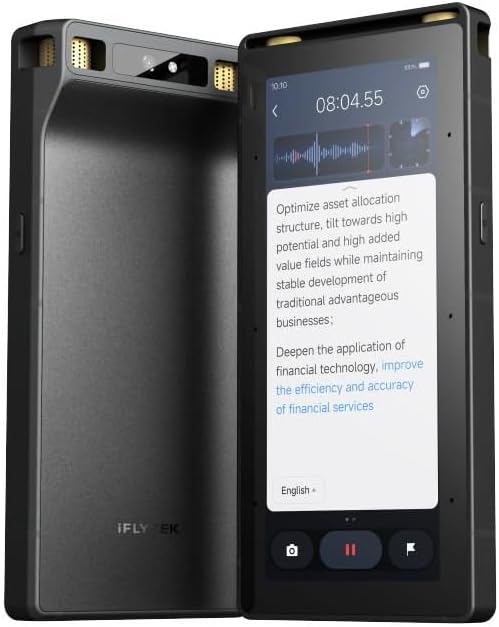
This device stands out with its full touchscreen interface and offline transcription capabilities. It is designed for secure environments where internet is not always available. The 20m pickup range makes it suitable for large lecture halls or conferences.
We may earn a commission when you buy through this link, at no additional cost to you.
It includes a 5-year Pro membership which adds significant value. The OCR and video subtitling features are unique compared to audio-only recorders. While specific ratings are not available the hardware specs suggest robust performance.
Offline transcription supports 5 languages which is limited compared to cloud options. However for security conscious users this is a major benefit. The device acts more like a professional dictaphone than a simple AI tool.
Choose this if you need a standalone device for secure or offline work. It is best for international business travelers who need offline translation and transcription without relying on public networks.
Process information anywhere without internet dependency for secure cross-border business communication.
The 8-microphone array captures clear audio from up to 20 meters in complex environments.
We may earn a commission when you buy through this link, at no additional cost to you.
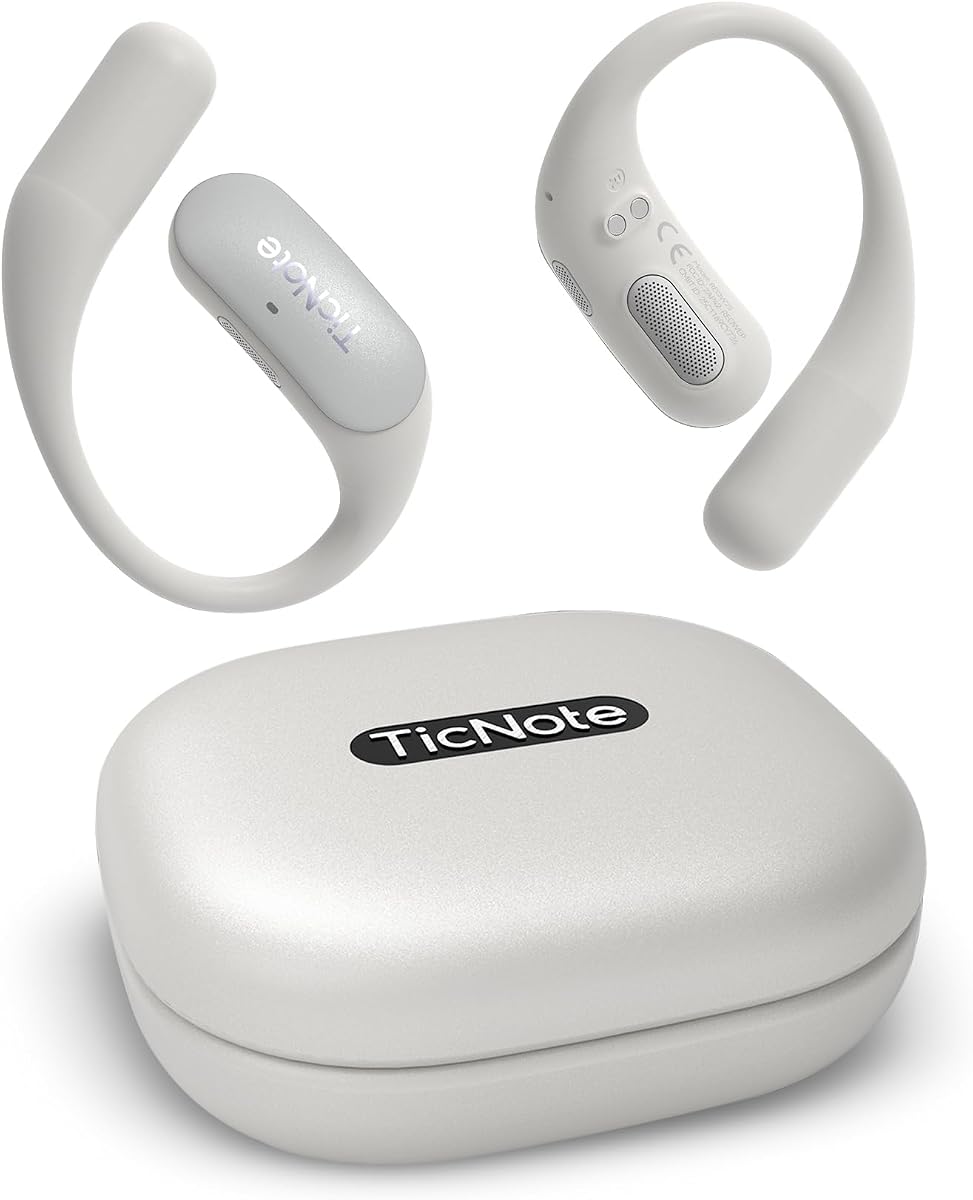
Mobvoi TicNote Pods is designed for office workers who have reliable WiFi access. It avoids cellular data by using direct WiFi connections for syncing. With a rating of 4.1 it focuses on lightweight design and team collaboration features.
We may earn a commission when you buy through this link, at no additional cost to you.
The device has 32GB of storage and supports 120 languages. Its Shadow AI feature helps organize notes for work outcomes. The team cloud storage allows encrypted sharing which is great for small groups or departments.
The battery life is shorter at 5 hours but sufficient for a workday. This makes it less ideal for travelers who need all-day recording. It is a specialized tool for office use where charging is easy.
Buy this if you work in a fixed office with WiFi and need team sharing. It is best for administrative staff who need to archive meetings securely in the cloud for easy access by colleagues.
Designed for office environments to support recording and cloud sync without cellular data.
Share notes and transcripts through encrypted cloud storage to keep your team aligned.
We may earn a commission when you buy through this link, at no additional cost to you.
This version of the Comulytic Note Pro emphasizes Wi-Fi syncing and security. It allows real-time uploads so your notes are backed up immediately. The 4.2 rating reflects consistent performance for standard meeting and lecture notes.
We may earn a commission when you buy through this link, at no additional cost to you.
It includes a triple-mic array for clear audio and AES encryption for safety. The free starter plan offers unlimited transcription which is a key selling point. This makes it accessible for students and freelancers needing basic AI tools.
The device is durable and has a Gorilla Glass display. It is a balanced option for those who want a mix of local and cloud storage. The sync speed is notably faster than Bluetooth alternatives.
Choose this for a reliable daily driver that syncs quickly. It is best for users who want to access notes on desktop right after a meeting without manual transfer steps.
Transfer files 10x faster than Bluetooth with real-time sync while recording.
Your data is encrypted with AES technology and protected under CCPA.
We may earn a commission when you buy through this link, at no additional cost to you.
Selecting the right AI transcription device involves balancing features like battery life, privacy, and specific AI capabilities. This section breaks down the key factors to consider before purchasing.
Accuracy is the most critical factor for a transcription device. Look for models that offer over 95% accuracy in your primary language. Some devices also support multiple languages which is useful for international meetings. Check if the device can handle accents and technical jargon effectively.
Prioritize devices with strong language support if you work in multilingual environments.
Battery life varies widely from 5 hours to over 70 hours. For all-day meetings choose a model with at least 30 hours of continuous recording. Portability is also key if you travel often. Thin, credit-card sized devices fit easily into pockets or bags.
Aim for at least 30 hours of battery life to cover long workdays without recharging.
Professional conversations often contain sensitive information. Ensure the device offers end-to-end encryption and complies with standards like HIPAA or SOC 2. Local storage options are also important if you prefer not to upload recordings to the cloud.
Check for privacy certifications if you handle legal or medical data.
Modern devices go beyond transcribing to summarize and organize notes. Look for features like speaker recognition, action item extraction, and email drafting. Some models even allow you to ask questions about your recordings directly.
Choose a device with interactive AI if you need actionable insights from meetings.
Some devices offer free transcription limits while others require subscriptions for full features. Evaluate the free starter plan to see if it meets your monthly needs. Unlimited plans are available but often come with higher ongoing costs.
Review the free plan limits carefully to avoid unexpected subscription fees.
Consider microphone quality and connectivity options. Devices with directional mics perform better in noisy rooms. Wi-Fi sync allows faster uploads than Bluetooth. MagSafe compatibility can be a bonus for iPhone users.
Ensure the hardware supports your specific environment and device ecosystem.
Local storage capacity determines how many hours of audio you can keep on the device. Cloud backup ensures you do not lose data if the device is lost. Look for unlimited cloud options if you record frequently.
Aim for at least 64GB local storage or unlimited cloud backup.
For professionals in finance or law, general models might miss key terms. Some devices offer vertical knowledge bases trained on industry terminology. This improves the accuracy of transcripts in specialized fields.
Select a device with industry training if you work in a niche sector.
To get the best results, always position the device closer to speakers during meetings. If the device has a directional mic, point it toward the conversation source. For phone calls, use call recording modes if available to ensure internal audio is captured clearly.
Regularly update the device firmware and app to access the latest AI improvements. Sync your recordings to the cloud immediately after a session to secure your data. Clear local storage periodically if you have limited onboard space.
Keep the device clean and protected from moisture. Use the provided cases or magnetic mounts to prevent drops. If you do not plan to use it for a while, charge the battery to 50% before storing it away.
Yes, modern AI transcription devices often claim 95 to 98% accuracy. They use advanced models like GPT to refine transcripts. However, accuracy may vary with accents or noisy environments. It is always wise to review the transcript for critical details.
Some devices support offline transcription but features are usually limited. Most advanced AI analysis requires internet connectivity for cloud processing. Always check if a model supports offline modes before purchasing for remote work.
Many devices include a free starter plan with limited monthly minutes. Unlimited or advanced features often require a subscription. Always check the subscription pricing and free tier limits before committing.
Yes, many models have specific call recording modes. Some use vibration sensors to capture internal phone audio. Ensure you have permission to record calls as laws vary by location.
No, they are accessories designed to assist with note-taking. You still need a computer to view and edit full transcripts on a larger screen. They simplify the process of gathering information for later processing.
Top models use end-to-end encryption and comply with security standards like HIPAA. Data is stored locally or in the cloud based on your settings. Always review the privacy policy before storing sensitive information.
We reviewed ten top devices ranging from budget options to premium AI tools. The Plaud Note Pro offers the best overall experience with multimodal inputs. EurekaMind is ideal for those needing unlimited free transcription. Comu Action Pro leads in battery life and document generation.
When choosing, prioritize battery life and privacy features that match your industry needs. Ensure the device supports your preferred language and ecosystem. Balancing cost with required AI features will lead to the best value.
Prices and availability change frequently so verify current deals before purchasing. Check the latest models to ensure you get the most up-to-date AI capabilities for your workflow.