
Lenovo 15.6 IdeaPad
AMD Athlon 7120U CPU
15.6 inch HD Display
External DVD Player Included
Wi-Fi 6 Connectivity
Finding a laptop with a built-in DVD drive is increasingly rare in modern computing. Many users still require optical media for software installation, media playback, or data archiving. This guide explores top models that keep this legacy feature alive while offering contemporary performance.
We evaluated ten laptops based on processor speed, storage capacity, display quality, and optical drive reliability. Our analysis includes new business models and renewed options to suit different budgets. Each product offers unique strengths for specific workflows involving discs or legacy media.
Each pick details specifications, pros, cons, and real-world usability insights to help you decide. Prices and availability change frequently so always verify current listings before purchasing. We focus on value, durability, and the ability to handle both modern tasks and optical media needs.

4.5Editor score

4.1Editor score
As an Amazon Associate we earn from qualifying purchases.
The following comparison table outlines key specifications for each of the ten selected laptops. It highlights processor types, memory amounts, storage solutions, and display sizes to facilitate quick side-by-side evaluation of performance and value across different price points.

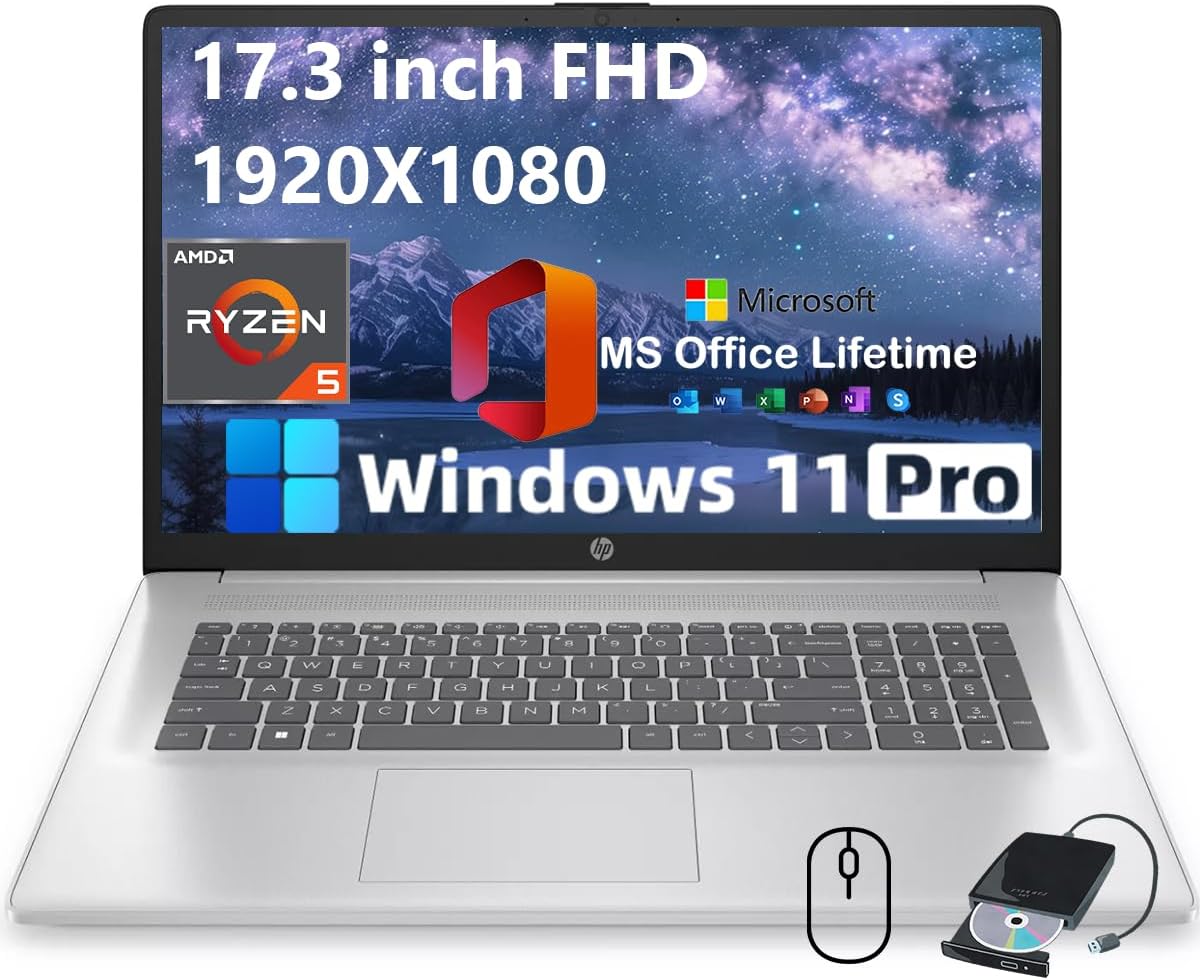



This HP laptop stands out as a top choice for users needing optical media support. It combines a modern Ryzen 5 processor with a generous 16GB of RAM ensuring smooth multitasking. The external DVD drive is included making it ready for disc-based software installation.
We may earn a commission when you buy through this link, at no additional cost to you.
The display offers vibrant visuals thanks to the Full HD IPS panel which is ideal for presentations. Business users will appreciate the inclusion of Windows 11 Pro and a lifetime license for Microsoft Office. This saves significant upfront costs compared to buying those separately.
While the chassis is robust and professional looking it is not the lightest laptop for daily commuting. The battery life is functional but not exceptional under heavy loads. These tradeoffs are acceptable given the powerful internals and the inclusion of essential legacy features.
If you need a reliable machine for office work or student studies that still supports DVDs this model is highly recommended. It balances modern performance with traditional connectivity needs effectively. Check current pricing to ensure it fits your budget.
The Ryzen 5 7430U provides ample power for spreadsheets and video calls.
Pre-installed Office and Pro Windows save users extra purchasing fees.
We may earn a commission when you buy through this link, at no additional cost to you.
The Lenovo IdeaPad offers an accessible entry point for those needing a DVD drive without breaking the bank. It comes with an external DVD player and additional portable storage which is useful for backups. This bundle makes it a complete package for home use.
We may earn a commission when you buy through this link, at no additional cost to you.
While the processor is entry level it handles basic web browsing and document editing well. The full-size keyboard with a numeric keypad is a plus for data entry tasks. However the 4GB of RAM may limit performance with many open tabs.
The screen resolution is standard HD which is adequate for casual use but not sharp. For budget conscious users who need to read discs occasionally this laptop provides the necessary tools. It is best suited for light home tasks.
Choose this model if price is the main concern and you do not need heavy performance. The included accessories add value that offsets the lower specs. Verify stock availability as budget models often sell quickly.
Includes external drive and storage to maximize utility for the price.
Sufficient for browsing and writing but not for heavy editing.
We may earn a commission when you buy through this link, at no additional cost to you.
This HP model focuses on raw internal power with 32GB of RAM and a huge SSD. It is ideal for users who need fast file access and virtualization capabilities. While the DVD drive is external the system supports it fully for legacy needs.
We may earn a commission when you buy through this link, at no additional cost to you.
Windows 11 Pro offers advanced security features like BitLocker encryption which is great for professionals. The inclusion of Copilot suggests a focus on modern productivity tools alongside traditional hardware. The physical camera shutter ensures privacy during video meetings.
The processor is efficient but not designed for heavy gaming or rendering. Still the memory and storage speed compensate for many workflows. Users looking for a long-term machine should value the expandability and internal specs.
Invest in this if you need storage and memory headroom for demanding tasks. It balances modern computing with the flexibility to connect optical drives. Compare with other premium options to confirm it meets your needs.
32GB RAM and 1TB SSD ensure smooth handling of large files.
Pro Windows and privacy shutter add security and control for users.
We may earn a commission when you buy through this link, at no additional cost to you.
This HP variant mirrors the top pick but highlights its privacy features and display quality. The Ryzen 5 processor ensures quick response times for daily business applications. It comes with an external DVD drive to maintain compatibility with optical media.
We may earn a commission when you buy through this link, at no additional cost to you.
The anti-glare coating on the screen helps reduce eye strain during long sessions. Windows 11 Pro and Office are pre-installed making it ready for work immediately. This setup is perfect for students or professionals needing reliability.
The price point is competitive for the specs offered though external peripherals add to the cost. Battery life is decent but depends on usage patterns. Overall it is a solid choice for those prioritizing screen clarity and security.
Select this laptop if you want a balanced machine with strong security features. It offers good value for the included software and hardware. Check reviews for specific unit consistency before buying.
IPS display provides consistent colors and better viewing angles.
Office and Pro Windows save time on setup and licensing.
We may earn a commission when you buy through this link, at no additional cost to you.
This model emphasizes reliability and full feature sets for academic or office use. The 17 inch screen offers plenty of workspace for multitasking. It includes an external DVD drive which is rare in modern laptops and essential for some software.
We may earn a commission when you buy through this link, at no additional cost to you.
The numeric keypad is a significant advantage for students dealing with spreadsheets or data. Windows 11 Pro provides a stable environment for coursework and projects. The inclusion of Office makes it ready for assignments out of the box.
Portability is the main drawback due to the large size and weight. It is best used as a desktop replacement rather than a travel laptop. If you need a powerful home unit this fits the bill well.
Consider this for home desk setups where weight is not a priority. It offers the performance needed for complex tasks and legacy media. Compare with smaller models if you plan to move it often.
Large screen and keyboard make it ideal for fixed workspaces.
Handles both modern apps and older CD software needs.
We may earn a commission when you buy through this link, at no additional cost to you.
This HP laptop delivers consistent performance for general computing tasks. The 16GB of RAM ensures that multiple applications can run without slowing down. It supports optical media through the included external drive which is critical for specific users.
We may earn a commission when you buy through this link, at no additional cost to you.
The display quality is bright and clear making it suitable for video calls. Pre-installed software reduces the hassle of initial configuration. It is a well-rounded option for anyone needing a reliable main machine.
Users should be aware that the optical drive is external and must be stored safely. The price reflects the premium specs and included software. For those willing to invest it provides a smooth experience.
This is a solid choice for users prioritizing reliability and screen quality. It meets the needs of students and office workers alike. Check for bundle deals to maximize value.
16GB RAM allows running multiple programs simultaneously.
Anti glare coating helps in bright office environments.
We may earn a commission when you buy through this link, at no additional cost to you.
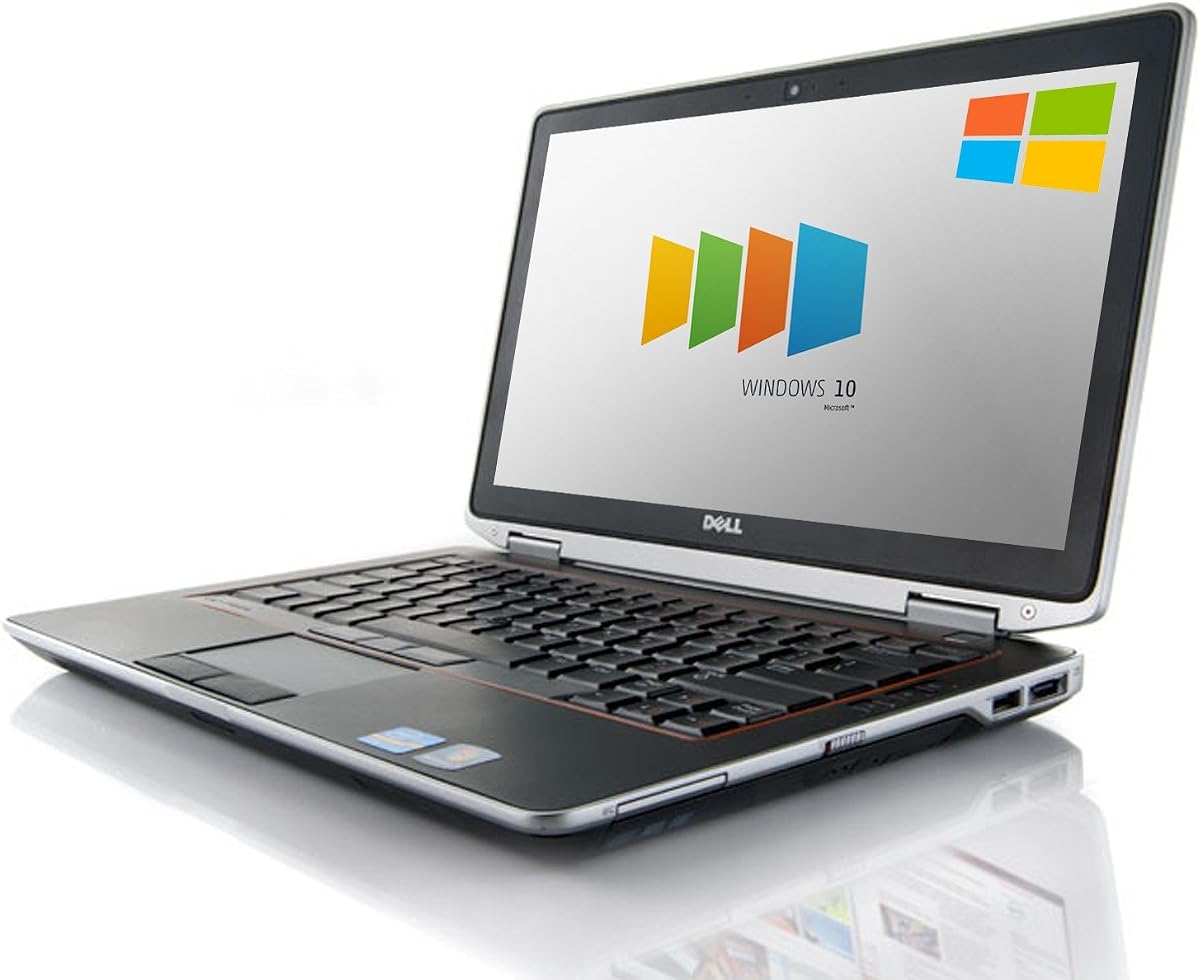
This Dell model represents a classic business laptop with a built-in optical drive. It is a renewed unit which can offer significant savings. The older i7 processor is still capable for basic productivity and web tasks.
We may earn a commission when you buy through this link, at no additional cost to you.
Having a built-in drive is a major advantage over models with external ones. It eliminates the need for extra peripherals and keeps the setup compact. The SSD ensures boot times are faster than traditional hard drives.
The main limitation is the older architecture and Windows 10 which is reaching end of support. Security patches may stop sooner than on modern systems. It is suitable for offline or legacy tasks.
Choose this if you need a cheap machine with a built-in DVD drive. It is great for specific legacy software needs. Ensure you have plans for OS updates if connected to the internet.
Optical drive is internal removing extra USB device.
Older hardware supports older software versions better.
We may earn a commission when you buy through this link, at no additional cost to you.
This is a vintage laptop that offers a built-in optical drive. It is likely intended for collectors or specific niche use. The hardware is very old by modern standards and may not support current software.
We may earn a commission when you buy through this link, at no additional cost to you.
The DVD/CDRW drive is functional but speeds will be slow. It might be useful for playing old media in an offline environment. The small hard drive limits storage for files or apps.
Users should be aware of the performance limitations and security risks. It is not suitable for daily use on a network. This is strictly a niche device for legacy hardware enthusiasts.
Consider this only for specific retro projects or offline media. It is not recommended for general productivity. Check compatibility with any specific software you need to run.
Good for playing old discs without internet dependency.
Not suitable for modern web browsing or apps.
We may earn a commission when you buy through this link, at no additional cost to you.
This renewed Dell model provides a balance of older business features. The 500GB hard drive offers plenty of space for files although it is slower than an SSD. It includes a built-in DVD drive which is rare now.
We may earn a commission when you buy through this link, at no additional cost to you.
The processor is adequate for light tasks and reading discs. It runs Windows 10 Pro which is familiar but nearing end of life. This is a budget option for users with limited funds.
Battery life may be diminished due to age of the device. It is best used as a secondary or stationary machine. Check the warranty terms for renewed products before purchasing.
Pick this if you need a cheap reliable machine with optical support. It serves well for archival or specific legacy tasks. Verify condition details with the seller.
500GB hard drive allows storing many documents and photos.
Renewed pricing makes it accessible for tight budgets.
We may earn a commission when you buy through this link, at no additional cost to you.
This compact Lenovo laptop offers portability with an optical drive. It is one of the few modern-ish devices with a built-in drive. The SSD ensures decent boot times for the system.
We may earn a commission when you buy through this link, at no additional cost to you.
It handles basic web tasks well but is not meant for heavy multitasking. The 4GB of RAM is a limitation for modern browsers. Still it is a good choice for secondary use.
The design is sleek and easy to carry around. Battery life is reasonable for short sessions. It bridges the gap between portable and functional with disc support.
Select this if you need a lightweight option that still plays discs. It is great for travel where other devices might lack optical drives. Verify battery health upon receipt.
Slim profile makes it easy to move from place to place.
Reads and writes discs for data backup needs.
We may earn a commission when you buy through this link, at no additional cost to you.
Selecting the right laptop with a DVD drive requires balancing modern needs with legacy requirements. The following factors help narrow down the best options for your specific workflow.
Look for a CPU that matches your workload. Modern AMD Ryzen or Intel Core processors ensure smooth operation. Avoid older generation chips if you plan to run multiple apps.
At least 8GB of RAM is recommended for comfortable multitasking. Solid state drives offer faster performance than hard drives. Check if storage is expandable for future needs.
Decide if you need a built-in drive or an external one. Internal drives are convenient but rare. External drives are versatile but require extra ports.
A Full HD display provides better text clarity and color accuracy. IPS panels offer wider viewing angles. Ensure brightness is adequate for your environment.
Check for USB ports to connect the optical drive. Wi-Fi 6 ensures fast internet speeds. HDMI ports help connect to external monitors.
Windows 11 is the latest standard for security. Older versions might lack updates. Ensure the OS supports your current applications.
Larger screens often mean heavier laptops. Consider how often you move your computer. A lighter unit is better for travel.
Compare features against the price tag. Renewed models might save money. Check what is included like licenses or accessories.
To use the DVD drive insert the disc gently until it clicks into place. For external drives connect them to a USB port before opening the disc tray. Use the system eject button to remove discs safely.
Keep the drive clean to ensure optimal performance. Dust can cause errors or reading issues. Use a compressed air can to blow out the tray occasionally.
Store discs in cases to prevent scratches. Always eject the drive before moving a portable laptop. This prevents physical damage to the internal mechanism.
Most modern laptops omit optical drives to stay thin. However some business and gaming models still include them. External drives are a common alternative.
Most drives read CD and DVD formats. Some support Blu-ray for higher definition media. Check the product details to confirm formats.
External drives are fast enough for most uses. USB 3.0 speeds allow quick data transfer. It is not noticeable for normal playback.
Insert the disc and run the setup file from the drive. Follow the on-screen prompts to install. If auto-run fails open the drive manually.
Yes older games often require discs to run. Ensure the laptop supports legacy software. External drives can help run these games.
They work well for home tasks and media. The drive helps with backups or movie playback. Most models support common apps.
Check the connection and drivers first. External drives need power sometimes. Contact the seller if under warranty.
Windows usually plays media automatically. Some formats may need a codec. Check your browser for web discs.
We reviewed ten laptops that cater to users needing optical media support. The HP 17.3 Business Laptop stands out as the top pick for power and features. The Lenovo IdeaPad offers a budget friendly alternative.
Prioritize your needs when selecting a model. If speed and modern OS are key consider the HP premium option. For legacy support a refurbished unit might suffice.
Prices and availability can change quickly so check current listings. Ensure the specs match your workflow before buying. A good fit ensures you can work with old and new media easily.