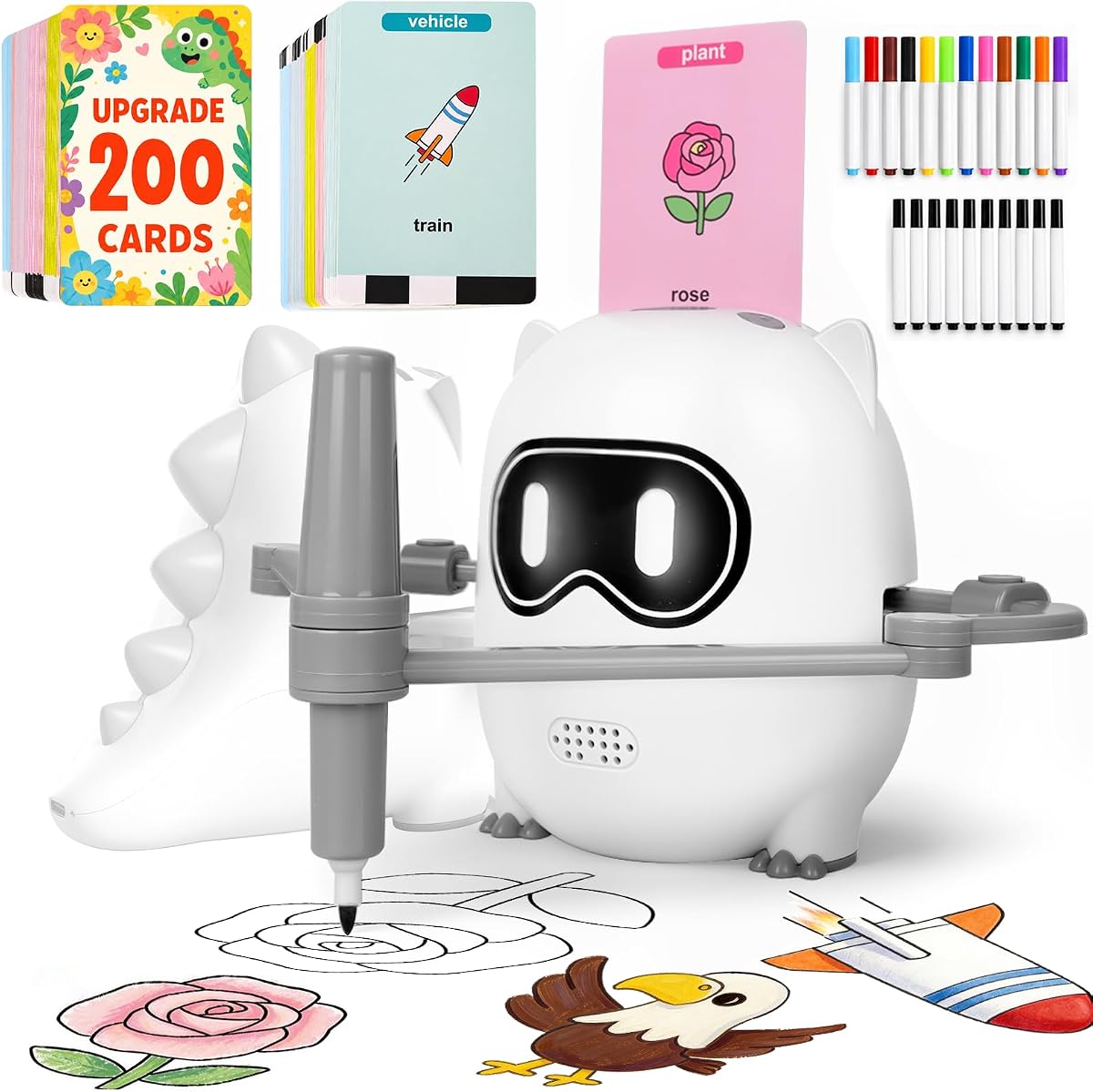
Drawing Robot Toy for Kids Ages 3-8
4.5Editor score
200 drawing cards included
22 markers for coloring
No app or screen needed
Discover the top drawing robots for kids in 2026. This guide compares 10 models for education, creativity, and fun to help parents choose the best toy.
Drawing robots for kids combine art and technology to inspire creativity. These toys guide children through step-by-step drawing lessons using cards or voice commands. They help develop fine motor skills and artistic confidence in a fun way.
We compared ten top-rated models based on card variety, ease of use, and educational value. Our analysis focuses on safety features, battery life, and overall user satisfaction ratings from verified buyers across the market.
Each pick highlights specific strengths like voice interaction or large card libraries. Prices and availability change frequently, so check current listings before purchasing. These tools make great gifts for young artists eager to learn and create.
4.5Editor score

4.7Editor score
4.5Editor score
This side-by-side comparison outlines key specifications for all ten models. It helps you quickly identify which robot offers the best value, features, and educational content for your child.
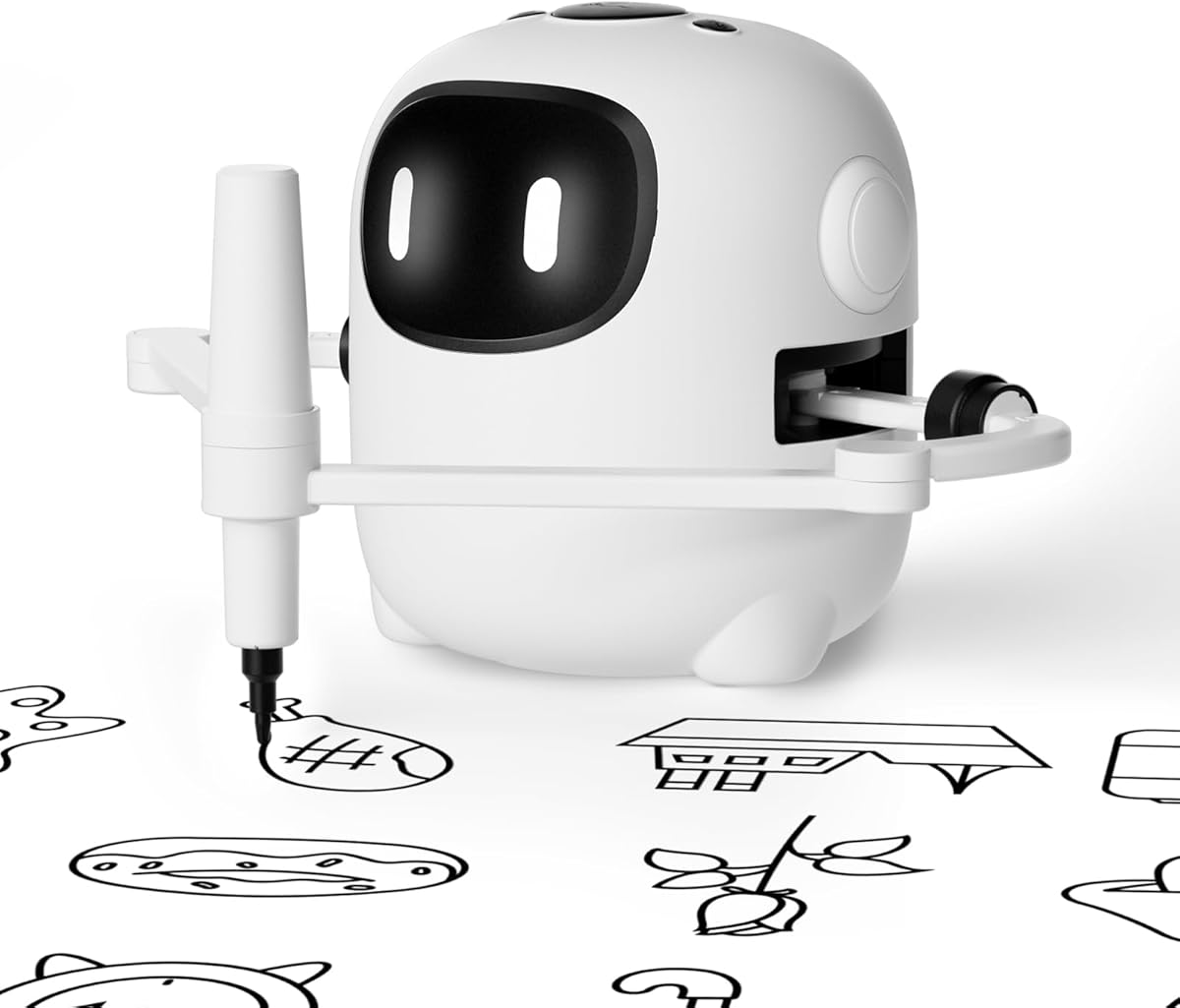
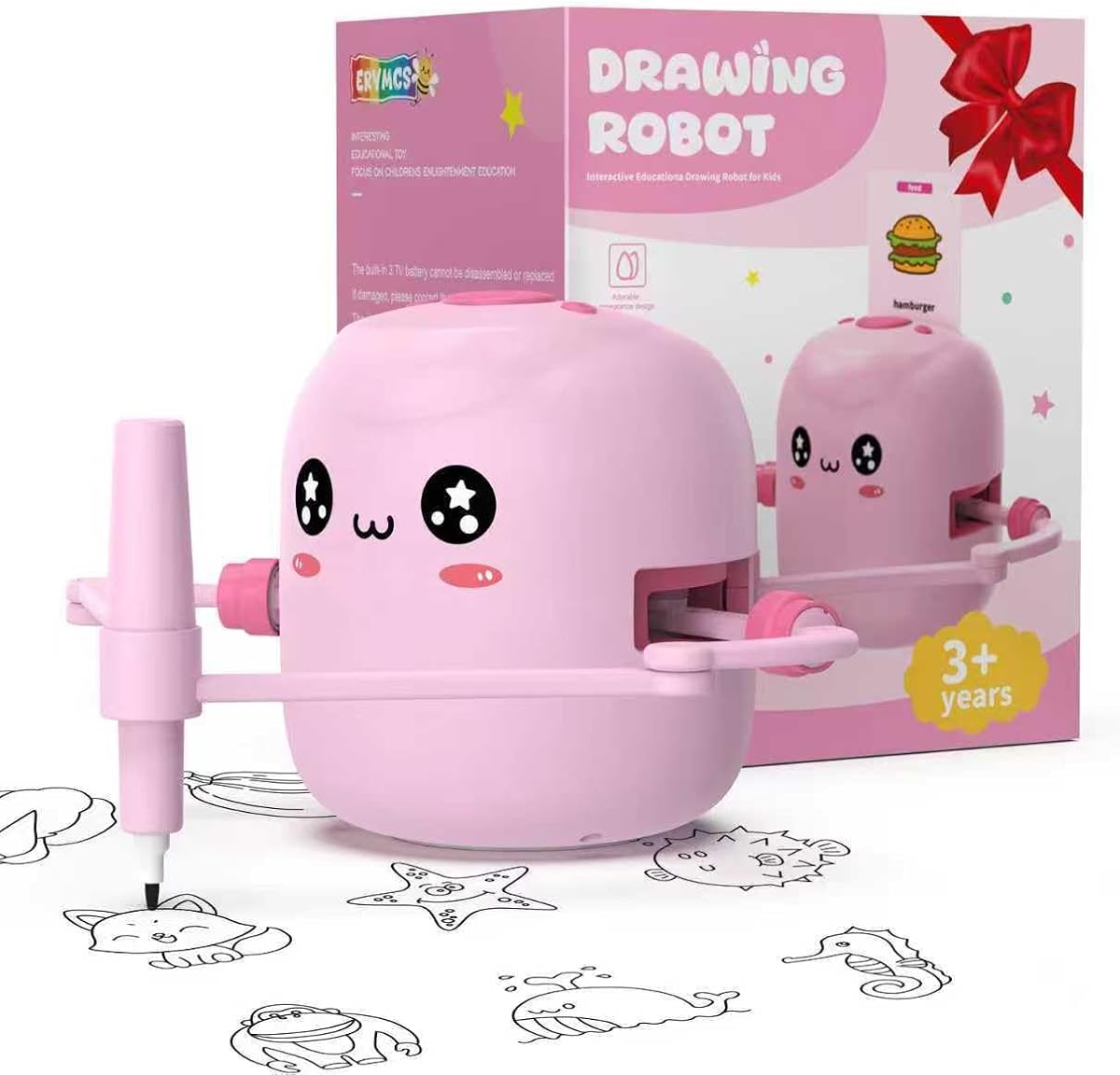


This drawing robot stands out for its impressive library of 200 cards and user-friendly interface. With a high rating from parents, it is a reliable tool for early art learning at home.
We may earn a commission when you buy through this link, at no additional cost to you.
The robot reads words aloud when cards are inserted, reinforcing vocabulary alongside motor skills. Its music feature adds engagement without requiring screen time or apps.
While the music volume is fixed, the value offered makes this minor trade-off acceptable. The card system is intuitive, allowing children to operate it independently.
It is an ideal choice for families seeking a balance of education and entertainment. Parents looking for a budget-friendly creative toy will find this model highly satisfying.
The robot reads words aloud so children learn language while practicing fine motor skills.
Simple card insertion lets kids draw without constant parental supervision or technical setup.
We may earn a commission when you buy through this link, at no additional cost to you.
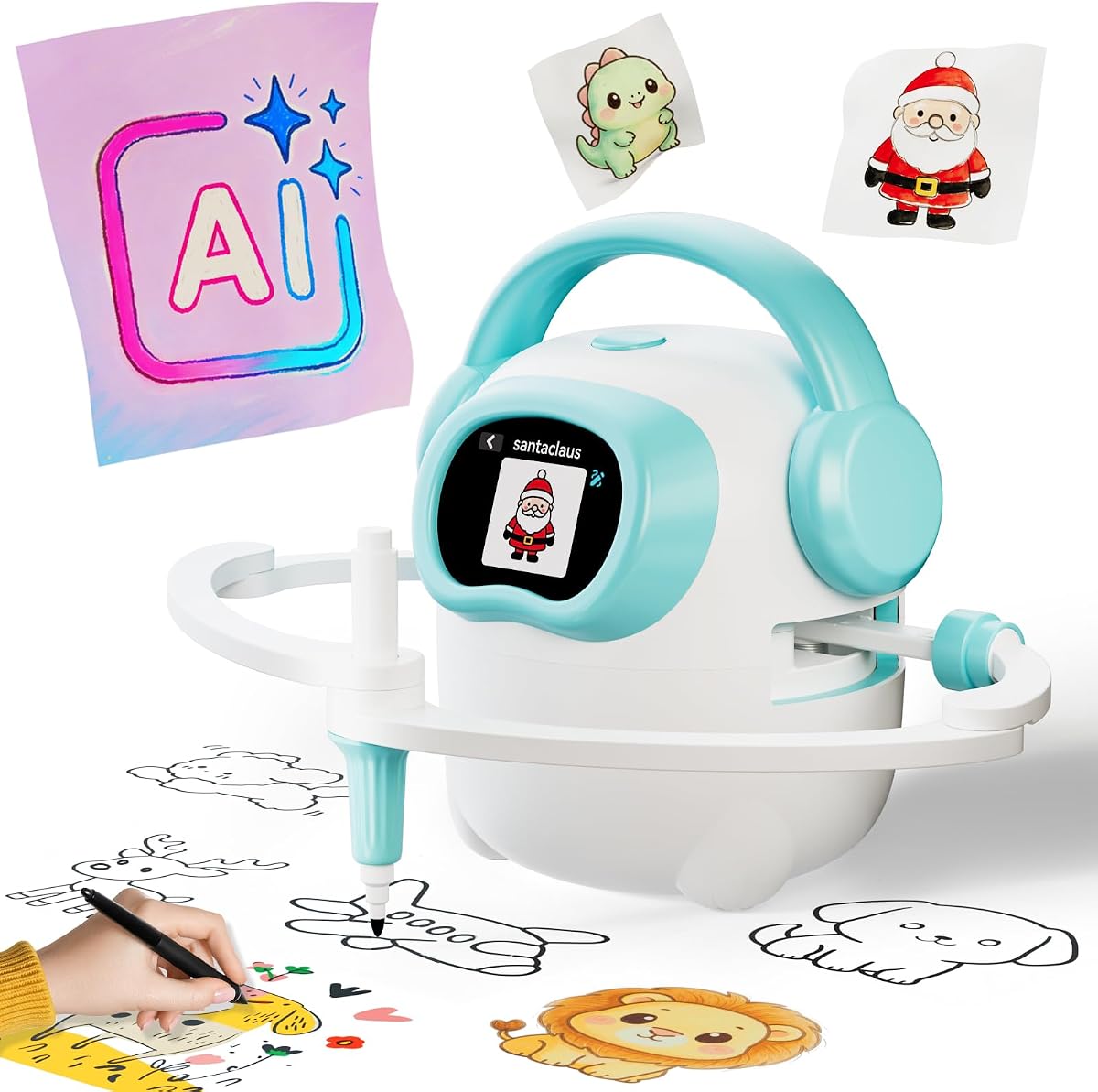
This robot introduces children to AI through voice commands and a touchscreen interface. It offers limitless creativity with over 10,000 free generated images for endless exploration.
We may earn a commission when you buy through this link, at no additional cost to you.
The WiFi connectivity ensures the library grows over time with regular updates. Parents can control privacy settings easily, ensuring safe and secure usage for children.
The cost is higher than basic models, but the lack of physical card needs justifies it. It teaches prompt engineering basics, preparing kids for future tech collaboration.
Families wanting a tech-forward creative toy will love this model. It is perfect for children ready to move beyond standard printed cards to digital creativity.
Voice commands generate thousands of unique images instantly for endless drawing fun.
Kids learn how to communicate with AI through prompts, building logical thinking early.
We may earn a commission when you buy through this link, at no additional cost to you.
This model offers exceptional value with 200 cards and 22 markers included in the box. It provides a solid educational foundation for young children interested in art.
We may earn a commission when you buy through this link, at no additional cost to you.
The screen-free design ensures focus remains on hand-eye coordination and observation skills. A strong warranty adds confidence for parents making a budget purchase.
While it lacks advanced tech features like AI, the core drawing experience is robust. The price point makes it accessible for classrooms or large families.
It is the top recommendation for buyers prioritizing practical utility over high-end features. Anyone needing a reliable, safe, and low-cost drawing robot should choose this.
With 22 markers provided, kids have plenty of supplies to color and enjoy freely.
A 5-year limited warranty ensures peace of mind regarding durability and defects.
We may earn a commission when you buy through this link, at no additional cost to you.
This robot is a hit for parties with its 150 cards and complete art set. It encourages fine motor skills through a structured yet fun learning process.
We may earn a commission when you buy through this link, at no additional cost to you.
Built-in music keeps the drawing experience lively. The packaging suggests it is ready to gift right out of the box for any celebration.
Charging requires a specific adapter which may be forgotten, but the battery life is standard. The card variety supports broad artistic exploration for different ages.
It is an excellent choice for birthdays where a complete, safe creative solution is needed. Parents appreciate the educational value combined with entertaining features.
Includes markers, pens, and a reusable board so kids can start drawing immediately.
Montessori principles guide kids to explore independently and build problem-solving skills.
We may earn a commission when you buy through this link, at no additional cost to you.
This robot boasts a high 4.8 rating, reflecting parent satisfaction with its safety and durability. The design uses rounded edges to prevent scratches during play.
We may earn a commission when you buy through this link, at no additional cost to you.
ABS plastic ensures it withstands daily handling by young children. The one-touch operation makes it accessible for toddlers and preschoolers learning independence.
Music and voice features help engagement without complex controls. The high rating suggests it delivers on reliability for long-term use.
Families prioritizing safety and durability should consider this model highly. It is perfect for active children who need a robust creative companion.
Rounded edges and non-toxic materials ensure a secure environment for independent play.
One-touch power and card insertion mean minimal frustration for early learners.
We may earn a commission when you buy through this link, at no additional cost to you.
This model emphasizes audio-visual feedback through lighting and voice guidance. It offers a screen-free experience that respects children's attention spans.
We may earn a commission when you buy through this link, at no additional cost to you.
The auto standby mode ensures long battery life for extended sessions. It includes all necessary markers and cards to start creating right away.
Card scanning requires slight alignment which may need initial guidance. However, the lack of app dependency makes it convenient for travel.
It is a solid option for families wanting digital minimalism in toys. Parents can focus on the art process rather than technical setup or connectivity.
Automatic standby mode conserves power so kids can draw for longer periods.
Lights and sound effects create an immersive learning environment without screens.
We may earn a commission when you buy through this link, at no additional cost to you.
This robot frames art as a STEM subject, using step-by-step logic to teach drawing. It provides 150 cards and 17 markers for comprehensive creative play.
We may earn a commission when you buy through this link, at no additional cost to you.
The design emphasizes safety with rounded edges and durable materials. It breaks complex images into simple steps for early learners.
The music adds background fun but does not offer customization. However, the educational angle makes it a strong gift for school-age children.
It suits parents looking to blend art with technical thinking. This model helps build confidence through clear, achievable artistic challenges.
Complex shapes are broken down into simple lines to teach structural thinking.
Includes 17 markers for coloring, ensuring plenty of supplies for creativity.
We may earn a commission when you buy through this link, at no additional cost to you.
This model suits older kids with its straightforward design and pen set. It includes 100 cards to encourage skill building through repetition.
We may earn a commission when you buy through this link, at no additional cost to you.
Built-in music helps maintain focus during activities without screens. The pen variety allows for detailed coloring after the robot outlines.
While card count is lower, the simplicity reduces setup time. It is effective for classrooms or home practice where efficiency matters.
It is a practical choice for parents seeking a no-fuss art tool. The price point makes it accessible for multiple copies or school groups.
Music rhythm helps kids stay focused on the drawing process longer.
No app needed means it is ready to use instantly for busy families.
We may earn a commission when you buy through this link, at no additional cost to you.
This robot is designed for toddlers and preschoolers with intuitive controls. It uses Montessori principles to guide hand-eye coordination development.
We may earn a commission when you buy through this link, at no additional cost to you.
The pink design variant appeals to specific preferences without changing function. Inserting cards starts the process immediately without complex setup.
Voice feedback helps children connect actions to words. The safety build ensures it is safe for younger kids to handle.
It is a reliable option for families seeking a low-complexity toy. Parents will appreciate the independence it fosters in young children.
Large buttons and simple card insertion make it easy for small hands.
Focuses on independent learning and skill development through hands-on activity.
We may earn a commission when you buy through this link, at no additional cost to you.
This robot provides a gateway to artificial intelligence for young children. The 10,000+ image library ensures they never run out of ideas.
We may earn a commission when you buy through this link, at no additional cost to you.
Touchscreen controls allow intuitive selection and navigation. Parents can manage privacy settings to ensure safe usage online.
While it relies on connectivity, the educational value is high for tech literacy. It encourages logical thinking through prompt-based interactions.
It is ideal for forward-thinking families willing to invest in tech. This model prepares children for future digital interactions creatively.
Kids navigate the menu easily with taps, building digital literacy skills.
Children learn how to give instructions to AI, boosting logical reasoning.
We may earn a commission when you buy through this link, at no additional cost to you.
Choosing the right robot depends on your child's age, interests, and technical comfort.
Look for simpler card insertion and voice guidance for toddlers to avoid frustration. Older children may enjoy more complex touchscreens or AI features.
Match the robot's complexity to your child's motor skills to keep engagement high.
Check how many drawing cards are included and if themes vary. Some models offer over 200 cards while others have fewer.
A larger library ensures long-term value and prevents boredom.
Voice interaction and music can make drawing more fun. Some robots use touchscreens for digital creativity.
Consider whether you want screen-free options or tech-integrated ones.
Ensure materials are child-safe ABS plastic with rounded edges. Durability matters if multiple children will share it.
Look for safety certifications and sturdy construction for longevity.
USB-C charging is standard but check if adapters are included. Battery life affects how long kids can play uninterrupted.
Select a model that fits your power availability at home.
Basic card models are cheaper while AI or touchscreen versions cost more. Check if markers and pens are included.
Prioritize bundles that offer all necessary supplies to save money.
WiFi connected models offer updates but require internet. Ensure parental controls are available for safety.
Choose offline models if screen time is a concern for your household.
Montessori based toys encourage independence while STEM robots teach logic. Look for vocabulary features to boost language.
Pick a robot that aligns with your learning goals for your child.
Insert a drawing card into the robot and press start to begin. Listen to voice instructions and watch the robot draw outlines.
Use the included markers to color the designs. Encourage your child to add their own creative details.
Keep the robot in a dry area to avoid battery damage. Charge it fully when lights indicate low power.
Yes, these robots encourage fine motor skills, concentration, and vocabulary through step-by-step drawing. They turn creative play into a structured learning experience.
Most modern robots use USB-C charging with built-in rechargeable batteries. Check specifications to see if adapters are included.
They are generally designed for ages 3 to 8. Some models have simpler controls for toddlers while others suit older kids.
Many basic models work without apps using physical cards. Advanced AI versions may require a smartphone app for connectivity.
Yes, most come with markers for kids to color the outlines. This helps develop artistic skills and color recognition.
Most use child-safe ABS plastic with rounded edges to prevent injury. They undergo testing to ensure non-toxic materials.
Some robots offer replacement cards or digital libraries. Check warranty terms before buying to ensure long-term support.
We highlighted top picks ranging from budget-friendly card models to advanced AI tools. Each offers unique ways to inspire creativity in young children.
Consider your child's age and tech interest when deciding. Safety and content variety should guide your final choice.
Prices and stock change often so verify details before purchasing. These toys can spark lifelong artistic passions.