
ASUS NUC 15 Pro Barebone Kit
5.0Editor score
Intel Core Ultra 5 225H
Intel Wi-Fi 7
MIL-STD-810H Certified
Discover the best barebone mini PC options for performance and customization in this comprehensive guide comparing top models for work and gaming needs.
Barebone mini PCs offer exceptional flexibility for users who want to customize their hardware without sacrificing compact design. These systems let you choose your own RAM and storage to match specific performance needs perfectly.
We compared ten top-rated barebone kits based on processor power, connectivity options, cooling efficiency, and expandability. Our analysis highlights models that support the latest CPUs, high-speed interfaces, and reliable thermal management for sustained workloads.
Each pick reveals key strengths, trade-offs, and ideal use cases to help you make an informed decision. Please note that availability and pricing change frequently, so verify current specs before purchasing your ideal mini PC.
5.0Editor score

4.0Editor score

4.2Editor score
This side-by-side comparison evaluates all ten selected barebone mini PCs across critical categories including CPU generation, graphics capabilities, port variety, cooling solutions, and expandability to help you identify the perfect fit.




The AOOSTAR MACO stands out as a versatile barebone mini PC designed for users needing powerful multitasking and gaming capabilities. Its 4.0-star rating reflects satisfaction with AMD Ryzen 7 PRO 8845HS processing power and modern connectivity options.
We may earn a commission when you buy through this link, at no additional cost to you.
Featuring the Ryzen 7 PRO 8845HS CPU and Radeon 780M graphics, this system handles video editing and AAA gaming effectively. Dual USB4 ports provide 8K output and 40Gbps transfers while the OCuLink port ensures minimal latency for external GPUs.
While it offers great expandability with 128GB RAM and dual PCIe 4.0 M.2 slots, you must source memory and storage separately. The advanced cooling maintains stable performance under load though some users may wish for quieter operation in silent environments.
Ideal for remote workers and gamers seeking a compact, customizable setup, this barebone kit delivers strong performance. Its combination of speed, connectivity, and expandable memory makes it a top choice for demanding users in 2026.
OCuLink provides lower latency than USB4 or Thunderbolt for external GPUs, preserving maximum performance for gaming or rendering tasks.
Dual 2.5G LAN ports enable redundant network setups or ultra-fast file transfers ideal for home labs or professional use.
We may earn a commission when you buy through this link, at no additional cost to you.
The ASUS NUC 15 Pro barebone kit represents premium build quality with AI-optimized power and exceptional connectivity. Its perfect 5.0 rating highlights reliability and performance for users wanting a top-tier DIY mini PC solution.
We may earn a commission when you buy through this link, at no additional cost to you.
Powered by the Intel Core Ultra 5 225H processor with Arc 130T graphics, it handles multitasking smoothly. Features like Wi-Fi 7, Thunderbolt 4, and tool-less upgrades support flexible and future-proof configurations.
This unit requires you to purchase RAM and storage separately and its price reflects enterprise-grade durability. For professionals valuing long-term reliability and cutting-edge wireless tech, the investment in this premium kit proves worthwhile.
Best suited for business environments or enthusiasts seeking durability and speed, this kit offers a refined mini PC experience. Its certification and warranty make it a dependable long-term solution.
Wi-Fi 7 delivers faster speeds and lower latency, ensuring seamless streaming and file transfers without wired connections.
MIL-STD-810H certification guarantees reliability even in harsh conditions making it ideal for rugged work environments.
We may earn a commission when you buy through this link, at no additional cost to you.
ASRock DeskMini X300 offers an affordable and compact barebone solution supporting AMD AM4 processors. With a 4.2 rating it balances budget-friendly design with practical features like dual networking and triple display outputs.
We may earn a commission when you buy through this link, at no additional cost to you.
Its 1.92L form factor saves desk space while supporting Ryzen CPUs up to 65W. Dual M.2 slots and 2.5G LAN provide flexibility for storage and network speeds suitable for home offices.
While DDR4 and older port options limit future-proofing compared to newer models this system remains cost-effective. The wide CPU compatibility allows users to reuse existing parts or pick budget upgrades.
Ideal for basic office tasks and media centers, this kit is perfect for tight budgets. It delivers solid performance for everyday computing without sacrificing space efficiency.
At just 1.92 liters it fits easily behind monitors or in tight cabinets while maintaining desktop capabilities.
HDMI DisplayPort and D-Sub outputs enable multi-monitor setups for enhanced productivity without extra hardware.
We may earn a commission when you buy through this link, at no additional cost to you.
MINISFORUM X1 Lite-255 delivers strong multi-threaded performance with Ryzen 7 255 and Radeon 780M graphics. Its 3.9 rating reflects satisfaction with triple display support and extensive connectivity options.
We may earn a commission when you buy through this link, at no additional cost to you.
This barebone supports DDR5 up to 128GB and dual M.2 PCIe 4.0 slots for storage. OCuLink enables external GPU connections while USB4 offers 40Gbps speeds and 8K video output.
Cooling uses PCM phase-change materials for memory and SSD stability. However the OCuLink requires installing an adapter plate that occupies an M.2 slot which may limit storage options.
Best for users needing multiple displays and expandable storage without breaking the bank. It balances performance and connectivity well for creators and home users.
HDMI 2.1, USB4, and DP1.4 allow three independent screens for enhanced multitasking or collaborative workflows.
PCM material and dedicated fans keep memory and SSD running cool even under demanding workloads.
We may earn a commission when you buy through this link, at no additional cost to you.
ASRock DeskMeet X300 supports AMD AM4 desktop CPUs and full PCIe expansion in a compact 8L design. Its 4.8 rating highlights customer satisfaction with its expandability and included power supply.
We may earn a commission when you buy through this link, at no additional cost to you.
This unit fits standard DDR4 memory and has two M.2 slots for storage. A PCIe 3.0 x16 slot allows graphics or capture cards making it versatile for home servers or media PCs.
Though PCIe 3.0 and DDR4 are older standards the included 500W PSU and AM4 support offer practical flexibility. It's suited for users wanting desktop-level upgrade options in a mini chassis.
Ideal for home servers or enthusiasts wanting PCIe expansion without full tower size. It delivers reliable performance and solid build quality for the price.
The PCIe 3.0 x16 slot allows adding graphics or networking cards for specialized tasks.
A built-in 500W PSU simplifies setup and supports higher-power CPUs and add-in cards.
We may earn a commission when you buy through this link, at no additional cost to you.
AOOSTAR GEM12+ combines Ryzen 7 PRO 8845HS performance with quad 4K display output and OCuLink support. Its 4.5 rating reflects strong performance in multi-monitor setups and efficient cooling.
We may earn a commission when you buy through this link, at no additional cost to you.
Dual DDR5 slots and dual M.2 PCIe 4.0 offer storage flexibility. A vapor chamber cooling system ensures sustained performance even under prolonged loads.
OCuLink enables external GPUs but requires a power-off for connection. While this limits convenience it maximizes bandwidth. Energy-saving architecture reduces power consumption by up to 20%.
Perfect for video editors and traders requiring multiple screens this model balances power and efficiency. Its advanced cooling keeps temperatures manageable during intensive work.
HDMI 2.1, DP1.4, and dual USB4 allow four screens for maximum workspace flexibility.
Advanced VAT architecture saves energy compared to standard mini PCs reducing long-term costs.
We may earn a commission when you buy through this link, at no additional cost to you.
ASUS NUC 15 Pro Ultra 7 variant offers advanced AI power and reliability for demanding users. Its perfect 5.0 score emphasizes consistent performance and durability for work environments.
We may earn a commission when you buy through this link, at no additional cost to you.
Powered by Intel Core Ultra 7 255H with Arc 140T graphics it handles creative tasks smoothly. Tool-less upgrades and Wi-Fi 7 ensure flexibility and fast connectivity.
A sync power-off feature improves energy efficiency by shutting screens when idle. Though expensive it justifies cost with robust engineering and premium support.
Best for professionals needing consistent high performance and long-term reliability. It combines speed with practical features like energy management.
Simple access to internal components makes maintenance and part swaps fast and hassle-free.
New Intel architecture boosts efficiency and responsiveness for everyday and specialized tasks.
We may earn a commission when you buy through this link, at no additional cost to you.
AOOSTAR GEM12+ PRO adds fingerprint recognition to a high-performance chassis with Ryzen 7 PRO 8845HS. Its 4.1 rating reflects strong performance and secure login convenience.
We may earn a commission when you buy through this link, at no additional cost to you.
OCuLink supports external GPUs without occupying storage slots. Quad 4K outputs and DDR5 memory support make it ideal for multi-tasking environments.
Security features like fingerprint login simplify access while cooling keeps temperatures stable. Requires manual RAM and SSD installation which suits DIY users.
Best for security-conscious professionals needing robust performance and multi-monitor setups. It delivers speed with enhanced access control.
Fingerprint unlock provides quick and secure login without typing passwords every time.
Dedicated 64Gbps OCuLink port enables fast eGPU connections for graphics workloads.
We may earn a commission when you buy through this link, at no additional cost to you.
ASUS NUC 15 Pro 540 offers a durable and reliable barebone mini PC for corporate deployment. Its 5.0 rating highlights consistent performance in demanding settings.
We may earn a commission when you buy through this link, at no additional cost to you.
Featuring Core Ultra 5 225H and Wi-Fi 7 it handles modern workloads efficiently. MIL-STD-810H certification ensures longevity under tough conditions.
Tool-less design simplifies upgrades while sync power-off saves energy. Premium pricing suits business buyers prioritizing reliability over budget.
Ideal for IT departments needing uniform and durable desktop solutions. It delivers long-term value with top-tier support.
Military-grade testing guarantees stability in fluctuating environments or frequent transport.
Packaging and sync power-off design reduce energy use and environmental impact.
We may earn a commission when you buy through this link, at no additional cost to you.
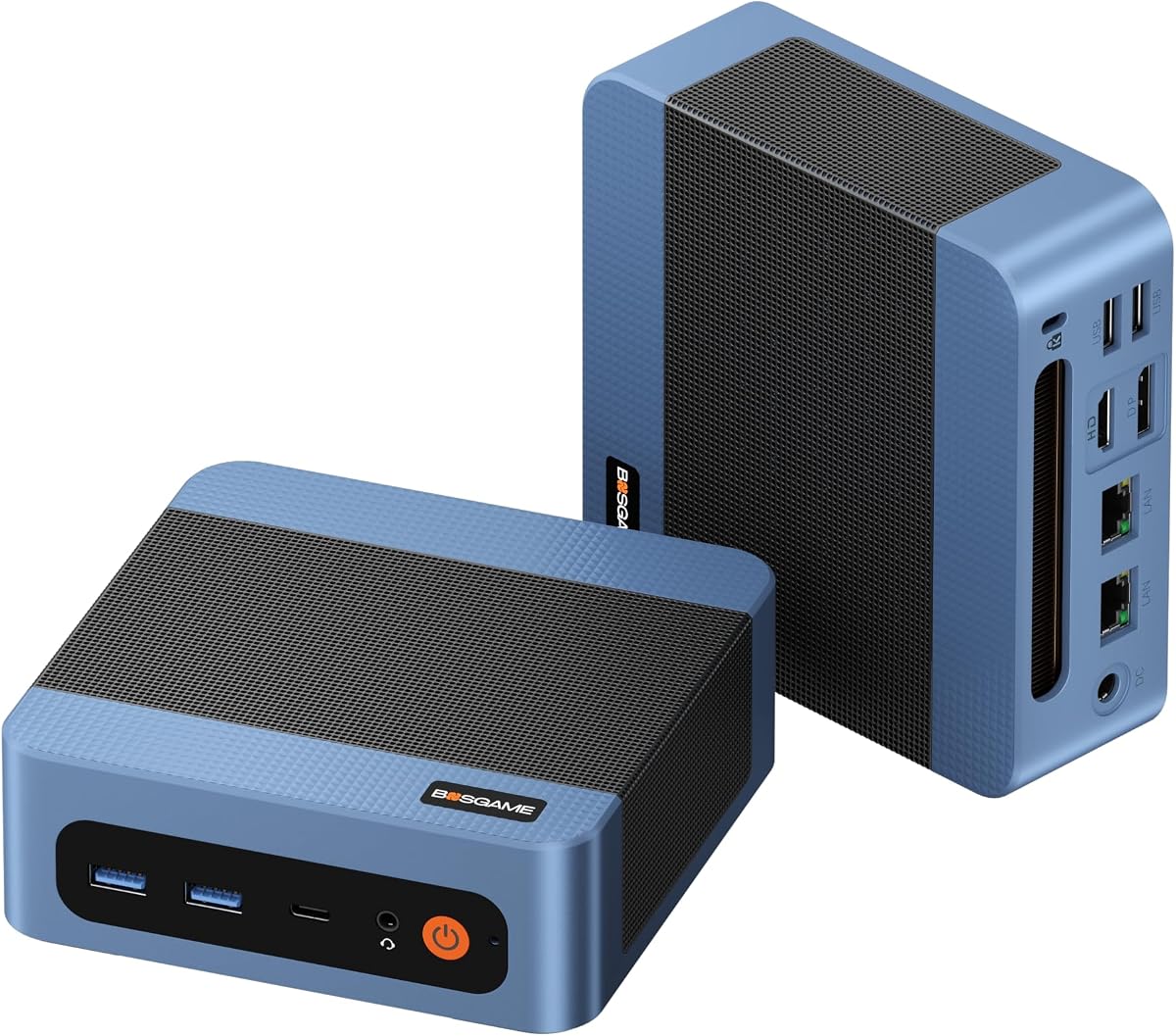
BOSGAME E5 11 Pro offers affordable barebone flexibility for basic office use and light multitasking. Its 4.3 rating reflects value for entry-level budgets.
We may earn a commission when you buy through this link, at no additional cost to you.
Ryzen 3 5300U handles everyday apps while dual 2.5GbE LAN enables router or NAS setups. Triple 4K outputs expand workspace productivity.
Though CPU is less powerful and uses DDR4 its storage and network features stand out. Full-Function Type-C allows single-cable power and video.
Perfect for home offices or light business use needing cost-effective multi-display capabilities. It provides practical performance without premium costs.
Dual 2.5GbE LAN ports enable advanced routing or NAS configurations for tech users.
Full-Function Type-C port supports power delivery and video output simplifying cable management.
We may earn a commission when you buy through this link, at no additional cost to you.
Selecting the right barebone mini PC requires balancing performance needs, future expandability, and physical constraints for your workspace.
Modern AMD Ryzen and Intel Core processors determine multitasking ability and integrated graphics performance. AMD's Ryzen 7 PRO models offer excellent value for general and gaming use.
Choose a CPU with sufficient cores and modern architecture to support long-term software demands.
Check RAM slots for DDR4 versus DDR5 support and maximum capacity. Dual M.2 slots expand storage and RAID support improves data safety.
Prioritize DDR5 models for faster speeds unless you reuse existing DDR4 components.
Ports like HDMI 2.1, DP1.4, USB4, or Thunderbolt determine how many monitors you can connect and resolution limits.
Ensure your model supports your preferred number of screens and their required refresh rates.
Cooling efficiency impacts sustained performance and noise levels. Vapor chambers and PCM materials provide better heat dissipation than standard fans.
Look for cooling designs that match your expected workload intensity and noise tolerance.
OCuLink and Thunderbolt ports enable external GPUs or high-speed docks. USB4 combines charging data and display in one cable.
Evaluate whether your workflow benefits from eGPU or docking capabilities.
Dual 2.5G LAN ports are valuable for NAS or router projects. Wi-Fi 7 offers faster wireless speeds.
Choose based on your wired or wireless network requirements and future scalability.
Certifications like MIL-STD ensure durability for harsh environments. Longer warranties protect investment.
Consider enterprise-grade reliability for business use versus budget-friendly options for home.
Energy-saving architectures reduce electricity costs and heat. TDP ratings show power limits and cooling needs.
Select models with efficient TDP for silent environments and lower operational costs.
Install compatible DDR or DDR5 memory sticks carefully into the slots ensuring they click into place. Push down firmly but gently to avoid damaging pins.
Mount SSDs into M.2 slots and secure with screws if provided. Ensure thermal pads contact the SSD for heat dissipation.
Connect peripherals like monitors and Ethernet before powering on. Keep vents clear of dust and use compressed air periodically to maintain cooling.
A barebone mini PC is a compact system sold without RAM storage or operating system. You install these components yourself to customize performance and cost.
Barebone kits let you pick specific parts and upgrade them later. This flexibility helps optimize for your exact needs and budget.
Yes you must install Windows or Linux manually after setup. Some sellers include licenses but verify before purchasing.
Most models support upgrades within maximum capacity limits. Check the motherboard manual for compatible DDR generations and slot counts.
OCuLink offers lower latency for external GPUs but needs a power-off. Thunderbolt works hot-swappable and has broader accessory support.
Cooling depends on workload and model design. Advanced fans and heat pipes reduce noise compared to basic coolers.
The AOOSTAR MACO ASUS NUC 15 Pro and ASRock DeskMini X300 represent top options across different needs and budgets.
Prioritize CPU performance display outputs and cooling to match your main tasks whether gaming productivity or networking.
Always verify current stock and pricing before purchase since availability changes often in this fast-paced market.