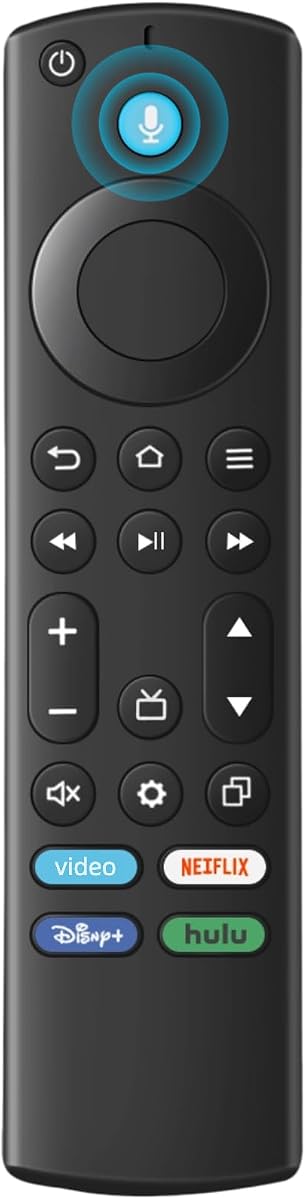
Replacement Voice Remote for Fire Stick
4.2Editor score
Supports Fire Stick 4K models
Voice commands for content search
Affordable third-party alternative
This guide compares the top 10 Fire Stick replacement remotes available in October 2026, evaluating voice control, compatibility, and build quality to help you
Finding the right Fire Stick replacement remote can restore full control to your streaming setup. A good remote offers reliable connectivity, responsive buttons, and voice features that make navigating content effortless.
We analyzed ten top-rated remotes based on compatibility, voice functionality, build quality, and user feedback. Our comparison covers official Amazon models and third-party alternatives to ensure you find the best fit.
Each pick highlights key strengths and potential limitations so you can decide quickly. Note that product availability and pricing may change frequently, so verify details before purchasing.
4.2Editor score
4.5Editor score

4.5Editor score
The following table provides a side-by-side overview of the ten remotes reviewed in this guide, highlighting key compatibility notes and standout features.


This replacement voice remote is a cost-effective solution for users seeking voice control without the premium price tag. It supports a wide range of Fire Stick models including the 4K Max and Cube. With a solid rating, users find it reliable for daily streaming tasks.
We may earn a commission when you buy through this link, at no additional cost to you.
Its primary strength lies in its voice functionality, allowing quick searches for content across apps. It also includes four shortcut buttons for instant access to favorite streaming services. The remote pairs easily following the provided instructions.
However, batteries are not included which means an extra purchase upon arrival. The build quality may feel less robust compared to official Amazon remotes. These trade-offs are acceptable given the significant cost savings.
Ideal for budget-conscious users needing a straightforward voice remote for Fire Stick devices. It performs well for basic navigation and voice commands effectively.
This remote delivers essential voice search features at a fraction of the cost of official replacements.
Works with Fire Stick 4K Max, 4K, HD, Cube, and compatible smart TVs for versatile use.
We may earn a commission when you buy through this link, at no additional cost to you.
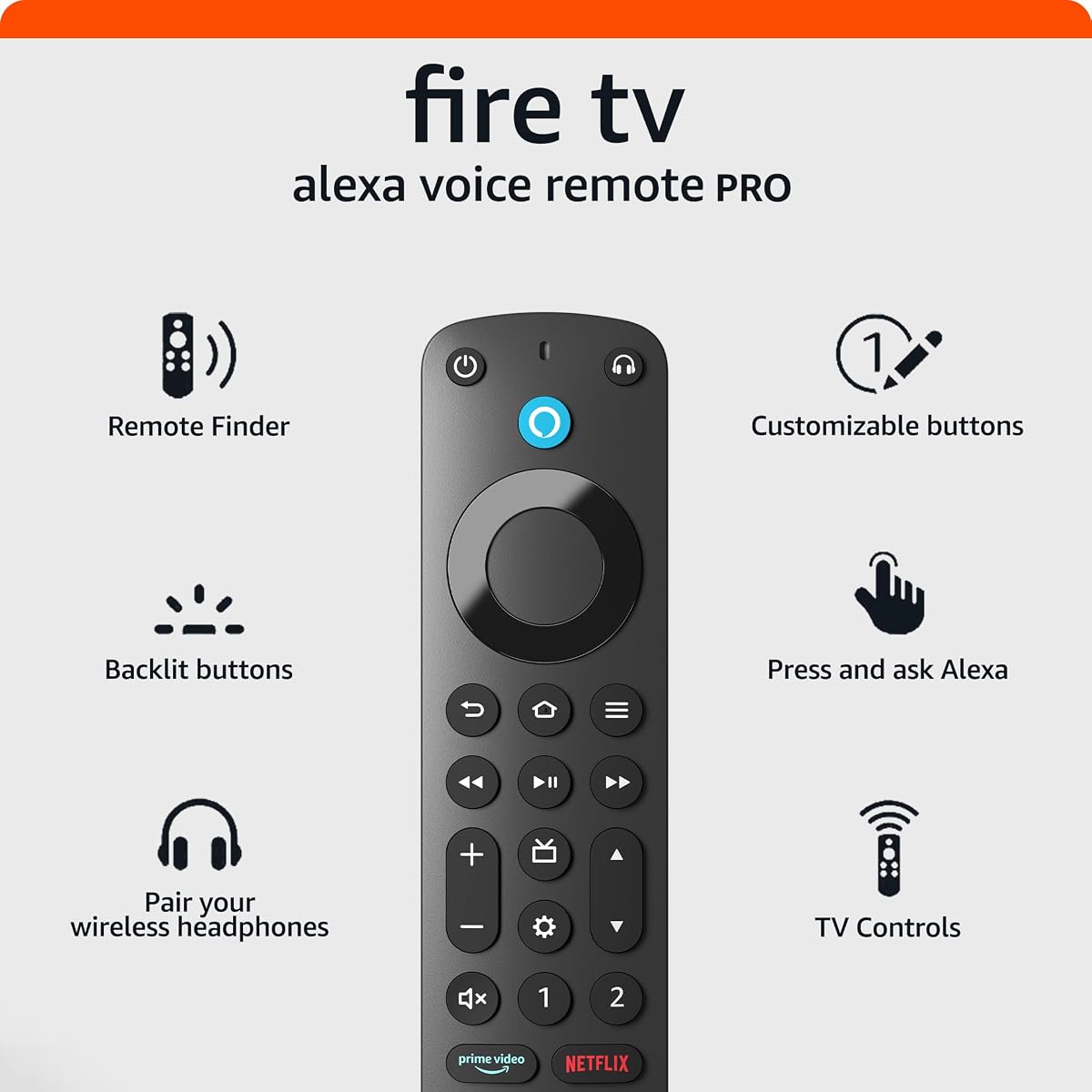
The Alexa Voice Remote Pro is the most feature-rich replacement available today. It stands out with backlit buttons that illuminate automatically in dim rooms. The built-in remote finder ensures you never lose it under cushions again.
We may earn a commission when you buy through this link, at no additional cost to you.
Users appreciate the customizable shortcut buttons that grant instant access to preferred apps. Dedicated TV control buttons simplify managing power and volume directly from the remote. It offers a seamless premium experience.
The main drawback is its higher cost compared to third-party options. Compatibility is limited to newer Fire TV devices. These constraints are minor given the superior build and unique features.
Best for users wanting the ultimate convenience and premium experience. It is the definitive choice for high-end Fire TV setups.
Simply ask Alexa to find your remote and it will ring, making retrieval effortless.
Motion-activated backlight ensures you can see buttons clearly without additional lighting.
We may earn a commission when you buy through this link, at no additional cost to you.
This official Alexa Voice Remote ensures reliable performance and broad compatibility. It includes preset app buttons for quick access and a guide button for live TV listings. The package includes two AAA batteries for immediate use.
We may earn a commission when you buy through this link, at no additional cost to you.
Users value the dedicated TV controls for managing volume and power without extra remotes. Voice search is responsive and accurate. It maintains the quality expected from Amazon products.
It lacks some advanced features found in the Pro model like backlighting. Compatibility excludes older Fire TV generations. These limitations are reasonable for a standard remote option.
Recommended for users seeking a reliable official replacement with essential features. It balances cost and performance effectively.
Manage your TV volume and power directly without needing multiple remotes.
The guide button organizes all your live TV apps in one convenient place.
We may earn a commission when you buy through this link, at no additional cost to you.
This remote offers impressive versatility with compatibility across multiple Fire TV generations. It features two buttons buttons that can be programmed for shortcuts. Users report a high satisfaction rate with its performance.
We may earn a commission when you buy through this link, at no additional cost to you.
The ability to customize buttons allows quick access to specific apps. It also works with Fire Series smart TVs. Voice activation follows standard pairing instructions.
Voice setup requires following instructions precisely. Third-party remotes may have occasional connectivity issues. These are minor considerations for a budget-friendly option.
Great for users needing a compatible alternative for older or newer Fire TVs. It offers good value with customization options.
Program buttons to launch your favorite apps instantly without navigating menus.
Supports Fire TV Stick 4K Max, Cube, and Fire Series smart TVs.
We may earn a commission when you buy through this link, at no additional cost to you.
This remote supports select Fire Stick models including Plus and Max. It offers a 40 feet range for convenient control. A satisfaction guarantee adds confidence to the purchase.
We may earn a commission when you buy through this link, at no additional cost to you.
Voice control allows for hands-free searching. The remote pairs automatically after connecting batteries. It serves well as a straightforward replacement.
It does not work with older Fire TV generations. Batteries are not included. These factors are typical for third-party remotes.
Suitable for users with Select Plus or Max models seeking a standard replacement. The guarantee provides extra peace of mind.
Control your device from across the room with reliable signal strength.
Backed by a 60-day guarantee ensuring satisfaction with your purchase.
We may earn a commission when you buy through this link, at no additional cost to you.
This replacement remote offers automatic syncing with compatible Fire devices. It features instant access shortcuts for popular apps. Users find setup quick and efficient.
We may earn a commission when you buy through this link, at no additional cost to you.
Voice commands help manage apps and search content easily. The remote is lightweight and comfortable. It serves as a functional backup or replacement.
Batteries are not included requiring separate purchase. Build quality is functional but basic. These trade-offs match the competitive price.
Ideal for users needing a quick and easy replacement solution. It provides essential features without complexity.
The remote automatically connects to your device saving setup time.
Four buttons give you one-tap access to your favorite streaming services.
We may earn a commission when you buy through this link, at no additional cost to you.
This remote is designed for Fire Series smart TVs and stick devices. It includes a voice controller for enhanced navigation. Pairing is straightforward with LED indicators.
We may earn a commission when you buy through this link, at no additional cost to you.
Users appreciate the compatibility with newer Smart TVs. Voice functions help control smart home devices. It offers a reliable user experience.
It excludes older 1st and 2nd Gen TVs. Batteries are not provided. These limitations are noted clearly.
Best for users with Fire Series smart TVs needing a unified remote. It combines voice control with compatibility.
Control smart home devices and music through the integrated voice controller.
Visual indicators show pairing status clearly ensuring setup success.
We may earn a commission when you buy through this link, at no additional cost to you.
This official remote provides comprehensive control for compatible devices. It includes dedicated power buttons for TVs and soundbars. The guide button helps manage live TV apps.
We may earn a commission when you buy through this link, at no additional cost to you.
Users value the reliability of Amazon hardware. Voice search is accurate and fast. It simplifies home entertainment management.
It is more expensive than alternatives. Only works with newer Fire TV models. These constraints are expected for official products.
Recommended for those prioritizing reliability and official support. It delivers consistent performance and features.
Power on your TV and adjust volume directly from the remote.
Preset buttons provide instant access to your preferred streaming platforms.
We may earn a commission when you buy through this link, at no additional cost to you.
This remote supports voice commands effectively for most Fire devices. The LED indicator guides users through pairing steps. It is designed for Lite and 4K models.
We may earn a commission when you buy through this link, at no additional cost to you.
Voice search allows fast content discovery. Users report strong responsiveness. The remote feels sturdy enough for regular use.
Pairing requires manual steps that may confuse some users. It does not support older generations. These factors are minor trade-offs.
Suitable for users with Lite or 4K devices. It offers solid voice control at a reasonable price.
Flashing lights indicate pairing status ensuring you know when connected.
Activate voice with a press of the button for instant search.
We may earn a commission when you buy through this link, at no additional cost to you.
This budget remote offers voice features and shortcut buttons. It supports Fire Cube and 4K models. Pairing uses rapid LED flashing for confirmation.
We may earn a commission when you buy through this link, at no additional cost to you.
App shortcuts allow easy access to services. Voice search works reliably. It is a cost-effective option for many.
Pairing may require attention to instructions. Third-party options may lack advanced features. These are acceptable for the price.
Best for budget users needing voice control for Fire Cube. It provides essential features economically.
Use four buttons to launch apps without navigating menus.
Watch for the LED flash to confirm successful connection quickly.
We may earn a commission when you buy through this link, at no additional cost to you.
This remote combines voice and shortcuts for convenience. It supports HD and 4K models with various TV brands. Pairing uses simple steps.
We may earn a commission when you buy through this link, at no additional cost to you.
The support team offers assistance for setup. Voice functions work well for navigation. It is a robust budget option.
Batteries must be bought separately. Build quality may vary. These are standard for third-party.
Great for those needing reliable voice features and support. It balances function and cost well.
Use voice commands to search content and control apps efficiently.
Access support for setup help and troubleshooting when needed.
We may earn a commission when you buy through this link, at no additional cost to you.
Choosing the right remote requires considering compatibility, features, and budget to ensure optimal performance.
Always verify the remote supports your specific Fire Stick or TV model. Check generation and features like 4K or Cube to avoid mismatches.
Confirm the exact model number before purchasing to ensure proper fit.
Voice controls allow hands-free searching and smart home integration. Ensure the remote includes a microphone and supports Alexa for best results.
Look for remotes that activate voice with a single press for convenience.
Consider the number of shortcut buttons and TV controls. Remotes with preset app buttons save navigation time.
A clean layout improves usability especially during nightly viewing sessions.
Bluetooth remotes offer greater range than infrared options. Look for specs mentioning 30 feet or more for flexibility.
Strong connectivity ensures responsiveness without signal dropouts.
Premium remotes often feature better materials and ergonomic designs. Third-party options vary in durability so read reviews carefully.
Select a remote with sturdy buttons to withstand daily use.
Official remotes cost more but offer better support and reliability. Third-party options are cheaper but may lack warranties.
Check for return policies to protect your purchase from defects.
Some remotes require manual pairing while others auto-sync. Look for clear instructions and LED indicators for status.
Simple setup reduces frustration and time spent configuring.
Ensure the remote uses standard batteries like AAA to avoid replacement issues. Some units include batteries while others do not.
Check package contents before purchasing to avoid extra costs.
Start by removing the battery cover and inserting two AAA batteries with correct polarity. Ensure the battery terminals are clean and secure.
Pair the remote by holding the Home button for 10-15 seconds until the LED flashes amber. Keep the remote close to the device during pairing.
Clean the remote gently with a dry cloth to avoid damage. Store it in a safe spot to prevent accidental drops or water exposure.
No, only remotes designed with a microphone support voice commands. Always check the product description for voice features before purchasing.
Check the remote model against your Fire Stick generation in the product specs. Official remotes list compatible models clearly.
Most replacement remotes use two AAA batteries. Ensure you purchase them separately unless included in the package.
Third-party remotes may not support older generations or specific features. Verify compatibility to avoid issues with functionality.
Pairing usually takes 30-60 seconds if instructions are followed. If it fails, check the battery level and retry.
Yes, premium remotes like the Alexa Voice Remote Pro include backlit buttons for low light viewing.
Try replacing the batteries or re-pairing by holding the Home button. Ensure the Fire Stick is powered on.
Some remotes support Fire TV built-in smart TVs. Check the product details for Smart TV compatibility.
The top picks include the Alexa Voice Remote Pro for premium features and third-party options for value. Each offers voice control and reliability.
Prioritize compatibility and voice functionality when selecting a remote to ensure seamless streaming. Consider the button layout for ease of use.
Prices and availability change so check current listings before purchase. Verify the model supports your device before buying.