
Lenovo V15 Business Laptop
4.4Editor score
Intel N150 Processor
8GB DDR5 RAM
RJ-45 Ethernet Port
Windows 11 Pro
Finding a laptop with an Ethernet port is essential for stable internet connections in professional and home environments. Many modern devices rely solely on Wi-Fi, but wired connectivity ensures consistent speed and lower latency for critical tasks.
We evaluated ten top-rated laptops that include built-in RJ-45 Ethernet ports. Our analysis focused on performance, build quality, port selection, and overall value for business and productivity users seeking reliable networking solutions.
Each pick highlights key specifications and real-world capabilities. Remember that pricing and availability fluctuate frequently, so always verify current details before making a final purchase decision to ensure you get the best deal possible.
4.4Editor score

4.5Editor score

5.0Editor score
As an Amazon Associate we earn from qualifying purchases.
The following table provides a quick side-by-side overview of the ten selected laptops, highlighting their core specifications and key features to help you compare options efficiently.





The Lenovo V15 Business Laptop is a practical choice for users needing reliable wired connectivity without breaking the bank. It features a dedicated RJ-45 Ethernet port alongside modern wireless options like Wi-Fi 6. The system runs Windows 11 Pro and offers solid multitasking capabilities with DDR5 RAM.
We may earn a commission when you buy through this link, at no additional cost to you.
Performance is driven by the Intel N150 quad-core processor, which handles daily tasks efficiently. The 8GB DDR5 memory ensures smooth operation when switching between applications. Its 15.6-inch Full HD anti-glare display provides comfortable viewing for extended work sessions.
Storage is limited at 128GB but can be upgraded. The build includes essential security features like TPM 2.0 and a webcam shutter. While the screen brightness is modest, it is suitable for indoor office environments where glare control is prioritized.
This model is ideal for small business owners or students who need stable internet access for online classes or remote work. The combination of Ethernet support, business-grade security, and a full-size keyboard makes it a strong contender in the budget category.
The integrated RJ-45 Ethernet port ensures you can plug directly into a network for stable internet access, reducing reliance on potentially unstable Wi-Fi signals.
Features like Firmware TPM 2.0 and Windows 11 Pro provide enterprise-level security for protecting sensitive data during daily operations.
We may earn a commission when you buy through this link, at no additional cost to you.
This Lenovo V15 Gen 4 model delivers robust performance for business users needing stable connections. It includes an Ethernet RJ-45 port for wired networking alongside Wi-Fi 6 and Bluetooth 5.3. The AMD Ryzen 3 7320U processor handles multitasking well with 16GB LPDDR5 RAM.
We may earn a commission when you buy through this link, at no additional cost to you.
The 512GB storage provides plenty of space for applications and files. Security is enhanced with Firmware TPM 2.0 and a webcam privacy shutter. The device meets MIL-SPEC 810H requirements, ensuring it can withstand harsh conditions.
While the display is standard FHD anti-glare, the keyboard offers a numeric keypad which is useful for data entry. The touchpad supports precision gestures. Overall, it is a durable workhorse for environments where reliability matters.
Ideal for field workers or office staff who need consistent internet connectivity. The Ethernet port ensures stable video calls and file transfers. The combination of AMD efficiency and business features makes it a versatile choice for 2026.
MIL-SPEC 810H testing and TPM 2.0 security ensure the laptop can handle physical challenges while keeping data protected from cyber threats.
Ports include USB-C with power delivery, USB-A, HDMI, and Ethernet, allowing you to connect various peripherals without dongles.
We may earn a commission when you buy through this link, at no additional cost to you.
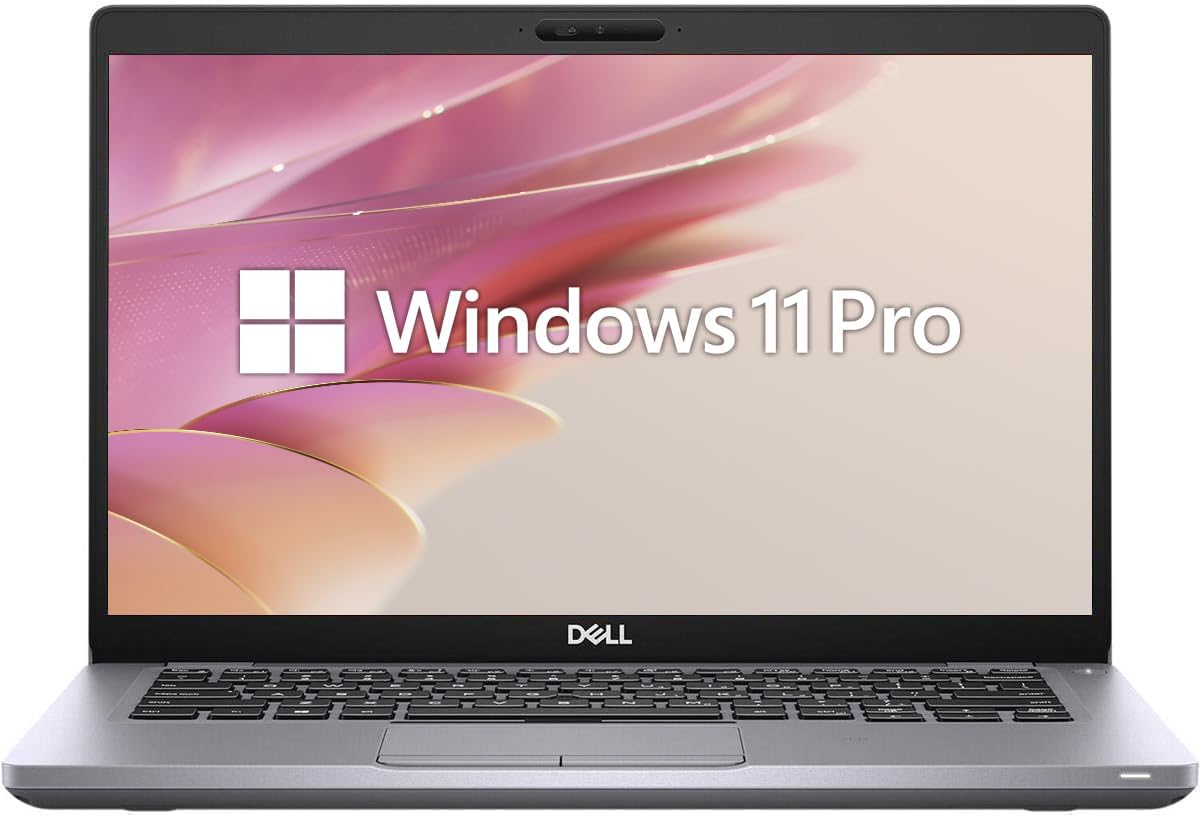
The Dell Latitude 3420 is a refurbished business laptop that offers excellent value for professionals needing Ethernet support. It features an Intel Core i5 processor with 16GB RAM for smooth multitasking. The RJ-45 Ethernet port ensures reliable wired networking.
We may earn a commission when you buy through this link, at no additional cost to you.
This model includes Windows 11 Pro with enterprise features like BitLocker and Remote Desktop. The 14-inch anti-glare display is bright enough for indoor use. It supports high-speed data transfer with its mix of USB-A, USB-C, and HDMI ports.
Being a renewed unit means you get premium specs at a lower price point. The build quality is typical of Dell's Latitude line, known for durability. While storage is standard, the SSD ensures fast boot times.
This is a top choice for businesses needing multiple reliable machines. The Ethernet port supports stable connections for remote work. With its robust security features and performance, it stands out as a practical solution for corporate environments.
Windows 11 Pro provides tools like BitLocker encryption and Remote Desktop, essential for protecting business data across diverse networks.
The 14-inch chassis balances portability with screen real estate, making it easy to carry to meetings while maintaining a productive workflow.
We may earn a commission when you buy through this link, at no additional cost to you.
The Dell Latitude 5410 is a renewed business laptop featuring a 10th Gen Intel Core i5 processor and 512GB SSD. It includes essential connectivity options like HDMI, USB-C, and an Ethernet port. The 14-inch Full HD screen offers clear visuals for work.
We may earn a commission when you buy through this link, at no additional cost to you.
With 16GB RAM, this laptop handles multiple applications seamlessly. It comes with Windows 11 Pro for enhanced security and productivity tools. The keyboard is designed for comfort during long typing sessions.
The device is suitable for office environments requiring stable wired connections. Its durable build ensures it can handle daily transport. While the processor is older, it remains capable for standard business tasks and web browsing.
This model is a solid pick for budget-conscious businesses. The Ethernet port guarantees reliable internet access. The combination of generous storage and memory makes it a practical workstation for administrative or clerical roles.
Windows 11 Pro features like Remote Desktop help streamline workflows by allowing you to manage other systems directly from this laptop.
A variety of ports including Ethernet and USB-C allow you to connect to projectors, docking stations, and wired networks easily.
We may earn a commission when you buy through this link, at no additional cost to you.
The Lenovo V15 G6 Business Laptop is a 2026 edition offering modern specs like DDR5 RAM. It includes Gigabit Ethernet via RJ-45 for stable network connections. The Intel N100 processor handles everyday tasks efficiently with 8GB RAM.
We may earn a commission when you buy through this link, at no additional cost to you.
Its 15.6-inch FHD display provides a good viewing experience for documents and media. The laptop features enterprise-grade security with Firmware TPM 2.0. Military-grade durability testing ensures it can withstand daily wear.
Weighing only 3.33 lbs, it is easy to carry. The full-size keyboard includes a numeric keypad. Ports include USB-C and HDMI for external displays. It is well-suited for remote work environments needing reliable wired internet.
This is an excellent option for students or entry-level professionals. The Ethernet port ensures no interruptions during important calls. The balance of price and essential business features makes it a strong contender in the budget segment.
Using DDR5 RAM provides faster data processing speeds compared to DDR4, resulting in quicker application launches and smoother multitasking.
The compact design and lightweight build make it easy to move between meeting rooms or take home for remote work sessions.
We may earn a commission when you buy through this link, at no additional cost to you.
This Lenovo V15 Gen 4 model emphasizes security and efficiency for business tasks. It features Ethernet RJ-45 for wired connections alongside Wi-Fi 6. The AMD Ryzen 3 7320U offers solid performance with 16GB LPDDR5 RAM.
We may earn a commission when you buy through this link, at no additional cost to you.
Firmware TPM 2.0 and webcam shutter protect privacy. The laptop is MIL-SPEC 810H tested for durability. The numeric keypad is useful for data-heavy tasks. The touchpad supports multi-finger gestures for precise navigation.
With 256GB storage, it offers a balance between speed and capacity. The Full HD anti-glare display is suitable for indoor use. Connectivity options include USB-C and HDMI for versatile setups. It ensures stable internet access for remote work.
This laptop is ideal for professionals prioritizing data security. The Ethernet port prevents disconnection during critical tasks. Its balance of RAM, storage, and business features makes it a reliable choice for daily productivity needs.
Firmware TPM 2.0 and hardware-based encryption keep sensitive files secure even if the device is lost or stolen.
The inclusion of a numeric keypad and precision touchpad speeds up data entry and navigation for efficient workflows.
We may earn a commission when you buy through this link, at no additional cost to you.
The Lenovo ThinkPad P14s is a premium business laptop designed for demanding professional workflows. It includes Gigabit Ethernet RJ45 for stable wired networking. The AMD Ryzen AI 7 Pro processor accelerates tasks with AI-driven performance and 32GB RAM.
We may earn a commission when you buy through this link, at no additional cost to you.
Its 14-inch FHD+ display offers 100%sRGB color accuracy for professional visuals. Security features include ThinkShield and biometric authentication. The chassis is MIL-STD-810H tested for reliability. It supports Wi-Fi 7 for next-gen wireless connectivity.
Ports include Thunderbolt 4 and HDMI for versatile connections. This model is ideal for engineers and creatives needing ISV certification. The 1TB SSD provides ample space for large files. It ensures seamless performance for complex software.
This laptop is perfect for organizations requiring high reliability. The Ethernet port supports uninterrupted collaboration. With its robust specs and premium build, it is a top-tier choice for power users who need the best performance available.
Built-in NPU enables local Copilot+ AI workflows, reducing cloud dependency and speeding up content creation and data processing tasks.
The 100%sRGB color coverage ensures accurate visuals for design and engineering tasks where color precision is critical.
We may earn a commission when you buy through this link, at no additional cost to you.
The HP 14 Business Laptop is an affordable option for basic office tasks. It features an Intel N150 processor and Windows 11 Home with 1-year Office 365. The display is micro-edge for a modern look. Ports include USB-C and HDMI.
We may earn a commission when you buy through this link, at no additional cost to you.
While it lacks a built-in Ethernet port, users can rely on Wi-Fi for connectivity. The 4GB RAM is suitable for light multitasking. Its lightweight chassis makes it easy to carry. The color options provide a stylish aesthetic.
This laptop is best for simple web browsing and document editing. It is not suitable for heavy workloads. The storage capacity is limited but adequate for essential files. It remains a practical device for casual business use.
Ideal for students or light users needing a reliable machine. While it lacks Ethernet, the Wi-Fi is stable for most tasks. If you need wired connections, consider a USB adapter. Overall, it serves well for basic computing needs.
Includes 1-year Microsoft Office 365 subscription, allowing immediate access to Word, Excel, and PowerPoint for professional tasks.
Weighing very little, this laptop is easy to carry to coffee shops or between classrooms for flexible work sessions.
We may earn a commission when you buy through this link, at no additional cost to you.
The Lenovo V15 Gen 4 i5 model offers high performance with an Intel Core i5-13420H processor. It includes RJ45 Ethernet for stable wired networking. The system features 16GB RAM and a 512GB SSD for smooth operation. It runs Windows 11 Pro.
We may earn a commission when you buy through this link, at no additional cost to you.
The 15.6-inch FHD display provides ample space for multitasking. The numeric keypad helps with data entry tasks. Ports include USB-C and HDMI for versatile setups. The webcam and mic ensure clear communication during calls.
This laptop handles more demanding software than entry-level options. It is suitable for technical tasks and content creation. The Ethernet port prevents interruptions during large file transfers. The build quality supports daily business use reliably.
It is recommended for professionals needing speed and reliability. The combination of RAM and storage ensures long-term usability. With robust connectivity, it supports complex workflows. This model offers a strong balance of power and practicality.
The 13th Gen Core i5 processor delivers substantial power for complex tasks like data analysis and virtualization without lag.
A comprehensive set of ports including Ethernet and HDMI allows direct connection to monitors and wired networks easily.
We may earn a commission when you buy through this link, at no additional cost to you.
The HP 17 Business Laptop offers a spacious 17.3-inch display for comfortable viewing. It features Ethernet RJ-45 for stable connections. The AMD Ryzen 5 processor provides high performance for multitasking. It includes 16GB RAM and 512GB SSD storage.
We may earn a commission when you buy through this link, at no additional cost to you.
Windows 11 with Copilot integration enhances productivity. The keyboard is full-size with a numeric keypad. Connectivity options include Wi-Fi 6 and HDMI. The battery is designed for long work sessions. It supports fast charging for quick top-ups.
Its larger screen reduces eye strain during extended work. The Ethernet port ensures consistent network speed for data uploads. It is ideal for desktop replacements that need portability. The build is durable for daily business use.
This laptop is best for users who prioritize screen size. It supports complex workflows efficiently. With robust connectivity and ample storage, it is a powerful tool. Ideal for professionals needing a portable workstation for intensive tasks.
The 17.3-inch Full HD display offers more screen real estate, reducing the need to switch tabs frequently during work.
Integrated Copilot features assist with writing, summarization, and task management to increase overall productivity.
We may earn a commission when you buy through this link, at no additional cost to you.
Choosing a laptop with an Ethernet port requires balancing performance, connectivity, and portability. This section covers the essential factors to consider before making a decision.
The processor determines how quickly the laptop handles tasks. For business users, a modern Intel Core i5 or AMD Ryzen 5 is recommended to ensure smooth multitasking. High-performance options like Ryzen AI or i7 are suitable for demanding software.
Always match the CPU to your workload to avoid unnecessary spending or sluggish performance.
RAM and storage affect overall responsiveness. Aim for at least 16GB of RAM for professional multitasking. SSDs provide faster load times than traditional hard drives. NVMe PCIe SSDs are preferred for speed.
Prioritize 16GB RAM and 512GB SSD to ensure long-term usability and quick file access.
Ethernet is crucial for stable internet connections in offices or homes with weak Wi-Fi. Ensure the laptop has a dedicated RJ-45 port. Additional USB-C and HDMI ports allow you to connect external displays and accessories.
Check for a full port selection to avoid needing extra adapters for your daily devices.
A good display reduces eye strain during long work sessions. Look for Full HD (1920×1080) resolution. Anti-glare coatings are beneficial for bright offices. Larger screens help with multitasking and data analysis.
Choose a display size and finish that suits your specific work environment and visual needs.
Business laptops often face daily transport. MIL-STD-810H testing ensures the chassis can withstand shocks and vibration. Durable materials like aluminum or reinforced plastics extend the device's lifespan.
Invest in models with military-grade testing if you move frequently or work in challenging environments.
Protecting sensitive data is vital for businesses. Look for TPM 2.0 chips for encryption and webcam privacy shutters for physical protection. Windows 11 Pro offers better security controls than Home versions.
Always select a laptop with hardware and software security features to safeguard confidential information.
For those working away from an outlet, battery life is essential. Aim for at least eight hours of real-world usage. Fast charging capabilities help recover power quickly during short breaks.
Check reviews for actual battery performance to ensure it meets your daily work requirements.
Determine your budget early. Budget models save costs but may have fewer features. Premium models offer better performance and build quality. Consider refurbished units for enterprise-grade hardware at lower prices.
Balance your needs against the cost to find the best value for your specific situation.
Always use quality Cat5e or Cat6 cables to ensure maximum speed. Connect one end to your modem or router and the other to the laptop's RJ-45 port. This ensures stable internet without wireless interference.
Keep your ports free from dust by covering unused openings. Use compressed air to clean the keyboard and fans regularly. This prevents debris buildup that can affect performance or damage internal components.
Update your drivers regularly to maintain compatibility with network hardware. Use a surge protector to prevent electrical damage to sensitive components. Proper care extends the lifespan of your business laptop significantly.
Not all modern laptops include built-in Ethernet ports due to slim design trends. Many ultrabooks require USB adapters. Always check the specifications before buying to ensure it has a dedicated RJ-45 jack.
Yes, Ethernet typically offers faster and more stable speeds with lower latency. It avoids interference from other wireless devices. This is why wired connections are preferred for business video calls and file transfers.
Yes, most laptops work fine on Wi-Fi. However, if you need stable connections for gaming or streaming, an adapter is a good backup. Check your laptop's port list to see if you need a dongle.
Windows 11 Pro provides better security and remote management tools. It is ideal for businesses handling sensitive data. Home versions are suitable for casual users but lack enterprise features like domain joining.
16GB is the recommended minimum for smooth multitasking. For heavy tasks like video editing or data analysis, 32GB is preferred. Ensure your RAM is DDR5 if possible for the best speed and efficiency.
Yes, renewed models from reputable sellers are tested and certified. They often include warranties. You can get high-end specs at a lower price. Just check the seller ratings before making a purchase.
We have reviewed ten excellent laptops that support wired connections for stable networking. From budget-friendly options to high-performance machines, there is something for every business need. The Lenovo V15 and Dell Latitude models stand out for reliability.
When choosing, prioritize what matters most for your work. If speed is key, consider the ThinkPad P14s. For general office use, the V15 Gen 4 offers great value. Ensure you pick a model with sufficient RAM and storage.
Prices for laptops change frequently based on availability and demand. Always check current offers on Amazon before buying. With the right choice, you will have a reliable tool for productive work in 2026.