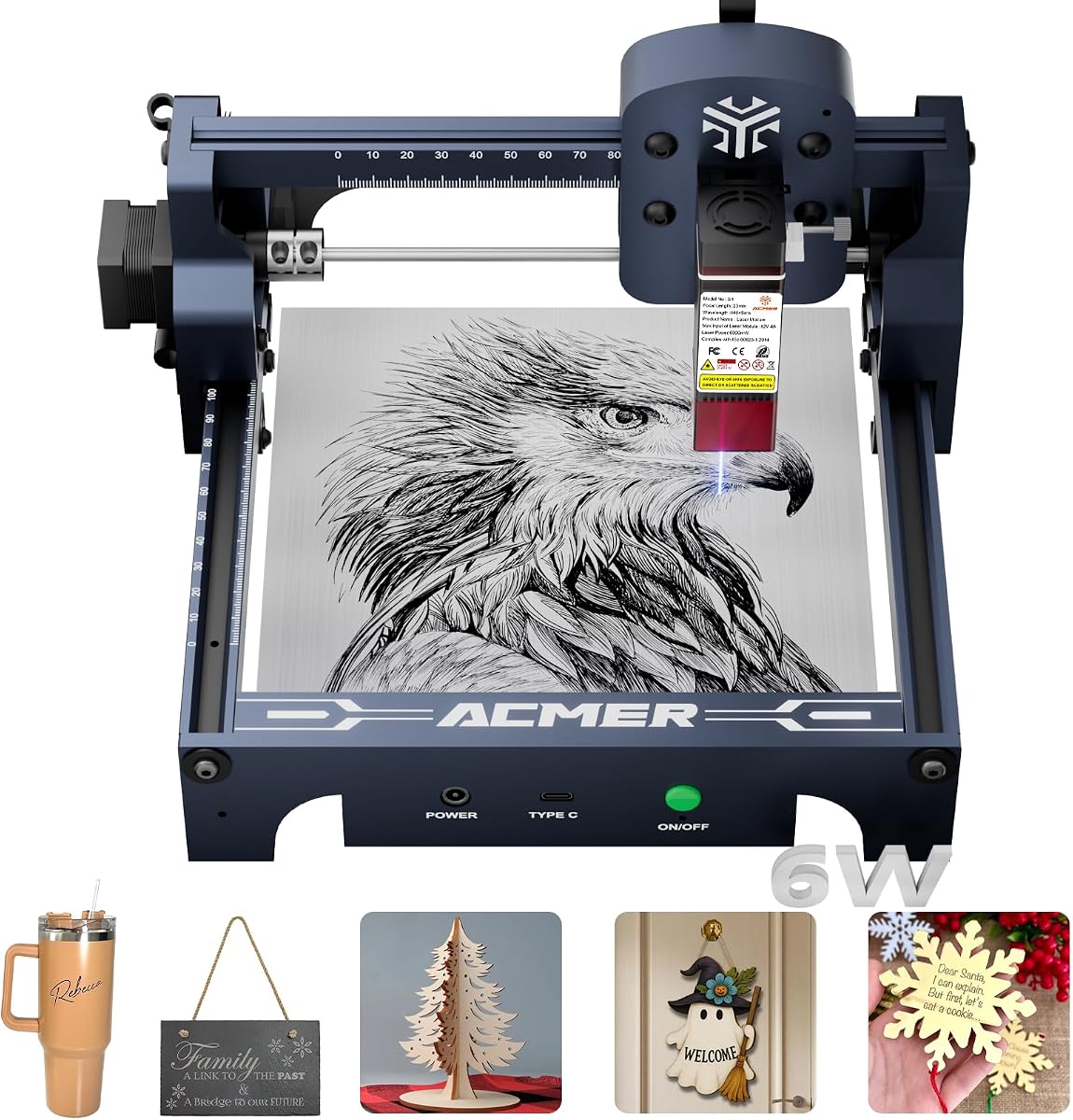
ACMER S1 Laser Engraver
4.3Editor score
6000mW diode laser
99 percent preassembled design
Lightweight portable 2kg build
This guide compares the top Acmer Laser Engraver models for precision cutting and engraving across wood, acrylic, and leather for DIY and professional makers.
Choosing the right laser engraver can transform your creative projects into professional-grade results. With so many options available, finding a machine that balances power, precision, and ease of use is essential for hobbyists and small businesses alike.
We analyzed ten top-rated Acmer Laser Engraver models based on laser power, workspace size, software compatibility, and safety features. Our comparison highlights the strengths of each unit to help you select the best fit for your specific needs and budget constraints.
Each pick in this list showcases unique capabilities ranging from compact desktop units to robust industrial-style cutters. Please note that product availability and pricing fluctuate frequently, so verify current details on the retailer site before making your final purchase decision today.
4.3Editor score

4.4Editor score

5.0Editor score
Below is a side-by-side comparison of all ten Acmer Laser Engraver models featured in this guide. Review the key specifications to understand how each machine performs across different materials and project scales.



The ACMER S2 Laser Engraver stands out as a top choice for makers seeking a balance of power and precision. With a true 12W laser module and 72W total system power, it handles over 100 materials including wood, leather, and coated metal with ease. Its 0.01mm positioning accuracy ensures intricate details are reproduced cleanly, making it ideal for personalized gifts and small business projects.
We may earn a commission when you buy through this link, at no additional cost to you.
Key strengths include its spacious 300x300mm workspace which allows for larger signs and layered art without constant repositioning. The machine works seamlessly with ACMER Studio, LightBurn, and LaserGRBL, giving users flexibility in their design workflow. Additionally, the anti-UV protective shield and motion protection features provide peace of mind during operation, especially in shared or home workshop environments.
While the S2 offers robust performance, it requires some assembly upon arrival, which might deter users looking for instant plug-and-play convenience. The optional rotary modules and risers are sold separately, adding to the total cost if you plan to engrave cylindrical objects. However, these trade-offs are acceptable given the machine's versatility and durability for the price point.
This engraver is best suited for intermediate hobbyists and small business owners who need reliable cutting and engraving capabilities without stepping into industrial-grade pricing. If you value software flexibility and safety features alongside high precision, the S2 delivers exceptional value. We recommend it as the top pick for most users entering the laser engraving space.
The refined 0.08×0.08mm laser spot allows for clean edges on fine text and complex patterns that lesser machines might blur or struggle to maintain during long runs.
Users can grow their setup over time by adding air assist systems or rotary attachments, making this a long-term investment for evolving project needs.
We may earn a commission when you buy through this link, at no additional cost to you.
This version of the ACMER S2 Laser Engraver distinguishes itself with integrated AI design tools within its free software. It allows users to turn text prompts or photos directly into engraving designs, simplifying the workflow for those intimidated by complex CAD programs. The hardware matches the first S2 with a true 12W laser module and 72W system power, ensuring consistent performance across 100+ materials.
We may earn a commission when you buy through this link, at no additional cost to you.
The standout feature is the ability to start creating immediately without prior design experience. The advanced 32-bit chip supports engraving speeds up to 10,000 mm/min, reducing wait times for large projects. It also maintains compatibility with LightBurn and LaserGRBL for users who prefer established professional tools, offering a bridge between simplicity and advanced control.
However, the AI design tools may not replace professional software for highly detailed vector work, and some calibration might be needed to achieve the advertised 0.01mm accuracy consistently. The software interface, while user-friendly, can have a learning curve for those transitioning from other engraving platforms. These issues are minor compared to the convenience offered for entry-level creators.
We recommend this model for beginners or educators who want to minimize the initial barrier to entry for laser engraving. The combination of AI assistance and robust hardware makes it a powerful tool for classrooms and home studios. If you need quick project turnaround without mastering design software, this S2 variant is an excellent choice.
Built-in AI tools convert photos or text into engraving-ready files instantly, saving time on manual tracing or vector creation for simple projects.
The 32-bit chip enables faster processing of design files, allowing for efficient batch production and quicker completion of time sensitive orders.
We may earn a commission when you buy through this link, at no additional cost to you.
The ACMER S1 Laser Engraver is designed for users who need a compact, affordable solution without sacrificing too much performance. Arriving 99% preassembled, it reduces setup time to just one minute for laser head installation. With a 6000mW diode laser and 48W machine output, it handles engraving on wood, leather, and acrylic effectively, though cutting depth is limited compared to higher wattage models.
We may earn a commission when you buy through this link, at no additional cost to you.
Its lightweight 2kg build makes it highly portable, ideal for makers who move their workspace frequently or have limited desk space. The 130x130mm working area is sufficient for small crafts, jewelry tags, and personalized keychains. Despite its size, it supports high engraving speeds of up to 10,000mm/min and maintains 0.01mm repeatable positioning accuracy for detailed work.
The main trade-off is the smaller workspace, which restricts larger projects like signs or multiple pieces at once. Additionally, while it can cut thin materials, it struggles with thicker wood or acrylic compared to the S2 or P1 series. For the price, however, these limitations are acceptable for hobbyists focused on intricate engraving rather than deep cutting.
This unit is perfect for students, beginners, or hobbyists looking to dip their toes into laser engraving without a significant financial commitment. Its ease of use and portability make it a strong candidate for classrooms or small apartments. If you prioritize setup speed and cost over raw power, the S1 is the best budget pick.
With 99 percent preassembly, users spend less time unboxing and more time creating, reducing frustration for first-time buyers or educational settings.
Weighing only 2kg, the machine can be easily stored in a backpack or drawer, allowing for flexible workspace arrangements at home or on the go.
We may earn a commission when you buy through this link, at no additional cost to you.
The ACMER S2 Laser Engraver with 7000mW output offers a solid mid-range entry point for those who need safety and size without the cost of higher wattage modules. It features a true 7W laser output and 48W total system power, capable of engraving wood, acrylic, and coated metal effectively. The 0.01mm engraving accuracy ensures sharp details for small text, logos, and personalized gifts.
We may earn a commission when you buy through this link, at no additional cost to you.
Safety is a priority with this model, including an anti-UV protective shield, included laser safety goggles, and motion-detection auto-pause. These built-in features make it suitable for home workshops and classrooms where accidental exposure is a concern. The spacious 300x300mm working area allows for larger projects without constant repositioning, enhancing productivity for small businesses.
While the cutting capacity is limited to 13mm paulownia wood or 6mm black acrylic with multiple passes, it excels in engraving tasks where detail matters more than depth. Users may find the 7W module insufficient for rapid deep cutting compared to 12W or 20W alternatives, but for most decorative purposes, it is adequate. The high user rating reflects its reliability and ease of use.
We recommend this unit for educators and parents looking for a safe, reliable machine for creative projects. Its focus on safety features and user-friendly software compatibility makes it a great choice for shared spaces. If your primary goal is engraving rather than heavy cutting, this model provides excellent value and peace of mind.
The inclusion of a protective shield and auto-pause motion detection ensures a safer working environment for beginners and children under supervision.
The 0.08×0.08mm laser spot helps maintain cleaner edges and sharper lines even on detailed designs that require high precision and attention.
We may earn a commission when you buy through this link, at no additional cost to you.
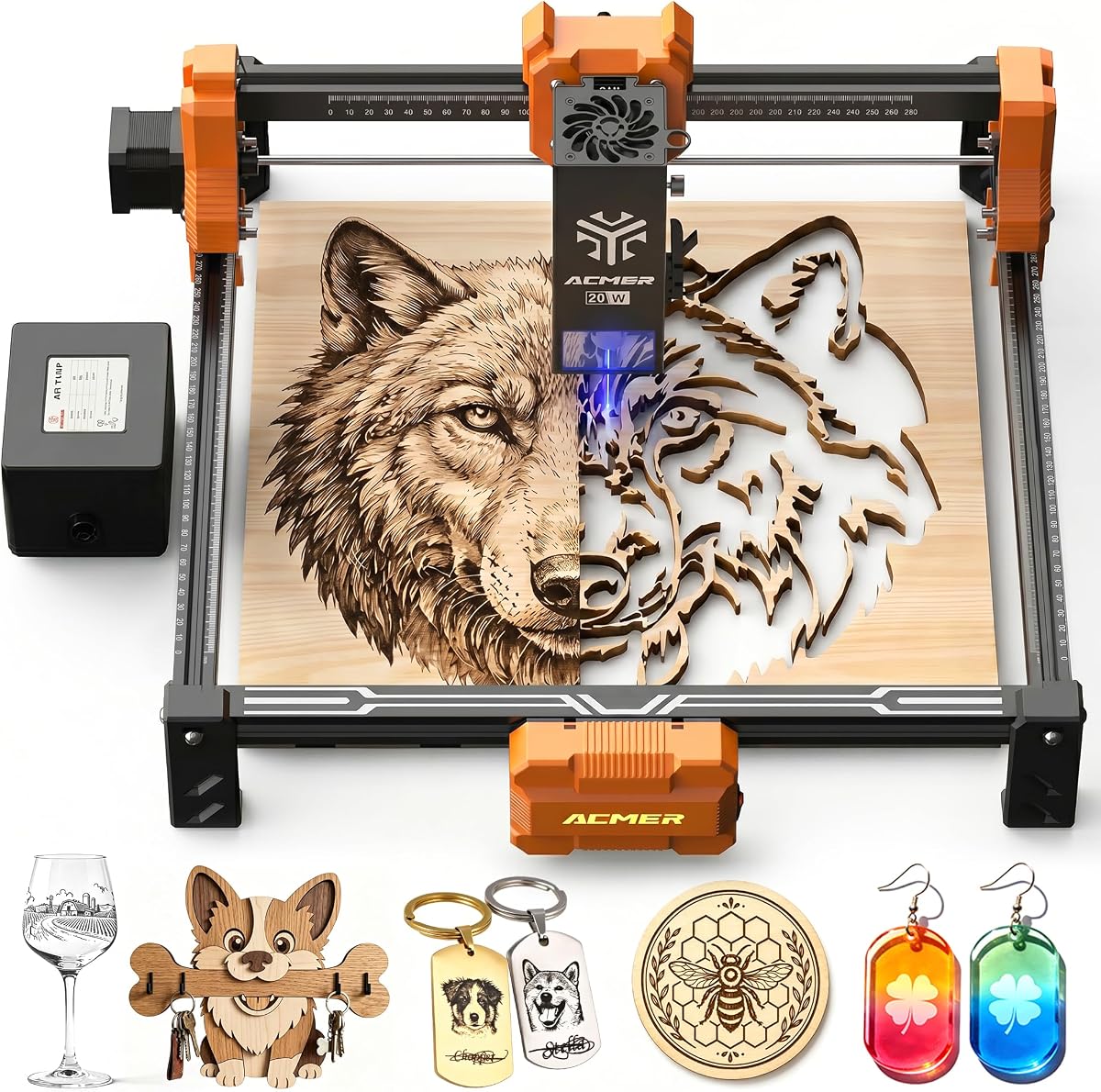
The ACMER P1 S Pro 20W is designed for users who demand cleaner cuts and faster production. It features a true 20000mW diode laser module that delivers strong cutting and engraving across wood, acrylic, leather, and ceramic. The built-in 25L/min air assist pump minimizes burn marks and smoke residue, protecting the lens and improving edge quality significantly compared to units without air support.
We may earn a commission when you buy through this link, at no additional cost to you.
With engraving speeds up to 10,000mm/min and acceleration up to 500mm/s², this machine runs smooth and stable for small batch production. The compressed 0.08×0.1mm laser spot produces sharp lines and smooth gradients suitable for photo engraving and complex artwork. Limit switches prevent over-traveling, adding an extra layer of mechanical safety during operation.
The primary downside is the higher price point compared to entry-level models, which may be prohibitive for casual hobbyists. Additionally, the air assist pump requires occasional maintenance to ensure consistent airflow and prevent clogging over time. However, for professional results on materials like wood and acrylic, the investment in air assist pays off in reduced cleanup and better finish quality.
We recommend this model for small business owners or serious hobbyists who need a reliable machine for recurring orders. The combination of power and built-in air assist reduces the learning curve for achieving clean cuts. If you prioritize output quality and efficiency, the P1 S Pro 20W is an outstanding tool to consider.
The 25L/min air pump helps clear debris and smoke instantly, reducing charring and resulting in professional looking edges on wood and acrylic materials.
Acceleration of 500mm/s² allows for quick start and stop during detailed vector work, maintaining speed without sacrificing accuracy on long runs.
We may earn a commission when you buy through this link, at no additional cost to you.
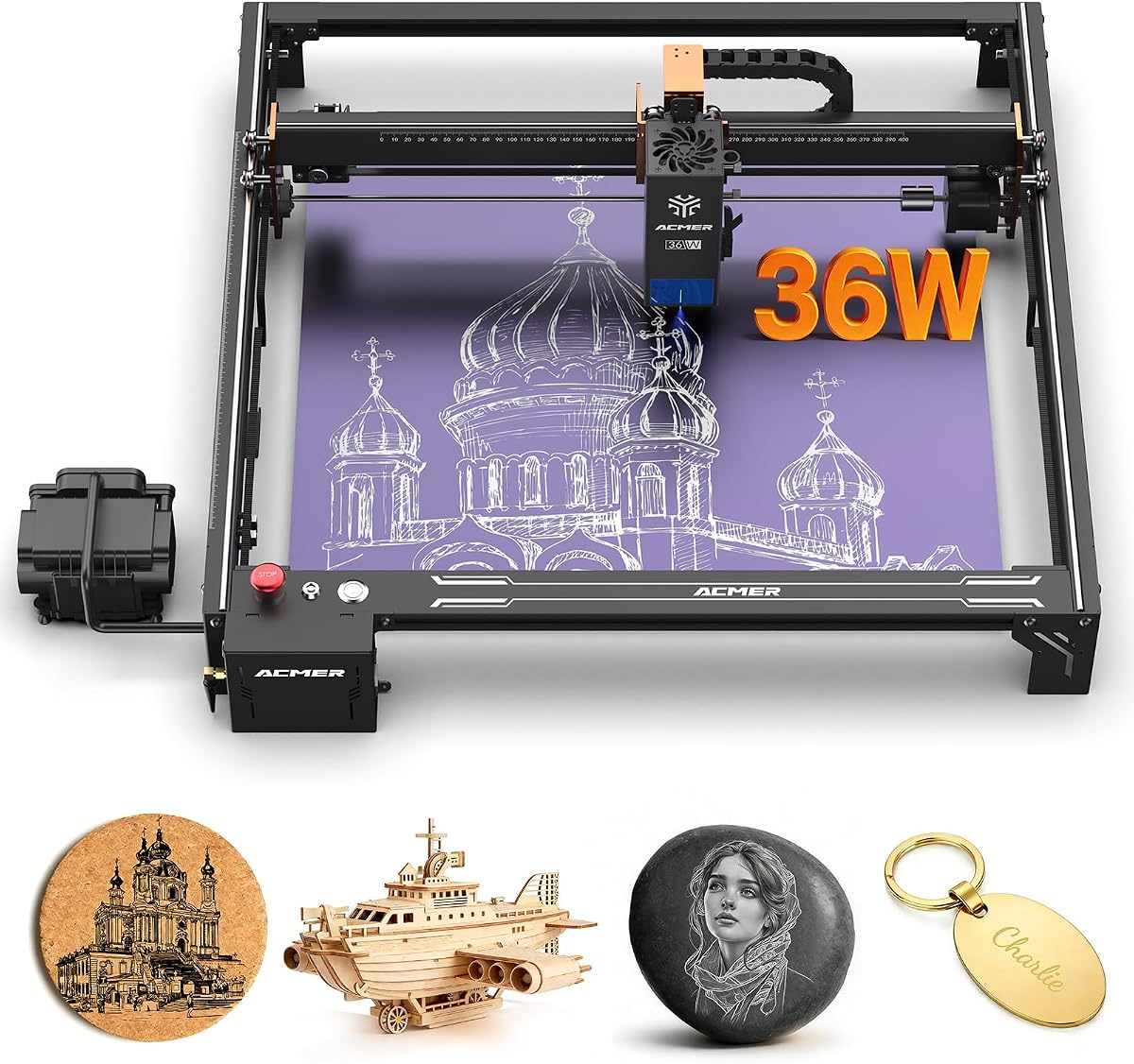
The Acmer S2 Pro 36W targets serious professionals who need industrial-level stability and speed. Its advanced dual linear rail system ensures minimal vibration and misalignment even at high speeds, which is crucial for long production runs. Powered by a 36000mW laser module, it delivers sharp details and strong cutting performance, supporting engraving speeds up to 24,000mm/min.
We may earn a commission when you buy through this link, at no additional cost to you.
The machine includes a built-in 30L/min air pump to reduce burn marks and protect the lens during intense cutting. Safety is addressed with tilt protection via gyroscope sensor, emergency stop button, and child lock, making it suitable for workshops with multiple users. Connectivity options like WiFi, TF card, and USB PC connection offer flexible offline and wireless control.
While powerful, this unit represents a significant investment and may be overkill for simple DIY projects. The high speed may require careful calibration to maintain precision, and the complexity of setup can be daunting for beginners. However, for those producing high volumes or larger items, the performance gains are substantial.
We recommend this model for professional shops and small businesses focused on batch production. The stability and speed allow for faster turnaround times without compromising quality. If you need a machine that can handle demanding daily use, the S2 Pro 36W is built to withstand the load.
Dual linear rails provide a smoother motion path than single rail designs, reducing vibration that can cause waviness on long engraving lines.
TF card and WiFi support allow users to run jobs without a computer connected, freeing up the PC for design work during production.
We may earn a commission when you buy through this link, at no additional cost to you.
The Acmer S2 20W combines a powerful 20000mW diode laser with a practical 300x285mm workspace for versatile projects. It supports engraving and cutting on wood, acrylic, leather, and ceramics with ease. The included 25L/min air assist pump helps reduce burn marks and improve edge quality, making it a strong contender for those seeking professional results without complex additions.
We may earn a commission when you buy through this link, at no additional cost to you.
Performance is robust with engraving speeds up to 10,000mm/min and acceleration up to 300mm/s², ensuring efficient operation for small batch production. Built-in limit switches define the working area accurately, preventing the laser head from hitting the frame during operation. It works seamlessly with Windows, macOS, and Linux, offering broad compatibility for diverse software preferences.
The workspace is slightly smaller than the 300x300mm models, which might limit very large single-piece projects. Additionally, the machine requires a stable surface to avoid shaking during high-speed runs, which is standard for this class but worth noting. Overall, the balance of power, air assist, and safety makes it a highly rated option.
We recommend this unit for makers who want a complete package out of the box. The air assist and powerful laser eliminate the need for many aftermarket upgrades. If you need a reliable machine for both hobby and small business use, this S2 20W is a top recommendation.
Most accessories like air assist and safety features come included, reducing the need for immediate additional purchases after buying the unit.
Support for major operating systems ensures users can integrate the machine into existing workflows without needing a specific platform.
We may earn a commission when you buy through this link, at no additional cost to you.
The ACMER P3 Laser Engraver represents the pinnacle of home and small business engraving technology with its switchable dual laser output of 24W and 48W. It allows seamless switching between diode lasers to handle over 200 materials, making it versatile for any project type. The enclosed box design reduces smoke and sound by 90%, prioritizing safety with SGS Class 1 certification.
We may earn a commission when you buy through this link, at no additional cost to you.
Safety features include automatic fire detection, over-temperature protection, and a closed-box design to minimize hazards. The CoreXY structure ensures high-speed precision with a maximum speed of 800mm/s and accuracy down to 0.01mm. A built-in visual camera aids in positioning, allowing for precise placement without manual measuring or trial and error.
This machine is a significant investment due to its price and footprint, requiring dedicated space and power. The complexity of features like fire detection and dual laser switching may be overwhelming for casual users. However, for serious professionals or small studios, the reliability and safety make it a worthwhile long-term investment.
We recommend this model for businesses that need industrial-grade safety and precision. The combination of high power and enclosed design allows for unattended operation with peace of mind. If safety and top-tier performance are non-negotiable for your workflow, the P3 is the ultimate choice.
The Class 1 enclosed box design prevents exposure to harmful laser light and contains smoke, making it safer for home environments.
The visual camera system simplifies material setup by allowing users to see the exact engraving area before starting the job.
We may earn a commission when you buy through this link, at no additional cost to you.
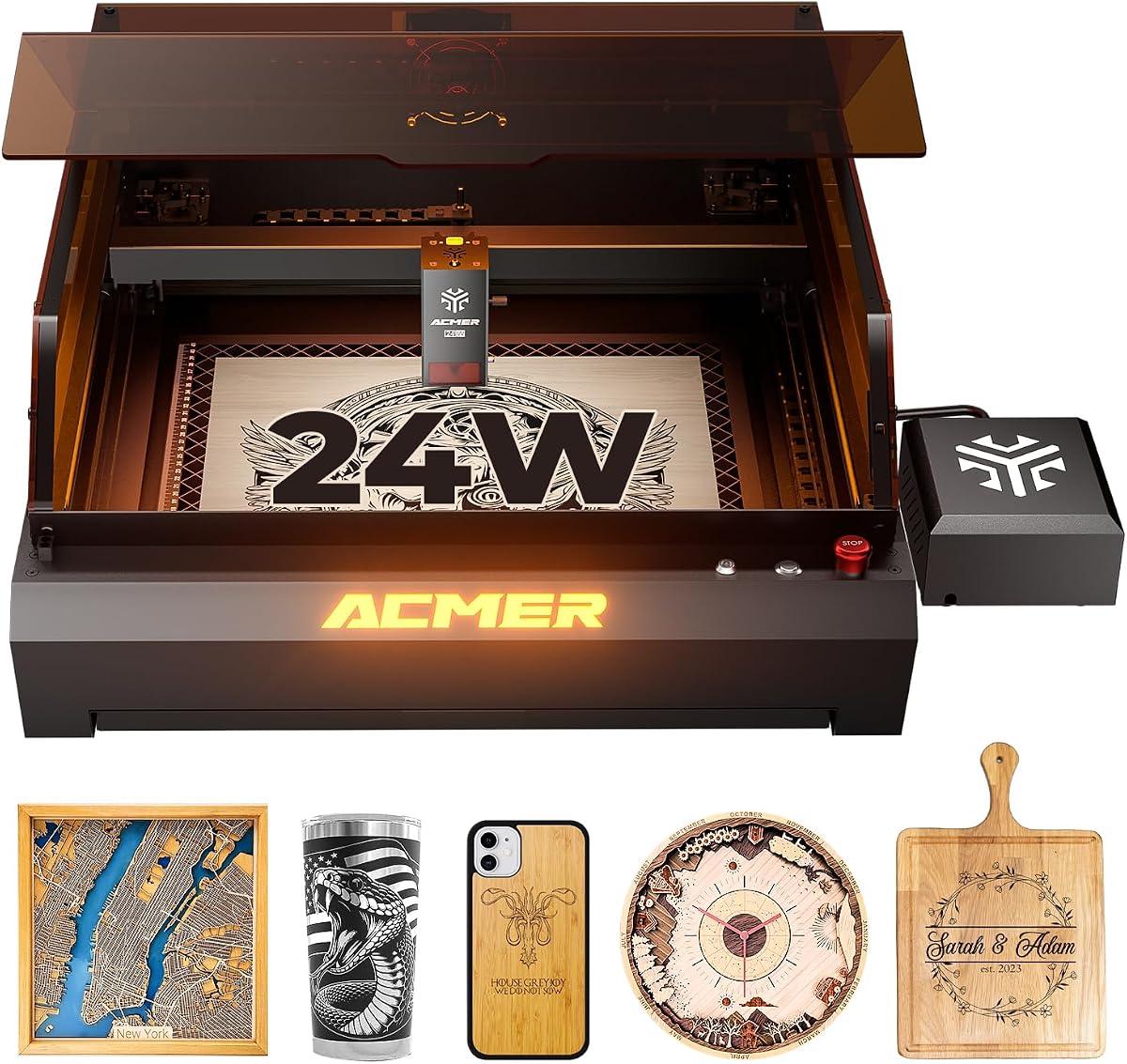
The ACMER P3 24W offers a compact yet powerful enclosed solution with a 24000mW output and integrated housing. It solves compatibility limitations by integrating infrared and diode lasers into a single module, allowing seamless switching for different materials. The closed box design reduces 90% of smoke pollution and noise, ensuring a cleaner working environment for home or studio use.
We may earn a commission when you buy through this link, at no additional cost to you.
The 400x400mm engraving range breaks typical boundaries, allowing for larger items without sacrificing safety. CoreXY structure and motion compensation algorithms ensure precise results even at high speeds with accuracy down to 0.01mm. The aviation grade aluminum frame provides excellent stability, while limit protection and tilt protection features add operational safety.
While heavier and more expensive than open-frame models, the integrated housing eliminates the need for additional enclosures or ventilation setups. Users should expect a larger physical footprint and may need to allocate specific space for ventilation. However, the benefits of reduced smoke and noise often justify the cost for indoor environments.
We recommend this unit for users who want a professional enclosed experience without building a custom box. The 400x400mm range and built-in camera make it highly versatile. If you value a clean, smoke-free workspace and professional-grade safety, the P3 24W is a top contender.
The integrated enclosure keeps smoke contained and reduces noise significantly, making it easier to use in shared living or office spaces.
Motion compensation algorithms prevent blurring at high speeds, ensuring that fast engraving jobs maintain crisp and clear details.
We may earn a commission when you buy through this link, at no additional cost to you.
The ACMER P1 S Pro 6W focuses on offering a large workspace at an accessible price point. Featuring a 6W dual-beam laser module with a fine 0.06 mm spot size, it achieves engraving precision down to 0.01 mm. The 380x370mm workspace provides ample room for large-scale designs, making it a strong contender for users needing more area than standard compact units.
We may earn a commission when you buy through this link, at no additional cost to you.
Data transfer is flexible with WiFi, USB, and TF card options, allowing seamless operation with PC software and mobile apps. It supports rotary attachments for curved objects like tumblers and bottles, expanding versatility for personalized items. The machine is certified under IEC 60825-1, ensuring user safety with included protective laser glasses.
The dual-beam laser limits cutting thickness compared to single high-wattage modules, struggling with materials thicker than 12mm wood or 8mm acrylic in one pass. While adequate for light cutting and engraving, it may not satisfy heavy-duty needs. However, for the price and workspace size, these limitations are reasonable.
We recommend this model for users who prioritize workspace size over cutting power. The large area and WiFi control make it convenient for home studios and educational workshops. If you need to engrave larger items on a budget, the P1 S Pro 6W is a great choice to consider.
The 380x370mm area allows for bigger projects or multiple small items in a single run without needing to reposition materials frequently.
WiFi connectivity allows users to send jobs from a computer or mobile device without needing a direct cable connection.
We may earn a commission when you buy through this link, at no additional cost to you.
Selecting the right laser engraver involves understanding several key factors that affect performance, safety, and usability. This guide breaks down the most important aspects to consider before making your decision.
Laser power is measured in milliwatts (mW) or watts (W), directly impacting how fast and deep a machine can cut materials. Higher wattage like 20W or 48W allows for cutting thicker wood and metal, while 6W or 7W is better for surface engraving and thin materials.
For hobbyists focusing on engraving, 7W to 12W is sufficient. For cutting thicker substrates, look for 20W or higher to avoid multiple passes and extended processing times.
The workspace size determines the maximum physical dimensions of materials you can engrave or cut in one go. Standard sizes range from 130x130mm for portable units to 400x400mm for industrial models.
If you plan to make large signs or multiple small items, choose a model with at least 300x300mm workspace. Also check for optional rotary modules if you need to engrave cylindrical objects like cups.
Most ACMER machines work with proprietary software, LightBurn, or LaserGRBL. Compatibility determines how easily you can import files and control the machine. Open software support offers more flexibility for custom designs and vector editing.
Ensure the machine supports the software you already use or are willing to learn. LightBurn is industry standard but paid, while ACMER Studio and LaserGRBL offer free entry points.
Air assist uses forced air to blow away smoke and debris during cutting, resulting in cleaner edges and reducing burn marks. It is critical for cutting acrylic and thicker woods effectively.
Look for built-in air pumps if you plan to cut often. Models without air assist may still work for engraving but will require manual cleaning of charred edges.
Safety should be a priority, especially if you operate the machine at home. Features like anti-UV protective shields, motion detection auto-pause, and fire detection help prevent accidents.
Enclosed boxes provide the highest safety level by containing smoke and laser exposure. Open models require careful handling and proper eye protection to ensure safe operation.
Precision refers to the smallest detail the machine can reproduce, often measured in 0.01mm accuracy. Spot size also matters, as smaller spots produce sharper lines and smoother gradients.
Look for machines with 0.08×0.08mm laser spots and linear rail systems for stability. High precision is essential for detailed photo engraving and small text.
If you plan to move your workspace, consider the weight and assembly requirements. Lighter machines like the S1 are portable, while heavier ones like P3 offer stability at the cost of mobility.
Industrial-grade aluminum frames ensure stability during high-speed operation but add weight. Preassembled units save time but might be bulkier to ship.
Connectivity options like USB, WiFi, and TF card allow for offline and wireless control. This flexibility lets you free up your computer for other tasks during production.
Check if the model supports offline modes if you work in environments with unstable internet or prefer wireless file transfers for convenience.
Start by placing the machine on a stable, flat surface and ensuring proper ventilation to avoid smoke accumulation. Use the provided safety goggles and verify the protective shield is in place before powering on the laser unit.
Prepare your design files in a supported format such as DXF or PNG and upload them to the control software. Calibrate the focal length and material settings using the provided templates to ensure accurate engraving results.
Clean the machine after each use by wiping the lens and removing debris from the honeycomb plate. Store the laser head in a safe location when not in use to prevent accidental exposure or damage to the optics.
ACMER laser engravers with diode lasers can engrave coated metals and anodized aluminum but cannot cut through raw metals. For bare metal, you need a fiber laser system, though these machines work well for marking metal surfaces.
Safe materials include wood, leather, acrylic, cardboard, and coated metals. Avoid materials like PVC or vinyl which release toxic fumes when exposed to laser heat, as they can damage the lens and pose health risks.
Clean the lens gently with a soft microfiber cloth and isopropyl alcohol after every few hours of use. Avoid touching the glass with fingers to prevent oil buildup that could cause heat damage during operation.
While proprietary software like ACMER Studio is included, you can use popular third-party options like LightBurn and LaserGRBL. These programs often offer more advanced editing features and broader file format support.
It is possible with enclosed models like the P3, but ventilation is key. Ensure you have a window or air purifier nearby to manage smoke and fumes, as even low-emission machines can accumulate air quality issues in small rooms.
Most ACMER models come with a 12-month warranty covering manufacturing defects. Check the product page for specific terms as parts like laser tubes or power supplies may have different coverage periods.
We reviewed ten top Acmer Laser Engraver models ranging from budget-friendly desktop units to professional-grade enclosed systems. The ACMER S2 and P1 S Pro models offer the best balance of power and ease of use for most creators.
Prioritize safety features and workspace size when making your decision. If you plan to cut materials regularly, opt for models with higher wattage and built-in air assist to achieve cleaner results without manual post-processing.
Remember that product prices and availability change frequently on online retailers. Verify current details and warranty terms before purchase to ensure you get the best value for your specific creative or business needs today.