
AOC 27 Gaming Monitor QHD 260Hz Overclocked IPS NVIDIA G-SYNC Q27G41ZE
4.6Editor score
240Hz Refresh Rate
IPS Panel Technology
Adaptive Sync Support
Finding the right display for competitive gaming requires balancing resolution and speed. Today we focus on 1440p monitors that deliver 240Hz refresh rates for smooth visuals.
We analyzed technical specifications, panel types, and user feedback to compile this list. Each entry offers a unique blend of performance features suitable for various gaming styles.
Read through each detailed review to understand standout features and potential trade-offs. Keep in mind that availability and pricing fluctuate frequently across different retailers.
4.6Editor score

4.4Editor score

4.5Editor score
As an Amazon Associate we earn from qualifying purchases.
This comparison table breaks down the key specifications of every model listed in this guide to help you make an informed decision quickly.


The AOC Q27G41ZE stands out as a highly accessible option for gamers seeking high refresh rates without breaking the bank. With a solid 4.6 rating, it proves its worth in delivering fluid motion through its overclocked refresh capabilities. This monitor prioritizes speed and responsiveness, making it ideal for competitive shooters where split-second reactions determine victory.
We may earn a commission when you buy through this link, at no additional cost to you.
Its IPS panel ensures vibrant colors and wide viewing angles which are essential for immersive single-player campaigns as well. The adaptive-sync support effectively eliminates screen tearing across both AMD and NVIDIA GPUs providing a seamless visual experience. Users appreciate the straightforward OSD menu that allows quick adjustments to gaming presets and shadow control settings.
While the tilt-only stand limits positioning flexibility the frameless design creates an immersive feel during intense gaming sessions. The lack of height adjustment means users might need a separate riser for optimal ergonomics depending on their desk setup. Despite these minor drawbacks the price-to-performance ratio remains exceptionally strong compared to higher-end rivals.
Gamers on a budget looking for a reliable 1440p 240Hz display will find this AOC model hard to beat. It delivers the core performance metrics needed for competitive play while maintaining good color fidelity for general use. We recommend it for anyone entering high refresh rate gaming who wants immediate visual upgrades.
The monitor supports Adaptive-Sync technology which syncs the refresh rate with your GPU output to prevent screen tearing.
Users can easily adjust shadow control and game modes via a user-friendly graphical OSD menu for optimized performance.
We may earn a commission when you buy through this link, at no additional cost to you.
The Acer Nitro XV272U is designed for users who prioritize ergonomic customization alongside high-speed gaming performance. It offers a comprehensive stand that supports height swivel pivot and tilt adjustments allowing for a perfectly tailored viewing position. This flexibility is rare at its price point and helps reduce neck strain during long gaming marathons.
We may earn a commission when you buy through this link, at no additional cost to you.
Featuring AMD FreeSync Premium technology it ensures smooth gameplay by synchronizing the monitor with graphics card frame rates. The 240Hz refresh rate via DisplayPort delivers crisp motion handling that benefits fast-paced competitive titles significantly. Color reproduction is consistent thanks to the IPS panel which maintains integrity across different viewing angles.
While the HDR capabilities are modest compared to premium models the standard gaming performance remains robust and reliable. The included speakers provide basic audio convenience though serious gamers often prefer external setups for better sound quality. Overall it balances budget-friendly pricing with essential high-end features effectively.
This model is an excellent choice for those who need a highly adjustable monitor for both gaming and productivity tasks. Its versatile stand and strong refresh rates make it a practical pick for versatile setups. We suggest it for users who value physical adjustability and steady visual performance.
The ergonomic stand allows for height adjustment tilt swivel and pivot positioning to suit various desk setups.
AMD FreeSync Premium technology eliminates screen tearing and stuttering for a smoother gaming experience across AMD GPUs.
We may earn a commission when you buy through this link, at no additional cost to you.
The LG 27GR83Q-B combines high refresh rates with validated compatibility for NVIDIA G-Sync making it a top contender for PC gamers. Its IPS panel delivers vivid colors with 95% DCI-P3 coverage ensuring that games look as intended by developers. The 1ms response time contributes to sharp visuals during rapid motion without noticeable blur or ghosting.
We may earn a commission when you buy through this link, at no additional cost to you.
Beyond gaming it offers excellent multimedia features including a 4-pole headphone jack and DTS Headphone:X support for spatial audio. HDR 400 certification adds depth to compatible content though true high dynamic range performance is limited by the panel brightness. Connectivity is robust with HDMI 2.1 allowing future-proofing for next-gen consoles as well.
The stand provides full ergonomic adjustments including height tilt and pivot which makes it adaptable for both gaming and work. Users can customize the display settings through an enhanced GUI that supports various game modes like FPS or RTS. This versatility ensures the monitor fits seamlessly into diverse user environments.
Gamers seeking a reliable display that handles both competitive play and media consumption should consider this LG model. It strikes a balance between performance and features that appeals to a wide audience. We recommend it for those who want official NVIDIA compatibility and solid color accuracy.
Officially validated by NVIDIA as G-SYNC Compatible to reduce screen tearing and stuttering during gameplay.
A 4-pole headphone jack supports stereo signals and mono microphone inputs for convenient audio management.
We may earn a commission when you buy through this link, at no additional cost to you.
The Acer Predator X27U brings OLED technology to the 1440p 240Hz category offering unparalleled contrast and color depth. With true 10-bit color and 99% DCI-P3 coverage it produces stunning visuals that pop off the screen with remarkable clarity. This monitor is designed for enthusiasts who demand the highest image quality available today.
We may earn a commission when you buy through this link, at no additional cost to you.
Its 0.03ms response time effectively eliminates ghosting ensuring that fast motion remains crisp even in the most competitive scenarios. The zero-frame design maximizes the visible screen area which is crucial for eSports tournaments where every pixel counts. Image retention refresh technology helps prevent static elements from sticking permanently to the panel.
While the performance is exceptional users should be aware of the inherent risks associated with OLED technology such as burn-in. Acer mitigates this through software features but it remains a consideration for those who display static UI elements frequently. The price reflects the premium hardware and performance capabilities it delivers.
This monitor is ideal for gamers who want the absolute best in color and contrast without compromising on speed. It transforms the gaming experience with cinematic quality that is hard to match. We suggest it for dedicated users seeking top-tier visual performance.
The quantum dot OLED display offers stunning contrast and cinematic color with true 10-bit depth.
The bezel-free design removes borders for a wider field of view and a more immersive experience.
We may earn a commission when you buy through this link, at no additional cost to you.
The KTC H27E6S offers a compelling feature set for gamers looking to push refresh rates beyond standard limits. It natively runs at 240Hz but can be overclocked to 275Hz providing extra smoothness for those with high-end GPUs. The Fast IPS panel ensures quick response times and vibrant colors with 123% sRGB coverage.
We may earn a commission when you buy through this link, at no additional cost to you.
Its clean white design adds a modern touch that stands out compared to traditional black gaming monitors. The ergonomic stand supports full adjustments including height and pivot making it suitable for various workstation configurations. Connectivity options are plentiful with both HDMI 2.0 and DisplayPort 1.4 inputs for versatile setups.
Built-in speakers provide basic audio convenience although dedicated headphones or external speakers are recommended for better quality. The monitor also includes features like low blue light technology to reduce eye strain during extended usage sessions. This makes it a practical choice for mixed-use environments.
Users wanting to maximize refresh rates and enjoy a unique aesthetic will find this KTC model attractive. It offers high performance metrics at a competitive price point for its feature set. We recommend it for those seeking high-speed performance with modern design.
The monitor supports overclocking from 240Hz up to 275Hz for enhanced motion clarity.
The white finish provides a clean and modern aesthetic that complements various setups.
We may earn a commission when you buy through this link, at no additional cost to you.
The ASUS ROG XG27ACMG is built for professional gamers who demand the fastest refresh rates available in 1440p. Its 270Hz overclocked rate provides exceptionally smooth motion handling for competitive titles like tactical shooters. ASUS Fast IPS technology ensures sharp visuals with a 1ms response time to keep inputs precise.
We may earn a commission when you buy through this link, at no additional cost to you.
A key feature is the USB-C port with DP Alt mode which allows for a clean single-cable setup for laptops. The ELMB SYNC technology enables motion blur reduction even while using variable refresh rates which was previously impossible. This combination enhances clarity during fast movement without introducing ghosting artifacts.
The monitor supports 95% DCI-P3 color gamut which delivers accurate and vibrant colors for media consumption as well. Users can adjust settings easily via the DisplayWidget Center software using a mouse rather than physical buttons. However the ergonomic range is somewhat limited compared to other premium options.
Gamers needing the fastest response and modern connectivity will find this ROG monitor highly capable. It bridges the gap between competitive performance and workstation convenience effectively. We recommend it for users who value speed and flexible cable management.
ELMB SYNC eliminates ghosting and tearing by combining variable refresh rate with motion blur reduction.
USB Type-C with DP Alt mode allows for clean single-cable connections for laptops and other devices.
We may earn a commission when you buy through this link, at no additional cost to you.
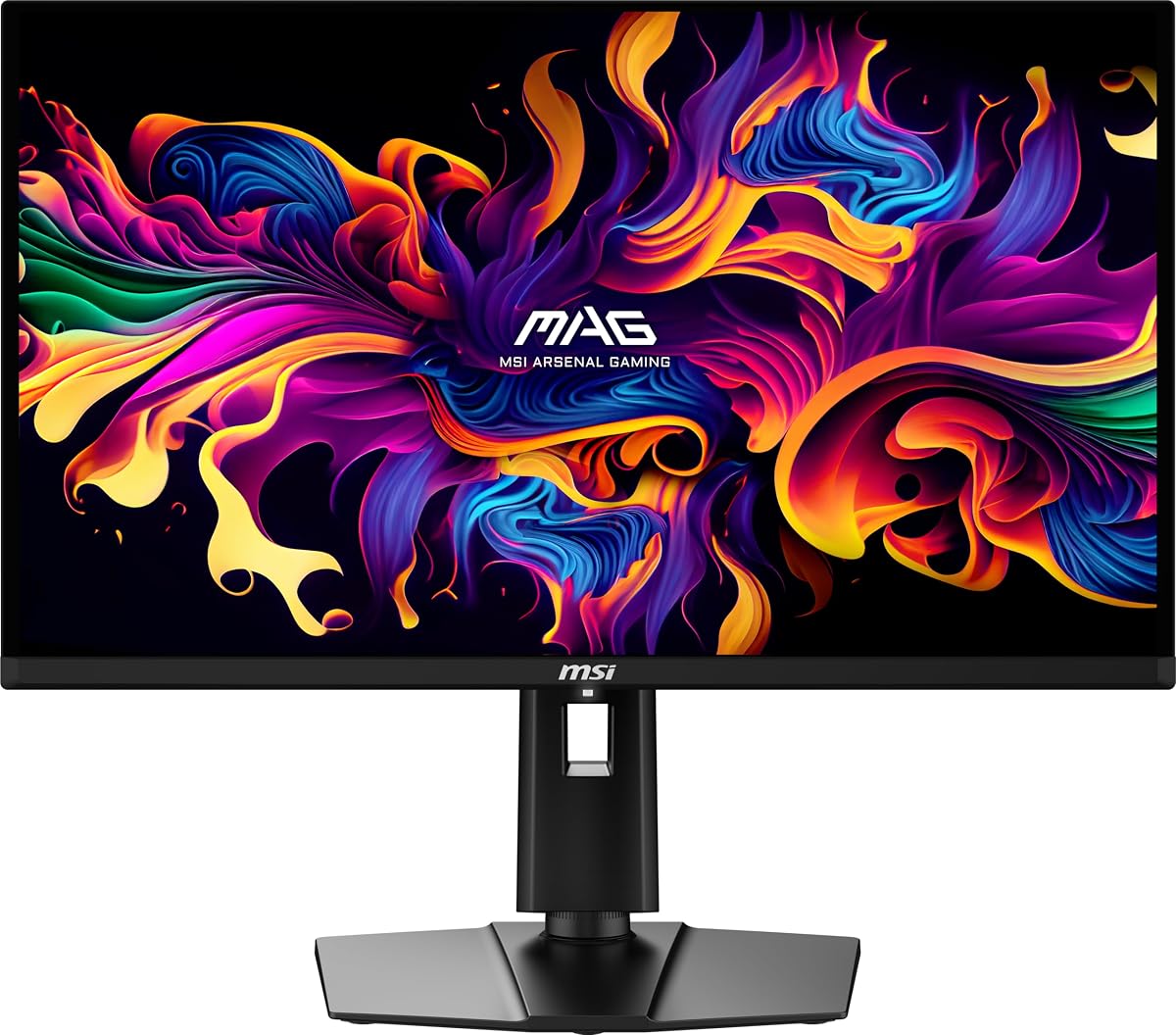
The MSI MAG 274QP utilizes Quantum Dot OLED technology to deliver elite image quality with precise color and contrast. With 10-bit color and 99% DCI-P3 coverage it reproduces over a billion colors for stunning realism. The native 240Hz refresh rate ensures fluid motion which complements the panel's fast response capabilities.
We may earn a commission when you buy through this link, at no additional cost to you.
It features a graphene heatsink design that operates without an active cooling fan ensuring silent performance. This passive cooling system helps extend panel lifespan by managing heat efficiently without noise interruption. Gaming Intelligence software provides AI features and OLED Care 2.0 to mitigate screen aging risks.
Connectivity is future-proofed with HDMI 2.1 and DisplayPort 1.4a ports supporting high bandwidth for next-gen consoles. Users can adjust settings via a fully adjustable stand allowing for optimized viewing positions. The sub-pixel arrangement enhances sharpness providing clearer text and visuals compared to standard OLED panels.
This monitor is perfect for users seeking top-tier color and contrast without sacrificing refresh rate speed. Its hardware-level innovations offer a premium experience for discerning gamers and creators. We recommend it for those prioritizing image fidelity and silent operation.
Combines quantum dots with self-emitting pixels for unrivaled dark levels and response times.
OLED Care 2.0 includes software features to help prevent image retention and burn-in over time.
We may earn a commission when you buy through this link, at no additional cost to you.
The Alienware AW2723DF stands out with its distinct Lunar Light design and robust build quality for high-end setups. It features a Fast IPS panel that supports 240Hz refresh rates ensuring lag-free gameplay for competitive titles. HDR 600 certification brings out more details in bright scenes enhancing the visual experience significantly.
We may earn a commission when you buy through this link, at no additional cost to you.
Nano Color technology ensures a wide viewing angle with vivid colors covering 95% of the DCI-P3 gamut. The fully adjustable stand allows for height tilt swivel and pivot adjustments to suit ergonomic needs perfectly. AlienFX lighting adds a signature look that complements other peripherals in the ecosystem.
While it carries a premium price tag the build quality and feature set justify the cost for many enthusiasts. The NVIDIA G-Sync Compatible certification ensures smooth visuals on compatible GPUs. It remains a solid choice for those who value aesthetics alongside performance metrics.
Gamers looking for a stylish and durable monitor with strong performance should consider this model. It offers a complete package of visual and physical features for a high-end setup. We recommend it for users who prioritize design and stability.
IPS Nano Color technology delivers dynamic vivid colors with wide viewing angles.
Fully adjustable stand supports height tilt swivel and pivot for optimized ergonomics.
We may earn a commission when you buy through this link, at no additional cost to you.
The Acer Nitro KG271U is designed for those who need reliable speed and color accuracy in one package. It delivers stunning visuals with 2560×1440 resolution on an IPS panel that supports 99% sRGB. This makes it suitable for both gaming and color-critical work like photo editing or design tasks.
We may earn a commission when you buy through this link, at no additional cost to you.
Its 0.5ms response time ensures smooth transitions without smearing or ghosting effects during rapid action. The zero-frame design maximizes screen space and provides an immersive viewing experience. FreeSync Premium technology keeps frame rates synchronized with the GPU to eliminate tearing.
While the stand is not fully ergonomic the monitor's slim design and adjustable tilt options still provide decent flexibility. Users appreciate the balance between high refresh rates and precise color reproduction at an accessible price point. It remains a strong contender for mixed-use workflows.
Creative professionals and gamers alike will find this model effective for their needs. It delivers solid performance across different tasks without breaking the budget. We recommend it for those needing balanced color and speed.
This monitor supports 99% sRGB making it ideal for color-critical projects and accurate visuals.
Zero-frame design reduces bezels to free up screen space and create an immersive experience.
We may earn a commission when you buy through this link, at no additional cost to you.
The MSI MAG 271QPX offers premium OLED performance tailored for high-speed gaming in 2K resolution. Its QD-OLED panel delivers the best picture quality and contrast when gaming making dark scenes look deep and vibrant. The 240Hz refresh rate ensures smooth gameplay giving users a clear advantage in fast-paced titles.
We may earn a commission when you buy through this link, at no additional cost to you.
MSI has integrated OLED Care 2.0 to significantly reduce the chances of screen aging which is a key benefit for long-term use. The custom heatsink ensures efficient heat dispersion without active fans resulting in silent operation. This hardware design extends the panel's lifespan while maintaining consistent performance.
Users looking for a balance between OLED image quality and high refresh rate speed will appreciate this choice. It eliminates screen tearing and choppy frame rates with rapid response times. While the price is higher the investment in panel longevity is significant for dedicated users.
We recommend this model for those who want the latest OLED technology without compromising on responsiveness. It is an excellent long-term investment for serious gaming setups. We suggest it for users prioritizing image quality and panel health.
Advanced care services reduce the chances of OLED screen aging for long-term panel health.
Graphene film and customized heatsink design enable efficient heat dispersion without active fans.
We may earn a commission when you buy through this link, at no additional cost to you.
Choosing the right high-speed monitor involves looking at several key technical factors.
The panel technology defines the contrast and color accuracy you get. IPS panels offer consistent colors across angles and are great for mixed use. OLED panels provide perfect blacks and high contrast for cinematic visuals.
Choose IPS for color accuracy or OLED for contrast and speed.
Refresh rate determines how many frames per second the display can show. A 240Hz refresh rate ensures extremely smooth motion in competitive games. Higher rates help reduce blur during fast movements like racing or FPS games.
Look for a minimum of 240Hz for top-tier competitive play.
Response time measures how quickly pixels change colors. Faster response times minimize ghosting and trailing effects on the screen. For 240Hz monitors aim for a response time under 1ms for optimal clarity.
Select models with under 1ms response time for sharp visuals.
Sync technologies prevent screen tearing by matching the monitor to your GPU. G-Sync Compatible and FreeSync Premium are key standards to look for. They ensure stutter-free gameplay regardless of frame rate fluctuations.
Prioritize monitors with G-Sync or FreeSync Premium for stability.
Adjustable stands help reduce strain during long sessions. Look for height tilt pivot and swivel adjustments for comfort. A versatile stand adapts to your posture and desk setup effectively.
Ensure your monitor supports height adjustment and swivel.
Ports determine what devices you can connect to the display. HDMI 2.1 allows for high bandwidth on consoles while DisplayPort supports high refresh rates. USB-C can simplify laptop connections by carrying video and power.
Check for HDMI 2.1 and DisplayPort 1.4 inputs.
Color gamut coverage tells you how many colors the screen can display. Higher DCI-P3 percentages mean more vibrant and accurate visuals. This is critical for media consumption and creative work.
Aim for 90%+ DCI-P3 coverage for better color fidelity.
OLED panels have risk of burn-in while IPS panels are more stable. Some brands offer care technologies to mitigate these risks. Consider long-term usage and whether static elements are part of your workflow.
Look for OLED Care or burn-in mitigation features if using OLED.
Calibrate your display settings before starting. Adjust brightness and contrast to suit your room lighting to reduce eye strain. Use pre-sets provided by the manufacturer to optimize gaming performance.
Yes, 240Hz monitors are worth it for competitive gaming as they offer smoother motion. They allow for faster reactions and clearer visuals in fast-paced games.
Most monitors require DisplayPort to run at 240Hz at 1440p. Some newer HDMI 2.1 ports may support it but check the manual.
Enable 240Hz in your graphics card control panel under display settings. You may need to set the refresh rate manually to the highest option available.
Use a DisplayPort 1.4 cable for reliable 240Hz performance. Some HDMI 2.1 cables work on newer monitors but DisplayPort is standard.
You need a powerful GPU to drive 240Hz at 1440p. High-end cards are recommended to maintain high frame rates in demanding titles.
G-Sync is proprietary and more expensive but offers broader compatibility. FreeSync Premium is effective and often more affordable for AMD users.
We explored ten high-performance displays that deliver the 240Hz refresh rate needed for competitive play. The choices range from budget-friendly options to premium OLED models.
Prioritize panel type and connectivity when making your decision. Ensure you have the necessary hardware to drive these high refresh rates for peak performance.
Prices and availability vary daily so check current listings before purchasing to get the best deal.