
MOVE SPEED HB7450
4.6Editor score
Up to 7450MB/s speeds
Built-in graphene heatsink
Compatible with PS5 and PC
This guide compares the top 2TB SSDs for PS5 including speed compatibility heatsink design and reliability to help you choose the perfect storage expansion for
Expanding your PlayStation 5 storage is essential for modern gaming libraries. The right 2TB SSD ensures fast load times and seamless performance. Compatibility with the console is critical for a smooth installation experience.
We evaluated ten top models based on speed reliability and thermal design. Each drive meets the PS5 technical requirements for M.2 expansion. Our analysis highlights real world gaming performance and long term durability.
Every pick shows key specs pros and cons for informed decisions. Note that stock and availability change frequently. Check current listings to confirm compatibility before purchasing your expansion drive.
4.6Editor score

4.8Editor score

4.7Editor score
The following table provides a side-by-side view of the ten selected 2TB SSDs for PS5. Compare key specs like read speeds form factor and compatibility features to find the drive that fits your needs.




The WD_BLACK SN850P is a top tier choice for PS5 users seeking reliability. With a 4.8 rating and official licensing it ensures seamless compatibility without compatibility concerns. This drive meets all technical requirements for smooth gameplay and fast loading.
We may earn a commission when you buy through this link, at no additional cost to you.
Its standout feature is the optimized heatsink designed specifically for the PS5 M.2 slot. Read speeds up to 7300MB/s deliver near instant game launches. The drive eliminates the need to delete games when space runs low.
While it costs more than generic alternatives the peace of mind is worth it. The official license guarantees it works with system updates. Some users prefer removable heatsinks for customization but this model offers simplicity.
Buyers who value reliability should choose this drive. It is ideal for PS5 owners who want plug-and-play ease without technical hassle. This is a premium storage solution for serious gamers.
Official licensing means guaranteed compatibility with PS5 firmware updates and system requirements.
The optimized heatsink ensures thermal stability during long gaming sessions preventing throttling.
We may earn a commission when you buy through this link, at no additional cost to you.
The MOVE SPEED HB7450 delivers high performance at a budget friendly price. With 4.6 rating and PCIe 4.0 speeds up to 7450MB/s it rivals premium drives. It is perfect for PS5 users seeking storage expansion without breaking the bank.
We may earn a commission when you buy through this link, at no additional cost to you.
Its graphene composite heatsink keeps temperatures low during intensive gameplay. The included screws and screwdriver simplify installation significantly. Read and write speeds reduce load times for a smoother gaming experience.
While it is a lesser known brand it undergoes rigorous testing for stability. The main trade off is fewer advanced features like DRAM cache found in top models. Still it provides reliable performance for most users.
Value seekers should consider this drive for cost effective storage. It is ideal for casual gamers wanting to expand their library affordably. This is a smart choice for budget conscious console owners.
This drive offers competitive speed metrics at a fraction of the cost of branded alternatives.
The included mounting hardware ensures you can install the drive without extra tools.
We may earn a commission when you buy through this link, at no additional cost to you.
The Samsung 990 PRO represents peak performance for PS5 storage expansion. With a 4.7 rating and speeds up to 7450MB/s it handles heavy workloads effortlessly. It is designed for users demanding maximum speed and reliability.
We may earn a commission when you buy through this link, at no additional cost to you.
Its slim integrated heatsink fits perfectly into the PS5 slot without clearance issues. The Gen4 interface ensures faster transfer rates and random performance. Samsung Magician software allows monitoring and optimization for peak efficiency.
While highly reliable the premium price may not be necessary for all users. The slim heatsink adds value but limits aftermarket cooling options. This drive shines for power users who need top tier performance.
Buyers seeking the best should choose this drive for uncompromising speed. It is ideal for competitive gamers and content creators using the PS5. This is a premium option for those wanting the absolute best.
The ultra-slim profile ensures a perfect fit inside the PS5 console M.2 bay.
Samsung Magician software provides drive health monitoring and performance optimization tools.
We may earn a commission when you buy through this link, at no additional cost to you.
The Lexar NM790 offers strong performance with speeds up to 7400MB/s. Rated 4.8 it combines speed with power efficiency for PS5 users. It is a compelling option for those needing reliable storage without premium pricing.
We may earn a commission when you buy through this link, at no additional cost to you.
HMB technology activates DRAM cache function for smoother transfers. The heatsink keeps the drive cool during intensive gaming sessions. This efficiency helps maintain performance even under prolonged workloads.
The heatsink adds some height which may require careful fitting in tight slots. Software support is minimal compared to top tier brands. Still performance and value make it a strong contender.
Users seeking balanced performance should consider this drive. It is ideal for gamers wanting fast load times at a reasonable cost. This is a practical storage upgrade for most PS5 owners.
Host Memory Buffer uses system RAM for caching to improve transfer speeds.
Lower power consumption reduces heat and helps maintain system stability.
We may earn a commission when you buy through this link, at no additional cost to you.
The WD_BLACK SN850X is designed for gamers seeking high performance storage. With a 4.8 rating and speeds up to 7300MB/s it delivers fast loading times. It is compatible with PS5 and other gaming systems.
We may earn a commission when you buy through this link, at no additional cost to you.
The included heatsink helps dissipate heat during intense gameplay. It ensures consistent performance without throttling. This drive supports quick game launches and smooth multitasking on PS5.
Note that this model may be replaced by newer versions. Availability might vary depending on stock levels. Performance remains top tier for gamers needing reliable storage.
Gamers wanting brand reliability should choose this drive. It is ideal for competitive play needing consistent speed. This is a solid upgrade for serious console gamers.
This drive is tuned for fast load times and reduced latency in games.
The heatsink maintains optimal temperatures during extended gaming sessions.
We may earn a commission when you buy through this link, at no additional cost to you.
The Crucial P310 delivers reliable storage for PS5 with speeds up to 7100MB/s. Rated 4.7 it offers Micron quality and broad compatibility with desktops and laptops too. It is a solid choice for versatile storage needs.
We may earn a commission when you buy through this link, at no additional cost to you.
Its PCIe 4.0 performance supports quick bootups and game loading. The heatsink helps manage heat effectively during usage. It works seamlessly with PS5 system requirements.
Write speeds are somewhat lower than top competitors. The heatsink is functional but basic compared to premium models. Still reliability and brand trust make it a good pick.
Users wanting versatile storage should choose this drive. It is ideal for PS5 owners who also use the drive for PCs. This is a reliable option for general gamers.
This drive works with PS5 PCs and laptops offering flexibility for multiple devices.
Built with trusted Micron NAND for long term reliability and performance.
We may earn a commission when you buy through this link, at no additional cost to you.
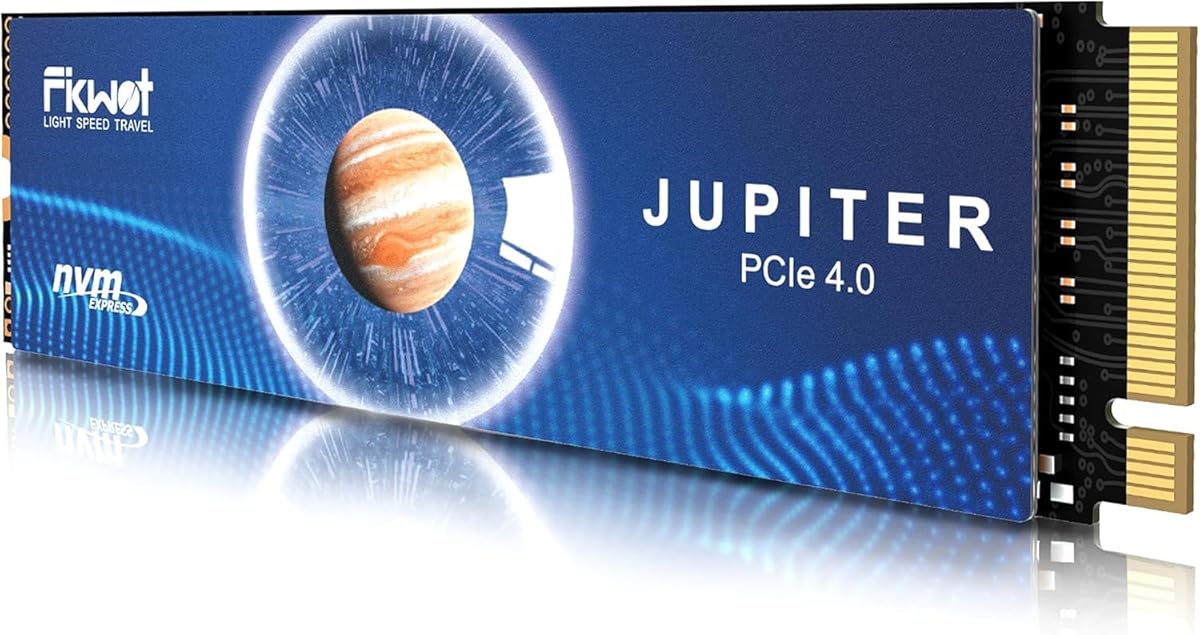
The Fikwot FX991 offers solid performance at an accessible price point. With a 4.6 rating and speeds up to 7100MB/s it supports fast game loading. It is compatible with PS5 and other devices easily.
We may earn a commission when you buy through this link, at no additional cost to you.
Auto adaptive temperature management helps maintain consistent speeds. HMB support improves multitasking performance. The drive includes a graphite heatsink for effective cooling during heavy use.
QLC NAND means slightly lower endurance than TLC options. Brand recognition is limited compared to top names. Still performance and value make it attractive for budget buyers.
Buyers seeking affordable upgrades should consider this drive. It is ideal for casual gamers needing extra space without high costs. This is a practical choice for expanding storage.
Intelligent power management reduces heat buildup and extends battery life on laptops.
A five year service warranty provides confidence in long term reliability.
We may earn a commission when you buy through this link, at no additional cost to you.
The fanxiang S660 offers dependable storage with SLC Cache benefits. With a 4.6 rating and speeds up to 5000MB/s it suits moderate gaming needs. It is compatible with PS5 and PC systems.
We may earn a commission when you buy through this link, at no additional cost to you.
The heatsink ensures stable operation during prolonged usage. SLC Cache improves sustained performance for file transfers. It offers robust support for various scenarios including gaming.
Maximum speeds are lower than top tier drives. Brand reputation is growing but not yet mainstream. Still the warranty and features provide solid value.
Users needing reliable storage without top speeds should choose this. It is ideal for casual users needing extra space. This is a practical storage solution for PS5 owners.
SLC Cache enhances performance by temporarily storing data for faster access.
The unique heatsink design keeps temperatures low during intensive gaming.
We may earn a commission when you buy through this link, at no additional cost to you.
The Acer Predator GM7 delivers impressive speeds up to 7400MB/s. Rated 4.7 it uses low power and thermal management for consistent performance. It is suitable for PS5 gaming and content creation.
We may earn a commission when you buy through this link, at no additional cost to you.
Thermal throttling and power management prevent overheating. HMB and SLC Cache ensure fast file transfers and game loads. Biwin Intelligence software offers drive management features.
The brand focuses less on consoles than gaming peripherals. Software adds setup steps for some users. Still performance and efficiency make it competitive.
Buyers seeking high speed without excess heat should choose this. It is ideal for users wanting versatile storage solutions. This is a strong choice for PS5 and PC.
Automatic temperature control prevents heat issues under heavy workloads.
Biwin Intelligence helps manage performance and data migration easily.
We may earn a commission when you buy through this link, at no additional cost to you.
The Samsung 980 PRO is a trusted choice for PS5 expansion. With a 4.8 rating it balances speed and heat control effectively. It is designed for maximum speed and efficiency.
We may earn a commission when you buy through this link, at no additional cost to you.
The nickel coated heatsink disperses heat efficiently. Its slim housing fits perfectly in the PS5 slot. Samsung Magician software helps monitor and optimize drive performance.
Read speeds are slightly lower than newer Gen4 models. Still reliability and brand reputation remain top tier. It offers proven performance for gamers.
Users wanting proven reliability should choose this drive. It is ideal for PS5 owners needing dependable storage. This is a safe choice for quality and performance.
Nickel coated controller delivers effective thermal control for NAND chips.
The ultra-slim housing ensures a perfect fit inside the PS5 console.
We may earn a commission when you buy through this link, at no additional cost to you.
Selecting the right SSD involves understanding key factors like speed compatibility and thermal design. This guide explains what matters most for a seamless PS5 upgrade experience.
Read speeds determine how fast games load and assets stream. The PS5 requires at least 5500MB/s for M.2 expansion. Top models exceed this with up to 7450MB/s for near instant access.
Prioritize drives offering at least 5500MB/s to ensure compatibility and smooth performance.
High performance SSDs generate heat during intensive use. A heatsink is essential to prevent throttling and maintain speeds. The PS5 slot is compact so low profile heatsinks work best.
Choose drives with included heatsinks designed for PS5 to avoid overheating.
The PS5 requires M.2 2280 SSDs with specific length constraints. Width and height must fit within the internal slot. Standard 80mm length works with most models.
Verify physical dimensions match PS5 specifications before purchasing.
PCIe Gen4 NVMe is required for full PS5 performance. Gen3 drives may not work or run slower. Ensure the drive explicitly supports Gen4 for best results.
Confirm Gen4 NVMe support to avoid compatibility issues.
Modern games often exceed 100GB each. 2TB provides ample space for 20+ titles. Larger capacity reduces frequent management needs.
Opt for 2TB or higher to fit large libraries comfortably.
Endurance is measured in TBW (Terabytes Written). Higher TBW indicates longer lifespan under heavy use. Look for drives with 600TBW or more for longevity.
Select drives with strong endurance ratings for long term use.
Trusted brands offer better firmware support and warranties. Research customer reviews for real world reliability. Established vendors provide better after sales service.
Choose reputable brands for reliable firmware and support.
Balancing cost with performance is key. Higher prices offer faster speeds or better cooling. Budget drives provide good value if they meet minimum specs.
Balance your budget with performance needs for best value.
Before installing power down the PS5 and disconnect cables. Locate the expansion slot cover on the console side panel. Remove the cover and prepare the screwdriver and mounting screw.
Insert the SSD at an angle into the M.2 slot. Secure it with the screw and attach the heatsink if included. Replace the cover and power on the console.
After installation format the drive in PS5 system settings. Regularly check for firmware updates to maintain performance. Avoid extreme temperatures to ensure longevity.
Yes the PS5 requires an M.2 SSD with a heatsink to manage heat. Drives without a heatsink may throttle or damage the console. Most recommended models include a heatsink.
No the PS5 M.2 slot is for internal expansion only. External USB drives are for PS4 games and media. Internal M.2 drives play PS5 games directly.
Sony requires at least 5500MB/s sequential read speed. Drives meeting this spec work seamlessly with the console. Faster speeds offer marginal benefits.
Yes the PS5 formats the M.2 drive automatically during setup. This process erases existing data on the drive. Ensure the drive is empty before installation.
You can move games between internal and M.2 storage using settings. Games stored on M.2 can be played directly without copying. Transfers take time depending on size.
No the PS5 detects only compatible M.2 2280 NVMe SSDs with specific speeds. Drives not meeting specs may not be recognized. Always check compatibility before purchasing.
Overheating may cause throttling or reduced performance. PS5 firmware can display drive temperatures in settings. Use drives with heatsinks to prevent this issue.
This guide covered ten top 2TB SSDs offering speed compatibility and thermal reliability. The WD_BLACK SN850P MOVE SPEED HB7450 and Samsung 990 PRO stand out for overall performance.
Prioritize speed thermal design and official licensing for seamless integration. Choose drives that match your budget and usage needs carefully.
Prices and availability change regularly so verify current listings before purchasing. Ensure your drive meets all PS5 requirements for optimal gaming experience.