
eufy Security 5-Piece Kit
4.3Editor score
No monthly fees required
Quick and easy self-installation
Instant mobile alerts on breach
Securing your home requires a reliable system that offers both convenience and robust protection. Keypad control home security systems provide a user-friendly interface for arming and disarming your defenses, ensuring you stay safe without complicated setups or confusing apps.
We have carefully analyzed the latest models on the market to bring you a curated list of the most effective solutions. Our comparison focuses on critical aspects like installation ease, sensor accuracy, connectivity options, and overall user satisfaction to ensure you make an informed decision.
Each pick in this guide highlights specific strengths and ideal use cases for different household needs. Keep in mind that pricing and availability can fluctuate, so always verify the latest details before finalizing your purchase to ensure you get the best value.
4.3Editor score
4.6Editor score

4.6Editor score
As an Amazon Associate we earn from qualifying purchases.
The following table provides a side-by-side overview of all ten systems included in this guide, highlighting their core specifications to help you quickly identify which model aligns best with your specific security needs and budget.



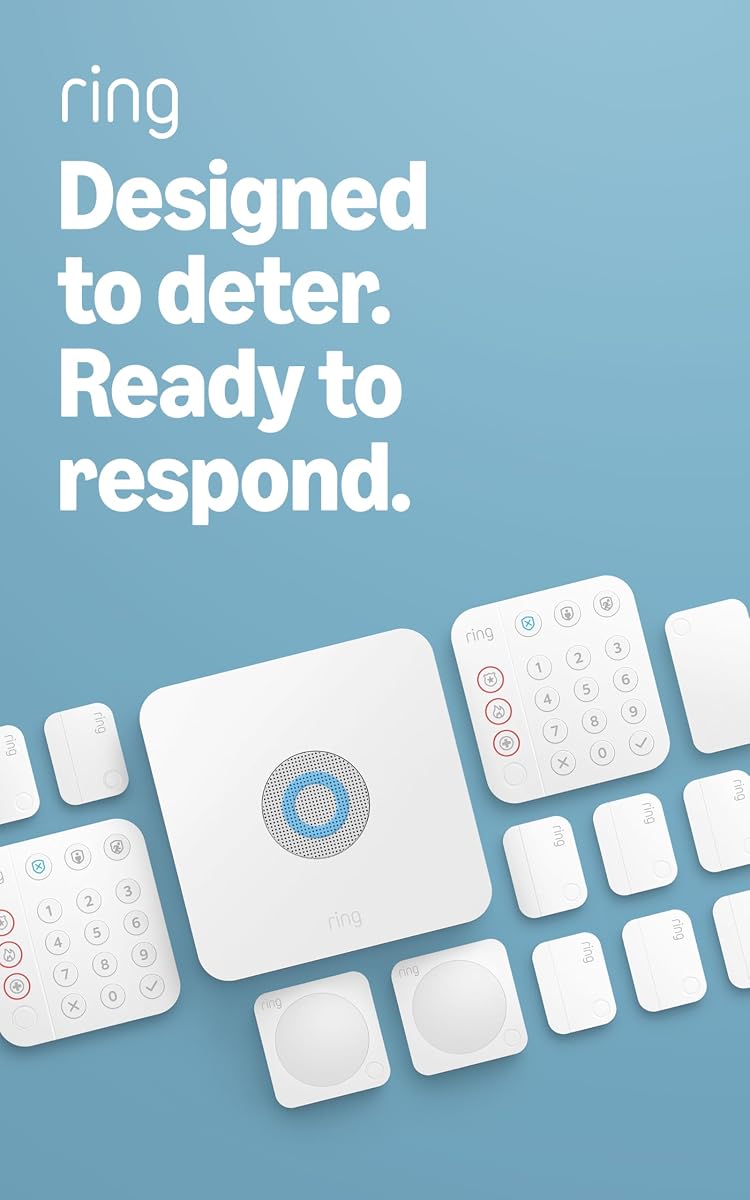
This kit offers a robust solution for securing medium-sized homes with its comprehensive array of sensors and dual keypads. It holds a strong rating for ease of use and reliability, making it a top choice for those wanting a full system.
We may earn a commission when you buy through this link, at no additional cost to you.
The inclusion of two keypads ensures that entry points are covered for arming and disarming without needing to run to a single control point. Contact sensors detect open doors and windows, while motion detectors add another layer of security inside.
While the system is highly capable, users should note that full remote arming and offline monitoring require a subscription plan. This is a common trade-off for DIY systems offering professional monitoring features without hardware costs.
Ideal for homeowners who want an expandable system that grows with their needs, this kit balances features and flexibility well. It is recommended for those seeking a complete package that includes both sensors and control interfaces.
Having two keypads means you can arm the system from different locations, adding flexibility to your daily routine.
With Alexa compatibility, you can use voice commands to arm or disarm your system, simplifying access when your hands are full.
We may earn a commission when you buy through this link, at no additional cost to you.
This kit stands out for its value proposition, offering essential security components without ongoing subscription costs. It is an excellent starting point for those looking to secure a small home or apartment effectively.
We may earn a commission when you buy through this link, at no additional cost to you.
The setup is designed for simplicity, allowing users to install entry sensors on doors and windows quickly. The keypad provides a reliable way to manage the system locally, ensuring access even without internet connectivity.
While it lacks the extensive sensor count of premium kits, it covers the basics well for many users. The main limitation is the need to purchase the HomeBase separately if not included, which is crucial for app connectivity.
Best for budget-conscious buyers who want immediate protection without recurring costs, this kit delivers solid performance. It is a smart choice for renters or homeowners on a tight budget who still value security.
The one-time purchase model means you avoid unexpected monthly bills, making it financially predictable for long-term use.
The system notifies you immediately via the app when motion or breaches are detected, keeping you informed in real time.
We may earn a commission when you buy through this link, at no additional cost to you.
This unit represents a high-end control interface for those upgrading their existing alarm systems. The large touchscreen provides a modern look and feel that enhances user interaction with security settings.
We may earn a commission when you buy through this link, at no additional cost to you.
The color screen and voice guidance features make it easier for all users to navigate menus and status updates. It transforms a standard keypad into a more intuitive control center for complex security setups.
While it offers superior interface options, it is important to ensure compatibility with your existing alarm panel. This makes it more of an accessory for existing systems rather than a standalone security solution.
Recommended for users seeking a premium user experience who already have a compatible system, this keypad adds style and function. It is ideal for tech-savvy homeowners who want a sophisticated control panel.
The intuitive touchscreen design simplifies navigation, making it easier to arm or disarm your system with a single tap.
Built-in voice prompts guide you through system status, ensuring you are aware of any alerts without checking the display.
We may earn a commission when you buy through this link, at no additional cost to you.
This keypad is a classic choice for users who prefer a straightforward and reliable control interface without unnecessary complexity. It is designed to work seamlessly with existing Honeywell systems for easy integration.
We may earn a commission when you buy through this link, at no additional cost to you.
The fixed English display ensures that status information is always visible and easy to read. This simplicity is its main strength, offering a no-nonsense approach to security control that is easy to learn.
While it lacks modern features like touchscreens or voice guidance, it provides essential functionality reliably. This makes it suitable for those who prioritize dependability over high-tech bells and whistles.
Ideal for upgrading an older system with a clear and simple display, this keypad is a practical choice. It serves well for users who want a quick and easy way to manage their home security.
The clear fixed display ensures you can quickly check your system status without any confusion or effort.
Integration with existing systems is straightforward, making it a painless upgrade for current Honeywell users.
We may earn a commission when you buy through this link, at no additional cost to you.
This kit is tailored for 1-2 bedroom homes, providing a balance of cost and coverage for smaller spaces. It includes the essential components to secure entry points and common areas effectively.
We may earn a commission when you buy through this link, at no additional cost to you.
The single keypad is intuitive, allowing you to arm and disarm the system easily. Contact sensors on doors and windows help detect unauthorized entry, while the motion detector covers interior spaces.
Users should be aware that to get the most out of this system, a subscription may be necessary for remote features. However, basic security functions work without one, making it versatile.
Recommended for apartment dwellers or small homeowners, this kit offers solid protection at an accessible price. It is a smart option for those who want reliable security without overpaying for unused sensors.
Designed specifically for 1-2 bedroom homes, this kit provides just the right amount of coverage without excess hardware.
As your security needs grow, you can easily add more sensors and accessories to this system anytime you wish.
We may earn a commission when you buy through this link, at no additional cost to you.
This keypad stands out for its advanced safety features, including a covert duress code for emergencies. It is designed to offer flexibility and peace of mind beyond standard arming capabilities.
We may earn a commission when you buy through this link, at no additional cost to you.
The duress alarm allows you to signal for help silently if you are under coercion, a critical safety tool. Additionally, the SOS button provides a quick way to call for assistance in urgent situations.
While it offers unique safety options, it requires compatibility with specific HomeBase models to function fully. This limits its use to those already in the eufy ecosystem or willing to invest in their base.
Best for users prioritizing personal safety features, this keypad adds an extra layer of protection. It is a valuable addition for families who need quick access to emergency protocols within their home.
This feature allows you to trigger an alarm silently when forced to disarm, alerting authorities without escalating danger.
A dedicated button on the keypad lets you send an emergency alert with a simple press, ensuring help is summoned quickly.
We may earn a commission when you buy through this link, at no additional cost to you.
This keypad is a refined addition to the Ring ecosystem, offering a clean and modern interface for managing alarms. It includes an emergency response button for added safety and ease of access.
We may earn a commission when you buy through this link, at no additional cost to you.
The design focuses on simplicity, making it easy to arm and disarm your system with a few taps. It integrates seamlessly with other Ring devices, allowing for a unified home security experience.
While it is a great standalone accessory, full features like remote control and monitoring require a subscription. This is a standard trade-off in the smart security market for enhanced connectivity.
Recommended for existing Ring users looking to add a control point, this keypad is reliable and efficient. It suits those who value aesthetics and simplicity in their daily security interactions.
The dedicated emergency response button lets you alert monitoring services or contacts directly from the keypad in a crisis.
The updated look fits well in any home decor, providing a discreet yet functional control panel for your system.
We may earn a commission when you buy through this link, at no additional cost to you.
This keypad offers a reliable interface for Honeywell security panels, focusing on essential control without unnecessary distractions. The Alpha display provides clear information about system status and alarms.
We may earn a commission when you buy through this link, at no additional cost to you.
Its ability to program Vista panels makes it versatile for different security setups. It ensures that users can manage their systems effectively with a straightforward and user-friendly keypad.
While it does not offer touchscreen or voice features, it provides a stable connection and consistent performance. This makes it ideal for users who want a dependable interface for daily use.
Best for existing Honeywell owners, this keypad serves as a solid control point. It is a practical choice for those who need a reliable way to manage their home security without upgrading the entire system.
This feature allows the keypad to interact with a wide range of Vista alarm panels, enhancing compatibility.
Users appreciate the consistent performance and lack of connectivity issues with standard security systems.
We may earn a commission when you buy through this link, at no additional cost to you.
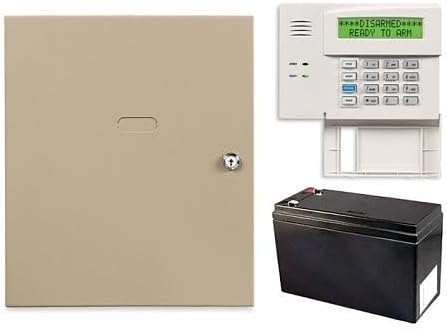
This kit provides a comprehensive control solution including a panel, keypad, and battery backup for a robust system. It is designed to work with smart home devices, adding modern convenience to traditional security.
We may earn a commission when you buy through this link, at no additional cost to you.
The push button control method ensures reliability, while the keypad offers a clear interface for managing the system. It supports Z-wave devices, allowing you to control lights and thermostats from your security panel.
Installation may require professional assistance due to wiring and programming complexity. This ensures that the system is configured correctly for optimal performance and safety.
Recommended for those wanting a complete system with smart features, this kit is excellent for home automation. It suits users who want a professional-grade setup with reliable hardware and connectivity.
The system connects with Z-wave devices, allowing you to manage your home environment directly from your security panel.
Included battery ensures your system remains active during power outages, maintaining security coverage at all times.
We may earn a commission when you buy through this link, at no additional cost to you.
This controller offers a modern interface for managing security systems with a large touchscreen display. It provides a sleek look and intuitive control for users who prefer touch over buttons.
We may earn a commission when you buy through this link, at no additional cost to you.
The wired connection ensures a stable link to your security system, relying on the system's power backup during outages. This design choice prioritizes reliability and consistent connectivity without battery concerns.
While it lacks its own battery, the integration with the system ensures that your security remains active. It is designed to work seamlessly with compatible panels for efficient management.
Best for users wanting a smart control center without complex setup, this controller is practical. It suits those who prioritize a clean interface and reliable connection for their security needs.
The large display makes navigating settings and viewing status easy, providing a clear and engaging user experience.
Using a hard wired connection ensures that your controller remains connected to the main panel without wireless signal issues.
We may earn a commission when you buy through this link, at no additional cost to you.
Selecting the right security system involves considering several key factors to ensure it meets your needs and budget.
Consider the number of sensors and the size of your home when choosing a kit. Larger homes may require multiple keypads and more door sensors to ensure all entry points are covered effectively.
Choose a kit that matches your home size to avoid paying for unused components or having gaps in your security coverage.
Keypads come in fixed display or touchscreen formats. Fixed displays are simpler and more reliable, while touchscreens offer a modern interface and advanced navigation.
Select a keypad type that you find intuitive to use to ensure you can quickly arm and disarm your system.
Look for systems that offer both local keypad control and app-based remote management. This ensures you can secure your home even when you are away from it.
Check for Wi-Fi or cellular connectivity to keep your system online and alerts coming to your device.
If you use smart devices like lights or thermostats, choose a system that supports integration. This allows for automations and centralized control through one interface.
Ensure compatibility with your existing smart home ecosystem for seamless operation and enhanced convenience.
Decide between self-monitoring via app alerts and professional monitoring that contacts emergency services. Professional monitoring provides peace of mind but usually requires a subscription.
Evaluate your need for emergency response services to determine if a subscription-based monitoring plan fits your budget.
DIY installation is often easier with wireless systems that require minimal tools. Wired systems offer stability but may need professional help for setup.
Choose a system that matches your comfort level with technical tasks to avoid installation headaches.
Some systems require monthly fees for advanced features like remote access and video storage. Others offer all features with a one-time purchase.
Factor in long-term costs when comparing systems to ensure they fit your financial plans.
Check if the system allows you to add sensors or accessories later. A scalable system grows with your needs without requiring a complete replacement.
Choose a brand with a wide range of accessories to customize your security setup as needed.
Start by reading the manual to understand how to arm and disarm your system using the keypad. Familiarize yourself with the emergency buttons and duress codes if available.
Regularly test your system by arming it and triggering sensors to ensure all components are communicating correctly. Replace batteries in sensors and keypads as needed to prevent failures.
Keep your keypad clean and free of dust to ensure buttons or touchscreens work properly. Update your firmware via the app when available to maintain security and functionality.
A keypad control home security system uses a physical keypad to allow users to arm and disarm their security alarm. It serves as the primary interface for managing sensors and alerts locally without needing a smartphone.
Wireless systems are often easier to install and more flexible for renters, while wired systems provide greater reliability and do not depend on batteries. The best choice depends on your home and installation preferences.
Not all systems require subscriptions for basic functionality, but features like remote access and video storage often do. Always check the details of the specific kit before purchasing to avoid unexpected fees.
Most modern systems are designed to be expandable, allowing you to buy additional sensors and pair them via the app or base station. Check compatibility with your existing system before adding new devices.
Many systems come with battery backups that keep them running during power outages. Ensure your keypad and sensors are powered correctly so the system remains active until power is restored.
Some systems, particularly those compatible with Alexa or Google Assistant, allow voice commands for arming and disarming. This feature adds convenience for users who prefer voice control over manual keypads.
Professional monitoring ensures emergency services are contacted if your alarm is triggered, offering added peace of mind. It is worth it if you cannot always monitor alerts yourself or need immediate response.
In summary, the Ring Alarm 14-Piece Kit, eufy Security 5-Piece Kit, and Honeywell 6290W offer distinct advantages for different users. Each provides reliable control and essential security features tailored to specific household needs.
When choosing your system, prioritize factors like ease of use, expandability, and integration with your smart home ecosystem to ensure long-term satisfaction. Selecting the right keypad and sensor mix is key to effective home protection.
We recommend checking current pricing and availability on our links since offers may change frequently. Taking a moment to review the latest details will help you secure the best value for your investment.