
Apevia ITX-AP300W
3.9Editor score
Standard SFF compatibility
300W reliable output
Quiet cooling fan
Explore our expert guide comparing the top low power PSU models for compact builds, efficiency, and reliability to help you choose the right power supply.
Finding the right power supply for compact builds requires careful consideration of efficiency, size, and reliability. A low power PSU ensures your small form factor system runs quietly and efficiently without wasting energy or generating excessive heat.
We compared ten top-rated power supplies based on efficiency ratings, connector types, cooling systems, and build quality. Our analysis focuses on models that deliver stable power for mini ITX, flex ATX, and TFX cases while maintaining low energy consumption.
Each pick highlights key features, pros, and cons to help you make an informed decision. Please note that prices and availability may change over time, so check current listings before purchasing your next power supply unit.
3.9Editor score

4.7Editor score

5.0Editor score
This side-by-side comparison highlights the key specifications of all ten models to help you identify which power supply best fits your specific system requirements and build constraints.




The Apevia ITX-PFC500W delivers reliable 500W power in a compact ITX form factor ideal for small builds. With a 4.1 rating, it stands out for its fully modular design and active PFC technology that ensures efficient power delivery.
We may earn a commission when you buy through this link, at no additional cost to you.
Its fully modular cabling reduces clutter in tight cases, while the active PFC supports a wide voltage range from 90V to 264V. The PSU includes essential connectors for modern components and features overvoltage, overload, and short circuit protection.
While the 40mm fan can be audible under heavy loads, its small size is necessary for the compact footprint. The fixed voltage range requires manual adjustment for international use, which may be inconvenient for some users.
This PSU is perfect for hobbyists building mini ITX systems who need reliable power without breaking the budget. Its balance of features and size makes it a top choice for entry-level compact builds.
Active PFC improves efficiency by correcting power factor, reducing energy waste and heat generation.
Small dimensions fit seamlessly into mini ITX cases while still providing 500W of continuous power.
We may earn a commission when you buy through this link, at no additional cost to you.
The Apevia ITX-AP300W offers a cost effective solution for basic compact builds. With a 3.9 rating, it provides stable 300W power suitable for HTPCs, POS systems, and light gaming setups.
We may earn a commission when you buy through this link, at no additional cost to you.
Its manual voltage switch allows operation in both 115V and 230V regions, adding flexibility for international users. The 40mm fan with thermal control ensures quiet operation during typical use.
However, the 300W limit may not support high-end GPUs or multiple storage drives. The connector set is minimal, so users should verify compatibility with their motherboard and components before purchase.
This model is ideal for users needing a simple, budget friendly PSU for light duty applications. It delivers dependable power without unnecessary features that increase cost or complexity.
The manual switch enables use in multiple regions without requiring a separate power unit.
Thermal speed control adjusts fan noise based on load, keeping the system quiet.
We may earn a commission when you buy through this link, at no additional cost to you.
Thermaltake Smart 500W provides dependable power with 80 PLUS White efficiency certification. Its 4.6 rating reflects strong performance and reliability, backed by a 5-year warranty that adds peace of mind.
We may earn a commission when you buy through this link, at no additional cost to you.
The 120mm ultra quiet fan ensures smooth thermal management, making it suitable for desktops where noise is a concern. Compliance with ATX 12V V2.3 standards guarantees compatibility with most modern motherboards.
However, it uses standard ATX dimensions, which may not fit compact ITX cases. The fixed cables can make cable management challenging in smaller enclosures compared to modular designs.
This PSU is best for standard desktop builds where efficiency and brand reputation are priorities. It offers solid performance at a competitive price with a long warranty.
80 PLUS White certification ensures at least 80 percent efficiency under typical load conditions.
A 5-year warranty covers defects and provides long-term reliability assurance.
We may earn a commission when you buy through this link, at no additional cost to you.
The MSI MAG A650BE earns top marks with its 4.7 rating, combining 650W power with 80 Plus Bronze efficiency. Its semi-modular design and low-noise fan make it ideal for users seeking premium performance.
We may earn a commission when you buy through this link, at no additional cost to you.
Industrial-level protections including OVP, OCP, and OTP safeguard components from electrical damage. The active PFC design improves power stability and reduces energy waste significantly.
While the semi-modular cables offer flexibility, the unit is slightly larger than mini ITX options. The price is higher, but the reliability and features justify the investment for performance builds.
This PSU is excellent for gamers and professionals needing stable power with good cable management. It balances performance, efficiency, and reliability effectively.
Semi-modular design allows users to connect only essential cables, improving airflow.
Multiple safety features prevent damage from power surges or overheating events.
We may earn a commission when you buy through this link, at no additional cost to you.
NovaMist offers a distinct PSU design with its misting fan technology that enhances cooling efficiency. With a 4.7 rating, it appeals to enthusiasts looking for innovative thermal solutions.
We may earn a commission when you buy through this link, at no additional cost to you.
The 80 PLUS Bronze certification ensures reliable efficiency, while the compact form factor suits small builds. The 5-year warranty provides confidence in long-term performance.
However, this model may be harder to find and more expensive than standard PSUs. The misting technology, while effective, adds complexity to maintenance and care.
This PSU is best for tech enthusiasts who value advanced cooling and are willing to pay a premium. It stands out as a unique option in the compact PSU market.
Misting fan technology improves heat dissipation, keeping internal components cooler.
A 5-year limited warranty protects against defects and ensures peace of mind.
We may earn a commission when you buy through this link, at no additional cost to you.
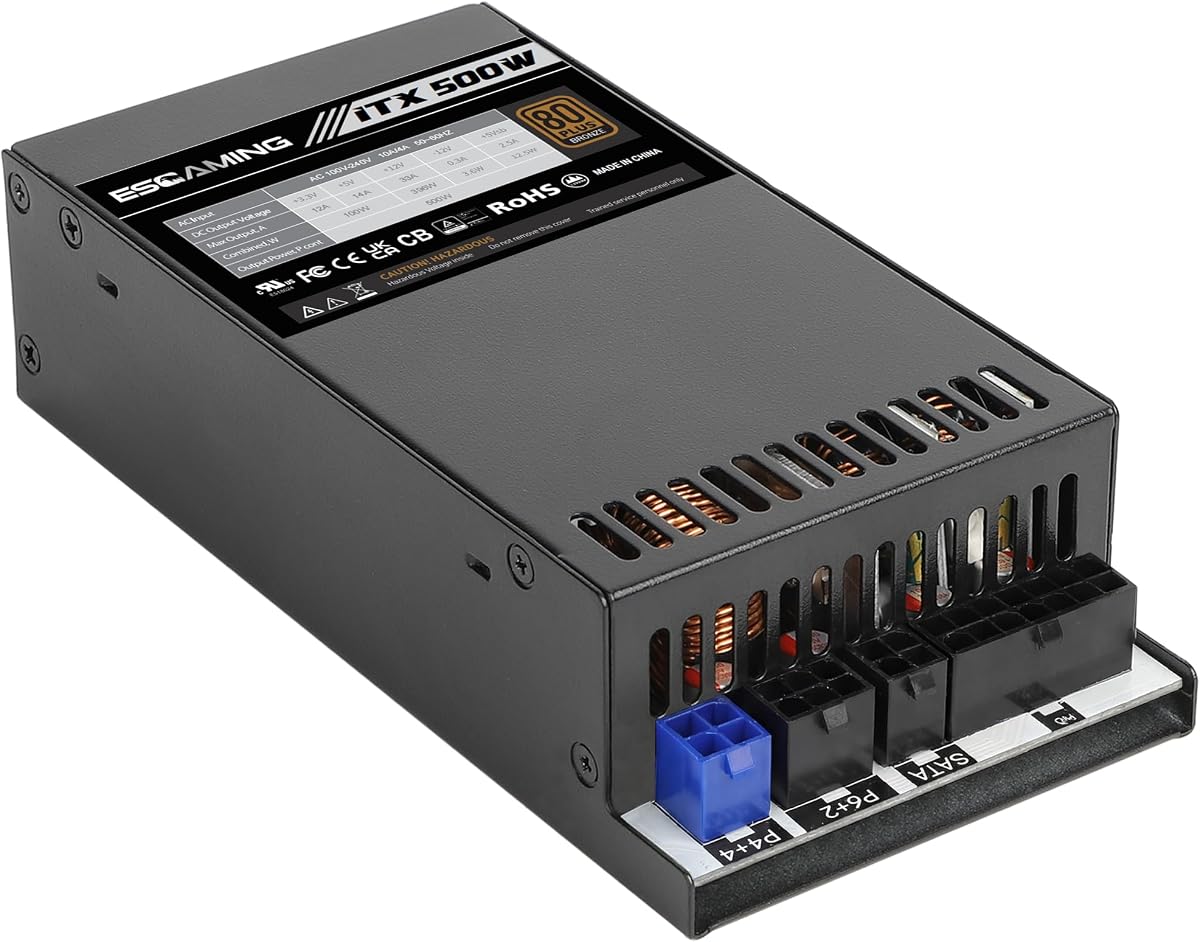
The ESGAMING Fully Modular PSU delivers 500W power with impressive efficiency and cable flexibility. Its 4.0 rating indicates solid performance for compact builds requiring clean cable management.
We may earn a commission when you buy through this link, at no additional cost to you.
The fully modular system reduces clutter, while active PFC ensures stable power delivery across voltage ranges. It fits 1U chassis and offers essential connectors for modern systems.
While effective, some users report average noise levels. Availability may be limited compared to mainstream brands. However, the value proposition is strong for small form factor builds.
This model suits users prioritizing cable flexibility and efficiency in compact cases. It offers a good balance of features for the price.
Fully modular cables allow users to use only what is needed for easier installation.
APFC technology improves electrical stability and reduces interference.
We may earn a commission when you buy through this link, at no additional cost to you.
Designed specifically for TFX cases, the Apevia TFX-PFC500W provides reliable power with auto-switching universal voltage. Its 4.2 rating reflects consistent performance for specialized builds.
We may earn a commission when you buy through this link, at no additional cost to you.
The silent-start fan reduces noise during light loads, while full range active PFC handles voltage fluctuations efficiently. It includes essential connectors for storage and GPU support.
The TFX form factor limits case options, requiring careful compatibility checks. Fixed cables may complicate installation compared to modular alternatives.
This PSU is ideal for users building TFX-specific systems. It offers stable power with smart features for modern compact setups.
Automatic voltage adjustment eliminates manual switches and prevents setup errors.
Fan remains stationary at low loads, ensuring quiet operation during idle.
We may earn a commission when you buy through this link, at no additional cost to you.
The APEVIA VENUS500W offers straightforward 500W power with comprehensive protections. Its 3.9 rating suggests reliable basic performance for standard ATX builds.
We may earn a commission when you buy through this link, at no additional cost to you.
Auto-thermally controlled fan adjusts speed based on temperature, balancing cooling and noise. Voltage regulation within 5% ensures stable power to components.
While functional, it lacks advanced efficiency certifications. The basic feature set may not appeal to enthusiasts but suits budget-conscious builders.
This PSU works well for simple systems needing reliable power without premium features. It delivers value for standard desktop use.
Fan speed adjusts automatically with temperature for efficient cooling.
5% tolerance ensures consistent voltage delivery to connected components.
We may earn a commission when you buy through this link, at no additional cost to you.
The 600W Flex ATX PSU stands out with a perfect 5.0 rating, offering premium performance in a compact form. Its 92% efficiency and Japanese capacitors ensure top-tier reliability.
We may earn a commission when you buy through this link, at no additional cost to you.
The fully modular design provides maximum cable management flexibility. It features a silent fan and standard connectors that meet modern system demands.
The high price reflects its premium components and efficiency. However, it is limited to flex ATX cases, which may not suit all builds.
This model is ideal for users needing maximum performance in compact systems. It represents the best in class for efficiency and build quality.
High-quality capacitors ensure stable output and extended lifespan.
Efficiency rating minimizes heat and energy consumption during operation.
We may earn a commission when you buy through this link, at no additional cost to you.
The Smart W3 Series supports the latest ATX v3.1 specification, ensuring future compatibility. With a 4.6 rating, it combines 600W power with DC-to-DC efficiency.
We may earn a commission when you buy through this link, at no additional cost to you.
FDB fan technology offers quiet cooling, while the 5-year warranty assures long-term support. Its design prioritizes modern component requirements.
Cost is higher due to advanced specs. Additionally, size may limit use in very compact cases.
This PSU suits users seeking forward compatibility and performance. It is an excellent choice for modern systems.
ATX v3.1 support ensures compatibility with latest hardware requirements.
High amplitude 12V rail improves performance under all loads.
We may earn a commission when you buy through this link, at no additional cost to you.
Selecting the right low power PSU involves evaluating wattage, efficiency, form factor, and connector compatibility to match your system requirements.
Ensure the PSU fits your case size, whether ITX, Flex ATX, or TFX. Mismatched sizes prevent installation or cause poor airflow.
Always verify your case's supported PSU dimensions before purchasing.
Choose wattage based on your components' needs. Higher-end GPUs or multiple drives may require 500W to 650W for stable operation.
Select a PSU with adequate headroom to ensure efficiency and longevity.
Look for 80 Plus certifications such as Bronze, Silver, or Gold. Higher efficiency reduces heat and energy costs.
Prioritize units with at least Bronze certification for reliable performance.
Verify connectors like 24-pin, 8-pin CPU, and PCIe are available for your motherboard and GPU.
Modular or semi-modular designs simplify installation and improve cable management.
Ensure OVP, OCP, SCP, and OTP protections are included to prevent electrical damage.
Quality protections safeguard your components from power surges and overheating.
Select PSUs with large fans or thermal control for quieter operation. Noise matters in compact or home theater builds.
Prioritize models with thermal control to minimize sound.
Choose established brands with positive reviews and strong support. A multi-year warranty indicates confidence in build quality.
A longer warranty protects against defects and offers peace of mind.
Install the PSU in a well-ventilated area of your case to ensure proper airflow. Secure it firmly to prevent vibration or disconnection.
Check that all cables are properly connected to the motherboard and components before powering on. Incorrect connections may prevent system startup.
Regularly clean dust from the PSU fan and vents using compressed air. This maintenance ensures optimal cooling and extends PSU lifespan.
Yes, if your GPU and components require less power. For most compact gaming builds, 500W to 600W PSUs provide adequate performance. Always match wattage to system demands.
Modular PSUs allow you to connect only necessary cables, improving airflow. Non-modular units have fixed cables that may clutter the case. Modular offers easier cable management.
80 Plus ensures minimum efficiency levels. It reduces waste and heat. Higher ratings mean better performance and lower energy costs. Aim for at least Bronze for reliability.
Flex ATX PSUs are smaller and may leave mounting gaps. Most standard cases do not support them properly. Verify case specifications to ensure compatibility.
Ensure your PSU has enough PCIe power connectors for your GPU model. Higher-end cards often require 6-pin or 8-pin connectors. Review both GPU and PSU documentation.
Insufficient wattage can cause instability, shutdowns, or hardware damage. Always calculate total system power needs before selecting a PSU. Include a safety margin for future upgrades.
The top picks highlight models that balance efficiency, reliability, and compact design. The Apevia ITX-PFC500W offers best budget value, while the MSI MAG A650BE delivers premium performance.
Prioritize efficiency and form factor to match your build. Higher efficiency reduces heat and power consumption significantly.
Check current prices and availability before purchasing. Market conditions can affect pricing and stock levels.