
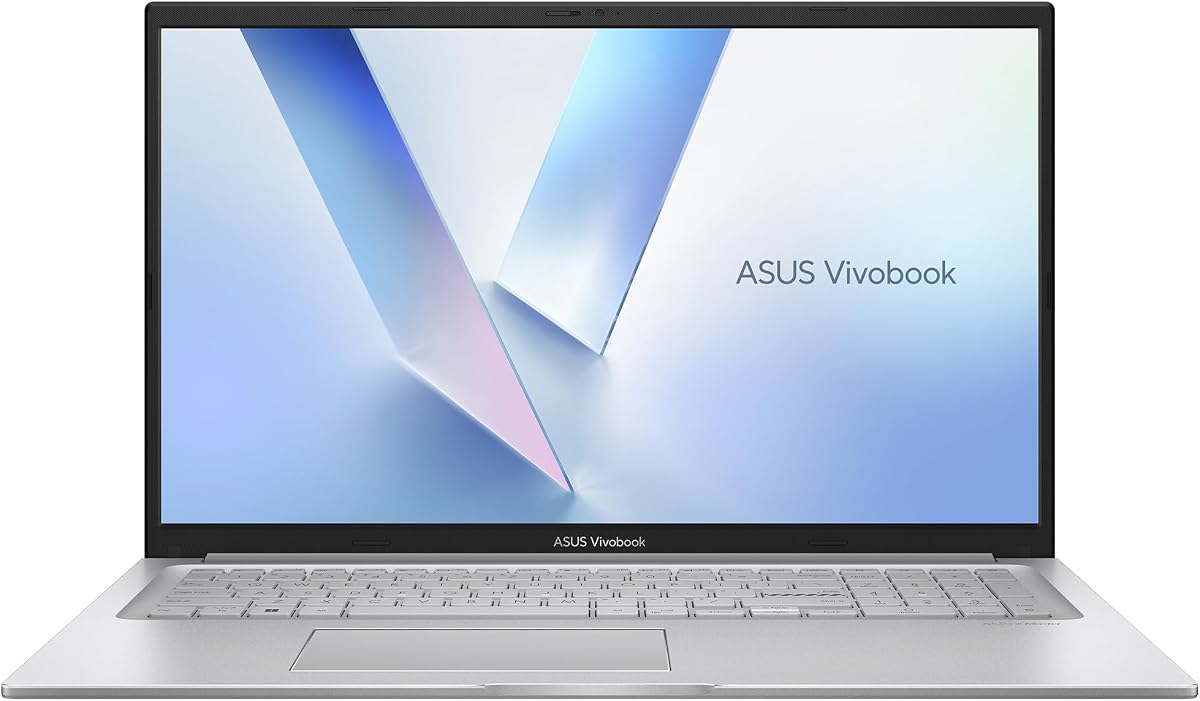
ASUS Vivobook Go 15
4.3Editor score
AMD Ryzen 3 Processor
8GB DDR5 RAM
128GB SSD Storage
Finding the right portable computer can be challenging with so many options available today. The ASUS Vivobook lineup offers a diverse range of machines designed to meet various user needs from budget-friendly essentials to high-performance workstations.
We evaluated ten distinct models based on processor power, memory capacity, storage speed, and display quality. Our analysis focuses on real-world usability, build durability, and the specific features that make each device stand out in its respective category.
Each selection highlights unique strengths whether you need heavy multitasking capabilities or simple everyday reliability. Please note that prices and availability change frequently so verify current details before making your final purchase decision online.
4.3Editor score

4.5Editor score

4.5Editor score
As an Amazon Associate we earn from qualifying purchases.
The following table provides a side-by-side overview of key specifications across all ten selected models to help you quickly identify the device that matches your performance and portability requirements.






This high-end model delivers top-tier performance with its Intel Core i9 processor and substantial 32GB RAM. It stands out for users needing robust computing power for complex tasks like video editing or data analysis.
We may earn a commission when you buy through this link, at no additional cost to you.
The inclusion of a dedicated PCO Cooler bundle addresses common thermal concerns associated with high-frequency processors. Users will benefit from sustained performance without throttling during intensive workloads.
While the price is elevated compared to standard models, the upgraded components justify the cost for professionals. The bundle includes a three-year warranty on upgraded parts offering additional peace of mind.
Ideal for power users and professionals who demand maximum speed and reliability. This device is a strong choice for those building a stationary workstation that requires significant computational resources.
The bundled PCO Cooler works alongside internal systems to maintain peak processor frequency during long tasks.
Integrated fingerprint reader and physical webcam shield ensure secure access and privacy during work sessions.
We may earn a commission when you buy through this link, at no additional cost to you.
This laptop features the Qualcomm Snapdragon X processor designed for efficiency and AI capabilities. It offers an alternative to traditional x86 chips with significant power savings and improved battery longevity.
We may earn a commission when you buy through this link, at no additional cost to you.
The Adreno GPU provides smooth visuals while optimizing power consumption for everyday tasks. Users will appreciate the 16-inch WUXGA display which offers sharp resolution and vibrant colors.
While the architecture is different standard apps work well but specialized legacy software may require verification. The 512GB SSD ensures quick boot times and responsive file access.
Perfect for mobile professionals prioritizing battery life and connectivity. This model is a great option for cloud-based workflows and general productivity where extended unplugged use is essential.
The Hexagon NPU delivers up to 45 TOPS for on-device AI tasks without draining the battery.
Comprehensive I/O options include USB Type-C and Type-A ports for versatile peripheral connections.
We may earn a commission when you buy through this link, at no additional cost to you.
This model strikes an excellent balance between performance and portability for daily use. The Intel Core i7 processor handles multitasking efficiently while keeping power consumption in check for travel.
We may earn a commission when you buy through this link, at no additional cost to you.
The 16-inch WUXGA display provides ample screen real estate for productivity tasks. Its lightweight construction makes it easy to carry between meetings or classrooms without fatigue.
Integrated Iris Xe graphics are sufficient for media consumption and light creative work but not heavy gaming. The 512GB SSD offers a good starting point for storage needs.
Recommended for students and general office workers needing a reliable everyday machine. It delivers consistent performance for web browsing document editing and media streaming with ease.
Vibrant colors and sharp visuals make this screen ideal for watching videos and detailed work.
Includes USB-C USB-A HDMI and a microSD card reader for versatile device connections.
We may earn a commission when you buy through this link, at no additional cost to you.
This laptop features a spacious 17.3-inch display ideal for users who prioritize screen real estate. The larger format supports easier multitasking and detailed viewing for spreadsheets or media.
We may earn a commission when you buy through this link, at no additional cost to you.
The ErgoSense keyboard includes numeric keys which significantly helps with data entry tasks. SonicMaster tuning provides rich audio quality that enhances the multimedia experience without external speakers.
Military-grade durability standards ensure the chassis can withstand daily wear and tear. Fast charging technology allows quick top-ups to get back to work rapidly during busy days.
Best suited for home office setups or stationary workstations where portability is secondary. Users needing a larger screen for productivity will find this model offers excellent value and comfort.
The dedicated numeric keypad and ergonomic keyboard layout reduce strain during long typing sessions.
NanoEdge bezels maximize screen area while TÜV certification helps reduce eye strain.
We may earn a commission when you buy through this link, at no additional cost to you.
This model targets students and budget conscious users with reliable AMD Ryzen processing. It provides enough power for standard productivity tasks while keeping the overall cost accessible.
We may earn a commission when you buy through this link, at no additional cost to you.
AI noise-canceling technology ensures clear communication during virtual classes or meetings. The fast charge feature allows users to quickly restore battery life to avoid interruptions.
The chassis meets military standards for durability ensuring it survives the rigors of daily transport. Wi-Fi 6E provides a stable and fast connection for streaming and downloading materials.
Excellent for academic use and general home browsing needs. It balances performance and cost effectively making it a sensible recommendation for entry-level computing requirements.
AI noise-canceling technology isolates unwanted background noise for smoother video calls.
The slim NanoEdge bezels and lightweight frame make carrying easy for daily commutes.
We may earn a commission when you buy through this link, at no additional cost to you.
This affordable option is perfect for basic computing needs like web browsing and email. The Ryzen 3 processor handles standard tasks efficiently while maintaining a very low price point.
We may earn a commission when you buy through this link, at no additional cost to you.
DDR5 RAM ensures smooth multitasking within the limits of the 8GB capacity. The included privacy shutter on the webcam adds a physical layer of security for remote work.
Storage is limited to 128GB so users may need to rely on cloud storage for files. The lightweight design makes it easy to carry anywhere without adding significant weight.
Recommended for light users or as a secondary home computer for family members. It offers essential features at a very competitive price for those needing basic functionality.
The physical webcam shutter gives you direct control over camera access for better privacy.
Designed for thin laptops this processor balances essential performance with power savings.
We may earn a commission when you buy through this link, at no additional cost to you.
This customized unit offers extreme flexibility with RAM and SSD options up to industry leading amounts. The i9 processor ensures that heavy multitasking and data crunching run without lag.
We may earn a commission when you buy through this link, at no additional cost to you.
The numeric keypad is a valuable addition for users who work with spreadsheets or financial data. A fingerprint reader provides quick and secure access to Windows 11 Pro environments.
Users should note that this bundle includes a third party warranty covering the upgraded components. It is important to review coverage terms carefully before making a purchase decision.
Ideal for power users who need maximum memory and storage in a standard chassis. The high rating reflects strong performance and value for those requiring specialized specifications.
Choose configurations up to 48GB RAM and 2TB SSD to match specific workload demands.
Windows 11 Pro and fingerprint reader offer enhanced security and business management tools.
We may earn a commission when you buy through this link, at no additional cost to you.
This compact 14-inch model stands out with an unusually high 24GB RAM configuration. The extra memory allows for smoother multitasking even with a standard i3 processor.
We may earn a commission when you buy through this link, at no additional cost to you.
The 1TB SSD provides plenty of space for files and applications without needing external drives. It is an excellent choice for users who prioritize data storage in a portable package.
The processor is adequate for everyday tasks but may struggle with heavy applications or games. The compact size makes it easy to fit into smaller bags or backpacks.
Best for users who need high memory for browser tabs or VMs in a small footprint. It balances storage and memory well for general productivity work on the go.
The 24GB high bandwidth RAM runs multiple applications smoothly without constant swapping.
1TB NVMe SSD ensures fast boot times and ample space for all your digital life.
We may earn a commission when you buy through this link, at no additional cost to you.
This device positions itself as a Copilot+ PC leveraging the Snapdragon X processor for AI features. The Adreno GPU ensures smooth visuals while maintaining high power efficiency throughout the day.
We may earn a commission when you buy through this link, at no additional cost to you.
Users appreciate the 16GB RAM for maintaining responsive performance across multiple tasks. The 14-inch form factor keeps it portable while providing a clear and bright display.
The Snapdragon architecture offers benefits like instant on and long battery life. Users should verify specific professional apps run natively to ensure full compatibility.
Highly recommended for early adopters interested in AI features and battery life. It serves as a modern portable PC for those prioritizing efficiency and next-gen capabilities.
Experience AI-driven tools and features designed for the future of computing.
The WUXGA screen delivers crisp visuals for work and entertainment in a small size.
We may earn a commission when you buy through this link, at no additional cost to you.
This model combines a powerful AI processor with integrated Radeon graphics for gaming and productivity. The XDNA NPU handles AI tasks efficiently enabling features like live captions and image generation.
We may earn a commission when you buy through this link, at no additional cost to you.
The display is bright and sharp providing a good view for content and casual gaming. Fast charging helps get you back to full power quickly when you need it most.
Users looking for gaming capabilities in a thin laptop will find the Radeon graphics a strong asset. It balances creative work and entertainment better than many standard ultrabooks.
Perfect for creatives and gamers who want an AI-ready laptop with decent graphics. It is a solid choice for those needing a versatile machine that can handle light to medium gaming.
The XDNA NPU delivers up to 50 TOPS for optimized AI workloads locally.
Radeon graphics and Game Pass support offer a rich gaming experience on Windows.
We may earn a commission when you buy through this link, at no additional cost to you.
Selecting the right model depends on matching your specific needs with the available specs in the Vivobook range.
The CPU determines how fast the laptop runs tasks. Intel Core i9 and i7 models are best for heavy workloads while Ryzen 3 and i3 suit basic browsing and typing.
Choose a processor that matches your most common tasks to avoid overspending or underpowering.
RAM controls how many apps you can run at once. 8GB is sufficient for web browsing but 16GB or more is safer for multitasking with many tabs open.
Higher RAM ensures smoother performance when switching between programs frequently.
SSD storage affects boot speed and file access times. 128GB is small and requires cloud storage while 512GB or 1TB offers room for local files.
Select at least 512GB if you store many photos or videos on the device.
Screen size and resolution impact comfort and portability. Larger 17 inch screens are great for desktop replacement while 14 inch models are easier to carry.
Prioritize higher resolution panels like WUXGA for sharper text and vibrant visuals.
Battery duration determines how long you can work away from a charger. Qualcomm Snapdragon models typically offer longer endurance than standard Intel or AMD chips.
Look for fast charging support if you move around frequently and need quick power tops.
Military-grade MIL-STD-810H testing ensures the laptop can withstand drops and shocks. This is important for students or travelers carrying devices in backpacks.
Check for reinforced hinges and sturdy chassis construction in your selected model.
Ports allow you to connect external monitors and peripherals. Ensure the model has enough USB Type-A and Type-C ports to match your accessories.
HDMI and SD card slots add versatility for presentations and photography workflows.
Built-in security tools like fingerprint readers and webcam shields protect your privacy. These features reduce reliance on passwords and prevent unwanted camera access.
Verify that the model includes at least one hardware based security feature for safety.
Keep the laptop on a hard flat surface to ensure proper airflow. Avoid using it on soft beds or laps for long periods to prevent overheating issues.
Update your Windows operating system and drivers regularly for best performance. This keeps security patches current and helps applications run smoothly without crashes.
Use a clean soft cloth to wipe the screen and keyboard gently. Avoid using harsh chemicals or water directly on the device to maintain its finish.
Vivobook Go models are generally more affordable with entry level processors suitable for basic tasks. Standard Vivobook models often feature higher performance CPUs and better build materials for more demanding use.
Most models have integrated graphics that work for light games but not heavy titles. The Ryzen AI and Snapdragon options offer better graphical performance for casual gaming compared to standard Intel models.
Some models allow upgrades while others have soldered components that cannot be changed. Check the specific technical specs for your chosen model to confirm if expansion is possible.
With proper care most Vivobook units remain reliable for three to five years. Battery health may decline over time but the core components generally endure normal office workloads well.
Fourteen inch models are the most portable and fit easily into standard backpacks. Fifteen or sixteen inch models offer better visibility but add more weight to your daily carry.
Yes all models listed include Windows 11 Home or Pro preinstalled on the storage drive. This ensures you can start using the laptop immediately after setup without needing an OS purchase.
Standard manufacturer coverage typically lasts one year for defects and hardware failure. Some bundles include extended coverage for upgraded parts so check the listing details for specifics.
AMD models often provide better battery life while Intel models may offer broader compatibility. Both platforms work well for standard apps but niche software may favor one architecture over the other.
The ASUS Vivobook range offers something for every user from budget beginners to power professionals. The top picks highlight the strongest options for price performance and premium features.
Consider your main tasks when choosing memory and processor speed to ensure satisfaction. A device with balanced specs will serve you better than one with a few extreme features.
Prices fluctuate frequently so check the current offers before finalizing your decision. Selecting the right model today ensures years of reliable computing for your work or studies.