
Samsung Galaxy Tab S10+ Plus
4.7Editor score
Galaxy AI Features
12.4 Inch AMOLED Screen
IP68 Water and Dust Resistance
This comprehensive guide compares the top ten AI tablets for October 2026, analyzing performance, display quality, and intelligent features to help you choose
Finding the right AI tablet can transform how you work, learn, and create in 2026. Modern devices now integrate powerful artificial intelligence directly into their operating systems to streamline tasks and boost productivity for everyone.
We have carefully evaluated the latest models available on the market today. Our analysis focuses on processing power, display technology, battery life, and the specific AI capabilities that set these devices apart from standard tablets.
Each pick below highlights key strengths and ideal use cases for different users. Please note that product availability and pricing can change frequently, so always verify the current details before making your final purchase decision online.
4.7Editor score

5.0Editor score

4.4Editor score
The following comparison table provides a side-by-side look at the ten leading AI tablets available this month. Use this data to quickly identify which device best matches your specific needs for performance and portability.




The Lenovo Yoga Tab AI Tablet stands out as the top recommendation for creators and professionals who need serious performance. With a perfect rating from users, it delivers on its promise of advanced AI tools and premium craftsmanship in a lightweight body.
We may earn a commission when you buy through this link, at no additional cost to you.
Powered by the Snapdragon 8 Gen 3, this device handles video editing and multitasking with ease. The included Pro Pen allows for precise sketching and writing, while AI features like live transcription and Circle to Search streamline your daily workflow significantly.
Although it is pricier than budget options, the value is clear when you consider the included accessories and high-end screen. The weight is manageable for desk work but might feel substantial if held for long periods without support.
This tablet is ideal for students and artists who need a versatile tool for both work and play. If you want the best balance of power and features available today, this model is the ultimate choice.
The included stylus and AI drawing assist features make digital art and note-taking intuitive and efficient for creative professionals.
The 3K resolution and 144Hz refresh rate provide smooth visuals that are perfect for watching high definition media and working on detailed designs.
We may earn a commission when you buy through this link, at no additional cost to you.
Samsung continues to lead the premium market with the Galaxy Tab S10+ Plus. This device offers a massive 12.4 inch screen and robust Galaxy AI tools that help you summarize notes and create art effortlessly.
We may earn a commission when you buy through this link, at no additional cost to you.
Users appreciate the seamless integration of AI into everyday tasks like search and note organization. The S Pen is responsive and allows for natural handwriting and sketching without lag.
The main trade-off is the cost, which is higher than most competitors. Additionally, you may need to purchase a charger separately if your existing one does not match the USB-C requirements.
This tablet is perfect for power users who want the best display and ecosystem integration. If you already own Samsung devices, the connectivity and features make this a standout upgrade.
Sketch to Image and Note Assist turn simple inputs into polished results, helping you capture ideas faster than ever before.
The IP68 rating ensures that the device can withstand dust and water splashes, giving you peace of mind during daily use.
We may earn a commission when you buy through this link, at no additional cost to you.
The TCL NXTPAPER 11 Gen 2 offers incredible value for those on a budget. Its unique paper-like display reduces eye strain, making it perfect for long reading or study sessions without the harsh glare of standard screens.
We may earn a commission when you buy through this link, at no additional cost to you.
AI features like Circle to Search and real-time subtitles add useful functionality without slowing down the device. The included stylus allows for comfortable writing and drawing at an accessible price point.
Performance is adequate for daily tasks but may struggle with heavy gaming or intensive video editing. The lower resolution is a compromise for the battery efficiency and eye comfort it provides.
Students and casual users will find this tablet meets their needs without breaking the bank. It is an excellent choice for anyone prioritizing comfort and affordability over raw power.
The NXTPAPER technology filters blue light and reduces glare, providing a more natural reading experience similar to traditional paper.
Built-in AI assistants help with writing and translation, making it a useful tool for students and remote workers on a budget.
We may earn a commission when you buy through this link, at no additional cost to you.
The Samsung Galaxy Tab S11 brings flagship features to a slightly more compact form factor. With 12GB of RAM, it handles heavy multitasking and keeps your workflow smooth during busy workdays.
We may earn a commission when you buy through this link, at no additional cost to you.
AI tools like Note Assist and Drawing Assist help organize your ideas quickly. The IP68 rating ensures durability against spills and dust, which is great for busy environments or outdoor use.
While the screen is vibrant, the storage is limited to 128GB without a microSD card. However, the expandability option mitigates this issue for users who need to store large files locally.
This tablet is a strong contender for professionals who need reliability and speed. It is particularly well suited for those who want a durable device for work and travel.
High RAM capacity ensures that you can switch between multiple apps and documents without any noticeable lag or slowdown.
The ability to add a microSD card gives you the freedom to store more photos, videos, and apps as your needs grow.
We may earn a commission when you buy through this link, at no additional cost to you.
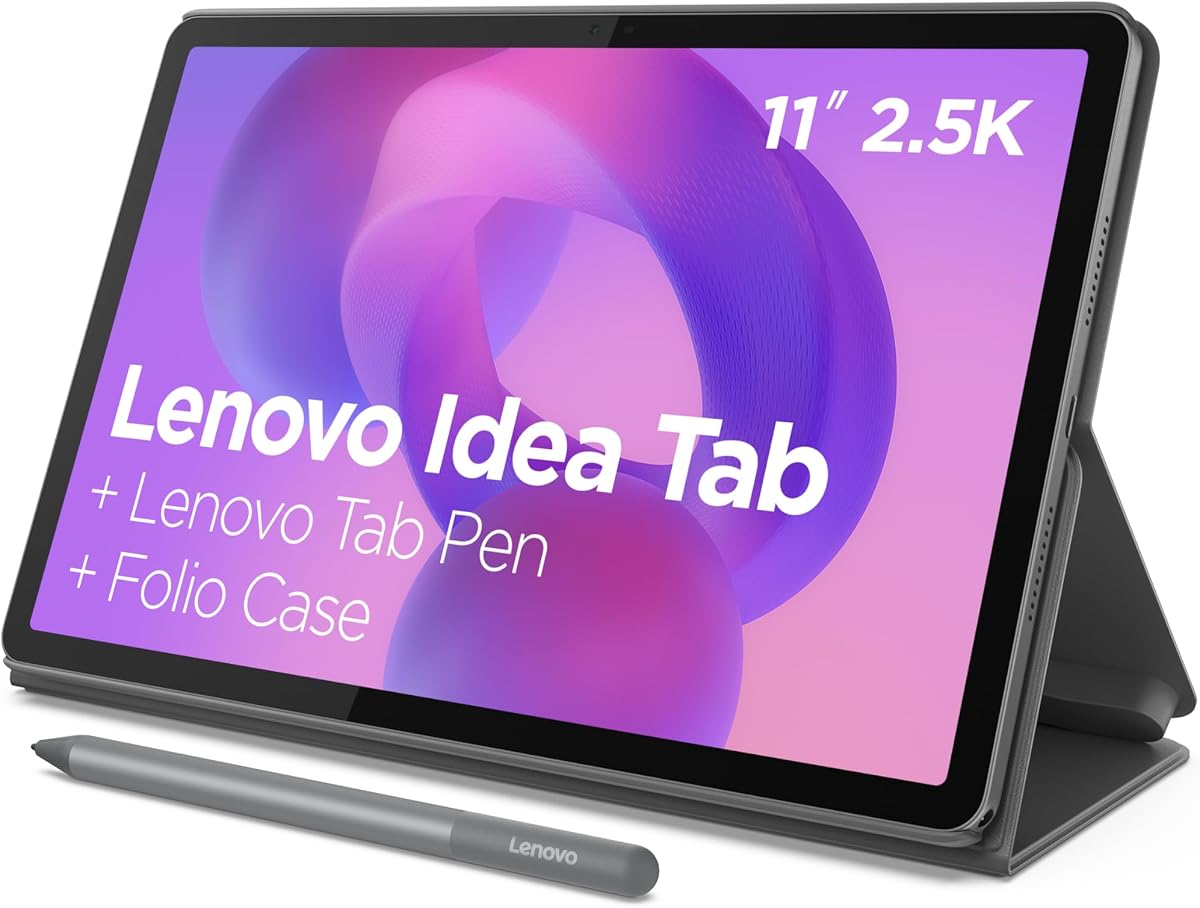
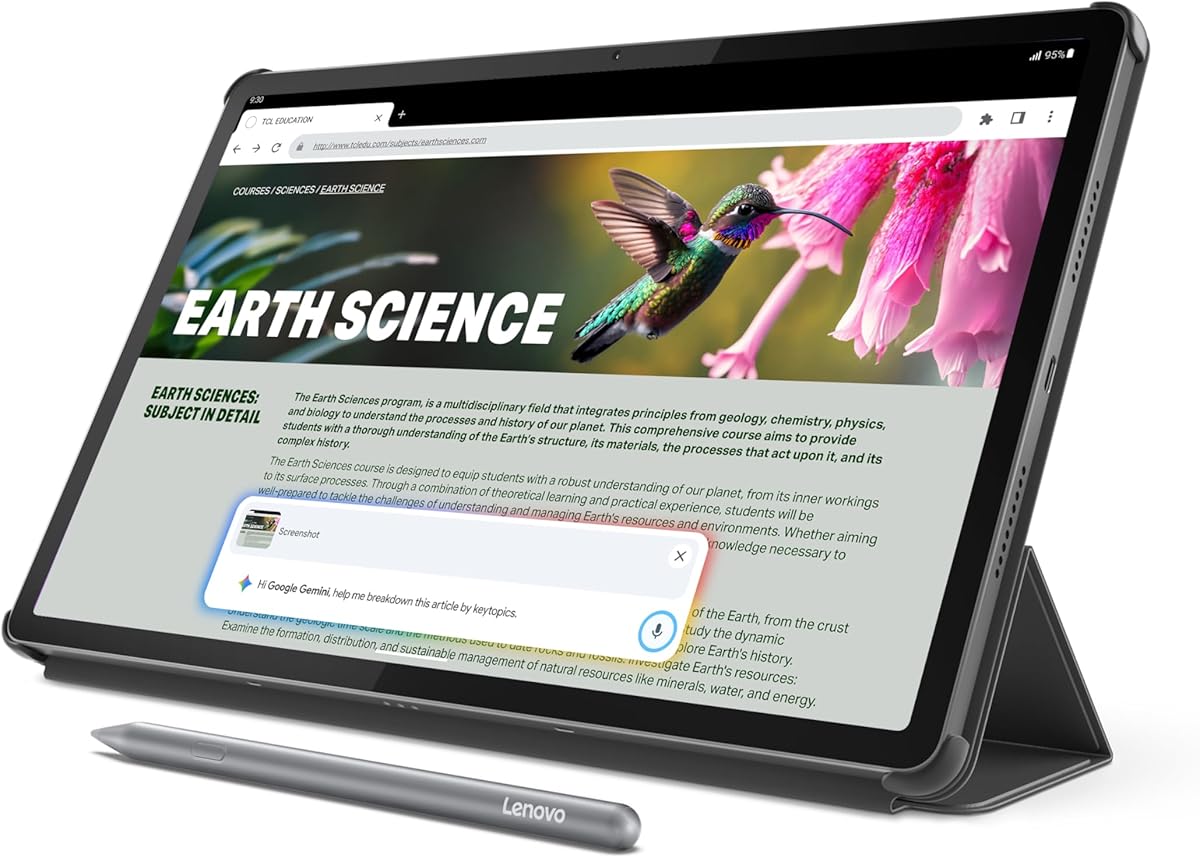
Lenovo targets students with the Idea Tab, offering a balanced package of performance and price. It includes a pen and folio case, which saves you money and gets you started immediately with note-taking.
We may earn a commission when you buy through this link, at no additional cost to you.
The MediaTek processor handles general tasks well, and the 90Hz screen ensures smooth scrolling through course materials. Google Circle to Search makes finding answers quick and intuitive during study sessions.
While it may not be the fastest device for gaming, it is reliable for lectures and assignments. The battery life supports long days on campus without needing constant recharging.
For students looking for an all-in-one solution, this tablet delivers excellent value. The included accessories make it a convenient choice for starting your academic year right.
Pre-installed learning apps help you organize notes and solve math problems quickly, keeping your study sessions focused and efficient.
The Low Blue Light hardware solution protects your eyes during late night study sessions, reducing strain and fatigue over time.
We may earn a commission when you buy through this link, at no additional cost to you.
The TCL NXTPAPER 14 offers a massive 14.3 inch display that is perfect for reading and drawing. The paper-like screen reduces glare, making it comfortable to use for hours without eye fatigue.
We may earn a commission when you buy through this link, at no additional cost to you.
With 256GB of storage, you have plenty of space for documents and media. The battery life supports long days of use, and the reverse charging feature allows you to charge your phone when needed.
The extra size makes it less portable than smaller tablets, but the trade-off is worth it for media consumption. It is an excellent replacement for a laptop for light productivity tasks.
Readers and artists who need screen real estate will appreciate this device. It provides a unique balance of a tablet form factor with a near e-reader visual experience.
The large drawing area and responsive stylus make it easy to sketch detailed designs and take notes comfortably side by side.
Switching between standard, color paper, and ink paper modes allows you to customize the screen for any task or environment.
We may earn a commission when you buy through this link, at no additional cost to you.
The Samsung Galaxy Tab A11+ is designed for family use with robust performance and storage. It handles streaming and gaming well, thanks to its responsive chipset and generous memory.
We may earn a commission when you buy through this link, at no additional cost to you.
The slim profile makes it easy to carry, and the battery lasts through long movie nights. Quad speakers powered by Dolby Atmos provide rich sound that enhances your entertainment experience.
While the refresh rate is standard, the screen brightness is sufficient for indoor use. The design is functional rather than premium, which helps keep the price affordable for shared use.
Families looking for a reliable device for kids and adults alike will find this tablet a great fit. It offers Samsung quality at a price point that allows for multiple purchases.
The quad speakers and bright display create an immersive viewing experience for movies and video calls throughout the home.
The upgraded chipset ensures that apps open quickly and multitasking remains smooth during daily family activities.
We may earn a commission when you buy through this link, at no additional cost to you.
The CHUWI Hi10 Max brings Intel performance to the tablet form factor. It uses a desktop-class processor that is powerful enough for productivity and creative work on the go.
We may earn a commission when you buy through this link, at no additional cost to you.
The full-size ports allow you to connect monitors and peripherals easily, making it a great travel workstation. The 3:2 screen ratio gives you more vertical space for documents and emails.
It runs Android but feels more like a lightweight PC. While it offers great connectivity, you may need to buy the keyboard and pen separately to get the full experience.
This device is ideal for professionals who need a portable PC for business trips. It bridges the gap between a tablet and a traditional laptop effectively.
Multiple ports including HDMI and USB-A mean you do not need dongles to connect to displays and storage devices while traveling.
The Intel processor handles multitasking and light video editing better than most mobile chipsets found in typical Android tablets.
We may earn a commission when you buy through this link, at no additional cost to you.
The Lenovo Idea Tab Pro is optimized for students who consume a lot of media. The 3K display is sharp and bright, ensuring that videos and text look crisp on the large screen.
We may earn a commission when you buy through this link, at no additional cost to you.
Google Gemini integration provides powerful AI assistance for research and writing tasks. The JBL speakers deliver excellent sound quality, making it a joy to watch lectures or movies.
While the processor is fast, the storage is fixed at 128GB which cannot be expanded. This is a limitation for users with large media libraries who need offline access.
For multimedia enthusiasts and students, this tablet offers a premium experience. The included pen makes it versatile for taking notes during lectures as well.
Google Gemini helps you summarize lectures and find answers quickly, making it a smart assistant for your daily study routine.
The 3K LCD panel supports low blue light features, protecting your eyes during long hours of watching videos or reading texts.
We may earn a commission when you buy through this link, at no additional cost to you.
This budget option offers surprising specs like high RAM and expandable storage. It supports GPS and WiFi 6 which are rare at this price point, making it a strong contender for travel.
We may earn a commission when you buy through this link, at no additional cost to you.
The camera specs and battery capacity are generous for a low cost device. It allows you to expand storage up to 2TB which is great for media files and applications.
However, the brand is less known and the processor is basic compared to top rivals. It is suitable for light use but might not handle heavy apps well over time.
For those on a strict budget who need basic tablet functions, this is a viable option. It provides essential features without the premium price tag of major brands.
Built-in GPS and WiFi 6 ensure you stay connected and navigated even when you are away from your home network or Wi-Fi hotspots.
The expandable storage slot allows you to add massive amounts of extra space for files, photos, and videos as needed.
We may earn a commission when you buy through this link, at no additional cost to you.
Selecting the right AI tablet depends on understanding your specific needs and how you plan to use the device daily. This section breaks down the most important factors to consider.
The processor is the brain of your tablet and determines how fast it runs apps and AI features. For AI tasks, look for newer chips like the Snapdragon 8 Gen 3 or Intel Ultra series that include dedicated NPUs for local processing.
Always choose a processor from the latest generation to ensure your device remains fast and supported for years to come.
A good display is essential for reading and creating content. Look for high resolution screens and refresh rates of 90Hz or higher to make scrolling and animations feel smoother.
Consider eye comfort features like low blue light or paper-like displays if you plan on reading for long periods.
RAM controls how many apps you can keep open at once while storage holds your files. Aim for at least 8GB of RAM for smooth multitasking and 128GB of storage to avoid running out of space quickly.
Opt for models with expandable storage if you anticipate needing extra space for videos and photos later.
Battery life dictates how long you can use your tablet away from a charger. Look for devices with large capacity batteries and fast charging capabilities to get back to full power quickly.
Check user reviews for real world battery performance as manufacturer claims can sometimes differ from daily use.
AI capabilities vary between models so identify which tools matter most to you. Features like note summarization, real-time translation, and smart search can save significant time during your workday.
Ensure the tablet runs a stable software version that supports these AI features consistently without bugs.
Modern tablets need fast internet and reliable Bluetooth for peripherals. Look for WiFi 6 support to ensure fast downloads and smooth streaming in busy networks.
Check the ports to see if you can connect external monitors or storage devices easily without extra adapters.
Many productivity tablets come with a pen or keyboard while others sell them separately. This can significantly impact the total cost and immediate usability of the device.
If you plan to take notes or type documents, choose a bundle that includes these accessories to save money and hassle.
A durable tablet will last longer and resist accidental damage. Look for sturdy materials and water resistance ratings if you plan to use the device in various environments.
Consider the weight of the device especially if you intend to hold it for long periods without a stand.
Start by updating the software immediately to get the latest AI features and security patches. Take time to explore the settings menu to customize gestures and notification preferences for a smoother experience.
Use protective cases and screen protectors to prevent scratches and drops. Avoid exposing the tablet to extreme temperatures or humidity which can damage the battery and internal components.
Manage your storage regularly by deleting unused apps and clearing cache. Keep the screen clean with a microfiber cloth to maintain visibility and responsiveness over time.
An AI tablet has dedicated hardware and software designed to run artificial intelligence tasks locally. This allows for features like real-time translation and smart search without relying on an internet connection.
Not necessarily. While some features like sketching require a stylus, many AI tools work just as well with touch input or voice commands. Check the specific features of each model before buying.
High quality tablets can last three to five years if you keep the software updated. Choosing models with ample RAM and modern processors helps extend the usable life of the device significantly.
Yes many of these tablets support desktop-like modes and keyboard accessories. They are suitable for note-taking light design work and email management depending on the power of the processor.
Absolutely. Features like note summarization and reading modes are incredibly helpful for studying. The portability and long battery life make them ideal for carrying around campus.
Check your settings to lower screen brightness and turn off unused connectivity features. Updating to the latest software can also optimize battery usage and fix performance issues.
Choosing the right AI tablet in November 2026 means balancing performance with your specific needs. Our top picks cover a range of options from the powerful Lenovo Yoga Tab to the budget-friendly TCL NXTPAPER.
Prioritize features that match your daily workflow such as a large screen for media or a powerful processor for creation. The right choice will enhance your productivity and make technology work for you.
Remember that pricing and availability can change so double check current deals before buying. We hope this guide helps you find the perfect device to fit your lifestyle.