
Duyasurs 3Pack Upgraded USB C to USB Adapter
4.6Editor score
High-Speed Data Transfer
Universal Compatibility
Compact and Easy to Use
This guide compares the top female USB adapter options for connecting legacy devices to modern USB-C ports with speed and reliability.
Finding the right female USB adapter is crucial for connecting legacy peripherals to modern devices. A good adapter ensures stable data transfer, fast charging, and durable construction for daily use.
We compared ten top-rated models based on compatibility, transfer speeds, build quality, and user feedback. Each product was evaluated for its ability to handle real-world tasks reliably.
Each pick highlights key strengths and potential limitations to help you choose wisely. Prices and availability may change, so verify details before purchasing to ensure you get the best deal.
4.6Editor score

4.7Editor score

4.8Editor score
This table provides a side-by-side comparison of all ten selected adapters to help you quickly identify the best fit for your specific connectivity needs.




This JSAUX adapter ranks highest for its balance of speed, durability, and value. It offers reliable USB 3.0 connectivity to connect standard peripherals to modern USB-C devices effortlessly.
We may earn a commission when you buy through this link, at no additional cost to you.
The nylon braided cable and aluminum body ensure longevity, while the 5Gbps transfer rate makes moving files quick. Its plug-and-play nature means no drivers are ever needed for setup.
While it lacks video output support, this limitation is common in budget-friendly data adapters. The bulk is slightly more than ultra-slim options but provides better grip and heat dissipation.
It is ideal for users who need consistent performance for file transfers and charging across multiple devices. We recommend it as a top choice for most daily connectivity tasks.
With USB 3.0 speeds up to 5Gbps, this adapter significantly outperforms USB 2.0 models, allowing you to transfer HD movies and large files in seconds.
The combination of a nylon braided cable and a sturdy aluminum alloy housing ensures that the adapter withstands regular plugging and unplugging without wear.
We may earn a commission when you buy through this link, at no additional cost to you.
Anker delivers a premium experience with this adapter, known for its sleek Space Gray finish that perfectly matches Apple devices. It is designed for users who prioritize aesthetics and build quality.
We may earn a commission when you buy through this link, at no additional cost to you.
The adapter features connectors rated for 10,000 plug cycles, ensuring it lasts for years. Its slim profile allows two adapters to fit side by side on MacBook Pro ports without blocking each other.
The main trade-off is the higher price compared to budget alternatives. However, the quality assurance and design make it worth the extra cost for professionals and Mac users.
This adapter is best suited for those who value design cohesion and long-term durability. It is a solid choice for anyone looking to maintain a polished look on their workspace.
Finished in premium scratch-resistant aluminum, the adapter blends seamlessly with your MacBook Pro, maintaining a clean and professional look on your desk.
Engineered for enhanced durability, the male and female connectors are designed to withstand up to 10,000 plugging and unplugging cycles.
We may earn a commission when you buy through this link, at no additional cost to you.
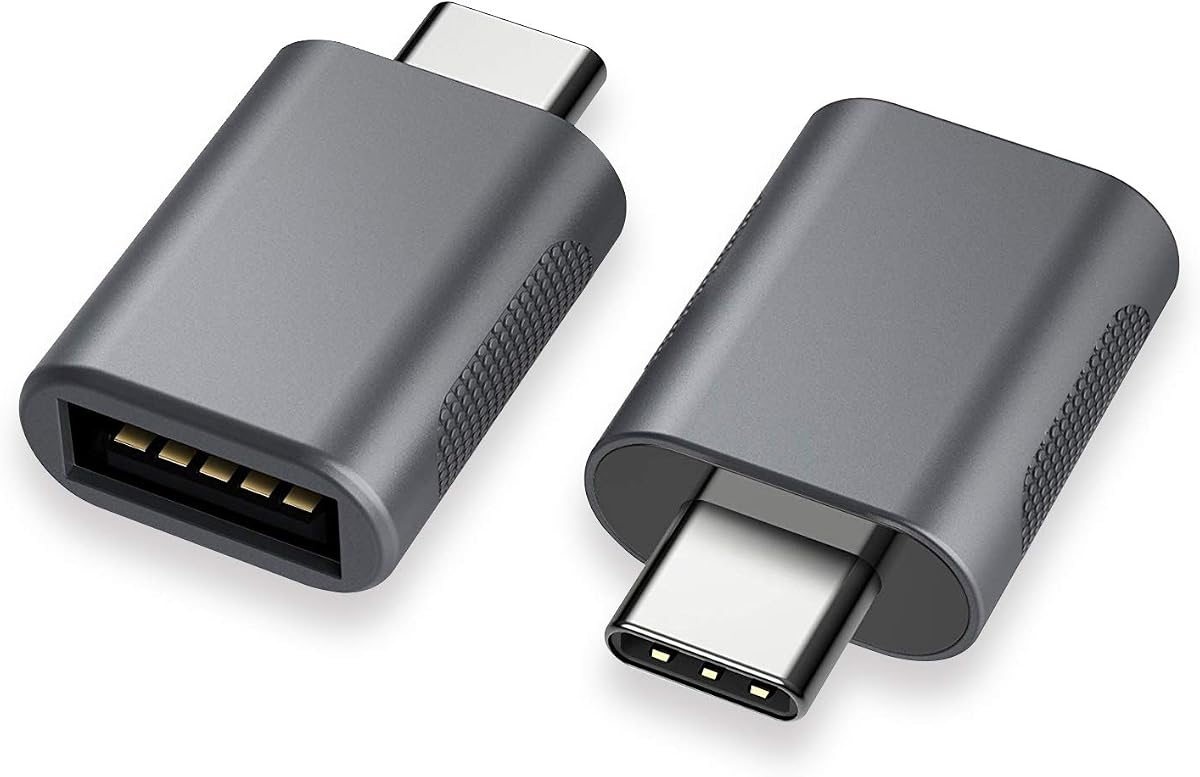
This Duyasurs pack offers excellent value with three adapters included in a single purchase. It is an ideal solution for families or offices where multiple adapters are needed.
We may earn a commission when you buy through this link, at no additional cost to you.
The adapter supports high-speed data transfer and includes mini LED indicators to show successful connections, providing visual confirmation when plugged in. Its compact design makes it easy to carry anywhere.
While some internal components may not be as robust as premium models, it meets the needs of most users. The LEDs are a unique feature but might not be necessary for everyone.
We recommend this pack for users who need backups or want to equip multiple devices affordably. It is a practical choice for general data syncing and charging tasks.
Buying a three-pack ensures you always have a spare adapter handy, making it a cost-effective solution for households with multiple USB-C devices.
The included mini LED indicators provide immediate visual feedback that the connection is active, which is helpful in low-light conditions.
We may earn a commission when you buy through this link, at no additional cost to you.
UGREEN provides a high-performance option with 10Gbps data transfer capabilities. This pack of four is excellent for users who need to move large files quickly across multiple devices.
We may earn a commission when you buy through this link, at no additional cost to you.
The thumb-sized design ensures it fits comfortably next to other ports without obstruction. Its aluminum alloy housing helps dissipate heat effectively during high-speed data transfers.
The speed is a significant advantage over standard 5Gbps adapters, making it great for professionals working with large media files. However, the price point is slightly higher than basic models.
We recommend this adapter for power users who require speed and bulk quantity. It is a strong choice for content creators or IT professionals managing multiple connections.
With transfer rates up to 10Gbps, this adapter allows you to move large files significantly faster than standard USB 3.0 adapters.
The aluminum alloy housing is designed to withstand rigorous testing and effectively manage heat during extended use or high-speed transfers.
We may earn a commission when you buy through this link, at no additional cost to you.
This Pastall adapter focuses on versatility with support for high-speed data and fast charging. The four-pack ensures you have enough adapters for different locations like home, office, and car.
We may earn a commission when you buy through this link, at no additional cost to you.
The metal alloy shell provides excellent shielding and durability. It supports up to 10 Gbps data transfer, making it efficient for syncing files between your computer and external drives.
While it supports audio and video signals in theory, practical limitations may apply depending on your setup. The bulkier design is a small trade-off for the robust build quality.
We recommend this option for users who need a versatile adapter for charging and data across multiple environments. It is particularly useful for keeping a spare in your car.
This adapter supports fast charging with up to 5V/3A output, allowing you to charge your devices quickly while transferring data simultaneously.
Constructed with a metal alloy shell and bare copper conductors, the adapter ensures optimal signal clarity and minimizes electromagnetic interference.
We may earn a commission when you buy through this link, at no additional cost to you.
This adapter combines durability and reliability with a zinc alloy body that resists scratches. It is perfect for users who need a straightforward way to connect USB-A devices.
We may earn a commission when you buy through this link, at no additional cost to you.
With speeds up to 5Gbps, it handles file transfers efficiently. The two-pack ensures you have one ready for home and another for work or travel purposes.
The lack of video support is a limitation, but most users primarily need data connectivity. The plain design does not detract from its functional performance.
We recommend this for anyone looking for a no-fuss, reliable adapter that gets the job done. It is a solid pick for general daily use.
The zinc alloy body prevents scratches and maintains a clean look even after extended use, ensuring durability over time.
Compatible with a wide range of devices including laptops, tablets, and smartphones with USB-C ports, making it a versatile solution.
We may earn a commission when you buy through this link, at no additional cost to you.
This JXMOX adapter is designed specifically for converting USB-C female ports to USB-A male. It is particularly useful for charging legacy devices from USB-C sources.
We may earn a commission when you buy through this link, at no additional cost to you.
The 56K ohm resistor ensures safe charging and data transferring, protecting your devices from potential voltage spikes. With a 3A power output, it supports fast charging needs.
Data transfer is limited to USB 2.0 speeds, which is sufficient for general files but not for large media. The design makes it ideal for charging rather than high-speed data work.
We recommend this for users who primarily need to charge older devices using modern USB-C power sources. The four-pack offers excellent value for home and office use.
Built-in 56K ohm resistors ensure that charging and data transferring are safe for your devices, preventing potential electrical issues.
Supports 3A power output, allowing you to charge your devices quickly and efficiently when connected to a compatible power source.
We may earn a commission when you buy through this link, at no additional cost to you.
This adapter set includes three units in Black, Grey, and Silver to match different devices. It is designed for users who want to avoid color mismatch issues across their tech.
We may earn a commission when you buy through this link, at no additional cost to you.
The slim design ensures it does not block adjacent ports, enhancing usability on crowded docks or laptops. Zinc alloy housing provides a durable frame for everyday use.
While not the fastest on the market, it meets the needs of average users for data and charging. The color variety is a unique selling point for personalizing your setup.
We recommend this for users who value aesthetics and want a set of adapters for different devices. It is a practical choice for home or office use.
The three-piece set includes different colors to match various devices, ensuring a cohesive look regardless of which adapter you use.
The slim design ensures the adapter does not block adjacent ports, allowing for easier connectivity when multiple devices are plugged in.
We may earn a commission when you buy through this link, at no additional cost to you.
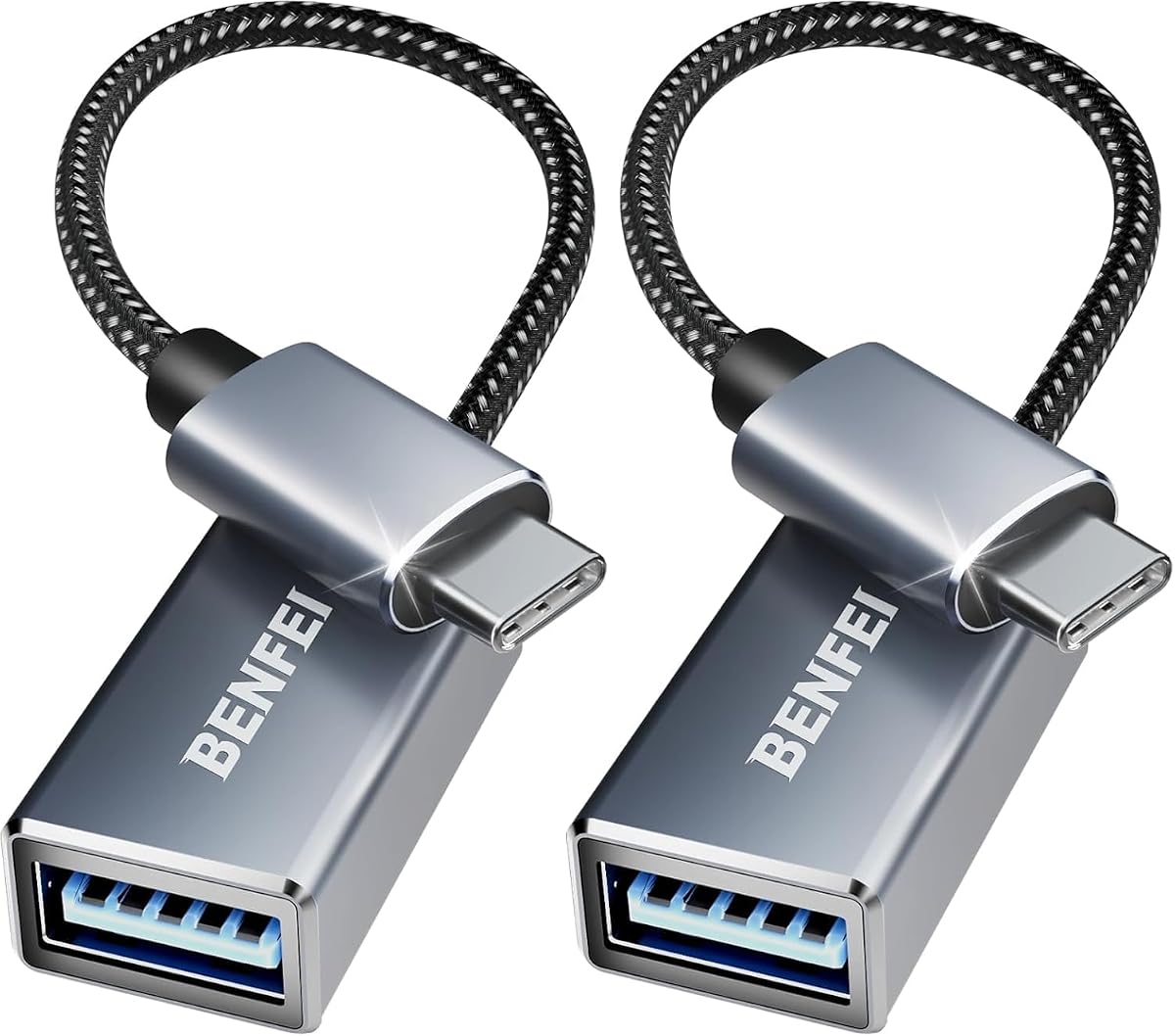
BENFEI offers a compact solution with a braided nylon cable that enhances durability. The adapter is designed to be small and portable for easy travel.
We may earn a commission when you buy through this link, at no additional cost to you.
With 5Gbps transfer speeds, it handles standard tasks efficiently. The nickel-plated connectors resist corrosion and improve signal transmission for reliable connections.
While the cable design is durable, it is slightly shorter than some alternatives. This compact design is ideal for travel but might be less convenient for desk setups.
We recommend this for users who prioritize portability and reliability. The 18-month warranty adds peace of mind for your purchase.
The compact design ensures the adapter fits easily in your pocket or bag, making it an excellent choice for travelers on the go.
Nickel-plated USB-C and USB connectors resist corrosion and abrasion, improving signal transmission performance and longevity.
We may earn a commission when you buy through this link, at no additional cost to you.
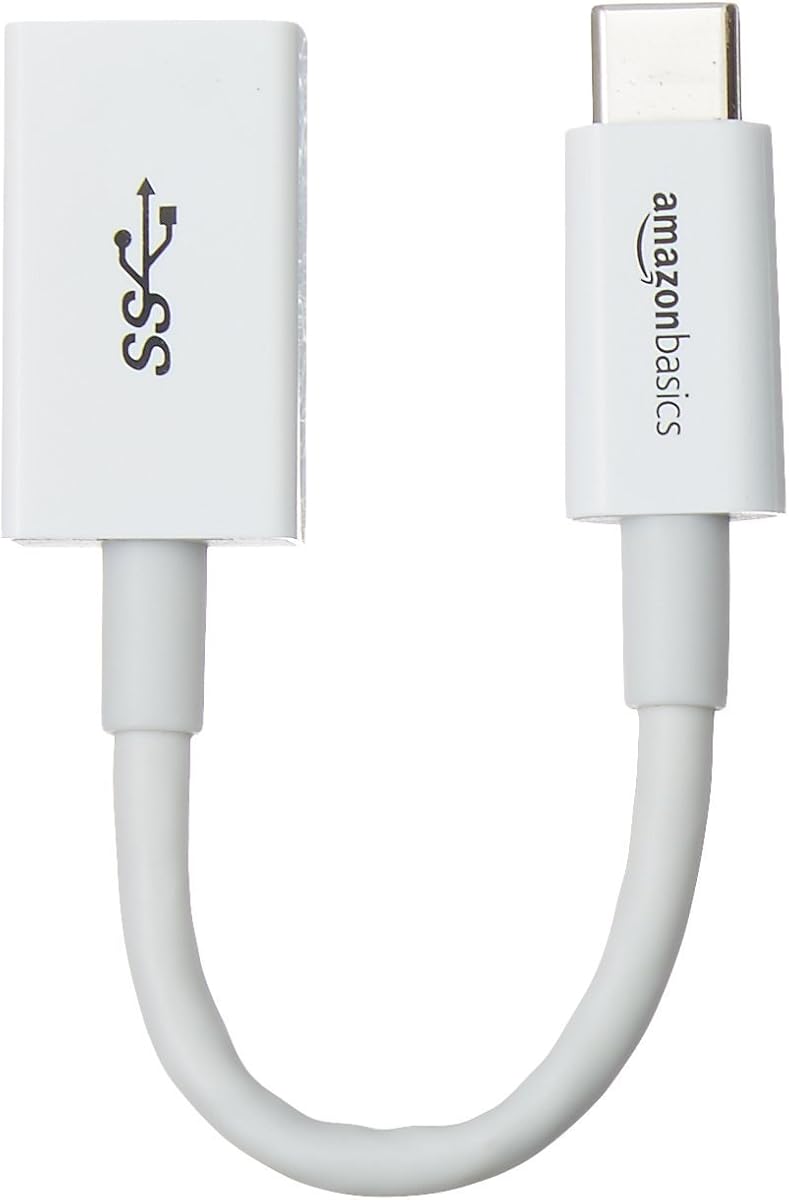
Amazon Basics provides a reliable and certified option for basic connectivity needs. It is USB-IF certified, ensuring compatibility and performance standards are met.
We may earn a commission when you buy through this link, at no additional cost to you.
The cable design connects easily between devices with a compact footprint. It supports fast charging up to 15W, making it suitable for powering most smartphones and tablets.
While it comes as a single unit, the quality and certification make it a trustworthy choice. It is a good standard option for everyday tasks.
We recommend this for users who want a certified, no-fuss solution. It is a safe choice for connecting peripherals to modern USB-C devices.
Being USB-IF certified ensures that the adapter meets industry standards for compatibility and performance with your devices.
Supports fast charging up to 15W (5V/3A), allowing you to power your devices efficiently while transferring data.
We may earn a commission when you buy through this link, at no additional cost to you.
Choosing the right adapter requires considering several technical factors to ensure compatibility and performance.
Ensure the adapter matches your device's USB-C port and the peripheral you wish to connect. Check your device's manual to confirm supported protocols like USB 3.0 or 3.1.
Always verify compatibility before purchasing to avoid connection issues.
Look for adapters supporting USB 3.0 or higher to achieve faster file transfers. USB 3.0 offers speeds up to 5Gbps, while USB 3.1 can reach 10Gbps.
Select higher speeds for large file transfers to save time.
Adapters made from aluminum or zinc alloy offer better durability and heat dissipation. Nylon braided cables prevent tangling and wear over time.
Prioritize sturdy materials to ensure long-term reliability.
Check if the adapter supports fast charging to power your devices efficiently. Higher amperage ratings like 3A allow for quicker charge cycles.
Ensure the adapter meets your device's charging requirements.
Adapters often come in multi-packs for better value. Consider buying two or more to have spares for home and office use.
Multi-packs offer cost savings and convenience.
Certifications like USB-IF ensure the adapter meets industry standards for safety and performance. This reduces the risk of damaging your devices.
Look for verified certifications before buying.
Slim designs prevent blocking adjacent ports on laptops. Portable sizes are crucial for users who travel frequently.
Choose a size that fits your port needs comfortably.
Warranty periods vary by brand, so check for coverage on defects. Good customer support can resolve issues quickly.
Prioritize brands with reliable warranty terms.
Insert the male USB-C end into your device's port securely. Then plug your peripheral device into the female USB-A port. Ensure the connection is firm to prevent disconnection during data transfer.
Avoid bending the cable sharply or pulling it by the cord. Regularly clean the connectors to remove dust and debris that might interfere with connections.
Store the adapter in a protective case when not in use. Do not expose it to extreme temperatures to maintain material integrity and performance.
Most adapters work with standard USB-C ports but always check device specifications. Some proprietary connectors may require specific adapters for proper functionality.
Most data adapters do not support video output. Check product details carefully for video compatibility if you need screen mirroring.
USB 3.1 generally offers higher data speeds up to 10Gbps. Choose based on your file transfer needs and device capabilities.
Many adapters support fast charging but verify the amperage ratings. Not all models provide the high output needed for rapid device charging.
Try cleaning the ports or testing with another device. Ensure the adapter is fully inserted and your device drivers are updated.
Use a soft brush or compressed air to remove dust. Avoid using liquids to prevent damage to internal components.
We reviewed ten options ranging from budget-friendly packs to premium designs. Each adapter offers unique strengths in speed, durability, and design to suit different needs.
Prioritize compatibility and build quality to ensure a reliable connection. Fast transfer speeds are essential if you frequently move large files.
Always check current prices and availability before purchasing. Verify the specific requirements of your devices to make the best choice.