
HP DesignJet T210
4.4Editor score
Precise line-quality and crisp text
Automatic horizontal cutter included
HP Click software for easy printing
Large format plotter printers are essential tools for architects, engineers, and designers who need precise, high-quality prints for technical drawings and presentations. Choosing the right model involves balancing speed, media handling, and software integration to meet specific workflow demands efficiently.
We evaluated ten leading models based on their print quality, connectivity options, and ease of use. Each product offers unique strengths for different environments, from small studios to large construction offices, ensuring you find a solution that fits your specific needs.
Each pick includes detailed specs, pros, cons, and real-world performance insights to help you decide. Prices and availability can change, so always check the latest listings before purchasing to ensure you get the best value for your investment.
4.4Editor score

5.0Editor score

As an Amazon Associate we earn from qualifying purchases.
Here is a side-by-side comparison of all ten models, focusing on their core capabilities, media sizes, and specialized features to help you quickly identify the best fit for your professional printing needs.

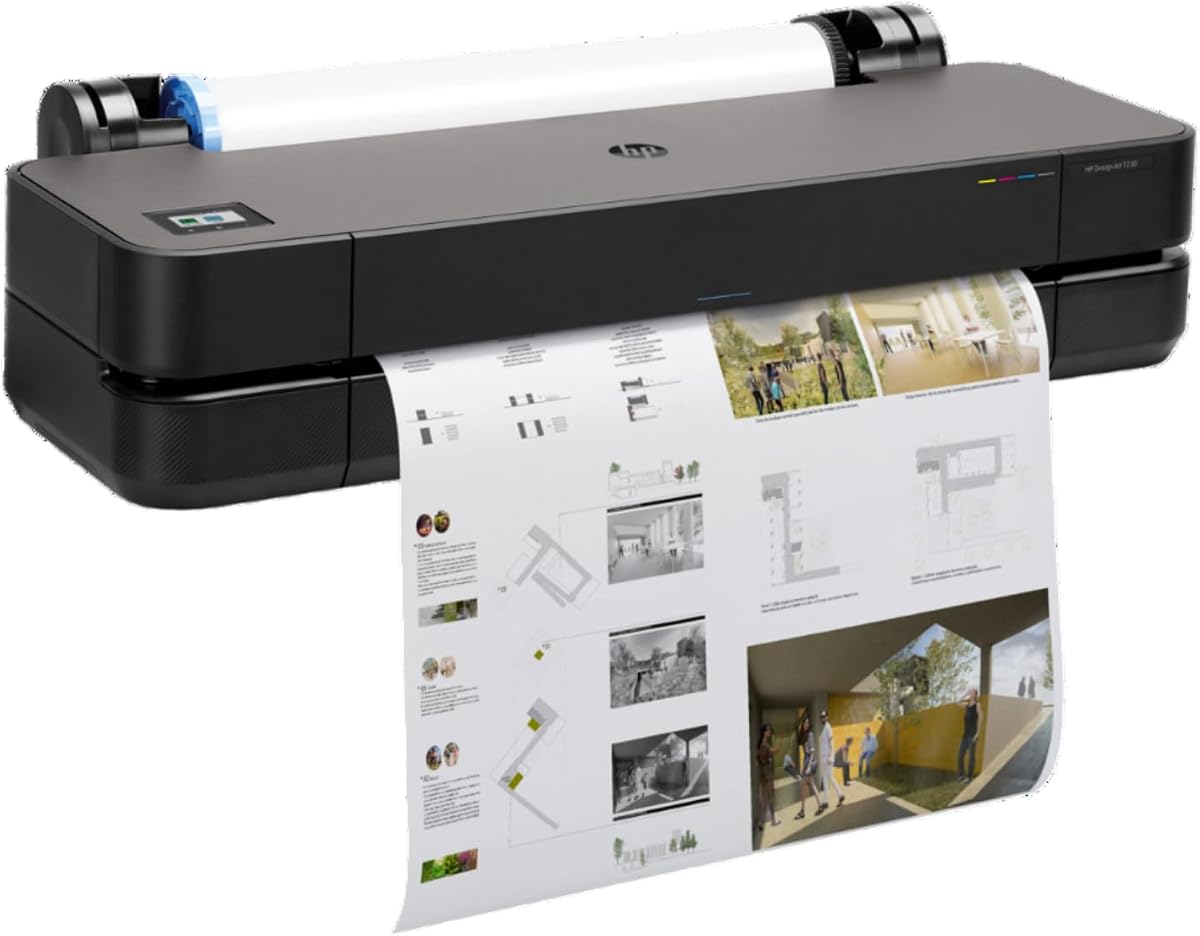


The HP DesignJet T210 stands out as an excellent entry-level option for professionals needing precise, large format prints. With a 4.4 rating, it delivers crisp text and accurate line quality essential for CAD drawings and posters. Its cost-effective operation makes it ideal for small studios or startups.
We may earn a commission when you buy through this link, at no additional cost to you.
This printer excels in simplifying workflows through HP Click software, which automates settings and reduces waste. The automatic horizontal cutter ensures clean finishes without manual trimming. Connectivity options like Wi-Fi and Gigabit Ethernet allow flexible integration into existing office networks.
Trade-offs include slower print speeds compared to high-volume models, which might be a limitation for busy environments. The lack of an automatic sheet feeder means users may need to switch media sources manually for different job sizes. However, these are manageable for occasional or moderate usage.
Best suited for architects and engineers focused on precision without breaking the budget, this model balances performance and affordability. It is recommended for those needing reliable technical drawings and posters efficiently. Check current listings for availability and bundle options.
Uses up to 95% less ink for routine maintenance compared to competitors, reducing long-term operational costs.
HP Click software integrates seamlessly with design tools, enabling easy file submission and auto-nesting.
We may earn a commission when you buy through this link, at no additional cost to you.
The HP DesignJet T650 earns its top spot with exceptional speed and reliability, boasting a perfect 5.0 rating. Designed for architects and construction professionals, it handles technical line-drawings and maps with precise, accurate line quality. The included 2-year onsite warranty ensures minimal downtime.
We may earn a commission when you buy through this link, at no additional cost to you.
Its automatic sheet/roll switch allows seamless transitions between different media types, enhancing workflow efficiency. The printer supports 82 A1 prints per hour, making it suitable for moderate to high-volume environments. HP Click software further optimizes print jobs and reduces waste.
While the upfront cost is higher, the included support and speed justify the investment for professionals relying on consistent output. The larger footprint requires adequate space, but the performance gains are significant. This model is a strong contender for busy studios.
Ideal for teams needing dependable, high-quality output without frequent interruptions, this printer delivers value through speed and support. It is highly recommended for those prioritizing efficiency in technical printing. Verify current stock and service terms before purchase.
Switches between sheets and rolls automatically, eliminating manual media changes during mixed jobs.
Comes with 2 years of onsite and phone support to resolve issues quickly and keep projects on track.
We may earn a commission when you buy through this link, at no additional cost to you.
The HP DesignJet T630 offers a practical setup with included accessories like a stand and media bin, simplifying installation for users. With a 4.0 rating, it handles technical drawings and maps effectively. The automatic sheet feeder adds convenience for varied project sizes.
We may earn a commission when you buy through this link, at no additional cost to you.
Its connectivity via Gigabit Ethernet and Wi-Fi allows flexible placement in professional environments. HP Click software helps reduce paper waste and streamline print settings. The automatic horizontal cutter ensures finished prints without extra steps.
While slightly slower than some peers, the included accessories make it a ready-to-use solution. The 4.0 rating reflects solid performance but may lack some advanced speed features of higher-tier models. It remains a practical choice for general office needs.
Best for professionals needing a complete package with minimal setup effort, this printer provides value through included hardware. It is recommended for users balancing cost and functionality. Always check the latest specs and bundles before buying.
Includes a stand and media bin, reducing the need for additional purchases and simplifying initial placement.
HP Click software minimizes waste and improves efficiency with auto-nesting and error checking features.
We may earn a commission when you buy through this link, at no additional cost to you.
This variant of the HP DesignJet T210 adds significant value with a 2-year HP Care Pack, offering peace of mind for users. With a 4.5 rating, it maintains the core strengths of the T210 series, including precise line quality and crisp text. It is popular among construction professionals.
We may earn a commission when you buy through this link, at no additional cost to you.
The automatic horizontal cutter and HP Click software continue to simplify workflows and reduce waste. Connectivity options ensure flexible integration into modern office setups. The support pack ensures quick assistance if issues arise.
While performance matches the standard model, the added support justifies the price for those prioritizing reliability. The lack of a sheet feeder remains a minor limitation for mixed media workflows. This makes it a strong mid-range option.
Recommended for users wanting solid performance with extended support coverage, this model offers reliability and efficiency. It suits professionals needing dependable printing with minimal downtime. Always check current pricing and support terms.
The 2-year HP Care Pack provides onsite support, reducing potential downtime and ensuring long-term reliability.
HP Click software and automatic cutter optimize workflows by reducing waste and simplifying print job submission.
We may earn a commission when you buy through this link, at no additional cost to you.
The HP DesignJet T230 combines reliable performance with a 2-year onsite warranty, ensuring support when needed. With a 3.7 rating, it remains a solid option for technical line-drawings and blueprints. It is popular among architects and engineers needing consistent output.
We may earn a commission when you buy through this link, at no additional cost to you.
Its cost-effective operation and HP Click software help minimize waste and streamline printing. The automatic cutter ensures clean results without manual effort. Connectivity options allow flexible integration into various office environments.
The lower rating suggests users may encounter occasional issues, but the warranty mitigates risks. It lacks the speed of higher-end models, making it better suited for moderate workloads. The value lies in its support package.
Best for professionals prioritizing service coverage alongside standard performance, this model offers reliability and efficiency. It is a practical choice for smaller studios with budget constraints. Check current listings for bundle deals.
Comes with 2 years of onsite support, ensuring assistance is readily available for technical or operational issues.
Uses significantly less ink for maintenance, reducing operational costs over the printer's lifetime.
We may earn a commission when you buy through this link, at no additional cost to you.
The HP DesignJet T850 expands capabilities with 36-inch media support, ideal for large-scale maps and architectural projects. With a 3.0 rating, it serves professionals in GIS and MCAD who need precise output. The integrated input tray reduces manual media changes.
We may earn a commission when you buy through this link, at no additional cost to you.
Pigment-based Flex Tech inks ensure high-quality CAD and renders across print sizes. HP Click software and energy-saving features optimize efficiency. The 2-year warranty pack provides added reliability for demanding environments.
The higher price and footprint make it better for dedicated print rooms. While speed is solid, the 3.0 rating suggests some complexity in setup or maintenance. It is a powerful tool for specific large-format needs.
Recommended for firms needing larger print capabilities and high-quality color output, this model offers scalability. It is a strong choice for complex project visualization. Always verify current availability and support details.
Supports 36-inch media width, ideal for large-scale maps and detailed architectural plans requiring extra room.
Pigment-based HP Flex Tech inks deliver durable, vibrant colors and precise line quality for CAD and renders.
We may earn a commission when you buy through this link, at no additional cost to you.
The HP DesignJet T870 represents the pinnacle of speed and security, capable of 120 A1 prints per hour. Designed for busy offices and educators, it ensures high-quality output without compromising workflow. The included 2-year care pack adds significant reliability.
We may earn a commission when you buy through this link, at no additional cost to you.
Automatic sheet/roll switching simplifies multi-size projects, while secure printing protects sensitive documents. HP Click software optimizes job submission and reduces waste. Its connectivity ensures seamless integration into modern office ecosystems.
The premium price reflects its advanced features and speed. While complex for beginners, it excels in professional environments. The N/A rating may reflect new release status, but specs indicate top-tier performance. It is a powerful investment for demanding workflows.
Best for high-volume production needing speed and security, this printer sets a new standard. It is highly recommended for architects and educators with rigorous standards. Always check current stock and support terms before buying.
Delivers up to 120 A1 prints per hour, making it one of the fastest in its class for high-volume needs.
Secure multi-size printing ensures sensitive technical documents are protected throughout the workflow process.
We may earn a commission when you buy through this link, at no additional cost to you.
The Canon imagePROGRAF TC-21M stands out with its multifunction capabilities, including a flatbed scanner for enlargements. With a 4.4 rating, it offers a convenient solution for users needing print, scan, and copy functions in one device. It supports cloud printing seamlessly.
We may earn a commission when you buy through this link, at no additional cost to you.
A 2.7 touchscreen LCD and USB flash drive port simplify direct printing from files. The auto sheet feeder handles up to 100 letter-size sheets. This makes it ideal for small studios with diverse document needs.
While printing speed is not its strong suit, the all-in-one functionality saves desk space and reduces hardware costs. The focus on ease of use appeals to non-technical users. It balances convenience with decent output quality.
Best for users needing compact multifunction capabilities, this printer offers versatility and ease of use. It is recommended for professionals managing varied document types efficiently. Always verify compatibility with your specific media sizes.
Combines printing, scanning, and copying, reducing the need for separate devices and saving office space.
Supports cloud printing and USB flash drives, enabling easy file submission without connecting to a computer.
We may earn a commission when you buy through this link, at no additional cost to you.
The CANON PRO 2100 is tailored for fine art printing, delivering exceptional color accuracy and longevity. With a 4.8 rating, it appeals to artists and galleries needing high-quality outputs. The 1-year on-site warranty ensures professional support when needed.
We may earn a commission when you buy through this link, at no additional cost to you.
Its specialized inks and media handling produce durable prints that maintain vibrant colors over time. The Canon Platinum Reseller designation ensures access to expert advice and genuine supplies. It prioritizes quality over raw speed.
While costs are higher and it is less versatile for general technical work, the results justify the expense for art projects. The focus on premium output makes it a niche choice. It is ideal for professionals valuing fidelity.
Best for fine art and high-fidelity print needs, this model offers unmatched quality and service. It is highly recommended for galleries and artists. Always verify the current support package and ink options.
Designed specifically for fine art prints, ensuring precise color reproduction and longevity of archival-quality outputs.
Sold through a Canon Platinum Reseller, ensuring access to genuine supplies and specialized customer assistance.
We may earn a commission when you buy through this link, at no additional cost to you.
The HP DesignJet T830 combines multifunction capabilities in a compact footprint, ideal for smaller studios. With a 4.0 rating, it offers convenient printing, scanning, and copying for technical documents. It supports mobile printing via HP Smart app.
We may earn a commission when you buy through this link, at no additional cost to you.
Its dynamic security features protect against unauthorized access, an important consideration for shared offices. Connectivity includes Wi-Fi and Gigabit Ethernet, ensuring flexible deployment. HP Click software optimizes PDF project sets.
The all-in-one design saves space, though it comes at a higher cost compared to single-function printers. It is a practical solution for environments needing versatility. Performance is solid but not optimized for high-volume tasks.
Best for small studios needing space-saving multifunctionality, this model balances utility and size. It is recommended for architects with limited workspace. Always verify the current warranty and support terms.
Designed with a smaller footprint, making it ideal for architecture studios and offices with limited space.
Supports direct mobile printing from iOS, Android, and Chrome OS, enabling flexible workflow integration.
We may earn a commission when you buy through this link, at no additional cost to you.
Choosing the right large format plotter printer requires evaluating several critical factors to ensure it meets your workflow needs and budget constraints.
For technical drawings and blueprints, precise line quality is non-negotiable. Look for models that explicitly support high-resolution CAD outputs and crisp text rendering. This ensures your plans are legible and professional.
Prioritize printers known for accurate line work and consistent output across different media types to avoid costly reprints.
Different projects require different media formats, such as rolls or sheets. Models with automatic sheet/roll switches save time and reduce manual handling errors. An automatic cutter is also essential for clean finishes without extra effort.
Opt for units with versatile input options to support a wide range of job sizes efficiently.
Modern workflows demand seamless integration with design software and networks. Gigabit Ethernet, Wi-Fi, and USB ports are standard but verify compatibility with your existing systems. Cloud printing support is a valuable addition for remote work.
Ensure the printer offers the connectivity you need to maintain a smooth and efficient workflow.
Tools like HP Click software simplify job submission and reduce waste through auto-nesting and error checking. This can significantly boost productivity by automating repetitive tasks. Check if the software supports your primary file formats.
A user-friendly interface and robust software features streamline your overall printing experience.
Large format printers are long-term investments, so reliable support is crucial. Look for onsite warranty coverage to minimize downtime in case of issues. Extended service plans can add peace of mind for busy environments.
Always verify the length and scope of the included support before purchasing.
Operating costs often depend on ink consumption and maintenance routines. Models using less ink for routine maintenance reduce long-term expenses significantly. High-capacity ink systems also mean fewer changes and less downtime.
Consider the total cost of ownership rather than just the upfront purchase price.
High-volume environments benefit from faster print speeds measured in pages per hour. If you handle multiple large files daily, prioritize models with higher throughput. However, speed should not come at the cost of quality.
Match the printer's speed to your typical workload to avoid bottlenecks.
Protecting sensitive documents is increasingly important for construction and design firms. Features like dynamic security prevent unauthorized use and protect your data. Check if the printer supports secure printing protocols.
Security is a key consideration for protecting intellectual property and client data.
Start by installing the correct HP Click or CAD driver on your computer to ensure smooth communication. Configure your print settings to match the media type you are using, whether rolls or sheets. This prevents errors and waste.
Regularly clean the printheads and rollers using the maintenance tools provided in the software. Keep the printer covered when not in use to prevent dust from settling on critical components. This extends the lifespan of the device.
Schedule print jobs during off-peak hours to ensure faster processing and reduce network congestion. Monitor ink levels and replace cartridges before they run completely dry to avoid damage. Proper care ensures consistent, high-quality output over time.
Roll feeding is ideal for continuous, long-format projects like architectural plans, while sheet feeding is better for individual, smaller jobs. Automatic models can switch between both seamlessly, saving you the hassle of manual changes.
Yes, most models support Mac OS with compatible drivers provided by HP Click software. Ensure you download the correct software version for your operating system to avoid installation issues.
Running maintenance cycles once a week or whenever the software alerts you helps keep printheads clear. Neglecting this can lead to clogged nozzles and poor print quality, which might require expensive repairs.
Many models support the HP Smart app, allowing mobile printing from iOS and Android devices. This is useful for quick proofs or printing from remote locations without needing a computer.
Most large format printers support bond, coated, and heavyweight paper. Some high-end models also handle glossy and photo media. Always check the manufacturer's list for compatibility to avoid jams or poor quality.
For professionals relying on printers for daily projects, onsite warranty is valuable to minimize downtime. It ensures that technical issues are resolved quickly by experts visiting your location, keeping your workflow uninterrupted.
Use HP Click software to optimize layouts and auto-nest print jobs, which reduces paper and ink waste. Avoid unnecessary high-quality settings for draft prints and schedule regular maintenance to keep efficiency high.
Most large format printers operate quietly during normal printing, though the cutter may make a brief noise. They are generally suitable for office environments without causing excessive distraction to nearby workers.
The top picks highlight the HP DesignJet T210 for budget-conscious buyers, the T650 for balanced performance, and the T870 for premium speed. Each model offers unique strengths tailored to different professional needs and project scales.
When making your decision, prioritize the specific features your workflow demands, such as automatic sheet feeding or onsite support. Understanding your volume and media needs will help you select a printer that delivers reliable results.
Always verify current pricing and availability before purchasing, as offers and stock can change. Investing in the right large format printer ensures you maintain efficiency and professionalism in your technical projects.