
HP 15.6 FHD Flagship Business Laptop
4.7Editor score
32GB RAM at low cost
Fast charge technology included
Full-size keyboard with numpad
Discover the top laptops with numpad for business and productivity. We compare performance, display, and keyboard features across ten leading models.
Finding a laptop with a dedicated numeric keypad is essential for professionals who handle data entry, accounting, or spreadsheet work daily. These devices combine full-size typing comfort with the efficiency of a separate number row, streamlining workflows significantly.
We evaluated ten leading models based on processor power, memory capacity, screen quality, and keyboard layout. Our analysis focuses on real-world productivity needs, ensuring each recommendation supports heavy multitasking and reliable connectivity for modern work environments.
Each pick highlights specific strengths like battery life, port selection, or value for money. Keep in mind that pricing fluctuates frequently, so verify current deals before purchasing to ensure you get the best possible offer for your needs.
4.7Editor score

4.2Editor score

4.2Editor score
This side-by-side comparison highlights key specifications across all ten selected models to help you identify the right fit for your workflow requirements and budget constraints.




The Lenovo V-Series V15 stands out as a powerhouse for data-intensive workflows. Its 40GB RAM ensures you can run dozens of browser tabs and heavy spreadsheet applications simultaneously without slowdowns. The dedicated numeric keypad is built into the full-size keyboard, making it ideal for accountants and analysts.
We may earn a commission when you buy through this link, at no additional cost to you.
Performance is driven by the AMD Ryzen 7 5825U processor, which offers 8 cores and 16 threads for efficient multitasking. The 1TB PCIe NVMe SSD provides ample storage and rapid boot times. Connectivity options include HDMI and RJ45, ensuring you can plug into office networks and external monitors easily.
While the chassis is sturdy, it adds weight compared to lighter portables. The display is functional with FHD resolution but lacks the brightness of premium panels. However, for desk-bound productivity where keyboard comfort is paramount, these trade-offs are negligible.
This laptop is perfect for professionals needing serious memory and storage in a reliable package. If your daily routine involves heavy data entry and multitasking, the V-Series V15 offers the best balance of power and productivity features on this list.
With 40GB of high-bandwidth RAM, you can open multiple applications and browser tabs all at once without lag. This capacity is rare at this price point and ensures smooth operation for complex workloads.
The inclusion of an RJ45 port allows for stable wired network connections, which is crucial for secure business environments. Combined with HDMI, you can easily connect to external displays for expanded workspace.
We may earn a commission when you buy through this link, at no additional cost to you.
This HP model delivers impressive specifications for a budget-friendly price. The 32GB RAM is particularly notable, allowing for significant multitasking capability that usually costs much more. The integrated numeric keypad supports efficient data entry without needing external peripherals.
We may earn a commission when you buy through this link, at no additional cost to you.
Powered by the Intel i3-1215U, it handles everyday business tasks smoothly. The 1TB NVMe SSD ensures fast access to files and applications. Fast Charge technology helps you get back to work quickly if the battery runs low during the day.
While the processor is entry-level, the massive RAM compensates for many workloads. The chassis feels standard but functional. For those on a tight budget who still need high specs for data work, this is a compelling option.
Buy this if you prioritize memory and storage over raw CPU power. It offers a rare combination of high RAM and a numpad at a very accessible price point for students or entry-level professionals.
Most budget laptops cap at 8GB or 16GB of RAM. This model pushes 32GB for a fraction of the cost of comparable machines, giving you headroom for heavy applications.
Despite the i3 branding, the 12th Gen architecture provides enough speed for spreadsheets and web browsing. The SSD ensures that system responsiveness remains snappy even with multiple tasks running.
We may earn a commission when you buy through this link, at no additional cost to you.
This Lenovo model brings premium specs to the numpad category. The 16-inch WUXGA display offers more vertical space for spreadsheets than standard 1080p screens. The Intel Core i5-13420H processor delivers robust performance for demanding workloads and video calls.
We may earn a commission when you buy through this link, at no additional cost to you.
With 24GB of DDR5 RAM, data transfer speeds are faster than older DDR4 systems. The privacy shutter on the webcam adds a layer of security during online meetings. The numeric keypad is well-integrated into the full-size keyboard layout.
The build quality is solid with a Luna Grey finish. However, the performance comes with a higher price tag. The battery life is decent but requires frequent charging under heavy load. These are acceptable compromises for a high-performance machine.
Choose this if you want a modern, fast machine that respects your privacy. It is ideal for professionals who need a balance of portability and raw power for creative or heavy business tasks.
The 16-inch WUXGA display provides 11% more vertical space than standard 1080p panels. This extra height is perfect for viewing long spreadsheets or documents without constant scrolling.
DDR5 RAM ensures faster data throughput and better multitasking efficiency. This future-proofs your purchase, allowing the laptop to handle evolving software requirements with ease.
We may earn a commission when you buy through this link, at no additional cost to you.
The HP 255 G10 is a reliable choice for small businesses needing a sturdy machine. It features a 15.6-inch FHD IPS display with narrow bezels for better screen real estate. The numeric keypad is part of the standard layout, aiding quick input.
We may earn a commission when you buy through this link, at no additional cost to you.
Powered by the AMD Ryzen 3 7330U, it handles basic office tasks well. Windows 11 Pro offers enterprise-grade security and management tools. The Wi-Fi 6 support ensures stable connections in busy offices. It weighs only 3.4 lbs making it easy to move.
Performance is adequate for word processing and web browsing. The 512GB SSD might fill up quickly with large media files. Users needing more power will find this limiting. But for basic needs it offers great value and reliability.
This is an excellent pick for small business owners. If you need a portable business laptop with a numpad and Pro features without breaking the bank this model delivers a solid experience.
The narrow bezel design maximizes screen-to-body ratio making it feel larger than 15.6 inches. Anti-glare coating reduces eye strain during long working hours.
With Wi-Fi 6 and Bluetooth 5.3 this laptop offers modern wireless speeds. Ports include USB-C and HDMI ensuring compatibility with current peripherals.
We may earn a commission when you buy through this link, at no additional cost to you.
This variation of the HP 255 G10 upgrades the CPU significantly to the Ryzen 7 7730U. The 8-core processor handles video chatting and photo editing smoothly. The display is sharp at 1920×1080 with IPS colors for better viewing angles.
We may earn a commission when you buy through this link, at no additional cost to you.
16GB RAM is standard but sufficient for most business apps. The numeric keypad allows quick data entry. Windows 11 Pro is preloaded with Cortana for voice commands and remote desktop support. USB-C ports facilitate faster data transfers.
While fast it is not a gaming machine. The battery life is average for 15-inch business units. It remains a strong contender for professionals needing a balance of power and portability in a traditional laptop form factor.
Opt for this if you need more CPU power than the Ryzen 3 model. It suits users who do light video editing or complex data analysis alongside regular spreadsheet work.
The Ryzen 7 7730U offers 8 cores and 16 threads for robust multitasking. It manages high loads efficiently keeping performance smooth during demanding tasks.
Windows 11 Pro provides enterprise-grade security. Features like single sign-on and Cortana help manage workflows securely and efficiently.
We may earn a commission when you buy through this link, at no additional cost to you.
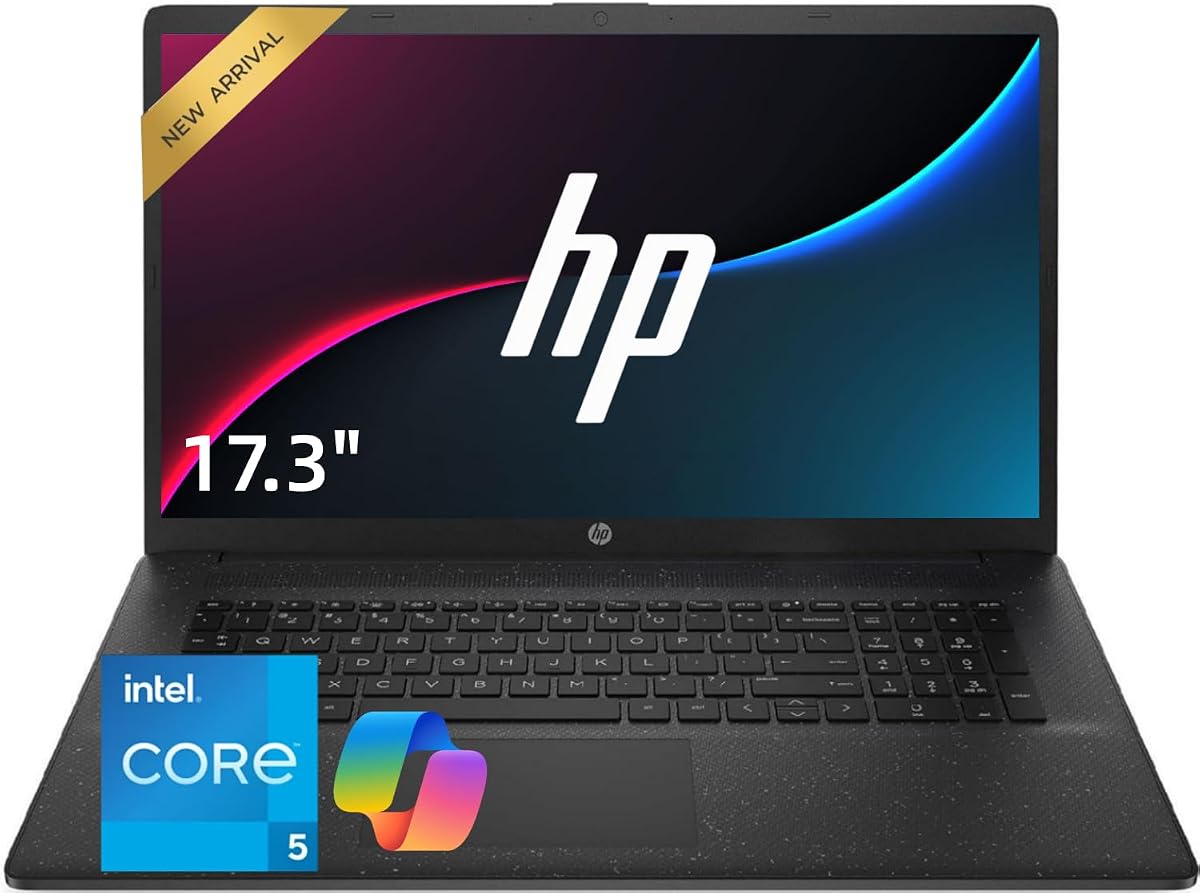
The 17.3 inch screen provides massive room for spreadsheets and side-by-side multitasking. It is designed for stationary desk use where screen real estate matters most. The numeric keypad is full-size for comfortable typing over long periods.
We may earn a commission when you buy through this link, at no additional cost to you.
Intel Core 5 120U handles daily tasks well. 32GB RAM ensures smooth multitasking. Wi-Fi 6 offers stable connectivity. It is practical for home office users who need large viewings for data entry.
Portability is limited due to size and weight. You cannot easily carry this in a backpack. But for a desktop replacement in a home office it is ideal. The keyboard layout supports heavy Excel work effectively.
Buy this if you work primarily from one location. It offers a desktop-like experience with the convenience of a laptop setup for accounting or large data management.
A 17.3 inch display gives you significantly more horizontal and vertical space. This is perfect for viewing multiple columns in Excel without losing context.
The full-size keyboard with numeric keypad is designed for data entry. This layout reduces fatigue when entering long numbers or complex financial data.
We may earn a commission when you buy through this link, at no additional cost to you.
This model focuses on security and productivity for home office professionals. The Privacy Shutter Camera ensures you can disable the webcam physically during breaks. The large screen supports detailed work without needing external monitors.
We may earn a commission when you buy through this link, at no additional cost to you.
With 32GB RAM you can run heavy applications smoothly. The Intel Core 5 120U offers 10 cores for efficient multitasking. The numeric keypad is fully integrated for data entry. It suits accountants who value security.
Like other 17 inch units it is not portable. Battery life is average but acceptable for desk use. The build quality supports long-term professional use. If privacy is a top priority this fits well.
Choose this for secure home office setups. The combination of privacy features and high specs makes it reliable for sensitive financial or business operations.
The Privacy Shutter Camera gives you physical control over webcam access. This ensures security during meetings and adds peace of mind for sensitive data work.
32GB DDR4 RAM allows multiple sessions and applications to run easily. This configuration supports extensive browser sessions and cloud platforms smoothly.
We may earn a commission when you buy through this link, at no additional cost to you.
This HP laptop comes with Office 365 for Web preloaded. It is perfect for users who rely on cloud documents and presentations. The numeric keypad allows quick input into online spreadsheets.
We may earn a commission when you buy through this link, at no additional cost to you.
AMD Ryzen 5 CPU offers solid performance for daily tasks. 16GB RAM ensures smooth operation. The 17.3 inch display delivers sharp details for multitasking. Battery life is long enough for a full workday.
Storage is 512GB which is standard. If you need more offline storage you may need an external drive. The camera and microphone quality are good for video chats. It is a strong all-rounder.
Buy this if you work heavily with cloud documents. The integrated keyboard and screen size make it comfortable for office work and student assignments.
Preloaded with Office 365 for Web allows quick access to document tools. You can create and edit files anytime without installing heavy software.
The 17.3 inch FHD display provides vivid color and sharp details. Narrow bezels enhance the viewing experience for media and work.
We may earn a commission when you buy through this link, at no additional cost to you.
This laptop balances portability with data entry needs. Weighing just 3.3 pounds it is easy to carry. The numeric keypad is present despite the slim design. The 10000mAh battery supports extended unplugged use.
We may earn a commission when you buy through this link, at no additional cost to you.
The AMD CPU runs at 3.2 GHz providing decent speed. Storage is expandable to 1TB which is useful for growing files. A physical camera switch ensures privacy during video calls. The display is FHD for clarity.
While 8GB RAM is standard it might limit heavy multitasking. Wi-Fi 5 is older but sufficient for basic tasks. If you need a travel-friendly device with a numpad this is a top choice.
Perfect for students or commuters. It offers essential business features in a lightweight package that fits easily into a standard backpack.
With a 10000mAh battery this laptop supports extended unplugged use. It is ideal for commutes or travel where outlets may not be available.
The camera includes a physical sliding switch to securely disable it. This hardware-level privacy ensures peace of mind during video calls.
We may earn a commission when you buy through this link, at no additional cost to you.
For students or home users needing basic tasks this model fits the bill. It weighs only 3.6 lbs making it easy to carry. The screen is IPS which offers better viewing angles than TN panels.
We may earn a commission when you buy through this link, at no additional cost to you.
The Intel 5205U processor handles web browsing and word processing. 6GB RAM is sufficient for light use. The 128GB storage expands to 512GB via slot. Windows 11 is genuine and ready to use.
It lacks a physical numeric keypad but may support external ones. For very budget-sensitive buyers this is a solid option. Connectivity includes HDMI and Type-C for versatility. Keep in mind performance limits.
Choose this for simple school assignments or browsing. If you need heavy numpad support consider models with physical keys. But as a portable entry-level device it works well.
Weighing just 3.6 lbs this laptop is perfect for travel. Its slim profile balances size and portability for everyday use in classrooms.
Equipped with Type-C HDMI and an SD card reader this laptop offers flexible connectivity options. It supports fast internet access via dual-band WiFi.
We may earn a commission when you buy through this link, at no additional cost to you.
Choosing a laptop with a numeric keypad requires balancing performance with layout and screen size. Here are key factors to consider before purchasing.
Processor speed and RAM are critical for handling spreadsheets and multiple browser tabs. Aim for at least 16GB of RAM to ensure smooth multitasking without system slowdowns during heavy workloads.
Prioritize CPUs with multiple cores like Intel Core i5 or AMD Ryzen 5 and higher to manage concurrent applications effectively.
Ensure the keyboard is full-size with a dedicated numeric keypad section. Some 13-inch or 14-inch ultrabooks omit this feature or share number keys with function keys which slows down data entry significantly.
Check that the numeric keys are clearly marked and comfortable for long typing sessions to reduce hand fatigue during work.
A larger screen like 15.6 or 17 inches helps you view more columns in Excel without scrolling. Look for Full HD resolution to keep text sharp and readable during long work hours.
IPS panels are preferred for wider viewing angles and better color accuracy which helps when working with charts or visual data.
Business files and databases can consume space quickly so a 512GB or 1TB SSD is recommended for fast boot times and ample storage for documents and media.
Verify if the SSD is upgradable to allow future expansion without needing to replace the whole drive or device.
Ports like HDMI USB-A and USB-C are essential for connecting external monitors peripherals and storage devices. Ethernet ports are beneficial for stable wired internet connections in offices.
Wi-Fi 6 support ensures fast and reliable wireless networking which is crucial for remote work and video conferencing.
Windows 11 Pro offers enterprise features like remote desktop and enhanced security which are valuable for business environments over the Home edition.
Ensure the OS is genuine and preloaded to avoid setup issues and gain immediate access to necessary productivity tools.
If you need to move between offices or work remotely consider weight and battery life. Lightweight models under 4 pounds are easier to carry but may sacrifice screen size.
Look for fast charge capabilities to minimize downtime when the battery runs low during travel or commuting.
To maximize efficiency with a laptop featuring a numeric keypad keep your hands positioned correctly on the keyboard. Practice using the number pad for data entry tasks to build muscle memory which significantly speeds up your workflow over time.
Regularly clean your keyboard to prevent dust buildup under the numeric keys. Use a soft cloth or compressed air to remove debris which can cause keys to stick or fail during use.
Keep your drivers and operating system updated to ensure all keyboard functions and connectivity features work smoothly. This helps avoid potential software conflicts that might disable the numeric keypad or other ports unexpectedly.
Not all business laptops include a numeric keypad. Many ultrabooks and 13-inch models omit it to save space. You typically find dedicated numeric keypads on 15-inch or larger laptops designed for office work and data entry tasks.
Yes you can connect an external numeric keypad via USB or Bluetooth to any laptop. This is a cost effective solution if your current device lacks a built-in numpad or if you need extra keys for specific software.
A numeric keypad is highly beneficial for accounting data entry and spreadsheet work. However for general browsing and email it is less critical. Assess your specific workload to determine if the added utility justifies the larger size.
Performance depends on internal specs like CPU and RAM not the keyboard layout. However laptops with numpads often target professionals so they may come with higher RAM configurations for heavy multitasking tasks.
On most laptops the numeric keypad functions as a standard keyboard section. If it shares keys with letters look for a NumLock key often activated by Fn plus a function key to toggle the number input mode.
15.6-inch laptops are the most common choice balancing portability with full-size keyboards. 17-inch models offer even more space for comfort but are heavier and better suited for stationary desk use rather than travel.
We have reviewed ten top laptops with numeric keypads suitable for various professional needs. Whether you prioritize raw power or budget-friendly specs these models offer reliable solutions for data-heavy workflows.
Consider your primary use cases when choosing. For heavy accounting and multitasking the Lenovo V-Series V15 stands out. For budget-conscious buyers the HP 15.6 Flagship offers exceptional value.
Always verify the current price and warranty terms before purchasing as deals change frequently. Ensuring the specific configuration matches your needs will guarantee a smooth working experience for years to come.