
EMEET C960 1080P Webcam
4.4Editor score
1080P video with privacy cover
Built-in 2 omnidirectional mics
Plug-and-Play with USB-C adapter
This guide compares the top 1080p webcams for streaming and meetings, evaluating video quality, audio clarity, privacy features, and compatibility.
Finding the right webcam is essential for clear video calls and professional streaming. A good 1080p webcam ensures sharp images and reliable performance during important meetings.
We compared ten top models based on video resolution, autofocus capabilities, microphone quality, and ease of use. Each selection offers unique strengths for different user needs.
Every pick highlights key features like privacy covers and software support. Prices may change frequently, so check current listings for the most up-to-date deals online.
4.4Editor score

4.6Editor score

4.4Editor score
This side-by-side comparison highlights the key specifications and features of each webcam to help you make an informed decision for your setup.




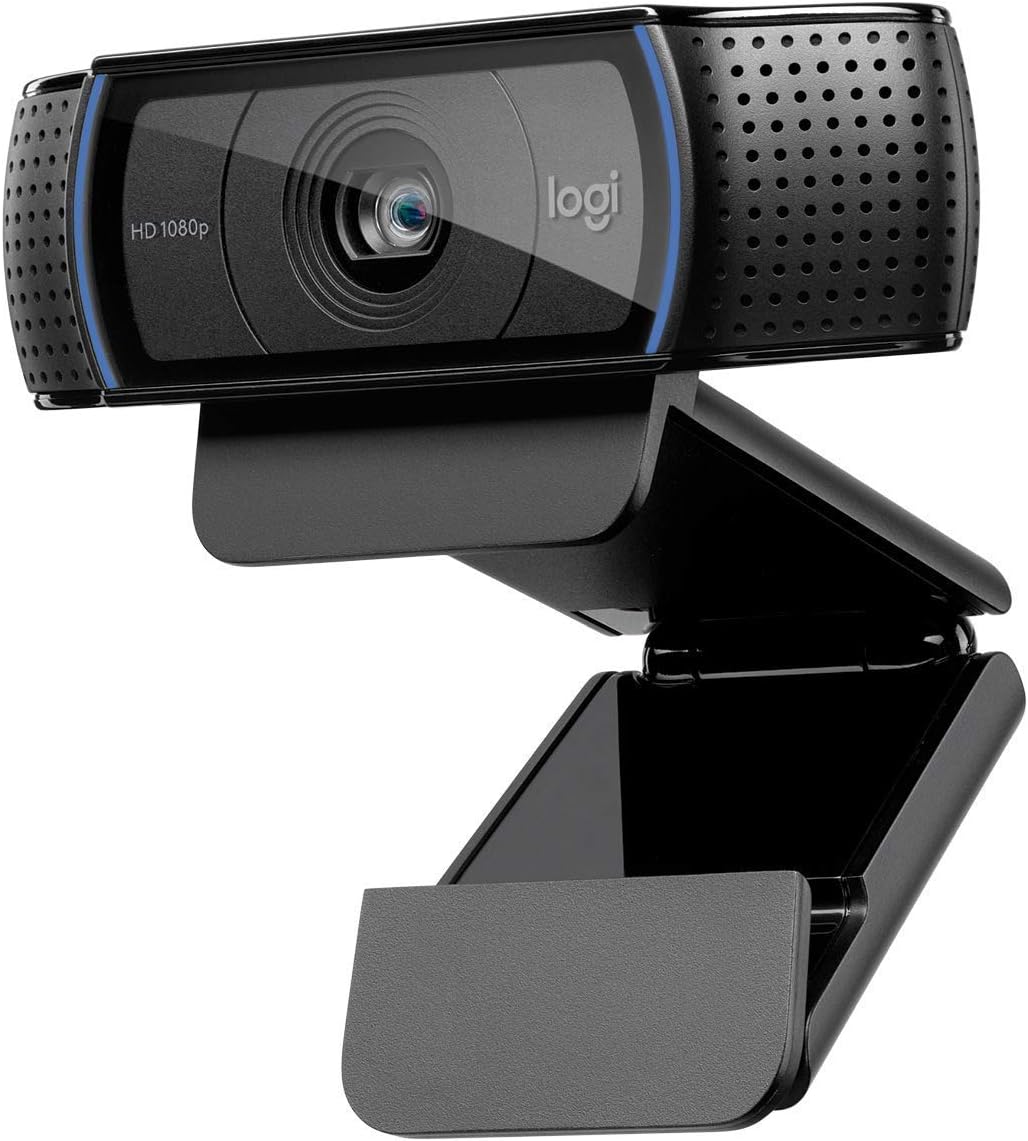


The Logitech C920x HD Pro stands out as a top choice for users needing reliable video quality. It consistently delivers sharp 1080p images with automatic light adjustment to handle various lighting conditions.
We may earn a commission when you buy through this link, at no additional cost to you.
Its autofocus ensures you remain in focus during movement, while the dual microphones capture clear audio without background noise. This makes it ideal for both professional calls and casual streaming sessions.
While it lacks a physical privacy shutter, the video performance and ease of use often outweigh this minor drawback for most buyers. The included software also allows for some customization of your image settings.
If you prioritize a balance of performance and reliability for daily use, this webcam offers strong value. It remains a go-to recommendation for anyone seeking a proven workhorse for their desk.
The 1080p resolution ensures crisp details in your face, making you look professional during every video call.
Dual mics work together to focus on your voice, reducing ambient noise for clearer communication.
We may earn a commission when you buy through this link, at no additional cost to you.
For those seeking affordability without sacrificing basic quality, the EMEET C960 is a compelling option. It provides full 1080p video resolution at a price point that suits most budgets.
We may earn a commission when you buy through this link, at no additional cost to you.
The wide angle lens captures more of your room, which is great for showing whiteboards or multiple people. Privacy is also addressed with a removable cover that slides to block the lens.
However, the fixed focus might require you to sit at a specific distance for the sharpest image. Additionally, users have fewer manual adjustment options compared to higher-end models.
This webcam is perfect for students or remote workers who need a simple, plug-and-play solution. It delivers solid performance for standard meetings and casual video chats.
You get clear 1080p streaming and good audio for less money than many competitors in the same category.
The included cover gives you peace of mind by physically blocking the lens when you are not on a call.
We may earn a commission when you buy through this link, at no additional cost to you.
The Logitech Brio 101 brings premium features like RightLight 2 to balance lighting in challenging environments. This ensures you look your best even when sitting with a window behind you.
We may earn a commission when you buy through this link, at no additional cost to you.
Its integrated privacy slide offers convenient protection for your lens, adding a layer of security without needing extra accessories. You can also customize framing and settings via the Logi Options+ app.
While it connects via a standard USB A cable which may not fit newer ports with adapters, the build quality and performance justify the investment. It is a solid choice for professionals.
If you want a reliable webcam that handles lighting well and includes essential privacy tools, this model is highly recommended. It blends practical features with a stylish design.
Automatic brightness adjustment helps maintain a clear image regardless of your room's lighting setup.
Use the app to adjust zoom and framing so you can tailor the view to your specific needs.
We may earn a commission when you buy through this link, at no additional cost to you.
The Logitech C920S HD Pro is the sibling to the C920x but adds a crucial privacy shutter for those concerned about security. It offers the same high-quality video and audio performance in a familiar design.
We may earn a commission when you buy through this link, at no additional cost to you.
Its autofocus keeps you sharp while the glass lens ensures colors are vibrant and realistic. The dual microphones pick up your voice clearly, making it suitable for professional calls.
Some users might miss a software license for background removal, but the hardware itself is robust. The privacy shutter slides smoothly and provides a clear visual indicator of your status.
This webcam is a strong choice for anyone who wants a proven brand with physical privacy control. It fits well in home offices and shared spaces where security is a priority.
The shutter ensures that the lens is physically blocked when you are not actively using the webcam.
Stereo microphones provide a natural sound quality that enhances the clarity of your spoken words.
We may earn a commission when you buy through this link, at no additional cost to you.
Designed specifically for business environments, the Logitech C920e HD offers certifications for platforms like Teams. It ensures compatibility and a seamless experience for corporate users.
We may earn a commission when you buy through this link, at no additional cost to you.
The fixed field of view is ideal for sharing documents or products on the screen without distracting camera movement. It includes a privacy screen that flips down easily when needed.
While it lacks some advanced software features found in consumer models, the focus on stability and reliability is key for enterprises. The clip design also works on most monitors.
If you need a dependable camera for daily business use that integrates smoothly with enterprise software, this model is a safe bet. It offers peace of mind for professional settings.
Official certifications mean you can expect fewer issues when using this with your company meeting software.
The wide fixed frame allows you to hold up papers to the camera without losing the image focus.
We may earn a commission when you buy through this link, at no additional cost to you.
The EMEET C960 continues to be a favorite for budget-conscious buyers who still want HD video. It provides a versatile setup for those with newer USB-C laptops or older USB-A ports.
We may earn a commission when you buy through this link, at no additional cost to you.
Its wide angle captures more of your environment, which is helpful for showing your setup during tech calls. The cover slides open to reveal the lens and closes automatically to protect it.
While the autofocus is not present, the fixed focus works well if you maintain a standard sitting distance. For the price, the video and audio performance remain competitive with more expensive units.
This is a great secondary camera option or a primary one for casual users. It delivers the essential features needed for effective communication without unnecessary bells and whistles.
Support for both USB A and USB C means you can connect it to almost any computer easily.
The cover is designed to snap into place so you do not have to worry about it falling off.
We may earn a commission when you buy through this link, at no additional cost to you.
The NexiGo N60 is a strong contender for users who want a glass lens and privacy cover in one package. It delivers sharp images and includes noise-canceling technology for better sound clarity.
We may earn a commission when you buy through this link, at no additional cost to you.
The privacy cover is easy to use and slides smoothly to protect the lens when you are offline. The microphone reduces background noise, which helps when recording videos or attending calls.
Some users may find the control software a bit tricky to configure initially, but once set up, the performance is stable. The fixed focus is best utilized at a specific distance from the screen.
If you need a webcam that works across different operating systems and has good audio reduction, this model is worth considering. It balances features and usability effectively.
The noise-canceling mic helps ensure your voice comes through clearly even in noisy environments.
It supports Windows and macOS systems so it fits well with most personal computers.
We may earn a commission when you buy through this link, at no additional cost to you.
The EMEET S600 stands out with its high sensor resolution capable of streaming up to 4K for those with compatible hardware. Even at 1080p, the image quality is detailed and vibrant.
We may earn a commission when you buy through this link, at no additional cost to you.
Its autofocus system uses phase detection for faster focus adjustments compared to standard contrast autofocus. This makes it a solid choice for content creators who need quick responses.
While privacy is handled by a built-in cover, the software required for customization may not be perfect for everyone. However, the hardware itself delivers a robust experience for daily video calls.
For users looking for future-ready hardware that still performs well at standard resolutions, this is a smart choice. It offers versatility and quality that suits a wide range of uses.
Phase detection keeps the camera locked on you quickly as you move during a call.
The ability to stream at higher resolutions means your camera stays relevant as software updates.
We may earn a commission when you buy through this link, at no additional cost to you.
The Logitech HD Pro C920 is a classic choice that has been reliable for years. It delivers clear 1080p video and works seamlessly with most applications without needing extra drivers.
We may earn a commission when you buy through this link, at no additional cost to you.
Its H.264 codec ensures efficient streaming and recording so your calls remain smooth. The design is straightforward and fits easily on top of laptops or monitors.
While it lacks modern privacy features like a shutter, its consistent performance makes it a safe bet for basic needs. The image quality remains competitive for standard daily calls.
If you prefer a proven model that is easy to use and supports all major platforms, this webcam is a solid option. It represents a trusted standard in the industry.
The codec helps reduce bandwidth usage so your internet connection stays stable during long calls.
There are no complex buttons to learn, making it ready to use right out of the box.
We may earn a commission when you buy through this link, at no additional cost to you.
The Logitech Brio 105 brings business-focused features like RightLight 2 and Google Meet certification to a simple form. It ensures you look professional in any lighting condition.
We may earn a commission when you buy through this link, at no additional cost to you.
The integrated cover protects your lens and provides peace of mind when you step away from your desk. It connects via USB A for a hassle-free start to your meetings.
While it may not have all the advanced customization of premium models, the core functionality is reliable. It is designed to handle daily business tasks without complicated setup.
If you need a certified camera for business platforms that handles light well, this is a great pick. It balances value and performance for regular users and businesses.
The light balancing technology ensures you look your best even in challenging indoor lighting.
Certification for Google Meet means it is optimized for use with that platform.
We may earn a commission when you buy through this link, at no additional cost to you.
The Logitech Brio 100 offers a way to get a reliable webcam at a lower cost. It provides 1080p resolution and a decent field of view for standard use.
We may earn a commission when you buy through this link, at no additional cost to you.
Its simple connection works with most applications, and the built-in microphone reduces the need for extra gear. The renewed condition means it has been inspected for quality.
Users should expect minor cosmetic variations or packaging changes compared to new units. However, the functional performance remains consistent with Logitech standards.
This option is ideal for budget buyers who want a trusted brand without paying full price. It delivers clear video and sound for daily online interactions.
Buying renewed allows you to save money while still getting a product from a reliable maker.
The USB connection works immediately on most computers without any extra configuration steps.
We may earn a commission when you buy through this link, at no additional cost to you.
Selecting the right webcam depends on your specific needs for video quality, privacy, and ease of use. Here are key factors to consider.
Video resolution determines the clarity of your image. While 1080p is standard for high definition, ensure your connection can support it for smooth playback without lag.
Look for models that maintain 30fps or higher to avoid choppy footage during motion.
Autofocus allows the camera to adjust as you move closer or further away. This is useful for dynamic environments where you might stand up to share content.
Fixed focus models are cheaper but require you to sit at a consistent distance.
Good webcams adjust to your lighting conditions automatically. Features like auto-balance prevent you from looking too dark or overexposed in various rooms.
This ensures you look professional regardless of your room's brightness.
A built-in microphone is convenient but check if it reduces background noise. Dual mics often capture sound more clearly than single units.
For quiet environments, a single mic may suffice.
A physical cover or shutter adds security by blocking the lens when not in use. This prevents accidental video leaks and gives peace of mind.
Choose models with easy-to-use slides for quick access.
Check that the webcam works with your operating system and conferencing apps. Ensure your computer has the right USB ports or adapters.
Cross-platform support ensures you can use it anywhere.
Stable mounting is key for clear video. Look for clips that fit your monitor or tripod threads for flexible positioning.
Adjustable stands help you find the perfect angle.
Some webcams come with software for adjusting settings or backgrounds. Check if these tools are available for your system.
Extra features can enhance your streaming experience.
Start by connecting the webcam to a USB port on your computer. Ensure the connection is secure and wait for the system to recognize the device automatically.
Open your preferred video call application and select the webcam as the input source. Adjust the camera angle so your face is centered and your shoulders are visible.
Clean the lens gently with a soft cloth if it gets dusty. Avoid harsh chemicals or direct pressure to protect the glass and internal components.
1080p provides significantly sharper images than lower resolutions. It ensures clearer details for professional meetings and streaming.
Most webcams have built-in mics that are sufficient for calls. A separate mic may be needed only for professional recording.
Good lighting helps more than a better camera. Place a light source in front of you to avoid shadows and enhance clarity.
Most models listed support Mac systems. Always check the specific product details for OS compatibility before buying.
Yes, many webcams work for streaming games. Ensure your setup supports the streaming software requirements for smooth performance.
Many webcams are plug-and-play. Some software may require drivers for advanced features on older systems.
Use a webcam cover when not in use. Physical covers prevent unauthorized access to your video feed effectively.
We highlighted top picks like the Logitech C920x and EMEET C960 for their balance of performance and value. Each model brings unique strengths to different user needs.
Prioritize features like autofocus and privacy covers based on your daily routine. Reliable audio and video clarity are essential for effective communication.
Prices may vary so check current listings for the latest deals before making a decision. This ensures you get the best value for your budget.