
Air Mouse Remote MX3 Pro
3.8Editor score
2.4G wireless connection
Built-in mini keyboard
IR learning capability
Discover the top air mouse for Android TV Box options comparing wireless connectivity, voice control, and ergonomic design for seamless navigation and control.
Finding the right air mouse for Android TV Box can transform your streaming experience by offering intuitive navigation and quick access to apps without fumbling with a standard remote.
We evaluated ten leading models based on connectivity stability, motion sensor accuracy, keyboard functionality, and overall compatibility with various Android devices and smart TV platforms.
Each pick highlights key features and real-world performance while noting that prices and availability may change so checking current listings ensures you get the best deal today.
3.8Editor score

4.5Editor score
4.3Editor score
This side-by-side comparison outlines the unique strengths and limitations of each air mouse to help you choose the right model for your specific Android TV Box setup.


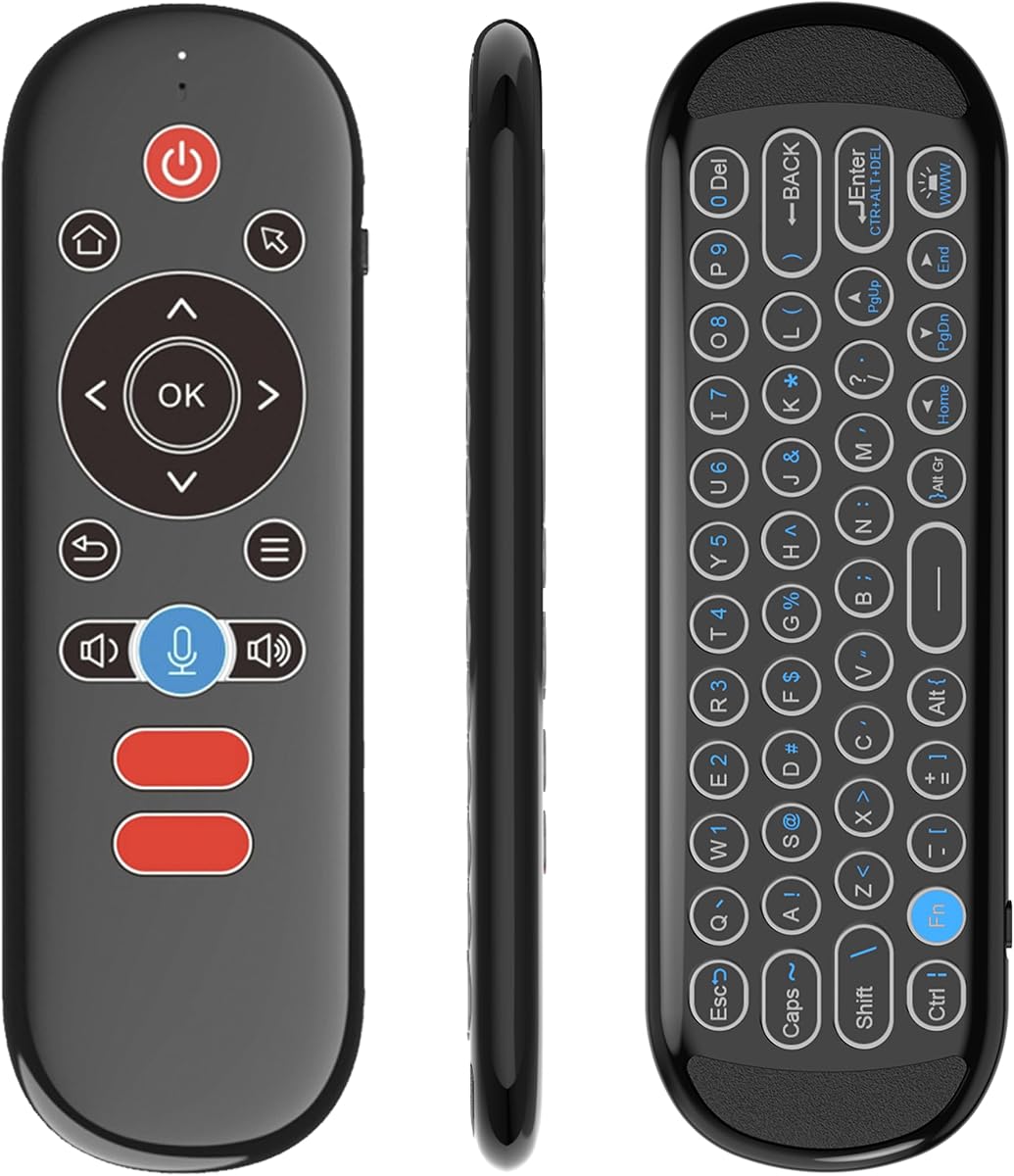
The Air Mouse Remote MX3 Pro offers a straightforward solution for navigating Android TV Boxes with a compact design and essential features like IR learning.
We may earn a commission when you buy through this link, at no additional cost to you.
Its 2.4G wireless connection ensures stable performance while the built-in mini keyboard allows quick text entry for search queries and app navigation.
While the motion sensor is functional, it lacks the high-end responsiveness of pricier models which may affect fast-paced gaming or complex menu browsing.
Budget-conscious users seeking basic cursor control and typing capabilities without breaking the bank will find this remote a practical choice.
Enjoy wireless freedom with 2.4G connectivity that requires no setup beyond plugging in the USB receiver.
The rear mini keyboard simplifies entering passwords and search terms directly from the couch.
We may earn a commission when you buy through this link, at no additional cost to you.
The BOXPUT BPR1S Plus stands out with its dual connectivity options allowing seamless switching between Bluetooth and 2.4G RF for various devices.
We may earn a commission when you buy through this link, at no additional cost to you.
Voice control features enable quick app launches and searches while the 6-axis gyro ensures smooth and precise cursor navigation across the screen.
Users should note incompatibility with certain devices like Fire Stick which limits universal appeal despite the robust feature set.
This remote suits Android TV Box owners needing versatile control options and voice-assisted navigation in one sleek package.
Switch between Bluetooth and 2.4G modes to maximize compatibility with different Android and smart TV devices.
Use built-in voice commands to find content quickly without typing out long search queries manually.
We may earn a commission when you buy through this link, at no additional cost to you.
The BOXPUT Android Universal Remote earns top marks with a broad compatibility rate that covers most Android TV boxes and streaming devices effectively.
We may earn a commission when you buy through this link, at no additional cost to you.
Its 6-axis gyroscope delivers fluid cursor movement and the inclusion of an electronic manual on the remote simplifies setup and troubleshooting for new users.
Voice search works well within supported apps though infrared range is limited which may require precise aiming when controlling external TVs.
As the highest rated model it balances performance and ease of use making it a top recommendation for diverse Android setups.
Designed to work with ninety-nine percent of Android TV boxes ensuring it fits most user needs out of the box.
The embedded electronic manual provides instant access to setup instructions and troubleshooting tips.
We may earn a commission when you buy through this link, at no additional cost to you.
This premium air mouse delivers enhanced usability with a vibrant 7-color backlit keyboard that facilitates typing in low-light environments.
We may earn a commission when you buy through this link, at no additional cost to you.
Dual-mode connectivity supports both Bluetooth and 2.4G ensuring broad device compatibility while voice control adds convenience for search functions.
The rechargeable battery reduces long-term costs though the remote is slightly heavier than non-rechargeable alternatives.
Users valuing lighting quality and versatile input methods will appreciate the advanced features and durable build.
The 7-color backlit keyboard allows clear visibility of keys during evening viewing sessions.
A built-in rechargeable battery eliminates the need for disposable batteries over time.
We may earn a commission when you buy through this link, at no additional cost to you.
The EASYTONE Air Mouse Remote combines voice input IR learning and air mouse functions into one compact device for flexible control options.
We may earn a commission when you buy through this link, at no additional cost to you.
Its 6-axis gyroscope provides reliable cursor tracking while the voice feature assists with search queries though it is restricted to built-in apps.
Setup is straightforward with no drivers needed making it accessible for non-technical users across Windows Android and Mac systems.
Ideal for those needing basic voice-assisted navigation and text entry without advanced customization requirements.
Three functions in one remote streamline interactions with both media players and connected devices.
Plug in the receiver and start using the remote immediately without software installations.
We may earn a commission when you buy through this link, at no additional cost to you.
The iPazzPort Mini Air Mouse delivers a compact design with a vibrant backlight for easy nighttime typing and navigation.
We may earn a commission when you buy through this link, at no additional cost to you.
It supports both Bluetooth and 2.4G modes while the rechargeable battery reduces waste and ensures long-term usage.
Some users may need time to adapt to the key layout but the ergonomic design supports comfortable one-handed use.
Best for portable use where size and battery life are priority concerns.
The compact size fits easily in bags for use across multiple rooms or devices.
The 7-color backlight ensures keys remain visible in dark viewing environments.
We may earn a commission when you buy through this link, at no additional cost to you.
The Rii MX3 is a tried-and-true model offering motion sensor control ideal for casual games and quick menu navigation.
We may earn a commission when you buy through this link, at no additional cost to you.
IR learning allows control of TV functions while the mini keyboard supports fast text entry without switching devices.
Some keys may not map perfectly to all devices but core functionality remains robust for most users.
It suits casual users who want a simple effective remote without advanced voice features.
Use the motion sensor for interactive games and smooth cursor movement during browsing.
Learn up to five keys from your TV remote to consolidate controls into one device.
We may earn a commission when you buy through this link, at no additional cost to you.
The Air Mouse MX3 Pro Backlit combines a dual-sided LED backlight with IR learning to enhance usability in various lighting conditions.
We may earn a commission when you buy through this link, at no additional cost to you.
Its 6-axis gyroscope provides accurate motion sensing while the mini keyboard allows flexible text input for app searches.
Compatibility is broad but excludes some major smart TV brands which may limit utility for non-streaming setups.
Great for HTPC and Android Box users needing backlight functionality and motion control.
The double-faced LED backlight makes typing easy even in completely dark rooms.
The 6-axis gyration motion system ensures precise cursor control and intuitive movement.
We may earn a commission when you buy through this link, at no additional cost to you.
The Replacement G20S PRO focuses on simplicity with a single-sided design and gesture recognition technology for intuitive control.
We may earn a commission when you buy through this link, at no additional cost to you.
Bluetooth mode supports Android systems while the anti-tremor algorithm helps reduce shake during mouse movements.
Limited documentation and ratings make verification of performance challenging but the design suggests modern usability.
Ideal for users preferring a stripped-down interface with reliable gesture-based navigation.
Advanced algorithms identify gestures to improve movement accuracy and reduce tremor effects.
A single-sided design reduces clutter and simplifies interactions for all users.
We may earn a commission when you buy through this link, at no additional cost to you.
The Air Mouse Remote Rock&Rown MX3 Pro offers solid performance with a mini keyboard and 6-axis motion sensor for responsive navigation.
We may earn a commission when you buy through this link, at no additional cost to you.
Users must learn the power key from their original remote to enable full TV control which may be a minor setup hurdle.
It supports a wide range of systems including Linux and Mac making it versatile for diverse home theater setups.
This model suits users needing broad device support and straightforward controls.
Compatible with Android Windows Linux and Mac systems for flexible device integration.
Learn the power key to unify TV and box control into one remote device.
We may earn a commission when you buy through this link, at no additional cost to you.
Selecting the right air mouse requires evaluating connectivity options motion accuracy and extra features like keyboards or voice control to match your specific needs.
Check if the air mouse supports 2.4G RF Bluetooth or both since RF provides stable low-latency performance while Bluetooth offers flexibility for pairing with multiple devices.
Choose 2.4G for minimal interference or Bluetooth for streamlined device pairing.
Look for remotes with 6-axis gyroscopes as they enable precise cursor movement and reduce hand fatigue compared to older 3-axis models.
A high-accuracy sensor ensures smooth navigation especially when scrolling through long content lists.
If you type often choose a model with a built-in mini keyboard to enter passwords or search terms without switching to a phone or separate keyboard.
A compact keyboard enhances convenience for streaming and app searches from the couch.
Voice-enabled models allow you to search for content or launch apps verbally which is ideal for hands-free navigation or quick queries.
Ensure voice features work with your specific OS since support varies between Android and other systems.
Remotes with IR learning can mimic your TV remote to control power and volume reducing the need for multiple devices on your coffee table.
Prioritize remotes with full-button IR learning for complete system control.
Consider whether the model uses disposable batteries or a rechargeable one as this affects long-term convenience and environmental impact.
Rechargeable remotes reduce waste but may require planning during charging cycles.
Verify that the air mouse supports your specific Android TV Box model since some remotes have limitations with Fire Stick or certain smart TV brands.
Always check manufacturer compatibility lists before purchasing to avoid issues.
Connect the USB receiver to your TV Box or PC and pair the remote via Bluetooth if supported following any on-screen prompts for setup.
For IR learning align the air mouse with your original TV remote and press the keys you wish to replicate until the signal is captured.
Keep the sensor area clean and avoid dropping the remote to maintain precise motion tracking over time.
Most air mice are compatible with a wide range of Android TV Boxes but some have exclusions like Fire Stick or certain proprietary OS versions. Always check the product compatibility list before purchasing.
2.4G remotes use a USB receiver for direct low-latency connections while Bluetooth remotes pair wirelessly with devices that support Bluetooth. 2.4G is often more stable for gaming or fast navigation.
Enter IR learning mode by pressing the designated keys on the air mouse and aligning it with the original remote. Press the target button on the original remote until the air mouse confirms the signal was learned.
Erratic cursor movement can be due to sensor obstruction low battery or interference from other wireless devices. Try replacing batteries or resetting the remote connection to resolve the issue.
Yes many air mice support Windows and Linux making them ideal for PC media centers and HTPC setups. Check if the model includes a PC firmware version for better compatibility.
Yes several modern air mice include voice assistants that let you search for content or launch apps verbally. Ensure your device supports voice commands for full functionality.
The top picks offer a mix of value and performance with the BOXPUT Android Universal Remote leading in overall compatibility and the MX3 Pro providing a budget-friendly alternative.
Prioritize features like 6-axis gyroscopes and IR learning to ensure your remote supports both cursor navigation and TV control functions effectively.
Always verify current prices and availability since deals change frequently to ensure you get the best value for your setup.