
AOC 24" Gaming Monitor FHD 200Hz IPS NVIDIA G-SYNC Compatible 0.3ms 24G42HE
4.6Editor score
24 inch Full HD IPS panel
200Hz refresh rate for speed
166% sRGB wide color gamut
Finding the right display can transform your computing experience significantly. Aoc monitors offer a wide range of options tailored for gamers, professionals, and casual users alike. Whether you need high refresh rates for competitive play or crisp visuals for creative work, there is a model designed to meet your specific demands effectively.
We have carefully selected ten standout models from the Aoc lineup based on performance, value, and user feedback. Our comparison covers various sizes, resolutions, and panel technologies to ensure you find the perfect fit. Each product was evaluated against key criteria like response time, color accuracy, and connectivity options for thorough assessment.
Every pick in this list highlights unique strengths and potential trade-offs to help you make an informed decision. Note that prices and availability can change rapidly due to market dynamics and supply chains. Always check the latest details before purchasing to ensure you get the best deal available at the time of buying.
4.6Editor score

4.6Editor score
4.4Editor score
As an Amazon Associate we earn from qualifying purchases.
This side by side comparison highlights the key specifications and features of each selected Aoc monitor to help you evaluate their performance capabilities at a glance. We focus on resolution, refresh rate, panel type, and special gaming features to distinguish each model clearly for your consideration.


The Q27G41ZE stands out as a top contender for gamers seeking a balance between resolution and speed. With a 27-inch QHD panel and a 240Hz refresh rate, it delivers sharp visuals and fluid motion that enhance competitive gaming experiences significantly.
We may earn a commission when you buy through this link, at no additional cost to you.
Its IPS technology ensures wide viewing angles and consistent colors from any position. The Adaptive-Sync support helps eliminate screen tearing, making transitions smoother during intense gameplay sessions without distracting artifacts interrupting your focus.
While the stand offers tilt adjustment, it lacks height or pivot options which might limit ergonomic customization for some users. However, the high brightness and contrast ratio compensate well by providing clear images even in bright environments.
This monitor is ideal for PC gamers who prioritize performance and visual fidelity. Its combination of fast response times and robust connectivity makes it a reliable choice for setups requiring seamless integration with modern graphics cards.
IPS panels provide superior color consistency and viewing angles compared to VA or TN panels, ensuring your visuals look great from any angle.
A 240Hz refresh rate means the screen updates 240 times per second, reducing motion blur and giving you a competitive edge in fast-paced games.
We may earn a commission when you buy through this link, at no additional cost to you.
The 24G42HE offers exceptional value for budget-conscious gamers who still want high performance. Its 200Hz refresh rate and 1ms response time ensure that fast-moving objects remain crisp and clear during intense gaming sessions.
We may earn a commission when you buy through this link, at no additional cost to you.
With 116% sRGB coverage, this monitor delivers vibrant colors that pop on screen. This wide color gamut makes it suitable not just for gaming but also for casual media consumption and creative tasks requiring decent color accuracy.
The lower Full HD resolution means less demand on your GPU compared to higher resolution models. This allows for higher frame rates on mid-range hardware, making it a smart choice for systems that need performance over pixel density.
Console players will appreciate its low input lag mode and support for up to 120Hz frame rates. This ensures that next-gen consoles can fully utilize their potential without bottlenecking performance or introducing noticeable delays.
Full HD resolution requires less GPU power than QHD, allowing you to push higher frame rates without upgrading your graphics card immediately.
Optimized for consoles, this monitor supports high frame rates and low latency modes essential for competitive play on Xbox or PlayStation systems.
We may earn a commission when you buy through this link, at no additional cost to you.
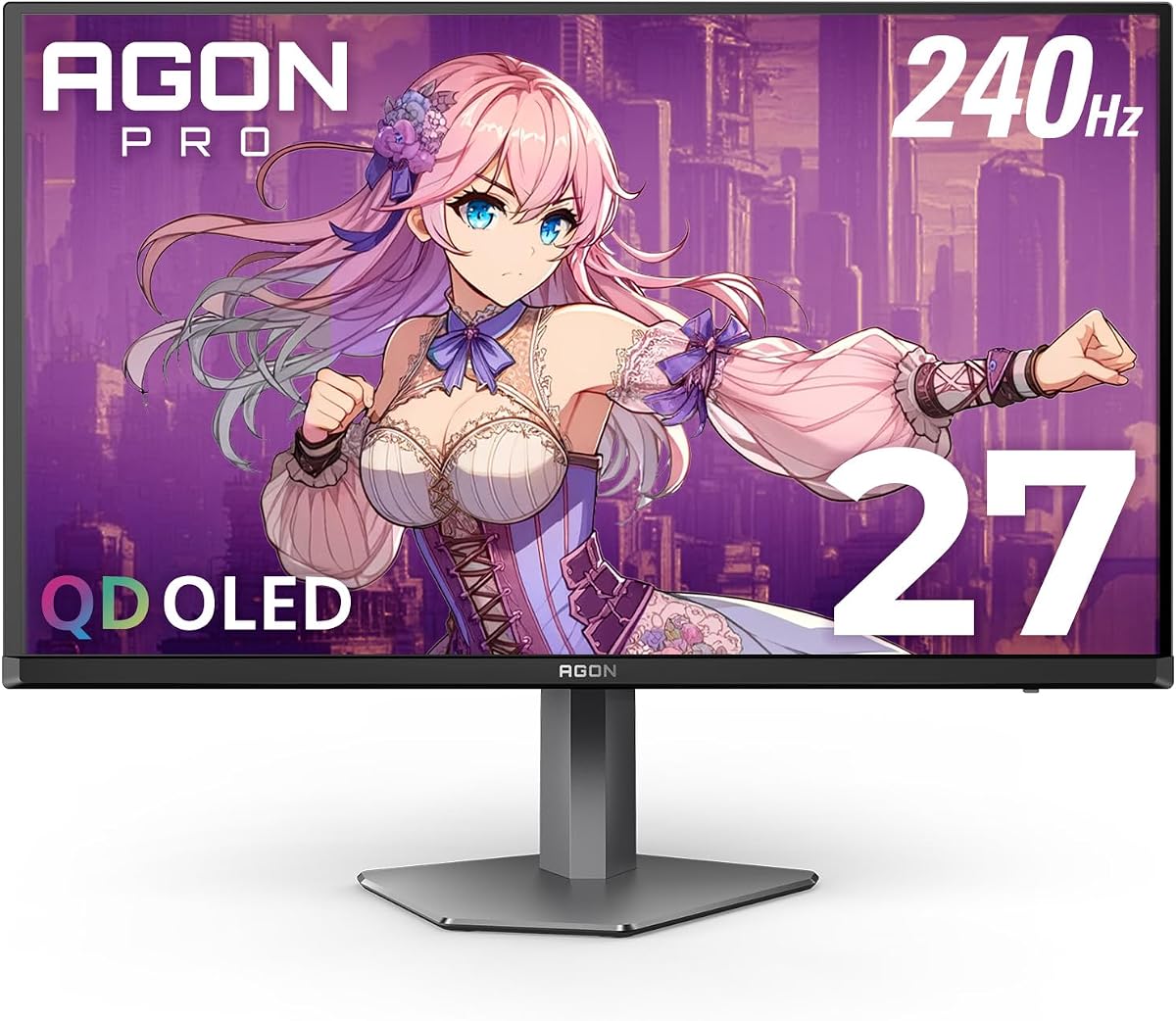
The AG276QZD2 represents the pinnacle of display technology with its QD OLED panel. Self-luminous pixels provide infinite contrast and perfect blacks, creating an immersive experience that traditional LCDs simply cannot match effectively for visual fidelity.
We may earn a commission when you buy through this link, at no additional cost to you.
With a 0.03ms GTG response time, motion blur is virtually eliminated. This makes it incredibly responsive for competitive gaming where split-second decisions matter. The 240Hz refresh rate complements this speed for fluid motion rendering.
OLED panels offer wide viewing angles and exceptional color depth due to the quantum dot layer. This results in over 1 billion colors and a wide color gamut that covers 101% of DCI-P3 ensuring stunning visuals for media and games.
While the cost is higher than standard monitors, the visual upgrade is significant for enthusiasts. Users should be aware of potential burn-in risks but modern mitigation features help protect the panel during long static image usage sessions.
Unlike LCDs that need a backlight, OLED pixels turn off completely for true blacks, enhancing contrast and making dark scenes look much more realistic.
Quantum dots enhance the color gamut of OLED panels, providing brighter and more saturated colors that adhere to professional standards like DCI-P3.
We may earn a commission when you buy through this link, at no additional cost to you.
The U27B3A is designed for users who prioritize sharp text and detailed visuals for work. Its 4K UHD resolution provides ample screen real estate for multitasking, making it easy to arrange multiple windows comfortably without clutter.
We may earn a commission when you buy through this link, at no additional cost to you.
IPS technology ensures colors remain accurate across the screen, which is essential for design work or media consumption. The built-in speakers eliminate the need for external audio devices, keeping your desk setup clean and simple for efficiency.
While it lacks the high refresh rates of gaming models, it is sufficient for general productivity and casual gaming. The frameless design maximizes screen space and creates a sleek aesthetic that fits well in modern office environments.
This monitor is best suited for professionals who value image quality and convenience over raw speed. It offers a solid all-around experience for tasks that demand clarity and detail without requiring specialized gaming features.
4K resolution allows you to fit more content on screen at once, reducing the need to switch between windows constantly while working on complex projects.
Built-in speakers remove the need for separate speakers, freeing up valuable desk space and reducing cable clutter in your workspace setup.
We may earn a commission when you buy through this link, at no additional cost to you.
The 27G51Z combines a large 27-inch screen with an overclocked 260Hz refresh rate for immersive gaming. This allows you to see more of the game world while maintaining smooth motion, a unique combination in this price category.
We may earn a commission when you buy through this link, at no additional cost to you.
Flicker-Free technology helps reduce eye strain during long sessions, making it comfortable for extended use. The G-Menu software provides an easy way to adjust settings without needing to navigate physical OSD buttons repeatedly on the unit.
Running Full HD at 27 inches means pixels are slightly larger, but in fast-paced games, motion clarity is often more important than sharpness. The high refresh rate ensures that motion looks fluid and responsive during competitive play.
This monitor is ideal for gamers who want a bigger screen without breaking the bank. Its balance of size and speed makes it a compelling option for those prioritizing motion performance over pixel density in their setup.
Overclocking allows the panel to exceed standard refresh rates, providing smoother motion than standard 144Hz models for a competitive advantage in games.
The G-Menu software simplifies customization by letting you change modes and settings directly from your desktop rather than using physical buttons on the monitor.
We may earn a commission when you buy through this link, at no additional cost to you.
The CQ32G4VE offers an immersive experience with its 1500R curvature that wraps around your field of view. This design enhances focus by reducing peripheral distractions, making it particularly effective for racing games or flight simulations.
We may earn a commission when you buy through this link, at no additional cost to you.
VA panels are known for high contrast ratios, delivering deeper blacks than IPS panels. This results in richer dark scenes and better HDR performance, adding depth and drama to movies and single-player games.
At 32 inches, it provides ample screen real estate for both gaming and productivity tasks. The QHD resolution ensures text remains sharp enough for work while still delivering crisp visuals for entertainment at this screen size.
This monitor is best for those who prioritize immersion and contrast over wide viewing angles. It fits well in dedicated gaming setups where the screen faces the user directly for maximum impact during use.
A curved screen aligns with the natural shape of your vision, keeping all parts of the image at a similar distance from your eyes for reduced strain.
VA panels offer much higher contrast than IPS, meaning darker areas of the screen look deeper and richer, enhancing the overall depth of the image.
We may earn a commission when you buy through this link, at no additional cost to you.
The C32G2ZE brings a rare combination of 32-inch size and 240Hz refresh rate for an immersive gaming experience. The curved VA panel fills your peripheral vision, enhancing immersion while maintaining high speed for competitive titles effectively.
We may earn a commission when you buy through this link, at no additional cost to you.
AMD FreeSync Premium ensures smooth gameplay by synchronizing the refresh rate with your graphics card. This eliminates screen tearing and stuttering without requiring significant hardware power, making it accessible for a wide range of gaming systems.
The low input lag mode helps maintain responsiveness during fast-paced moments. Combined with the high refresh rate, this ensures that your inputs are reflected on screen quickly for precise control during critical gameplay segments.
Console users can take advantage of 120Hz support on newer models for smoother gameplay than standard TVs offer. This monitor serves as an excellent middle ground for gamers who want size and speed in a single display unit.
A 32-inch screen provides a much larger view of the game world, which can help with situational awareness and make gameplay more engaging visually.
FreeSync Premium supports low framerate compensation and ensures variable refresh rates work even when framerates drop below the monitor's minimum, preventing stuttering.
We may earn a commission when you buy through this link, at no additional cost to you.
The Q27G4ZD delivers OLED quality with high refresh rates for competitive play. It combines the infinite contrast of OLED with 240Hz speed, offering a premium experience that few other panels can match for visual fidelity.
We may earn a commission when you buy through this link, at no additional cost to you.
HDR10 support adds depth to compatible content, making highlights pop and shadows deepen. This feature works exceptionally well with the OLED panel to deliver rich visuals that enhance the overall gaming and media watching experience.
The color gamut is expansive, covering 147% of sRGB for vibrant and accurate colors. This makes it suitable for creative work as well as gaming, ensuring that what you see is true to the source material.
While it comes at a premium price, the technology justifies the cost for enthusiasts. It is recommended for users who want the absolute best in speed and image quality without compromising on performance or visual depth.
HDR enhances the dynamic range of games by making bright areas brighter and dark areas darker, creating a more realistic and immersive visual experience.
G-SYNC Compatible certification means the monitor meets specific standards for tearing-free gaming with NVIDIA cards, ensuring smooth performance during high-speed action.
We may earn a commission when you buy through this link, at no additional cost to you.
This variant of the Agon Pro offers enhanced connectivity with HDMI 2.1 ports for next-gen console support. It maintains the high-speed OLED performance while adding convenience features like a USB hub for peripheral management effectively.
We may earn a commission when you buy through this link, at no additional cost to you.
The stand includes height adjustment, allowing for better ergonomics compared to tilt-only models. This reduces neck strain during long sessions and lets you position the screen at a comfortable viewing height for your setup.
HDMI 2.1 enables 120Hz at 4K resolution with consoles, making it future-proof for upcoming releases. This ensures your monitor remains relevant as hardware advances, protecting your investment against rapid technological obsolescence.
Ideal for users who need robust connectivity and ergonomic adjustability, this model balances performance with usability. It is a top choice for those who want premium features without sacrificing practical daily use needs.
HDMI 2.1 supports higher bandwidth allowing for 4K at 120Hz which is essential for maximizing the potential of next-gen gaming consoles like PS5 or Xbox Series X.
A built-in USB hub allows you to connect peripherals directly to the monitor, reducing cable clutter and making it easier to access ports without reaching behind the PC.
We may earn a commission when you buy through this link, at no additional cost to you.
The 22B30HM2 provides an accessible entry point into gaming monitors with reliable performance. Its VA panel offers decent contrast and the 120Hz refresh rate ensures smoother motion than standard 60Hz displays for casual gaming experiences.
We may earn a commission when you buy through this link, at no additional cost to you.
Eye care features like flicker-free technology and a blue light filter help reduce strain during long sessions. This makes it suitable for users who want to play or work for extended periods without compromising on comfort or health.
VESA mount support allows you to mount it on a wall or arm for better desk space management. This flexibility is particularly useful for small setups where a large stand might take up valuable desk surface area.
While this is a renewed model, it offers solid performance at a low cost. It is perfect for budget builds, student setups, or secondary displays where cost-effectiveness is a primary concern over premium features.
Flicker-free technology eliminates the backlight flickering that can cause eye fatigue, while blue light filters reduce harmful emissions for more comfortable viewing.
VESA mounts let you detach the stand and attach the monitor to standard arms or walls, providing more customization and freeing up desk space for other items.
We may earn a commission when you buy through this link, at no additional cost to you.
Choosing the right Aoc monitor involves evaluating several key factors to match your specific needs. This section breaks down the most important aspects to consider so you can make an informed decision.
Panel type determines color accuracy, contrast, and response time. IPS panels offer wide viewing angles and consistent colors, making them great for general use and gaming. VA panels provide higher contrast and deeper blacks which are ideal for dark rooms and movies. TN panels are faster but have poor viewing angles so they are rarely used today.
Choose IPS for color accuracy and viewing angles, or VA for contrast and immersion. Avoid TN unless you need the absolute fastest response time for competitive esports where color matters less.
Refresh rate is how many times the screen updates per second measured in Hertz. Higher rates like 144Hz or 240Hz make motion look smoother and reduce blur during fast-paced games. Standard monitors are 60Hz which is fine for work but less smooth for gaming.
If you play shooters or racing games, look for 144Hz or higher. For general use or strategy games, 60Hz to 100Hz is often sufficient depending on your budget and needs.
Resolution defines the number of pixels on screen affecting sharpness and clarity. 1080p is standard for budget monitors while 1440p (QHD) offers a balance of sharpness and performance. 4K is the sharpest but requires a powerful graphics card to drive it well.
Match resolution to your screen size and GPU power. 27-inch screens benefit most from QHD while 32-inch screens look great in 4K. For competitive gaming, 1080p allows higher frame rates with less strain.
Response time measures how quickly a pixel changes color from one shade to another. Lower numbers like 1ms reduce ghosting and blur in moving images. While marketing numbers can vary, lower is generally better for motion clarity.
Aim for 1ms MPRT or lower for gaming to ensure crisp motion. For office work or movies, this is less critical so standard response times are acceptable without issue.
Ports determine how you connect the monitor to your PC or console. HDMI is universal for consoles and laptops while DisplayPort is preferred for high refresh rates on PCs. USB hubs and audio outs add convenience for peripherals.
Ensure the monitor has at least one DisplayPort for high refresh rates on PC. HDMI 2.1 is beneficial for next-gen console gaming to support 120Hz and 4K resolutions.
Ergonomics refer to how easily you can adjust the monitor for comfort. Height adjustability and swivel help reduce neck strain by letting you align the screen with your eye level. Tilt only stands limit your ability to customize.
Look for stands that allow height and pivot adjustments if you sit for long periods. VESA mount compatibility is also a great backup option to use third-party monitor arms.
Many gaming monitors include adaptive sync to prevent tearing and software for easy customization. Some also offer eye care technologies like flicker-free and blue light filters. Others include built-in speakers for convenience though quality is often basic.
Prioritize adaptive sync for smooth gaming and eye care features for comfort. Speakers are a nice bonus but consider external audio if sound quality is important to you.
Screen size affects immersion and desk space usage. Smaller screens like 24 inches are good for tight spaces while larger screens like 32 inches offer more room for multitasking. Curved screens enhance immersion in gaming.
Choose 24 inches for fast-paced competitive gaming and smaller setups. Go for 27 inches or more if you want a desktop replacement or enjoy immersive single-player games.
Start by connecting your monitor to a power source and your PC using the included cable or a high-quality one. Ensure you connect to the DisplayPort if available for the best performance with high refresh rates and resolutions.
Adjust the stand to align the top of the screen with your eye level. This reduces neck strain and improves posture during long sessions. Use the VESA mount option if the base is inconvenient for your desk setup.
Keep the screen clean by gently wiping it with a microfiber cloth. Avoid harsh chemicals or spraying liquid directly onto the panel. Turn off the monitor before cleaning to prevent electrical risks and ensure a better view of dust.
Yes, many AOC gaming monitors are designed specifically for competitive play with high refresh rates and fast response times. They offer reliable performance that can help reduce input lag and improve motion clarity. This makes them suitable for shooters and fast-paced titles.
Most AOC gaming monitors support Adaptive-Sync which works with both AMD FreeSync and NVIDIA G-SYNC Compatible standards. This technology prevents screen tearing and stuttering by synchronizing the refresh rate with your graphics card output. It is standard on their gaming lineup.
For competitive gaming, 24 to 27 inches is often preferred because it balances size and speed. Larger screens like 32 inches offer more immersion but require more desk space and powerful GPUs for high resolutions. Choose based on your room size.
AOC monitors are generally known for reliable build quality and long-term durability. Many models come with warranties that cover defects and dead pixels which provides peace of mind. Proper care extends their lifespan significantly.
Absolutely. Many AOC models feature IPS panels with wide color gamuts that are suitable for photo editing and design work. Models like the U27B3A are optimized for clarity and color accuracy. They are versatile enough for professional creative use.
Most AOC monitors come out of the box with good factory calibration so they are ready to use immediately. However, professional color calibration can further improve accuracy for critical work. It depends on your specific requirements for color precision.
We have highlighted the top AOC monitors ranging from budget-friendly options to premium OLED displays. Each model offers unique strengths whether you prioritize speed, image quality, or value for money.
Prioritize refresh rate and panel type based on your main use case. Gamers should look for 144Hz or higher while professionals might value resolution and color accuracy more for their daily tasks.
Prices and availability can change so always verify current details before making a purchase. We hope this guide helps you find the perfect AOC monitor to enhance your computing setup effectively.