
HDMI to RF Modulator
5.0Editor score
Complete kit with cables
Stable RF output
Easy plug and play
Discover the top coax to HDMI converter options for connecting old devices to modern screens. This guide compares features, compatibility, and performance for
Finding the right coax to HDMI converter can breathe new life into older gaming consoles and video equipment. These devices bridge the gap between legacy RF outputs and modern digital displays.
We evaluated ten highly rated converters based on compatibility, signal stability, and ease of use. Our analysis focuses on real-world performance across various setups like home theaters and security systems.
Each pick highlights specific strengths to help you match the device to your needs. Please note that pricing and availability fluctuate regularly so verify details before purchasing.
5.0Editor score

4.7Editor score

4.4Editor score
This comparison table offers a quick overview of the key specifications for each selected converter model to help you make an informed decision.


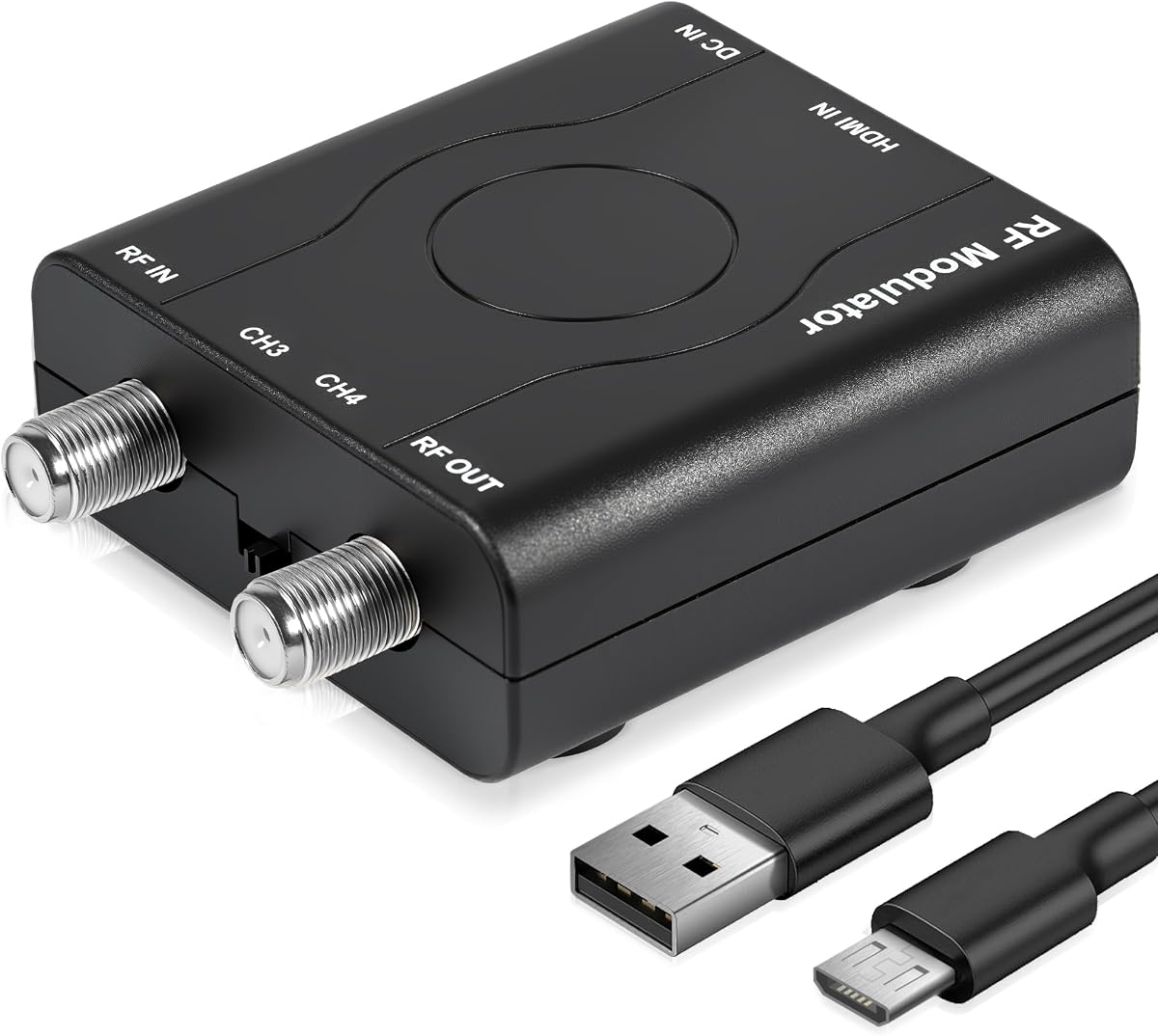


This converter offers a straightforward way to connect modern HDMI sources to older RF inputs. It maintains a solid 4.3 rating among users who need to adapt game consoles or streaming boxes.
We may earn a commission when you buy through this link, at no additional cost to you.
The included 1.2 meter HDMI cable makes it ready to use right out of the box. You avoid the hassle of buying extra cables just to get started with your setup.
Users should note that this device only converts HDMI to RF and not the other way around. This one-way limitation ensures stability but means you cannot use it to display TV signals on a monitor.
It is a strong choice for connecting gaming systems to legacy TVs without losing video stability. The PLL control ensures a consistent frequency for reliable viewing across different devices.
The package includes everything needed for immediate setup without extra purchases.
Built-in PLL control ensures stable VHF frequency output for clear viewing.
We may earn a commission when you buy through this link, at no additional cost to you.
This unit is specifically designed for retro enthusiasts wanting to connect vintage consoles to modern displays. It aims to support a wide array of older devices from Atari to VHS players.
We may earn a commission when you buy through this link, at no additional cost to you.
The inclusion of a remote control adds a layer of convenience for changing channels or adjusting settings without reaching the device. It also supports both NTSC and PAL formats for broader international use.
While the feature list is extensive, some users report inconsistent performance in real-world setups. The lower rating suggests that quality control might vary between units you receive.
It is worth considering if you need specific support for obscure vintage formats that other converters might miss. Just be prepared to troubleshoot if signal quality is not optimal.
Designed specifically for older gaming consoles and video equipment.
Includes a remote to manage settings without physical access.
We may earn a commission when you buy through this link, at no additional cost to you.
This converter stands out for its high satisfaction rating and specialized support for security camera systems. It efficiently converts analog BNC signals to modern HD digital outputs for clear viewing.
We may earn a commission when you buy through this link, at no additional cost to you.
Features like 3D compensation technology help optimize motion and reduce digital noise for a cleaner image. The device is built to run for 24 hours continuously without overheating issues.
Users must ensure they have BNC connections rather than standard RF coax inputs for this unit to work. The cable length provided is sufficient for most indoor surveillance setups.
It is an excellent choice for businesses or homes needing to view analog security feeds on HDMI monitors. The reliable performance makes it ideal for continuous surveillance monitoring.
Uses 3D compensation for optimized motion and reduced digital noise.
Low heat generation allows for stable 24-hour continuous operation.
We may earn a commission when you buy through this link, at no additional cost to you.
This model delivers a steady performance for converting HDMI signals to RF for older televisions. It supports standard high definition inputs and outputs them as analog signals.
We may earn a commission when you buy through this link, at no additional cost to you.
Construction features a molded ABS shell that ensures durability during daily use. The device complies with HDCP standards which helps with compatible content sources.
The unit requires no driver installation so you can plug it in and start using it immediately. It is a reliable option for general home entertainment needs.
It serves well for anyone needing to connect modern game consoles to older TV sets. The stable frequency control ensures a consistent viewing experience.
Constructed from durable ABS material for long-term use.
Supports HDCP 1.4 for reliable content operation.
We may earn a commission when you buy through this link, at no additional cost to you.
This unit has achieved a perfect rating from users who value simplicity and reliability. It provides a complete kit with all necessary cables for immediate connection.
We may earn a commission when you buy through this link, at no additional cost to you.
The step-by-step guide included in the box makes installation straightforward even for non technical users. It also supports stable distribution of signals across multiple TVs in a hotel setting.
While it lacks extra bells and whistles, it does exactly what it promises without complications. This reliability contributes to its high satisfaction score among buyers.
It is an ideal budget friendly solution for businesses or homes needing to connect HDMI sources to coax inputs. You get all the basics you need to get started.
Includes HDMI cable power adapter and manual for easy setup.
Designed for reliable signal distribution to multiple displays.
We may earn a commission when you buy through this link, at no additional cost to you.
This adapter is designed for users who need a simple and compact solution for signal conversion. It outputs standard NTSC signals on fixed frequencies to match older TVs.
We may earn a commission when you buy through this link, at no additional cost to you.
The compact size allows for flexible placement behind TVs or in tight spaces. The housing uses a molded ABS shell that maintains steady signal transmission performance.
It does not support channel selection so you must set the device to a fixed output channel. This simplicity reduces potential points of failure during operation.
It is a great choice for straightforward setups where portability and size matter most. You get a reliable conversion device that does not take up much space.
Compact size allows flexible placement in tight spaces.
Outputs standard signals on fixed frequencies for simple use.
We may earn a commission when you buy through this link, at no additional cost to you.
This modulator offers a standard solution for connecting HDMI devices to RF inputs. It supports standard resolutions and ensures stable frequency output through PLL control.
We may earn a commission when you buy through this link, at no additional cost to you.
The device comes with a USB power cable and a detailed user manual. Construction focuses on a durable ABS design that withstands daily use and handling.
It is compatible with a wide range of devices including PCs and gaming consoles. The plug and play nature means you can set it up quickly.
It is a dependable option for users who need basic conversion capabilities. The stable performance makes it suitable for home entertainment or educational use.
Comes with a USB power cable for immediate connection.
Constructed from durable ABS material for long lasting use.
We may earn a commission when you buy through this link, at no additional cost to you.
This converter stands out because it offers dual signal conversion for more flexibility. It converts HDMI signals to both RCA CVBS and VHF analog signals simultaneously.
We may earn a commission when you buy through this link, at no additional cost to you.
This feature allows you to connect a capture card for recording while sharing content on a TV. It is useful for users who need to monitor and record at the same time.
The channel switch ensures that it does not interfere with existing equipment like VCRs. This functionality makes it suitable for complex home entertainment setups.
It is an ideal choice for content creators or educators who need multi output flexibility. The ability to share content across different rooms is a key benefit.
Connect capture cards to record content while viewing on TV.
Share program videos on other TVs via coaxial RF signal.
We may earn a commission when you buy through this link, at no additional cost to you.
This premium converter is built to handle high resolution security camera inputs with precision. It supports a wide range of formats and resolutions up to 8MP for clear viewing.
We may earn a commission when you buy through this link, at no additional cost to you.
The rugged metal housing dissipates heat efficiently to ensure stability during 24/7 surveillance operations. This build quality is superior to standard plastic alternatives.
It includes a loop out feature which allows you to send the video feed to a DVR while viewing it on a monitor. This is critical for systems that need both recording and live monitoring.
It is an excellent investment for businesses needing reliable high definition video monitoring. The automatic format detection simplifies the setup process significantly.
Rugged metal housing keeps converter stable during continuous operation.
Supports up to 8MP input for sharp and clear details.
We may earn a commission when you buy through this link, at no additional cost to you.
This unit delivers a consistent performance experience with a perfect rating from users. It is designed to convert HDMI signals to RF outputs efficiently and reliably.
We may earn a commission when you buy through this link, at no additional cost to you.
It supports multiple resolutions and uses 1080P PLL control for stable VHF frequency output. The ABS construction ensures that the device is built to last in daily use.
The device is portable and flexible so it can be moved easily between different rooms. It requires no driver installation making it ready to use straight from the box.
It is a solid choice for general entertainment needs where reliability is key. You get a durable device that maintains consistent performance over time.
1080P PLL control ensures stable frequency and video quality.
Portable and flexible so it can be moved easily between rooms.
We may earn a commission when you buy through this link, at no additional cost to you.
Selecting the right converter depends on your specific setup needs and device types.
Most converters only work one way converting HDMI to RF or RF to HDMI. Verify the direction matches your setup before purchasing.
Always check if the device supports converting old RF signals to modern HDMI.
Devices may support NTSC or PAL formats which vary by region and content source. Ensure compatibility with your TV standard.
Matching the format prevents black screens and distorted images on your display.
Modern inputs like 1080P are converted to lower analog outputs. Check what input resolutions the device accepts.
Support for higher inputs ensures better image quality before conversion.
Standard coax RF connectors differ from BNC connectors used in security cameras. Ensure the physical ports match your cables.
Using the wrong cable type will prevent any connection from working.
Some models include remotes loop outputs or dual signal paths for recording. These add flexibility for complex setups.
Evaluate if you need these extra features to avoid overpaying.
Devices with metal housings handle heat better than plastic ones for long runs. Look for sturdy materials if running 24 hours a day.
Heat dissipation is crucial for continuous surveillance or server room use.
Check if the converter is compatible with your specific consoles or media players. Some have known issues with specific HDMI versions.
Reading compatibility lists helps avoid frustration with unsupported devices.
Most devices require external power via USB or an adapter. Confirm the power needs and included cables.
Ensure the power adapter matches your region to avoid electrical issues.
Connect your HDMI source to the input port and power on the device before connecting to the TV. This ensures the converter initializes correctly.
Set your TV to Channel 3 or 4 depending on the converter setting. Adjust the volume on the TV for the best experience.
Avoid placing the converter near heat sources to maintain internal performance over time. Keep the vents clear for optimal airflow.
No it cannot improve quality beyond the analog limit. It preserves the original signal so you get the best possible version of your legacy input.
This often indicates a mismatch in color formats or a bad cable connection. Check that the NTSC or PAL settings match your display.
Some models support dual outputs allowing connection to capture cards. This enables you to record while viewing on the TV.
Yes but check if your cable box output is analog or digital. Some modern boxes do not output compatible analog signals.
PLL control stabilizes the frequency output to ensure no flickering or static. It is essential for clear and stable viewing.
Daisy chaining is not recommended as it degrades signal quality. Use a splitter to connect multiple TVs instead.
Most models are plug and play without needing drivers or software. Simply connect the cables and power supply to begin.
Reset usually involves unplugging the power and waiting ten seconds. Check the manual for specific button combinations on the unit.
The converters we reviewed provide reliable bridges between old tech and modern displays for various needs.
Prioritize signal direction and format support to ensure your setup works as expected.
Always check the latest prices and availability before buying to get the best deal.