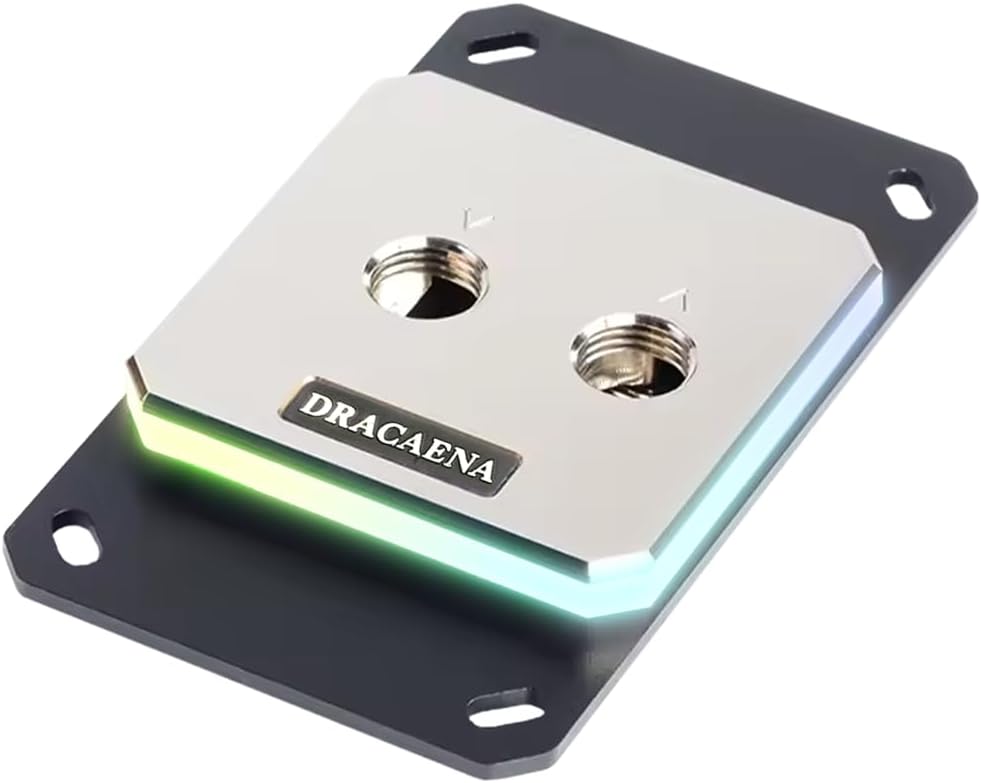
Dracaena.io CPU Water Block for AM5/AM4
4.6Editor score
Full copper internal water channels
Compatible with AM5 and AM4 sockets
Includes 5V ARGB controller
This guide compares the top ten CPU water blocks for custom loops, evaluating thermal performance, socket compatibility, aesthetic features, and build quality
Choosing the right CPU water block is essential for anyone building a custom liquid cooling loop. A high-quality block ensures efficient heat transfer from the processor to the coolant, keeping temperatures low even under heavy loads. The market offers many options ranging from basic copper blocks to advanced models with integrated displays and RGB lighting.
We have reviewed ten top-rated CPU water blocks to help you find the best fit for your system. Our analysis focuses on thermal efficiency, material quality, socket compatibility, and additional features like lighting or integrated sensors. Each product was evaluated based on user feedback, technical specifications, and real-world performance data from trusted sources.
Each pick in this list highlights specific strengths such as budget value, premium features, or exceptional cooling performance. While prices may vary over time, the performance characteristics and build quality remain consistent. We recommend checking current availability and compatibility with your specific motherboard and CPU socket before making a final purchase decision.
4.6Editor score

4.6Editor score

3.6Editor score
The following table provides a side-by-side comparison of all ten CPU water blocks featured in this guide. It highlights key specifications such as material composition, socket support, and unique features to help you quickly identify the model that best suits your cooling needs and aesthetic preferences.




The EKWB EK-Quantum Velocity 3 stands out as a top-tier CPU water block for enthusiasts seeking maximum cooling efficiency. With a rating of 4.6 stars, it reflects strong user satisfaction regarding its thermal performance and build quality. This block is designed specifically for modern platforms including AMD AM5 and Intel LGA 1700/1851.
We may earn a commission when you buy through this link, at no additional cost to you.
Its optimized internal geometry ensures that coolant flows efficiently across the entire surface of the CPU die. The nickel-plated copper cold plate provides excellent thermal conductivity while resisting corrosion. Compared to the previous Velocity 2 model, users report up to a 2-degree Celsius improvement in temperatures under load.
The main trade-off is the higher price compared to standard blocks, but this is justified by the performance gains. Additionally, the mounting system requires careful installation to ensure even pressure distribution. These are acceptable compromises for users prioritizing peak cooling performance in high-end systems.
This block is ideal for builders running demanding workloads like gaming or content creation. We recommend it for those who want a reliable, high-performance solution for their custom loop. Always verify socket compatibility before purchasing to ensure a perfect fit for your motherboard.
The internal design maximizes heat transfer from the CPU to the coolant effectively.
Designed specifically for the latest AM5 and LGA 1700/1851 platforms.
We may earn a commission when you buy through this link, at no additional cost to you.
The CORSAIR XC7 RGB Elite LCD offers a unique blend of high-performance cooling and customizable visual features. Rated at 4.1 stars, it appeals to users who want to showcase real-time CPU data directly on their water block. The 480×480 IPS LCD screen supports animated GIFs and custom images.
We may earn a commission when you buy through this link, at no additional cost to you.
Its Hexa-Flow cooling engine mitigates laminar flow to ensure all CPU cores are cooled evenly. This is particularly beneficial for multi-chip package CPUs where core temperatures can vary. The nickel-plated copper cold plate with micro-cooling fins supports maximum overclocking potential.
The USB-C connectivity simplifies installation by eliminating the need for a separate controller unit. However, full functionality relies on the CORSAIR iCUE software ecosystem. This integration can be a limitation for users preferring open-source or non-CORSAIR software solutions.
Ideal for builds where aesthetics and monitoring are as important as cooling performance. This block is perfect for those who want to personalize their PC with logos or memes. Verify your motherboard and CPU socket compatibility before purchase.
Showcase creativity with custom content and real-time temperature data.
USB-C integration streamlines setup and reduces cable clutter.
We may earn a commission when you buy through this link, at no additional cost to you.
The Dracaena.io CPU Water Block delivers exceptional performance for its price point, earning a 4.6-star rating. It features a full copper internal water path ensuring maximum thermal conductivity from the CPU to the coolant. The design is simple yet effective for AMD AM5 and AM4 platforms.
We may earn a commission when you buy through this link, at no additional cost to you.
The 0.4mm microfin base plate increases surface area for efficient heat dissipation. Users appreciate the broad socket support covering nearly every AMD platform from the last 15 years. The included mounting kit simplifies installation for first-time custom loop builders.
While it lacks Intel compatibility, this limitation keeps costs low for AMD users. The 5V ARGB sync allows for basic lighting integration with standard motherboard headers. This makes it a strong choice for budget-conscious builders who do not need extensive RGB features.
We recommend this block for AMD users looking for reliable cooling without breaking the bank. The all-copper construction ensures durability and resistance to corrosion over time. Check your specific motherboard model for exact mounting bracket compatibility.
Delivers premium copper performance at a budget-friendly price.
Supports AM5, AM4, and older AMD sockets seamlessly.
We may earn a commission when you buy through this link, at no additional cost to you.
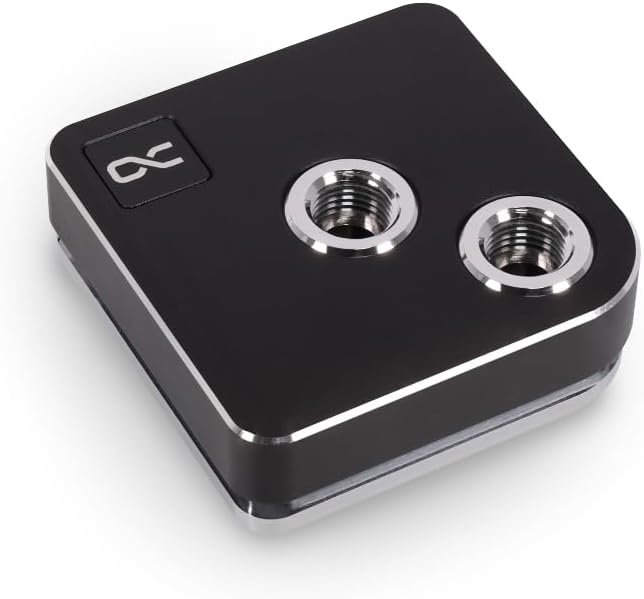
The Alphacool Core 1 offers a straightforward cooling solution with a 4.6-star rating. It features a black finish that complements dark-themed builds while providing effective heat dissipation. The block supports Intel LGA 1700 and AMD AM5/AM4 sockets.
We may earn a commission when you buy through this link, at no additional cost to you.
Its nickel-plated copper base ensures good thermal conductivity and long-term durability. The compact 72x72mm size allows it to fit easily even in tighter chassis configurations. It is a solid choice for users who prefer minimalism over flashy RGB features.
The lack of integrated sensors or lighting may not appeal to those wanting advanced monitoring. However, for pure cooling performance, it remains highly effective in custom loops. The build quality reflects Alphacool's reputation for reliable hardware components.
Ideal for builders seeking a dependable block without extra cost for unnecessary features. It pairs well with standard pumps and radiators in a balanced cooling system. Always apply high-quality thermal paste for optimal results.
Provides a clean look with black finish suitable for dark builds.
Delivers consistent thermal performance for daily usage tasks.
We may earn a commission when you buy through this link, at no additional cost to you.
This generic copper base block is an entry-level option with a 4.2-star rating. It features a large water contact area to help carry heat away from the CPU efficiently. The chrome-plated faucets are standard 10mm diameter for easy fitting.
We may earn a commission when you buy through this link, at no additional cost to you.
It supports older platforms like AMD 940, AM2, AM3, and Intel 775, 1155, and 1156. This makes it useful for retro builds or specific legacy systems requiring water cooling. The inner channel design focuses on basic flow and heat transfer.
Users may notice limited support for modern CPUs and lack of advanced thermal features. However, for basic systems where extreme cooling is not required, it serves its purpose. The accessory kit includes four screws for standard mounting.
We recommend this only for retro projects or budget builds with older hardware. Modern users should look for blocks specifically designed for current processor architectures. Verify the mounting hole pattern matches your motherboard.
Covers a wide range of older AMD and Intel CPU sockets.
Provides basic water cooling without extra features or cost.
We may earn a commission when you buy through this link, at no additional cost to you.
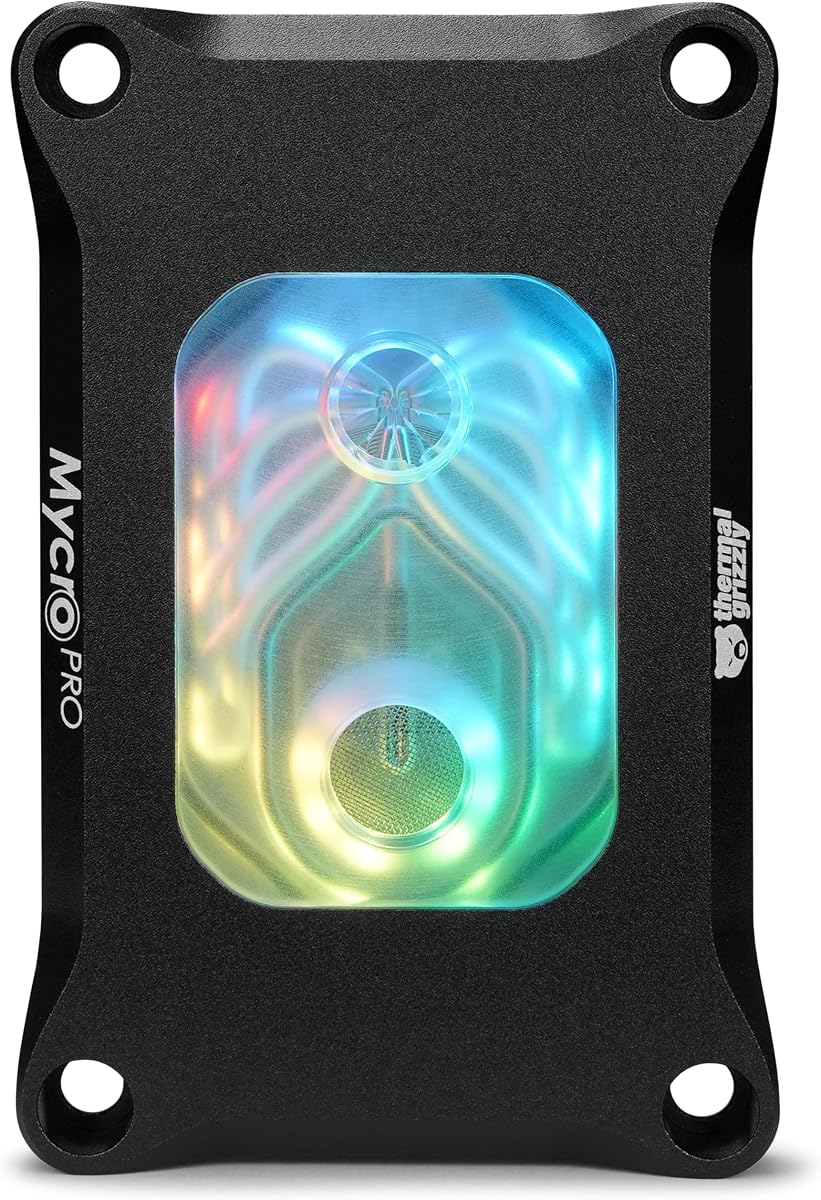
The Thermal Grizzly Mycro Pro RGB is designed for high-end custom loops with a 4.6-star rating. Its precision-machined nickel-plated copper cold plate features 68 microfins with a 0.2mm structure for maximum heat transfer. This increases surface area significantly under load.
We may earn a commission when you buy through this link, at no additional cost to you.
The integrated fine mesh filter helps trap particles to maintain consistent flow through the block. This protects delicate microfin structures from debris in the loop. The window adds a clean illuminated look compatible with standard RGB setups.
Premium materials like acrylic, aluminum, and EPDM O-rings ensure durability. While it lacks an included controller, the RGB window works well with external headers. It is an excellent choice for enthusiasts prioritizing raw performance and reliability.
Ideal for demanding setups where every degree of cooling matters. Always flush the loop thoroughly before installation to prevent debris issues. Check that your radiator and pump support high flow rates for this block.
Ultra-fine microfins increase heat transfer efficiency significantly.
Built-in filter safeguards internal structure from contaminants.
We may earn a commission when you buy through this link, at no additional cost to you.
The TRYX Panorama WB stands out with its 6.67-inch curved AMOLED screen, earning a 3.6-star rating. It delivers 372PPI pixel density with vivid colors creating immersive anamorphic visual effects. The screen supports 60Hz refresh rate for smooth animations.
We may earn a commission when you buy through this link, at no additional cost to you.
Users gain access to thousands of GIF resources via GIPHY without local downloading. The KANALI software allows intuitive screen adjustment with minimal system resource consumption. PNG, JPG, GIF, and MP4 files are supported for personalized uploads.
Built on Asetek Gen8 V2 thermal architecture with a microchannel copper cold plate. It includes a built-in 4-Pin PWM VRM fan to cool motherboard components actively. This unique combination of cooling and display makes it highly distinctive.
Perfect for show-piece builds where visual impact is paramount. Ensure your case has enough clearance for the curved screen. Always update to the latest KANALI software to unlock full GIPHY features.
Curved AMOLED screen creates unique anamorphic effects in custom loops.
Integrated fan targets motherboard voltage regulators during overclocking.
We may earn a commission when you buy through this link, at no additional cost to you.
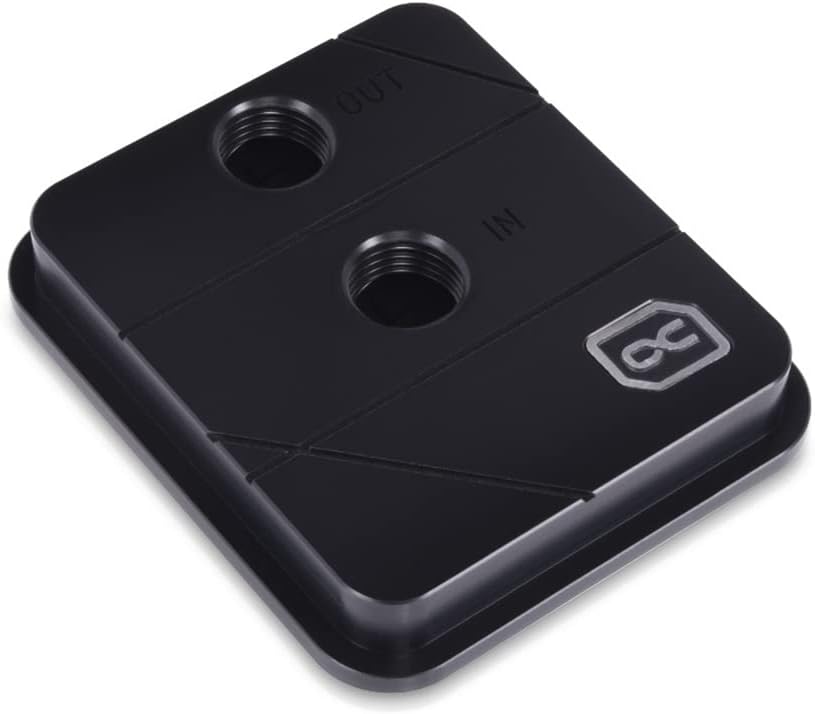
The Alphacool Core XP3 features an Acetal finish with a 4.4-star rating. This material choice offers durability and a smooth aesthetic that resists wear. The nickel plated copper cooler ensures good thermal conductivity for daily loads.
We may earn a commission when you buy through this link, at no additional cost to you.
It supports Intel and AMD CPUs with 2x G1/4 threads for easy loop integration. The compact 73x63x21mm size fits well in most standard PC cases. It is a solid choice for builders who prefer functional design over flashy lighting.
The max working temperature of 60 degrees Celsius is typical for safe operation. Users appreciate the standardization of ports making it easy to swap radiators. It works well as a secondary block for specific custom loop configurations.
Ideal for those prioritizing reliability and simplicity in their cooling setup. Ensure your loop fluid is compatible with acetal materials. Always secure the block firmly to prevent leaks during operation.
Acetal finish offers long-term durability and smooth aesthetics.
Small form factor fits easily into tight chassis spaces.
We may earn a commission when you buy through this link, at no additional cost to you.
The CORSAIR iCUE Link XC7 offers intelligent design with a 4.1-star rating. It features a transparent flow chamber to monitor coolant clarity easily. The Hexa-Flow cooling engine ensures even core temperatures on multi-chip CPUs.
We may earn a commission when you buy through this link, at no additional cost to you.
Users can daisy-chain components using universal connectors plugged into an iCUE Link System Hub. This patented ecosystem reduces cable clutter significantly. A built-in cold plate temperature sensor allows precise cooling control via iCUE software.
The 24 individually addressable RGB LEDs provide customizable lighting. While the system works best within the CORSAIR ecosystem, it offers streamlined integration. This block is ideal for those wanting a cohesive smart system setup.
We recommend this for users already invested in the CORSAIR hardware ecosystem. Ensure you have the separate System Hub for full connectivity features. Always check current firmware updates for best compatibility.
iCUE LINK ecosystem simplifies cable management and control.
Built-in sensor enables accurate real-time temperature monitoring.
We may earn a commission when you buy through this link, at no additional cost to you.
The Alphacool Core 1 LT features an Acrylic finish with a 4.1-star rating. This transparent material allows a clear view of the coolant flowing through the block. It supports Intel LGA 1700 and AMD AM4/AM5 sockets seamlessly.
We may earn a commission when you buy through this link, at no additional cost to you.
Digital RGB lighting adds a subtle visual flair to your build. The 71.8×71.8x28mm dimensions are slightly larger than standard blocks but fit most cases. It is a great choice for users prioritizing visual clarity over complex lighting effects.
Acrylic requires careful handling to avoid scratching during installation. Ensure you use compatible fluids to prevent clouding or damage over time. The block performs well in standard custom loop configurations.
Ideal for builders who want to showcase their coolant colors and clarity. Always inspect the acrylic for cracks before use. Check that your mounting brackets accommodate the specific height dimensions.
Transparent acrylic top showcases coolant flow and colors.
Supports latest Intel and AMD processor platforms effectively.
We may earn a commission when you buy through this link, at no additional cost to you.
Choosing the right CPU water block requires understanding your system needs, socket compatibility, and budget constraints. This guide outlines the essential factors to consider before making a purchase.
Ensure the block supports your specific CPU socket type such as LGA 1700 or AM5. Most modern blocks list compatible sockets clearly in their specifications.
Always verify your motherboard model against the block's compatibility list before purchasing.
Nickel-plated copper cold plates offer superior thermal conductivity and corrosion resistance. Aluminum should be avoided in direct contact with coolant to prevent chemical reactions.
Look for blocks that use pure copper or nickel-plated copper for the base plate.
Optimized internal geometry and microfins increase surface area for better heat transfer. Laminar flow mitigation ensures even cooling across all CPU cores.
Blocks with integrated filters help protect internal structures from debris in the loop.
Decide if you want RGB lighting or transparent flow chambers to view coolant. Integrated displays like OLED or LCD screens add customization but increase cost.
Choose a finish that matches your overall build theme whether black, clear, or RGB.
Some blocks include USB-C for simplified data transfer while others use standard headers. Integrated temperature sensors provide more accurate monitoring through software.
Ensure your motherboard or controller supports the required RGB or data connections.
Entry-level blocks provide basic cooling while premium models offer displays and smart features. Determine how much you are willing to spend based on performance needs.
Investing slightly more often yields better long-term reliability and thermal results.
Established brands often provide better warranties and customer support. User reviews reflect real-world performance over long periods of use.
Choose reputable manufacturers known for quality control and consistent product output.
A complete mounting kit simplifies installation and ensures correct pressure. Backplates are essential for supporting the block and protecting the motherboard.
Verify that all necessary screws and brackets are included with the package.
Begin by cleaning the CPU heat spreader and the block base thoroughly to remove old thermal paste. Apply a fresh, even layer of high-quality thermal paste before mounting the block to ensure optimal contact.
Connect the water block to your loop using proper G1/4 fittings and secure them tightly to prevent leaks. Ensure all connections are double checked before filling the system with coolant.
Run the loop for several hours without the pump off to check for leaks. Once confirmed dry, run the pump at full speed to purge air bubbles from the block and tubes.
A CPU water block transfers heat directly from the processor to the liquid coolant flowing through the loop. This allows for much more efficient heat dissipation compared to traditional air cooling methods.
No, water blocks are designed for specific socket types like AM5 or LGA 1700. You must ensure the block supports your exact CPU socket to fit correctly and safely.
It is generally recommended to avoid mixing aluminum with copper in a cooling loop. Galvanic corrosion can occur which may damage components and shorten the lifespan of your setup.
Yes, blocks with LCD or OLED screens usually need USB or power connections for the display to function. These extra wires can help manage cable routing and power management.
Thermal paste should be replaced every two to three years or when you notice rising temperatures. Dried paste loses conductivity and can reduce cooling efficiency over time.
While professional installation is not strictly required, it is recommended for first-time builders. Proper sealing and air purging are critical to prevent leaks and ensure longevity.
We have reviewed ten top options ranging from budget-friendly copper blocks to premium models with integrated displays. The EKWB EK-Quantum Velocity 3, CORSAIR XC7 RGB Elite LCD, and Dracaena.io CPU Water Block stand out for performance and value.
Prioritize socket compatibility and material quality above all else to ensure your system runs cool and safe. Choose aesthetic features like RGB or LCDs only if they match your build goals and budget.
Prices and availability can change frequently so verify current stock before finalizing your order. Always cross-reference the specific product title and ASIN to ensure you are buying the correct model for your system.