
Rongta Bluetooth Shipping Label Printer
4.0Editor score
Affordable entry price
Wireless Bluetooth setup
Compact portable design
Find the best DHL Label Printer for your business with our expert guide comparing top thermal models for speed compatibility and value.
Choosing the right DHL Label Printer can streamline your shipping workflow significantly. A reliable thermal printer ensures crisp labels fast speeds and seamless integration with major platforms to keep your operations running smoothly every day.
We evaluated ten top-rated models based on connectivity options print quality and ease of use. Our analysis focuses on features that matter most to small businesses and individuals needing efficient and accurate label printing for daily shipments.
Each pick highlights specific strengths to help you find the perfect match for your needs. Please note that pricing and availability can change frequently so always check current offers before making your final purchasing decision today.
4.0Editor score

4.6Editor score

4.1Editor score
This side-by-side comparison highlights key specifications across all ten models to help you quickly identify the best fit for your specific shipping volume and connectivity needs.






The Rollo USB Shipping Label Printer stands out as a robust solution for high volume shipping needs. With a rating of 4.6 stars it delivers consistent performance and clear label quality for daily operations.
We may earn a commission when you buy through this link, at no additional cost to you.
Its high speed of one label per second ensures you never fall behind during peak shipping times. The direct thermal technology means you save money on ink and toner while producing crisp barcodes every time.
While it lacks wireless connectivity the stable USB connection ensures reliable data transfer without signal drops. Some users might miss Bluetooth but the wired setup provides stability crucial for busy commercial environments.
This printer is ideal for small businesses needing dependable throughput without complex networking. If you prioritize speed and durability over wireless features this model offers excellent value for your shipping workflow.
Print up to one label per second to keep your shipping desk moving efficiently during busy order periods.
Works seamlessly with major carriers and e-commerce platforms so you can integrate it into your existing workflow easily.
We may earn a commission when you buy through this link, at no additional cost to you.
The JADENS Bluetooth Thermal Printer offers an accessible entry point for small businesses needing reliable label printing. Its strong rating reflects user satisfaction with print quality and straightforward setup for beginners.
We may earn a commission when you buy through this link, at no additional cost to you.
Equipped with a Japanese thermal head it produces clean labels without ink or toner mess. The ability to connect via Bluetooth or USB gives you flexibility to print from phones or computers as needed.
Mobile users must download the specific app to print which adds a small step but ensures functionality. For desktop users the USB option provides a stable connection that works well with most shipping software.
Choose this model if you want cost effective printing without sacrificing essential features. It balances price and performance well making it a top pick for startups or occasional shippers.
Connect wirelessly to phones or via USB to laptops ensuring you can print labels from any device you use.
Get printing in under a minute with included drivers and clear instructions for quick integration into your workspace.
We may earn a commission when you buy through this link, at no additional cost to you.
This Thermal Shipping Label Printer combines speed and efficiency with a compact design suitable for any desk. Users appreciate the included label pack that lets you start printing immediately without extra purchases.
We may earn a commission when you buy through this link, at no additional cost to you.
It delivers sharp barcodes at 203 DPI with speeds up to 150mm/s to handle volume without lag. The FlashLabel Pro app offers many templates for customization which adds flexibility to your labeling tasks.
The offline capability means you do not need a constant internet connection to print stored designs. This reliability is crucial during internet outages when you still need to process outgoing shipments quickly.
This printer is a strong contender for those wanting a feature rich device at a competitive price. The included accessories make it a ready to use solution for small business shipping needs.
Print up to 72 labels per minute to keep your shipping line moving smoothly during busy seasons.
Access over 1800 templates in the app to create branded or personalized labels for your products.
We may earn a commission when you buy through this link, at no additional cost to you.
The KNAON Bluetooth Thermal Printer brings speed and portability to your shipping station with ease. Its compact build fits easily into tight spaces while maintaining robust performance for daily shipping tasks.
We may earn a commission when you buy through this link, at no additional cost to you.
Print speeds up to 180 mm/s ensure you can handle bulk orders efficiently without waiting. The extensive template library in the app allows you to customize labels for various uses beyond just shipping.
Auto calibration reduces the need for manual adjustments when changing label types saving you time. While you must use the app for mobile printing the seamless connection ensures a smooth workflow across devices.
Choose this model if portability and speed are top priorities for your small business. It balances advanced features with a convenient size making it a strong option for mobile operators.
Achieve up to 180 mm/s print speed to maximize productivity during high volume shipping periods.
Utilize thousands of templates to create professional labels quickly without needing design expertise.
We may earn a commission when you buy through this link, at no additional cost to you.
The Rollo Wireless Shipping Label Printer offers true network connectivity for seamless printing across your office. Its premium features justify the higher cost for businesses needing flexibility and reduced setup complexity.
We may earn a commission when you buy through this link, at no additional cost to you.
With AirPrint support you can print directly from Mac or iPhone without installing drivers. This ease of use saves time on IT setup and keeps your team focused on shipping rather than troubleshooting.
The printhead lasts for over 650000 labels ensuring long term reliability even with heavy daily use. While it depends on network stability the wireless freedom allows you to place the printer anywhere convenient.
This model is ideal for businesses that want the convenience of wireless printing without sacrificing durability. Invest in it if you need a high performance device that supports multiple users simultaneously.
Connect to Wi-Fi and start printing immediately without needing complex driver installations on your computers.
Enjoy a printhead life of 650000 labels for fewer replacements and lower long term maintenance costs.
We may earn a commission when you buy through this link, at no additional cost to you.
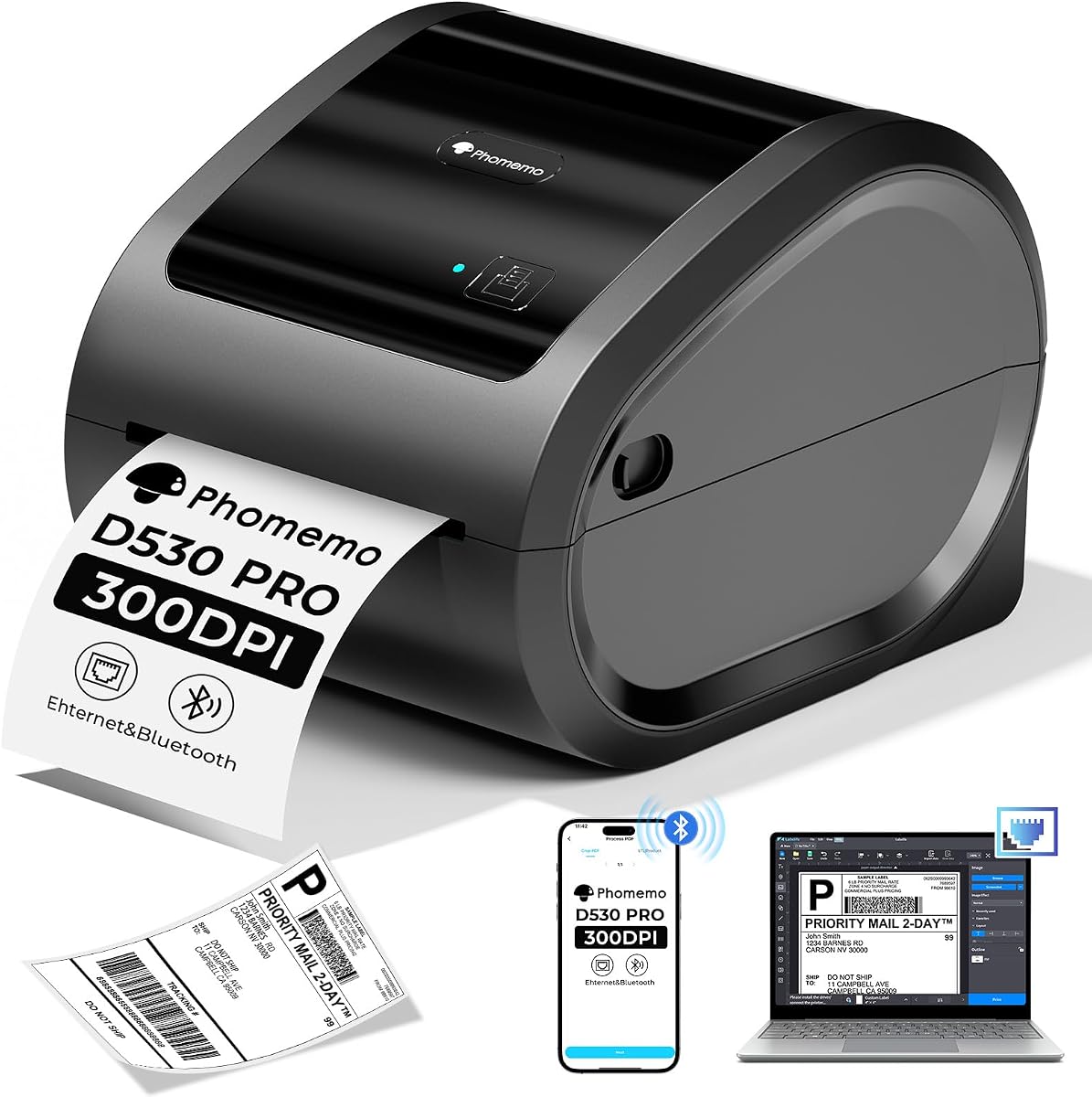
The Phomemo 300DPI Thermal Label Printer offers superior clarity with its high resolution print head. This ensures barcodes and text are sharp enough for even the most demanding scanning environments.
We may earn a commission when you buy through this link, at no additional cost to you.
With support for Ethernet connections you get stable network access ideal for office setups. The built-in paper bin saves space by holding up to 500 rolls so your desk stays organized and clear.
Print speeds up to 150mm/s keep your workflow efficient while maintaining high quality output. The return to paper function helps minimize waste by retrieving labels you intended to use.
This printer suits businesses needing high resolution labels and network stability. If clarity and space saving design are important this model delivers professional results for your shipping needs.
Achieve 300 DPI resolution for crisp labels that scan reliably in all shipping environments.
Store up to 500 rolls in the built-in bin to keep your workspace tidy and ready to print.
We may earn a commission when you buy through this link, at no additional cost to you.
The MUNBYN Bluetooth Thermal Label Printer is designed for efficiency and quiet operation in shared workspaces. Its advanced DAC algorithm tech automatically calibrates to reduce misalignment and waste significantly.
We may earn a commission when you buy through this link, at no additional cost to you.
Operating at just 60 dB it stays quieter than typing so you can work without distraction. The low jam rate means fewer interruptions and more time focused on processing orders accurately.
With a life of up to 970000 labels it is built for long term use without frequent replacement. While it relies on an app for mobile printing the precision it offers makes it a smart choice.
Choose this printer if you value a silent environment and minimal maintenance. It is perfect for home offices where quiet and reliability are essential for daily operations.
Work in silence with a printer that operates at just 60 dB ensuring a peaceful workspace.
Use the DAC algorithm to auto-calibrate and ensure perfect label alignment every time.
We may earn a commission when you buy through this link, at no additional cost to you.
The Nelko Bluetooth Thermal Printer fits comfortably in tight spaces while maintaining high performance standards. Its small footprint makes it ideal for smaller offices or home workstations where desk space is limited.
We may earn a commission when you buy through this link, at no additional cost to you.
Print speeds up to 150 mm/s ensure you can keep up with demand without sacrificing quality. The printer works well with Mac M1 and M2 chips via Bluetooth providing connectivity for Apple users.
Using thermal technology saves you money on ink costs and ensures labels remain clear and readable. However Mac users may face limitations with Bluetooth so having a USB backup option is helpful.
This printer is a great choice for small offices needing a compact and efficient device. Its balance of size and speed makes it a practical tool for everyday shipping tasks.
Save desk space with a printer designed to fit easily into tight work areas.
Reduce printing costs with direct thermal technology that eliminates the need for ink or toner.
We may earn a commission when you buy through this link, at no additional cost to you.
The Rongta Bluetooth Shipping Label Printer offers a straightforward approach to label printing for small businesses. Its automatic label identification removes the hassle of manual adjustments for different label sizes.
We may earn a commission when you buy through this link, at no additional cost to you.
Compatible with Windows and Mac systems it ensures you can integrate easily into existing workflows. The 150 mm/s speed keeps up with moderate volume while the compact design saves valuable desk space.
While it lacks advanced features found in premium models it delivers reliable performance for standard needs. The easy setup process means you can start printing right away without technical support.
This printer is suitable for those needing a simple and affordable solution. If you value ease of use over extra features this model provides a reliable tool for shipping tasks.
Save time with automatic label detection that adjusts settings for different sizes instantly.
Connect quickly with Bluetooth and start printing without complex configuration steps.
We may earn a commission when you buy through this link, at no additional cost to you.
The DYMO LabelWriter 550 Series offers a clean and efficient printing experience for standard labels. Its automatic recognition ensures you always use the right label type for accurate results.
We may earn a commission when you buy through this link, at no additional cost to you.
Direct thermal technology means you never need to buy ink saving money on ongoing costs. The design eliminates waste by printing precise quantities instead of using full sheets for simple shipping.
While it only works with authentic DYMO labels which can be pricier the quality and reliability are high. The plastic-free packaging also aligns with eco-friendly business values for modern shippers.
This printer is best for those who want a simple and reliable device for standard labels. If label cost is a concern the investment may be higher but the ease of use is unmatched.
Print exactly the quantity needed to reduce waste and save money on shipping materials.
Ensure accuracy with automatic label detection that adjusts settings to match the label inserted.
We may earn a commission when you buy through this link, at no additional cost to you.
Selecting the right printer depends on your volume budget and connectivity needs. We break down key factors to help you make an informed decision.
Print speed determines how fast labels come out which matters during peak times. Look for models with at least 150mm/s speed to keep your workflow moving efficiently.
Faster speeds reduce wait times and help you handle large volumes of daily shipments without delays.
Connectivity options like USB Bluetooth or Wi-Fi define where you can print from. USB is reliable while wireless gives you the flexibility to print from multiple devices easily.
Choose wireless if you need mobility or plan to share the printer across several workstations.
Ensure the printer supports standard 4×6 inch shipping labels. Some models handle a range of widths so you can print barcodes or returns without extra cost.
Check if it supports both fanfold and roll labels to get the most value from your paper choices.
The printer should work with major shipping platforms like Shopify eBay or USPS. Compatibility ensures you can print directly without complex workarounds or extra software.
Verify that the drivers and apps support your current operating system to avoid setup issues later.
Durability ensures the printer lasts through high volume use without jamming or failing. Look for metal components or reinforced heads that can withstand long shifts.
A sturdy build minimizes downtime and protects your investment over the long term.
Good software makes printing easier with templates and editing tools. Some apps allow offline printing which helps if you have unreliable internet access.
Rich features save time by letting you customize labels quickly without using external design software.
Connect the printer via USB or Bluetooth following the setup guide. Install the necessary drivers or app to ensure your device recognizes the printer.
Load your 4×6 thermal labels ensuring the sensor is aligned correctly. Use the feed button to calibrate so the printer knows the label size.
Clean the print head with a soft cloth and avoid touching it with fingers. Store unused labels in a cool dry place to prevent fading or damage.
No most DHL label printers use direct thermal technology which requires no ink or toner. The heat from the print head creates the image on special thermal paper saving you money on supplies.
Yes many models support Bluetooth printing via a dedicated app. Download the app and pair your phone to print labels wirelessly from anywhere in your office or home.
Most support standard 4×6 inch shipping labels but widths can range from 1.5 to 4.2 inches. Always check the specific model details to ensure it handles your required label dimensions.
Not always some printers can connect directly to smartphones via Bluetooth. However a computer provides more stability and access to full desktop drivers for complex tasks.
Open the printer cover remove the empty roll and insert a new one. Close the cover and use the feed button to calibrate the sensor so the printer knows the new size.
Yes many models offer macOS support via USB or specific Bluetooth drivers. Check the product description to confirm compatibility with your Mac version before purchasing.
We reviewed ten top models to help you find the best fit for your shipping needs. Whether you need speed portability or value there is a printer here that fits your requirements.
Prioritize factors like print speed and connectivity based on your daily workflow. Choosing the right model saves time and keeps your shipping process efficient over the long term.
Remember to check current prices and availability before buying as offers change often. Invest in a quality device that supports your business growth without unnecessary technical headaches.