As an Amazon Associate we earn from qualifying purchases. We may earn a commission when you buy through links on this page, at no additional cost to you. Read our affiliate disclosure.As an Amazon Associate we earn from qualifying purchases.Purchases through our links may earn us a commission, at no extra cost to you. Read our affiliate disclosure.
Finding the right audio gear for remote work is essential. Quality earbuds ensure you are heard clearly during critical calls. Look for strong noise cancellation and reliable connectivity.
We compared ten top models based on microphone performance and comfort. Each device offers unique features for hybrid work environments. Our list covers budget-friendly and premium options for every need.
Each pick highlights key strengths and potential drawbacks. Read reviews to find the perfect match for your workflow. Prices and availability change frequently so check current listings before buying.
Top 3 Picks for Best Earbuds for Teams Meetings
Best Budget
XIAOWTEK Wireless Earbuds, 2026 Bluetooth 5.4 Headphones Bass Stereo Ear Buds with Noise Cancelling Mic, LED Display in Ear Earphones 50H Playtime Ear Buds, IP7 Waterproof for Laptop Pad Phones White
Top 10 Best Earbuds for Teams Meetings in 2026 Compared
This table summarizes the core specs of every model reviewed. Compare battery life, microphone count, and connectivity features to find the right fit for your remote work setup.
The Logitech Zone True Wireless earbuds stand out as the premier choice for business meetings. With a rating of 3.7 stars they offer professional grade tools for clear communication. These buds are specifically optimized for video conferencing platforms.
Pros
Certified for Microsoft Teams
Two connection methods
Comfortable customizable fit
Dedicated tuning app
Cons
Lower battery life
Higher price point
We may earn a commission when you buy through this link, at no additional cost to you.
Key strengths include six dedicated microphones that use beamforming to isolate your voice. The inclusion of a USB receiver ensures a stable connection on laptops without relying solely on Bluetooth. You can tweak EQ settings via the Logi Tune app.
Trade-offs exist such as shorter battery life compared to consumer models. The price is higher but justified by enterprise features like Teams certification. If you need reliability for long meetings these are worth the investment.
Remote workers who prioritize call quality should buy this model. It excels in noisy offices where clarity is paramount. While not the cheapest option it delivers the best professional experience available today.
Seamless Connectivity for Work
Use Bluetooth for phones or the USB receiver for PCs to ensure you never drop a call during critical discussions.
Professional Audio Quality
The advanced noise reduction filters out background chatter so your colleagues hear only your voice clearly.
The XIAOWTEK Wireless earbuds offer incredible value for those on a tight budget. With a high rating of 4.9 stars they prove affordability does not mean sacrificing performance. These earbuds are perfect for daily remote work.
Pros
Extremely affordable price
Long battery life
Latest Bluetooth standard
LED battery display
Cons
Generic brand support
Less premium build
We may earn a commission when you buy through this link, at no additional cost to you.
Highlights include the new Bluetooth 5.4 chip which provides strong signal penetration and lower power use. You get up to 50 hours of total playtime so charging is rarely an issue. The LED display shows exact battery levels.
Some downsides involve the brand recognition compared to major tech companies. Build quality is decent but not as robust as premium models. For the price however the functionality and battery life are unmatched.
Students or freelancers needing reliable gear without breaking the bank should choose this. It handles calls well in quiet environments. Despite the low cost you get modern features that keep you connected throughout the day.
Extended Battery Life
Work multiple days without charging thanks to the 50-hour total playtime and efficient power management.
Modern Connectivity
Enjoy stable connections on your laptop with the latest Bluetooth 5.4 technology for fast pairing and reliability.
The Soundcore Liberty 5 Pro Max is the ultimate tool for professionals who need recording and transcription. Rated 4.2 stars it brings advanced AI directly to your earbuds. This device redefines how you handle meetings and notes.
Pros
AI meeting assistant
Best call quality
High privacy standards
Unique screen features
Cons
High subscription costs
Expensive upfront price
We may earn a commission when you buy through this link, at no additional cost to you.
Its standout feature is the AI Note-Taker which can transcribe and summarize in-person discussions via the case. Call quality holds a Guinness World Record ensuring you are heard perfectly. Security meets industry standards for confidential data.
Cons include the high price of the hardware and optional subscription plans for extended features. The case is bulky due to the built-in screen. You need to pay careful attention to privacy settings.
Executives or consultants dealing with complex meetings will love these earbuds. The AI integration saves hours of manual note-taking. While expensive the productivity boost and clarity make them a top premium choice.
AI Meeting Assistant
Automatically generate summaries of meetings from the case mic so you can focus on discussing rather than writing.
Unmatched Privacy
Data is encrypted locally ensuring your sensitive business conversations stay secure and private at all times.
The Dell Pro Plus EB525 earbuds are designed for users who switch between office and home. With a rating of 4.1 stars they offer a balance of comfort and performance. The noise handling is intelligent and adaptive.
Pros
Smart noise filtering
Comfortable ergonomic fit
Easy touch controls
Dell ecosystem support
Cons
Limited brand options
Average battery life
We may earn a commission when you buy through this link, at no additional cost to you.
A major strength is the AI-based microphone that filters background noise effectively. You can switch to transparency mode easily with a pinch. The adaptive ANC helps you focus in noisy environments without manual adjustments.
Some users may find the battery life average compared to longer lasting competitors. The brand focus is mostly on enterprise users. However the integration with Dell devices adds value for corporate employees.
Employees who use Dell hardware will find seamless integration with these earbuds. The adaptive noise features make them great for shared workspaces. If you value smart tech and comfort this is a strong contender.
Intelligent Audio Management
Let the earbuds adjust noise cancellation automatically to suit your current environment and save battery life.
Simple Control
Manage calls and volume with simple pinches and swipes so you never have to touch your phone again.
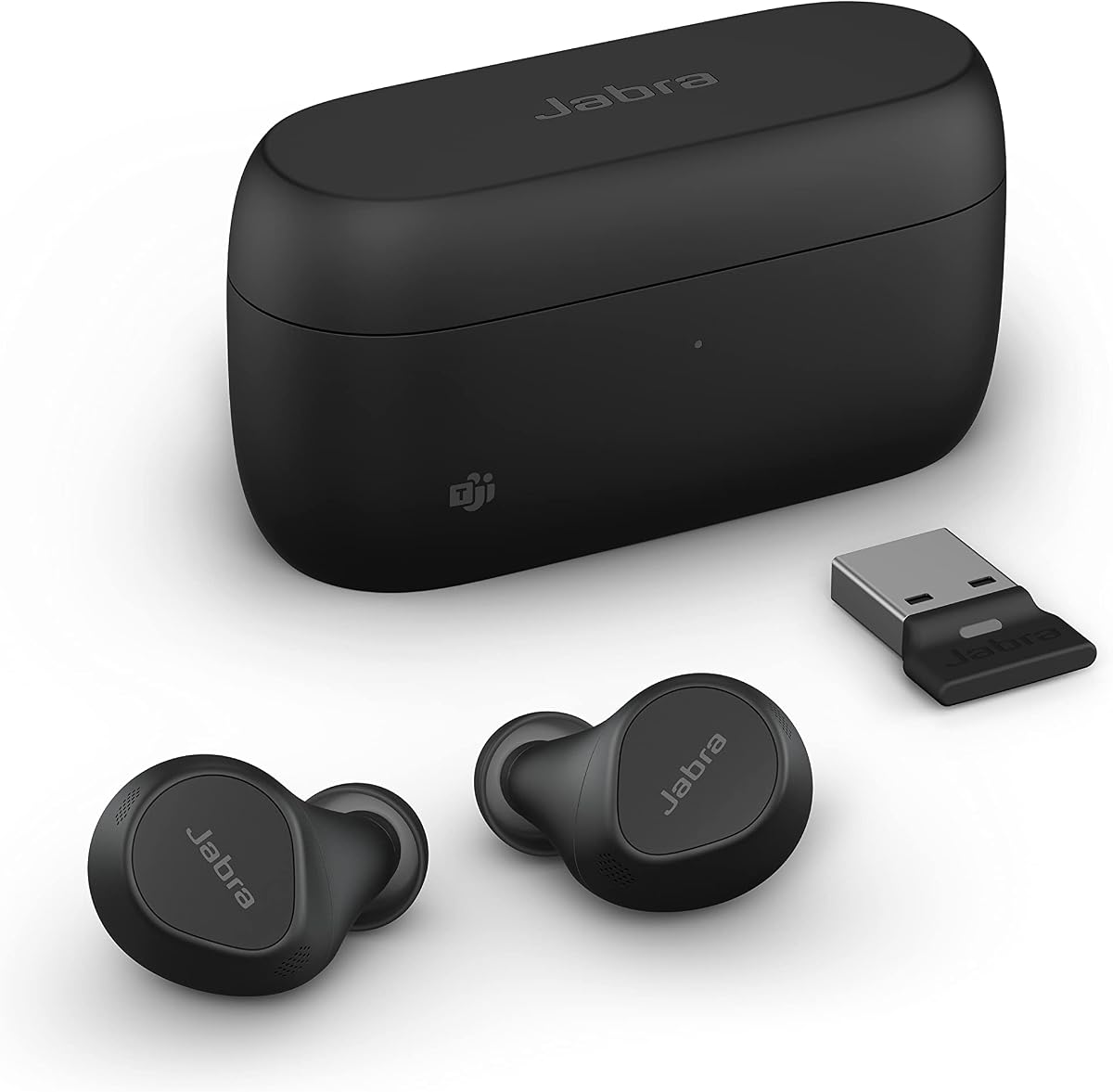
The Jabra Evolve2 True Wireless earbuds focus on delivering crystal clear voice transmission. Rated 3.5 stars they target professionals who need reliable connection tools. The voice technology uses multiple sensors for accuracy.
Pros
Advanced voice tech
Stable USB connection
Multipoint pairing
Durable design
Cons
Lower user rating
High price tag
We may earn a commission when you buy through this link, at no additional cost to you.
Key strengths include four microphones and bone conduction sensors that detect your voice even in noise. Teams certification ensures optimized settings for Microsoft users. Multipoint allows you to connect to laptop and phone simultaneously.
Despite the tech the rating is lower which might indicate comfort issues or high price expectations. The USB dongle helps but adds bulk to your pocket. These are expensive compared to general consumer models.
Teams-heavy users will appreciate the certified features and stability of this model. The voice sensors help in very noisy rooms. If call quality is your only priority and you have the budget these are suitable.
Advanced Voice Detection
Bone sensors detect your voice vibrations so you are heard even when you whisper in a loud room.
Dual Device Connection
Stay connected to two devices at once so you can switch between laptop calls and mobile alerts instantly.
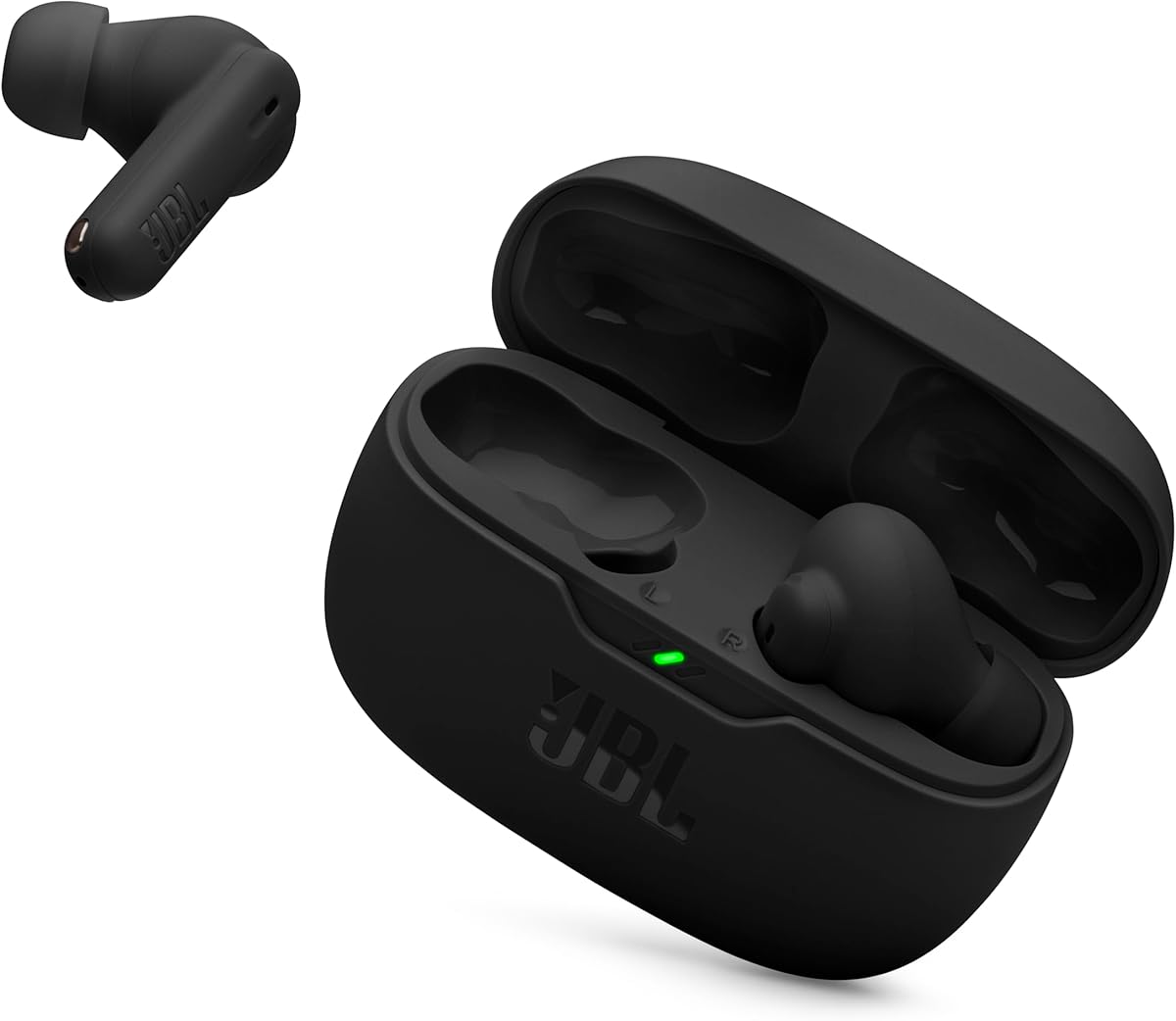
The JBL Vibe Beam 2 earbuds are known for their signature sound quality. With a 4.1 rating they offer great music features alongside decent call tools. If you listen to music between meetings these shine.
Pros
Rich bass profile
Long battery life
Reliable brand
Custom EQ settings
Cons
Bass heavy for calls
ANC moderate
We may earn a commission when you buy through this link, at no additional cost to you.
Highlights include the Pure Bass sound and forty hours of total playback. The four microphones work well to cancel out ambient noise during calls. You can adjust EQ via the app to suit your voice.
The bass tuning might overpower voices slightly compared to neutral profiles. Noise cancellation is good but not the best for busy offices. However the battery life and JBL reliability make it a strong option.
Music lovers who need occasional meeting capabilities will enjoy these earbuds. They offer a great balance of entertainment and work. For long work days the battery and sound quality keep you engaged.
Signature Sound Experience
Enjoy deep bass and clear highs for music breaks making your downtime just as immersive as your work.
Smart Ambient Control
Use Smart Ambient to hear important announcements without removing your earbuds during your daily commute.
The Soundcore P30i offers a unique feature for users who share screens during meetings. With a 4.3 rating it provides solid performance for remote workers. The case doubles as a phone stand for hands-free viewing.
Pros
Unique case stand
Good noise cancel
Easy pairing
Affordable price
Cons
Case bulk
ANC limited depth
We may earn a commission when you buy through this link, at no additional cost to you.
Strengths include strong noise cancellation and four microphones with AI enhancement. The case stand is helpful for watching reference materials during calls. Pairing is fast and connection is stable for most devices.
The case is a bit bulky to carry around. ANC is good but may not block all low frequencies. Despite this the value proposition is strong for casual users.
Freelancers who watch videos during calls will love the stand feature. It adds practical utility beyond audio. For a mid-range price you get a versatile tool that works well for home offices.
Hands-Free Viewing
Place your phone on the case stand to watch tutorials or reference notes while keeping your earbuds in.
AI Enhanced Calls
AI algorithms filter background noise to ensure your voice comes through clearly during every conversation.
The TAGRY Hybrid ANC earbuds are designed for users who need long listening time. With a 4.4 rating they offer eighty hours of total playtime. This makes them ideal for remote workers who rarely charge devices.
Pros
Massive battery time
Earhook stability
Waterproof rating
Clear sound
Cons
Brand recognition
Fit preference
We may earn a commission when you buy through this link, at no additional cost to you.
Highlights include the earhook design which ensures stability during active movement. The hybrid ANC and Hi-Res audio provide good quality for calls and music. Waterproof rating means they handle sweat and rain well.
Some users might not prefer the earhook style over traditional buds. The brand is less known compared to giants like Sony. However the battery life and durability make it a practical pick.
Active professionals who move around often will benefit from the secure fit. The battery ensures you never miss a call due to power loss. For the features offered the performance is very reliable.
Secure Earhook Fit
The soft hooks keep the earbuds in place even if you walk around the office or workout during a break.
Hi-Res Audio
Enjoy detailed sound quality that makes music and voices sound rich and clear during every session.
The JLab Work Buds offer a detachable boom mic for maximum call clarity. With a 3.9 rating they bring headset features to a wireless form. This is great for those who need clear voice pickup.
Pros
Boom mic clarity
Long playtime
Multipoint pairing
Dock included
Cons
Bulky mic
Design preference
We may earn a commission when you buy through this link, at no additional cost to you.
Strengths include the boom mic which eliminates ambient noise effectively. The dock charges both buds and mic efficiently. You get 55 hours of total playtime which is excellent for long work weeks.
The boom mic might be bulky for casual users. Some may prefer standard bud designs without extra attachments. However the clarity and docking system are very useful for dedicated work setups.
Users who require headset-grade microphone performance should consider these. The boom ensures you are heard clearly even in noisy rooms. It blends the comfort of earbuds with the reliability of a headset.
Detachable Mic Design
Use the boom mic for important calls and remove it for music to switch between work and leisure easily.
Multipoint Support
Stay connected to two devices so you can answer calls on your laptop and phone simultaneously.
The TOZO Hybrid ANC earbuds offer a strong waterproof rating for durability. With a 4.3 rating they provide 68 hours of playtime and good noise cancellation. This makes them great for active or outdoor remote work.
Pros
High waterproof rating
Good battery life
Six mic setup
Affordable cost
Cons
Fit variability
App features
We may earn a commission when you buy through this link, at no additional cost to you.
Highlights include the six microphones and IPX8 waterproof rating. You can use them in rain or sweat without worry. The battery life ensures you work all week without charging frequently.
Some users may find the fit varies based on ear shape. App features are basic compared to premium brands. But the durability and price point are hard to beat for many users.
Outdoor workers or those in humid climates will appreciate the waterproof build. The call quality is solid for the price. If you need tough gear that works well this is a great choice.
Waterproof Durability
The IPX8 rating protects against sweat and rain so you can work outdoors or in the gym safely.
Six Mic Setup
Multiple microphones capture your voice accurately and cancel background noise for clear communication.
We may earn a commission when you buy through this link, at no additional cost to you.
Buying Guide – How to Choose the Best Earbuds for Teams Meetings
Selecting the right earbuds for work requires understanding specific features. Here are key factors to consider.
Microphone Quality
The microphone is the most important part for meetings. Look for multiple mics and noise cancellation to ensure your voice is heard clearly.
Prioritize models with dedicated noise-cancelling tech for best results.
Noise Cancellation
Active Noise Cancellation (ANC) helps you focus. It blocks external sounds like traffic or office chatter.
Ensure the ANC is effective without causing discomfort for long wear.
Battery Life
Long meetings need reliable power. Check the total playtime including the charging case to avoid mid-call shutdowns.
Aim for at least 30 hours total for a full work week.
Connectivity
Bluetooth 5.0 or newer ensures stable connections. Multipoint helps switch between laptop and phone smoothly.
Consider models with a USB receiver for PC if Bluetooth is weak.
Compatibility
Check if the earbuds work with your meeting apps like Teams or Zoom. Certified devices offer optimized settings.
Platform support can improve audio quality and ease of use.
Comfort and Fit
You will wear these for hours. Look for ergonomic designs and included ear gel sizes for a secure fit.
Comfort is essential to prevent fatigue during long workdays.
Water Resistance
IPX4 or higher protects against sweat and rain. This helps durability if you move around during the day.
Waterproof earbuds last longer in active environments.
Price and Value
Budget models offer basic features while premium ones add AI tools. Find the balance that fits your financial needs.
Invest in features that actually improve your daily workflow.
How to Use and Care for Your Earbuds for Teams Meetings
Always update your firmware to ensure the latest features and bug fixes are active for your device.
Clean the mesh grills regularly to keep the microphone clear and prevent sound from blocking due to dirt.
Store them in the case when not in use to protect them from damage and keep the battery ready for next calls.
Frequently Asked Questions
Do I need noise cancellation for Teams meetings?
Yes noise cancellation helps you focus and blocks distractions. It ensures others hear only your voice and not background noise. This is essential for clear communication.
Which microphone setup is best for calls?
Look for earbuds with multiple microphones and noise cancellation tech. More mics mean better voice isolation. This prevents background sounds from interfering with your speech.
How long should my earbuds battery last?
You want at least 20 hours of total battery life for work days. Check both earbud and case capacity. This ensures you do not run out during meetings.
What is Bluetooth multipoint and do I need it?
Multipoint allows connection to two devices like a laptop and phone. It makes switching easy during calls. It is very useful for remote workers who use multiple devices.
Are waterproof earbuds worth it for office work?
Waterproof models are great for durability and active use. They handle sweat or spills better. This extends the lifespan of your gear over time.
How do I clean my earbud microphones?
Use a soft dry cloth to wipe the mesh gently. Do not use liquids or sharp objects. This keeps the mic clear and prevents sound issues.
What if my earbuds keep disconnecting?
Check for firmware updates and reset the device. Ensure there is no heavy interference from other electronics. Updating your drivers often helps stability.
Can I use earbuds for long meetings?
Yes if they are comfortable and have enough battery. Look for ergonomic designs and long playtime. This ensures you stay comfortable throughout the call.
Final Thoughts on Choosing the Best Earbuds for Teams Meetings
We reviewed ten top models ranging from budget picks to premium solutions. Each offers distinct features for remote work needs and call clarity.
Prioritize microphone quality and battery life for the best experience. Comfort is also key for long hours of wear and focus.
Check current listings for availability and deals before buying. Prices and stock change frequently so stay updated to get the best value.