
TP-Link AV600 Powerline Ethernet Adapter Kit with 100 Mbps Port
4.2Editor score
AV600 speeds up to 750 feet
Plug and Pair pair for simple setup
Secure wired network for desktops
This guide compares the top Ethernet Line Extender models for 2026, evaluating powerline adapters, VDSL kits, and cable extenders for home and business use.
Ethernet Line Extender solutions are essential for modern homes and offices where standard cabling falls short. These devices allow you to push network connections further than typical limits without running new wires through walls. Choosing the right one depends on your specific distance needs and infrastructure.
We have compared ten top-rated products including powerline adapters, VDSL kits, and active couplers. Each entry is evaluated on range, speed capabilities, installation ease, and reliability. Our goal is to help you find the most suitable extender for your unique networking challenges.
Each pick includes detailed specs, pros and cons, and real-world application advice. You will see how different technologies handle distance and interference. Please note that prices and availability can change frequently, so always check the latest listing before purchasing your device.
4.2Editor score

4.8Editor score
4.4Editor score
The following table provides a side-by-side comparison of all ten products analyzed in this guide. It highlights key specifications such as maximum range, supported standards, and port types to help you quickly identify the best fit for your specific network extension requirements.


The TP-Link AV600 kit stands out as an affordable entry point for powerline networking. It delivers AV600 speeds over existing electrical wiring to help you extend connectivity without new cables. Its compact size and simple setup make it ideal for basic needs.
We may earn a commission when you buy through this link, at no additional cost to you.
This unit uses the same infrastructure as larger models but caps speeds at 100 Mbps. It is perfect for desktops or smart TVs that do not require gigabit throughput. The included Ethernet cable ensures immediate use upon unpacking.
Users should note that wiring quality and AFCI breakers can limit performance. Also, it requires a direct wall outlet. Despite these constraints, it remains a solid value for budget conscious consumers needing reliable wired access.
We recommend this for small offices or homes needing a single connection extension. It balances cost and functionality well. If you need higher speeds later, you can upgrade to a gigabit model within the same ecosystem.
This kit offers a low cost way to bypass thick walls that block wireless signals. It provides a stable alternative to running long Ethernet cables through finished spaces.
TP-Link integrates advanced security measures into the design. This ensures that your data transmission remains private and protected across the electrical network.
We may earn a commission when you buy through this link, at no additional cost to you.
The NETGEAR PLP2000 kit is designed for users who need maximum throughput over electrical wiring. It supports Gigabit speeds and uses Homeplug AV2 technology to ensure reliable data transmission. This makes it excellent for streaming and gaming.
We may earn a commission when you buy through this link, at no additional cost to you.
A key feature is the extra pass-through outlet which prevents wasting wall sockets. The noise filtered design helps maintain signal integrity in noisy environments. MIMO beamforming directs signals efficiently to improve overall performance.
While performance is high, it still depends on the quality of your home wiring. It will not work with standard surge protectors. Ensure outlets are on the same circuit for best results during initial installation.
This kit is ideal for media rooms or gaming setups needing consistent bandwidth. It outperforms many lower speed alternatives significantly. If speed is your priority, this model offers a strong balance of features and capability.
MIMO and beamforming technologies work together to optimize data paths. This ensures that your connection remains stable even when walls or distance are factors.
The integrated outlet allows you to plug in other devices without needing an adapter. This keeps your setup clean and maximizes the use of available wall space.
We may earn a commission when you buy through this link, at no additional cost to you.
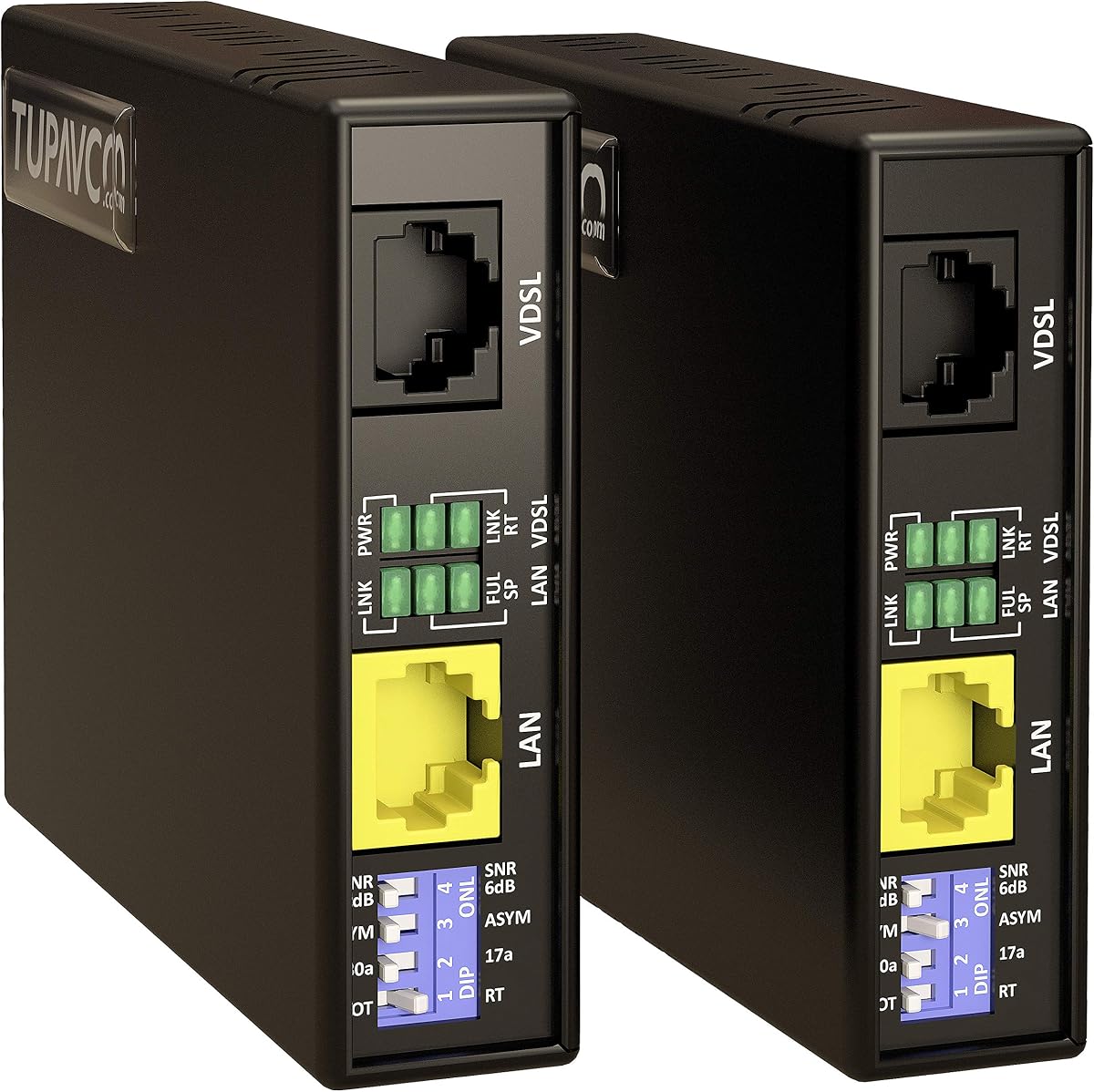
This VDSL kit is a premium solution for extending Ethernet signals over vast distances. It pushes the limit beyond typical copper cabling constraints to reach up to 7000 feet. It is perfect for large properties or industrial sites.
We may earn a commission when you buy through this link, at no additional cost to you.
The system works with existing CAT5 CAT6 or phone lines to avoid new trenching. It provides a stable link for IP cameras and VoIP phones that require consistent uptime. Setup is straightforward with a preset central and remote pair.
While it offers great range, the cost is higher than standard powerline adapters. You need to ensure your existing cables are of good quality to maximize performance. It is a specialized tool for specific long distance needs.
Choose this if you need to connect devices far apart without running fiber. It handles interference well and maintains a solid link. For professional installations where distance is critical, this kit delivers reliable performance.
VDSL allows high frequency data transmission over twisted pairs. This enables much longer distances than standard Ethernet protocols while maintaining decent speeds.
You can use phone cables or network cables depending on what is already installed. This flexibility makes it easy to leverage existing infrastructure for network expansion.
We may earn a commission when you buy through this link, at no additional cost to you.
StarTech is known for professional grade networking hardware and this extender confirms that reputation. It extends Ethernet up to 0.5 miles using existing cabling without signal degradation. It is ideal for remote access and surveillance.
We may earn a commission when you buy through this link, at no additional cost to you.
The TAA compliance makes it suitable for government or enterprise contracts. It passes protocols transparently so VLAN tags and DHCP work as expected. LED indicators help IT admins monitor network status easily.
While it is limited to 100Mbps speeds which is slower than modern gigabit options. It is highly reliable and designed for long life. The DIP switches offer configuration options for different distance scenarios.
Use this for professional installations where reliability is paramount over speed. It handles remote sensors and equipment diagnosis well. The build quality ensures it withstands demanding environments better than consumer grade units.
TAA compliance and VLAN support make this suitable for strict corporate environments. It integrates seamlessly into managed networks without disrupting existing protocols.
The LED indicators provide immediate visual feedback on connection status. This helps technicians troubleshoot issues quickly without needing to log into a network controller.
We may earn a commission when you buy through this link, at no additional cost to you.
This TP-Link kit brings Gigabit speeds to your electrical wiring in a tiny form factor. The nano size design ensures it does not block adjacent outlets in tight wall arrangements. It is perfect for modern homes with dense outlet needs.
We may earn a commission when you buy through this link, at no additional cost to you.
It supports AV1000 speeds and uses HomePlug AV2 technology for improved performance. The Gigabit port allows for high throughput devices like consoles and PCs. It works with other TP-Link adapters to expand your network.
Installation is simple with plug and pair functionality. You do not need any software to get started. However, ensure you plug directly into the wall to avoid signal loss from surge protectors.
Choose this if you need high speed in a compact design. It balances performance and physical footprint well. For living rooms where outlets are crowded, this adapter is a smart choice for extending wired access.
The nano size allows you to use the second outlet for other devices. This eliminates the need for bulky extension blocks that hide in your setup.
Gigabit ports ensure you can utilize the full potential of your internet plan. This is essential for gaming and 4K streaming which require consistent bandwidth.
We may earn a commission when you buy through this link, at no additional cost to you.
This hybrid kit combines powerline Ethernet with Wi-Fi 6 to provide wireless coverage in dead zones. It uses your electrical wiring to bring signals where routers cannot reach. The AX1500 speed supports modern wireless demands well.
We may earn a commission when you buy through this link, at no additional cost to you.
The powerline adapter part ensures a stable connection to the router. You can use the Gigabit port for a TV or gaming console. The Wi-Fi extends coverage using advanced standards for better efficiency.
Configuration is made easy with the WiFi Clone button. It mimics your existing network to keep devices connected. EasyMesh support means it integrates with other compatible routers for a seamless network.
Use this for homes needing both wired and wireless extension in one unit. It is a versatile solution for modern connectivity needs. If you want to upgrade to Wi-Fi 6 without new cables this is a strong option.
Wi-Fi 6 provides better performance in crowded environments. It supports more devices at once with less latency for a smoother user experience.
The EasyMesh compatibility allows you to add to your existing system easily. It creates a unified network that covers your whole home without dead spots.
We may earn a commission when you buy through this link, at no additional cost to you.
This kit offers a reliable way to extend wired and wireless connections using existing power lines. The passthrough design ensures you do not lose a wall socket. It provides solid performance for standard home needs.
We may earn a commission when you buy through this link, at no additional cost to you.
It uses AC1200 Wi-Fi 5 which is still capable for most tasks. The powerline speeds are high enough for streaming and browsing. It works well with other OneMesh devices to expand coverage.
Setup is quick with no configuration required. It pairs automatically when plugged in. Ensure outlets are on the same circuit for optimal speed and reliability during daily use.
This is a good choice for general home extension needs. It balances wireless and wired features effectively. If you do not need Wi-Fi 6 speeds this model provides a budget friendly reliable alternative.
The built-in outlet lets you use the power without blocking the wall. This keeps your area tidy and functional without extra adapters.
OneMesh allows for whole home coverage when connected to a compatible router. It simplifies network management with a single app interface.
We may earn a commission when you buy through this link, at no additional cost to you.
This coupler allows you to join two Ethernet cables into one continuous run. It supports high speeds up to 10Gbps and handles PoE power for cameras. It is a simple tool for extending cable lengths without new wiring.
We may earn a commission when you buy through this link, at no additional cost to you.
Unlike active extenders it does not regenerate the signal. It is purely mechanical to join conductors reliably. This makes it cheap and easy to install where a few extra feet are needed.
It works with Cat6 Cat7 and Cat8 cables. The Z shape design ensures stable data transmission. However it is not for long distances where signal loss would occur over standard cables.
Use this when you need to extend a cable run slightly. It is great for connecting switches to distant cameras. For simple cable joins where high speed is needed this coupler is a great value.
The coupler passes power through without interruption. This allows you to power IP cameras over the joined cable without extra adapters.
It fits all standard network cables including Cat5 and Cat8. This versatility means you can use it in almost any existing network setup.
We may earn a commission when you buy through this link, at no additional cost to you.
This kit extends Ethernet over two wires up to 600 meters. It uses active regeneration to maintain speed over long distances. It supports twisted pair and coax for flexible infrastructure use.
We may earn a commission when you buy through this link, at no additional cost to you.
The units are mains powered which ensures a strong signal at the remote end. This is better than passive extenders that fail over distance. It passes network protocols unchanged for reliable operation.
While the speed is capped at 100 Mbps it is sufficient for most monitoring systems. You can use spare alarm wires or coax to save money. Setup is simple with no software required.
Ideal for security systems in older buildings with existing wiring. It brings network access to far corners without new cabling. For industrial or legacy setups this extender offers a reliable bridge for connectivity.
Active units regenerate the signal at each end ensuring consistent quality. This prevents data loss that occurs with passive copper runs over distance.
You can use alarm or coax cables if Ethernet is not available. This flexibility reduces the need for new infrastructure in retrofitted environments.
We may earn a commission when you buy through this link, at no additional cost to you.
This VDSL kit extends network reach up to 5000 feet with high speed. It uses G.INP to reduce interference for a stable link. The DIP switches allow you to tailor settings for your distance.
We may earn a commission when you buy through this link, at no additional cost to you.
It supports up to 300Mbps which is faster than many alternatives. It is designed to work with existing phone or network cabling. The LED indicators help monitor the link status effectively.
While it is a robust solution it depends on the quality of the existing wires. It is best for runs where fiber is too expensive. It is a reliable choice for remote offices needing good throughput.
Use this when you need high speed over a long distance. It saves money compared to pulling new cable. For businesses needing extended network access this kit is a powerful tool for connectivity.
G.INP technology helps maintain speed even with interference. This ensures your connection remains stable in noisy environments.
The switch settings let you optimize performance for distance. You can choose profiles that suit your specific cable conditions perfectly.
We may earn a commission when you buy through this link, at no additional cost to you.
Selecting the right extender requires understanding your distance needs and infrastructure. This guide breaks down the key factors to ensure you pick a device that delivers reliable performance.
Different technologies support different distances. Powerline adapters typically work best within a home electrical circuit often up to 750 feet. VDSL kits can reach over 5000 feet using existing phone or network cables. Active extenders can reach 600 meters. Measure your distance accurately to match the product specs.
Always choose a device that supports at least 20 percent more distance than your actual run to ensure stability.
Look for standards like HomePlug AV2 or VDSL2. These ensure modern speeds and better handling of noise. AV1000 or AV2000 ratings indicate higher potential throughput. Check if the device is IEEE compliant for network compatibility.
Standard compliance ensures the device works with your existing router and network protocols without conflicts.
Active extenders often need twisted pair or coax. Powerline devices use electrical wiring. Ensure the device supports the type of cable you already have in place. Using the wrong cable type can limit range or speed.
Verify that your existing infrastructure matches the required cable type before purchasing to avoid extra costs.
Choose speeds that match your internet plan. Gigabit ports are best for modern high speed plans. 100 Mbps ports may limit you even if the line can handle more. Check the physical port rating on the device.
Match the port speed to your ISP plan to ensure you do not bottleneck your network performance.
Powerline adapters need a direct outlet. Active extenders need power at both ends. Some kits require simple plug and play while others have DIP switches. Consider your technical skill level when selecting a kit.
Simple setup options save time and reduce the risk of configuration errors during installation.
Security is vital for any network device. Look for Secure-by-Design pledges or encryption features. This ensures data transmitted over wires is protected from unauthorized access. Check vendor commitments to security standards.
Prioritize devices with strong security protocols to protect sensitive data on your network.
Metal shells are more durable than plastic. Active extenders should have reliable power adapters. Check user reviews for long-term reliability. Good build quality ensures the device lasts in various environments.
Invest in robust hardware to avoid frequent replacements and ensure consistent network uptime.
Consider the total cost of installation. Active extenders might cost more upfront but save on wiring. Powerline kits are cheaper but may have lower speeds. Evaluate the long term value.
Balance upfront cost with expected performance to find the best economic choice for your needs.
Always plug powerline adapters directly into the wall outlet. Avoid surge protectors as they can block the signal. Ensure both units are on the same electrical circuit for proper connection. This simple step often resolves connectivity issues immediately.
For active extenders check power connections at both ends. Keep the devices in well-ventilated spaces to prevent overheating. Clean dust regularly from the vents using a soft brush. Proper ventilation extends the lifespan of the electronics.
Test your network speed after installation. Use online tools to verify you are getting expected throughput. If speeds drop check wiring quality or interference sources. Adjust DIP switches or reposition devices if necessary for optimal results.
No most powerline adapters require a direct connection to the wall outlet. Surge protectors often filter out the high frequency signals used by these devices. Plug directly into the wall for best performance.
Yes many active extenders support both twisted pair and coax cable types. You may need BNC adapters for coax connections. Check the product specs to confirm coax compatibility before buying.
Actual speed depends on wiring quality and interference. Older copper or long distances can reduce performance. Ensure outlets are on the same circuit. Also check your internet plan limit.
Yes most units have Ethernet ports or Wi-Fi capabilities. You can use a switch to expand connections. Check the number of available ports on the specific model you choose.
Most standard extenders work with any router. Powerline adapters follow standard protocols like IEEE 1901. Ensure your router uses standard DHCP and VLAN settings for compatibility.
Check your existing cabling before buying. VDSL kits work with phone or Ethernet cables. Powerline units use electrical wiring. Active extenders need twisted pair or coax depending on the model.
Range varies by technology. Powerline units reach around 750 feet. VDSL kits can reach 5000 feet. Active extenders often reach 600 meters. Always check the specific product specs.
No most modern extenders are plug and play. They do not require software or drivers to function. Just connect them to power and Ethernet to get started.
We reviewed ten top extender models ranging from budget powerline kits to professional VDSL systems. The StarTech 10/100 Ethernet Extender stands out for IT needs while the TP-Link AV600 offers great value for home users.
Prioritize range and speed when making your decision. Ensure the device matches your existing infrastructure like cables and electrical circuits. This will help you avoid common installation issues and get reliable performance.
Prices for these devices fluctuate often. Check the current listings to confirm availability and deals. We hope this guide helps you make the right choice for your network expansion needs.