
Maxone 1TB Ultra Slim Portable External Hard Drive
4.4Editor score
Ultra slim metal design
USB 3.0 fast transfers
No external power needed
Discover the top external hard drives for Chromebook in October 2026. This guide compares capacity, speed, and compatibility to help you choose the right
Finding the right external hard drive for Chromebook can be challenging due to limited internal storage and specific connectivity needs. Modern Chromebooks often rely on cloud storage, but local backup and file access remain crucial for many users working offline or with large media files.
We evaluated ten leading portable drives based on compatibility, transfer speeds, build quality, and ease of use. Our analysis focuses on USB connectivity, power requirements, and formatting compatibility to ensure seamless integration with Chrome OS without needing complex software setups.
Each pick highlights key strengths and potential limitations to help you make an informed decision. Remember that storage needs vary by workflow, so consider your typical file sizes and portability requirements. Prices and availability change frequently, so verify current details before purchasing.
4.4Editor score

4.7Editor score
4.6Editor score
This side-by-side comparison highlights key specifications across all ten selected drives. Use this table to quickly identify capacity options, connectivity types, and unique features before diving into detailed reviews.




The WD 2TB Elements Portable External Hard Drive stands out as a top contender for Chromebook users seeking reliable storage expansion. With a stellar 4.7 rating from thousands of verified buyers, it offers a balance of speed, capacity, and portability that few competitors match in this price range. Its compact design ensures it fits easily into laptop bags without adding significant weight.
We may earn a commission when you buy through this link, at no additional cost to you.
This drive utilizes SuperSpeed USB 3.2 Gen 1 technology, delivering transfer speeds up to 5Gbps which is crucial for moving large files like videos or project folders efficiently. The plug-and-play expandability means you can connect it to your Chromebook and immediately start storing data after formatting. The lightweight enclosure is built to withstand daily transport, making it ideal for students and professionals on the go.
While highly effective, users should note that Western Digital drives often ship pre-formatted for Windows systems, requiring a quick reformatting step to work seamlessly with Chrome OS. Additionally, the drive does not come with a protective case, so extra care is needed during travel. These are minor trade-offs given the performance and reliability offered by this model.
If you need a dependable, high-capacity drive that works well with Chromebooks after a simple setup, the WD Elements is an excellent choice. It handles everyday backup tasks and media storage with ease, ensuring your important files remain safe and accessible.
With options up to 6TB, this drive provides ample space for extensive media libraries and critical document backups without cluttering your desk.
The SuperSpeed USB interface ensures that transferring large files happens quickly, saving valuable time during work or study sessions.
We may earn a commission when you buy through this link, at no additional cost to you.
The Maxone 1TB Ultra Slim Portable External Hard Drive delivers exceptional value for budget-conscious Chromebook users. Boasting a 4.4 rating, this drive combines a sleek, durable design with solid performance at a fraction of the cost of premium brands. Its ultra-slim profile makes it incredibly portable, slipping effortlessly into pockets or sleeves.
We may earn a commission when you buy through this link, at no additional cost to you.
Constructed with an all-aluminum casing, this drive not only looks professional but also dissipates heat efficiently to maintain stable operation. The USB 3.0 interface ensures transfer speeds up to 5Gbit/s, significantly faster than older USB 2.0 standards. It requires no external power supply, drawing enough energy directly from the Chromebook's USB port for convenient use anywhere.
One limitation is the absence of advanced software features like automatic backup tools, meaning users must manage file transfers manually. However, for those who prioritize storage space and durability over bundled utilities, this is a minor inconvenience. The included three-year warranty adds significant peace of mind for long-term usage.
For users seeking a reliable, cost-effective storage solution that doesn't compromise on build quality, the Maxone 1TB is a smart investment. It handles everyday file storage and backup needs with ease, making it a practical addition to any Chromebook setup.
The all-aluminum shell provides robust protection against scratches and impacts while keeping the drive cool during extended use.
A comprehensive three-year warranty ensures that any potential hardware issues are covered, enhancing the drive's overall value proposition.
We may earn a commission when you buy through this link, at no additional cost to you.
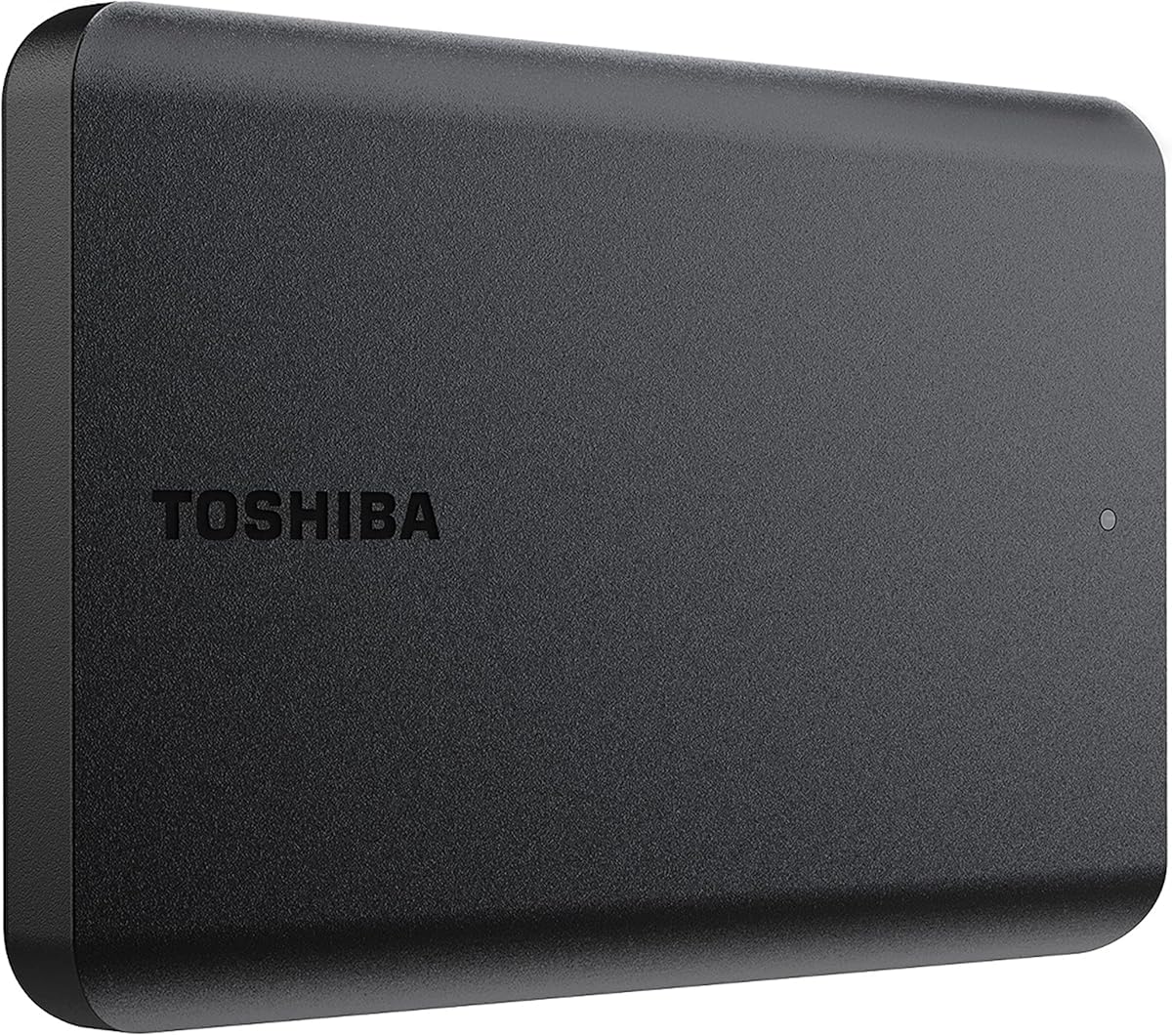
The Toshiba Canvio Basics 2TB Portable External Hard Drive offers a premium storage experience with its sleek design and generous capacity. With a strong 4.6 rating, it appeals to users who value aesthetics alongside performance. The matte finish resists smudges, keeping the drive looking pristine even after frequent handling.
We may earn a commission when you buy through this link, at no additional cost to you.
This drive features USB 3.0 connectivity, enabling fast data transfers compatible with both modern and legacy ports. It is designed for plug-and-play simplicity, requiring no software installation to start using it on your Chromebook after formatting. The lack of an external power cord enhances portability, making it perfect for mobile workflows.
Like many external drives, it ships pre-formatted for Windows PCs, necessitating a quick reformatting process to work optimally with Chrome OS. Additionally, it does not include backup software, relying on users to manage their own file organization. These factors are standard for this category but worth noting before purchase.
If you need a stylish, high-capacity drive that balances premium build quality with straightforward functionality, the Toshiba Canvio Basics is an outstanding choice. It provides robust storage for multimedia and documents while maintaining a slim profile for easy transport.
The smudge-resistant matte surface ensures the drive maintains a clean and professional look, even with daily use.
At 2TB, this drive offers ample space for extensive file collections, reducing the need for frequent cloud uploads.
We may earn a commission when you buy through this link, at no additional cost to you.
The Seagate 2TB Portable Hard Drive is a classic choice for Chromebook users needing dependable storage expansion. With a 4.6 rating, it is known for reliability and ease of use. The drive offers 2TB of space in a compact form factor, ideal for carrying photos, videos, and documents on the go.
We may earn a commission when you buy through this link, at no additional cost to you.
Designed for universal compatibility, it connects via USB 3.0 for fast transfer speeds and supports automatic recognition upon connection. This means you can simply drag and drop files without installing any additional software. The included 18-inch cable provides enough length for comfortable desktop use, though it might be shorter than some users prefer for travel.
While highly functional, the drive lacks advanced features like password protection or backup software, which may require third-party tools for enhanced security. The exterior design is straightforward, focusing on utility over style. These trade-offs are acceptable given the drive's robust performance and affordability.
For those prioritizing reliability and simplicity over extra features, the Seagate 2TB Portable is a strong candidate. It delivers consistent performance for everyday backup and file storage needs across multiple devices.
Drag-and-drop functionality allows for intuitive file transfers without the need for technical setup or software installation.
Works seamlessly with various operating systems, ensuring flexibility whether you switch between Chromebook and other computers.
We may earn a commission when you buy through this link, at no additional cost to you.
The 500 GB External Hard Drive offers an entry-level storage solution ideal for Chromebook users with modest needs. With a 4.3 rating, it provides essential functionality at a low cost point. Its ultra-slim design makes it easy to carry, fitting comfortably in small bags or even large pockets.
We may earn a commission when you buy through this link, at no additional cost to you.
Powered by USB 3.0, this drive delivers read speeds up to 110MB/s, ensuring quick access to frequently used files. It supports a wide range of systems, including Chromebooks, Windows PCs, and Macs, making it a versatile option for mixed-device households. Setup is straightforward, requiring no software installation for immediate use.
The primary drawback is the limited 500GB capacity, which may fill up quickly for users with large media libraries. Additionally, the warranty period is shorter than many competitors, offering less long-term protection. However, for basic storage needs or temporary backups, it remains a practical choice.
If you need a budget-friendly, lightweight drive for essential file storage without breaking the bank, this model is worth considering. It handles everyday tasks efficiently, though users should monitor storage levels to avoid running out of space.
Weighing only 0.35 lbs, this drive is incredibly easy to carry, making it perfect for travel or daily commutes.
Compatible with various operating systems and devices, allowing seamless integration across your digital ecosystem.
We may earn a commission when you buy through this link, at no additional cost to you.
The Aiolo Innovation 500GB External Hard Drive distinguishes itself with a focus on quiet operation and heat management. Rated 4.5 by users, it features a noise-free motherboard solution that ensures a peaceful working environment. This is particularly beneficial for users in libraries, shared offices, or quiet home setups where drive noise can be distracting.
We may earn a commission when you buy through this link, at no additional cost to you.
The drive supports fast USB 3.0 transfers and includes a USB to Type-C adapter, enhancing connectivity options for modern Chromebooks. The chip is wrapped with an anti-interference layer to boost heat dissipation, protecting data integrity during extended use. A three-year warranty adds confidence to its overall value proposition.
While the 500GB capacity is limited for heavy storage needs, it suffices for document backups and moderate media files. The included adapter is a valuable inclusion, reducing the need for extra purchases. However, some users might find the cable length slightly restrictive for desk setups.
For those seeking a silent, reliable drive with modern connectivity features, the Aiolo Innovation 500GB is a strong option. It balances performance with user-friendly design elements that simplify usage across different devices.
Advanced noise-reduction technology keeps the drive nearly silent during operation, perfect for quiet environments.
The included USB-C adapter ensures compatibility with newer ports, future-proofing your investment for modern laptops.
We may earn a commission when you buy through this link, at no additional cost to you.
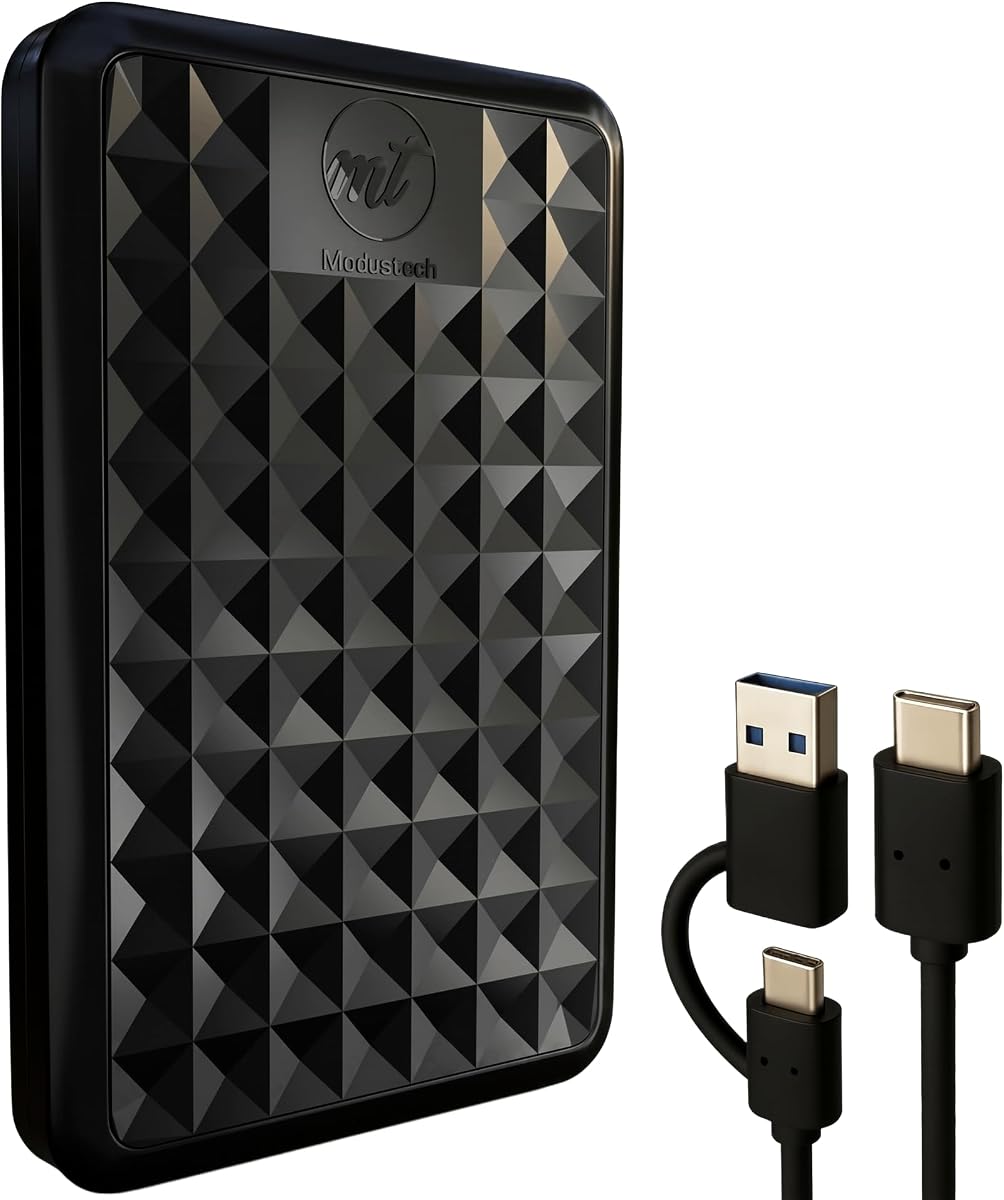
The Facet 500GB External Hard Drive stands out with its native USB-C and USB 3.1 connectivity, aligning well with modern Chromebook hardware. With a 4.1 rating, it offers a straightforward plug-and-play experience thanks to its ExFAT preformatting. This means no reformatting is needed to use it with Chrome OS, Windows, or Mac systems right out of the box.
We may earn a commission when you buy through this link, at no additional cost to you.
It ships with a 2-in-1 cable featuring a tethered USB-A adapter, ensuring compatibility with both new and older ports without needing extra accessories. The shock-resistant casing and diamond-texture top panel resist fingerprints and everyday wear, maintaining a clean look over time. At just 160g, it is exceptionally lightweight for daily carrying.
While the user rating is slightly lower than competitors, the convenience of native USB-C support and preformatting remains a strong selling point. The 500GB capacity is modest but suitable for essential backups. Some users may experience slower real-world speeds compared to premium brands, but performance remains adequate for most tasks.
If you want a drive that works immediately with your Chromebook without extra steps, the Facet 500GB is an excellent solution. Its modern connectivity and durable design make it a practical choice for students and professionals alike.
Preformatted in ExFAT, this drive eliminates setup hassles, allowing immediate use across different operating systems.
The shock-resistant casing and textured finish protect against daily wear and tear, keeping the drive looking new.
We may earn a commission when you buy through this link, at no additional cost to you.
The 1TB Portable Mobile HDD is designed for versatility across various devices including Chromebooks, Xbox consoles, and PCs. With a 4.3 rating, it offers a solid balance of storage space and portability. Its 2.5-inch slim profile fits comfortably in a palm, making it ideal for users who frequently travel or commute.
We may earn a commission when you buy through this link, at no additional cost to you.
Equipped with USB 3.0 technology, it provides transfer speeds ten times faster than USB 2.0, ensuring quick backups and file access. The included USB to Type-C adapter enhances its utility for modern laptops lacking traditional USB-A ports. A three-year warranty with free technical support adds value to this budget-friendly option.
While it lacks advanced software features, its simplicity ensures stability and ease of use for basic storage needs. The black finish is practical, though it may show smudges under certain lighting. These factors do not detract from its overall functionality as a reliable backup solution.
For users needing a compact, multi-purpose drive that integrates smoothly into mixed-device setups, this model is highly recommended. It delivers consistent performance for everyday tasks while maintaining a discreet footprint.
Works seamlessly with game consoles, PCs, and laptops, offering flexibility for diverse entertainment and work setups.
USB 3.0 interface ensures rapid file transfers, reducing wait times when moving large projects or media files.
We may earn a commission when you buy through this link, at no additional cost to you.
The UnionSine 1TB Ultra Slim Portable External Hard Drive is engineered for speed and stability. With a 4.4 rating, it features an upgraded design combining a mirror logo with non-slip strips for a secure grip. This ergonomic approach makes handling the drive easier during transfers or transport.
We may earn a commission when you buy through this link, at no additional cost to you.
Powered by the JMicron 578 solution, the drive boasts read speeds up to 125MB/s, outperforming many standard USB 3.0 drives. The aluminum anti-interference layer wrapped around the chip improves heat dissipation, ensuring stable operation even during heavy workloads. It requires no software installation, allowing immediate use via plug-and-play.
While UnionSine is a lesser-known brand compared to giants like WD or Toshiba, its performance metrics and warranty terms remain competitive. The non-slip strips are functional but may collect lint over time. These minor drawbacks do not significantly impact its overall utility as a storage device.
If you seek a drive with strong thermal management and fast speeds at a reasonable price, the UnionSine 1TB is worth exploring. It delivers consistent performance for users needing reliable backup and file storage capabilities.
The non-slip strips on the shell aid in heat dissipation, preventing overheating during prolonged file transfer sessions.
The anti-interference layer shields data transfer processes from potential disruptions, ensuring file integrity.
We may earn a commission when you buy through this link, at no additional cost to you.
The Toshiba Canvio Advance 1TB offers unique software features that enhance data security and ease of use. With a 4.6 rating, it stands out for its automatic backup and password protection tools, which are free to download for Windows users. The textured finish provides a premium look and feel, distinguishing it from basic storage devices.
We may earn a commission when you buy through this link, at no additional cost to you.
While these software tools do not directly apply to Chrome OS, the drive's hardware performance remains solid for any system. It connects via USB 3.0 for fast transfers and supports USB 2.0 for legacy compatibility. The compact design ensures portability without sacrificing storage capacity.
Users intending to use the full software suite on a Chromebook will need to access a Windows machine first or rely on Chrome OS backup extensions. The requirement to reformat for Mac or Chromebook systems is also a consideration. However, the hardware quality and brand reputation remain strong.
For users who value data security features and brand reliability, the Toshiba Canvio Advance is a compelling choice. It offers a blend of style and functionality that fits well into professional or personal storage setups.
Password protection software helps prevent unauthorized access to your files, adding an extra layer of security.
Free backup software simplifies the process of maintaining data integrity, ensuring critical files are regularly saved.
We may earn a commission when you buy through this link, at no additional cost to you.
Selecting the right storage solution involves understanding your specific needs regarding capacity, speed, and connectivity. This guide breaks down the key factors to consider for a seamless Chromebook experience.
Storage capacity is the primary consideration when choosing an external drive. Chromebooks typically have limited internal space, so users with large media libraries, video editing projects, or extensive document collections should look for drives with at least 1TB of space. For lighter users who only store documents or occasional backups, 500GB may suffice and offers better value.
Assess your current usage patterns and estimate future growth to avoid needing upgrades soon. Prioritize higher capacities if you plan to store high-resolution photos or video files locally.
Modern Chromebooks often feature USB-C ports, while some older models still use USB-A. Ensure the drive you choose includes the correct connector or comes with adapters for compatibility. USB 3.0 or newer standards like USB 3.1/3.2 provide faster transfer speeds essential for large files.
Check the included cables to confirm they match your device's ports. Drives with dual-connector cables or adapters offer greater flexibility if you switch between devices.
Many external drives ship pre-formatted for Windows (NTFS) which may not be fully writable on Chrome OS without reformatting. Look for drives formatted as ExFAT, which supports both Windows and Mac/Chromebook systems natively. This saves time and avoids potential data loss during manual setup.
If a drive requires reformatting, back up existing data first. Some models explicitly mention Chromebook compatibility, which can simplify the setup process significantly.
Portable drives are subject to daily handling and travel, making durability critical. Look for drives with metal casings or shock-resistant designs to protect internal components from drops or impacts. Slim profiles are convenient for transport but ensure they do not compromise structural integrity.
Consider drives with protective sleeves or cases if you frequently commute. Heat dissipation features also help maintain performance during long transfer sessions.
Speed impacts how quickly you can access and save files. USB 3.0 offers transfer speeds up to 5Gbps, which is sufficient for most users. Premium models may feature USB 3.1 or 3.2 Gen 1/2 for even faster performance, beneficial for video editing or large backup tasks.
Evaluate your workflow needs; casual users may not need top-tier speeds, while professionals should prioritize the fastest interfaces available.
Reliable brands often provide warranties ranging from one to three years. A longer warranty period suggests confidence in product longevity and reduces long-term risk. Check if technical support is included to assist with setup or data recovery issues.
Prioritize drives from established manufacturers with strong customer service reputations. Read user reviews for insights into real-world reliability and support responsiveness.
External drives vary significantly in price based on capacity, brand, and features. Entry-level options provide basic storage at lower costs, while premium models include software tools or faster interfaces. Balance your budget with essential requirements to avoid overspending on unused features.
Look for sales or bundled deals that offer better value. Remember that the lowest price might not guarantee the best long-term performance or reliability.
Some drives come with backup, encryption, or synchronization software designed for specific operating systems. While these tools are useful on Windows or Mac, they often lack native support for Chrome OS. Verify if these features align with your workflow or if you plan to use alternative cloud-based solutions.
If software integration is important, consider compatible third-party apps available in the Chrome Web Store. This ensures seamless workflow without switching systems.
To begin using your drive, connect it to an available USB port on your Chromebook. If prompted, allow access to external media. The system may request formatting; choose ExFAT for cross-platform compatibility. Once set up, access your new storage via the Files app on your Chrome OS desktop.
For regular maintenance, safely eject the drive before unplugging to prevent data corruption. Use the eject option in the Files app or system tray rather than pulling the cable. Store the drive in a dry, temperature-controlled environment to avoid internal damage from moisture or heat.
Keep your drive's firmware updated by visiting the manufacturer's website periodically. Back up critical data to another location or cloud service to prevent loss in case of hardware failure. Avoid using the drive on dusty surfaces or exposing it to physical shocks during operation.
No special software is required for basic file storage and transfer. Chrome OS natively supports FAT32 and ExFAT file systems. If the drive comes formatted as NTFS, you may need to reformat it to ExFAT for full read-write access using the Disk Utility tool.
Yes, but you will need a USB-C to USB-A adapter or cable if your Chromebook only has USB-A ports. Many modern drives include adapters in the box to ensure compatibility across different device generations and connection types.
Almost all Chromebooks support external drives through USB or USB-C ports. Check your device specifications to confirm available ports and power requirements. If your Chromebook lacks an AC adapter, ensure the drive is bus-powered for seamless plug-and-play operation.
While possible, it is safer to eject the drive when not in use to prevent accidental corruption or power surges. Constant connection can also lead to unnecessary wear on ports and reduce the drive's overall lifespan over extended periods.
ExFAT is the ideal file system as it is compatible with Chrome OS, Windows, and macOS without size limitations. FAT32 is compatible but has file size limits of 4GB, while NTFS typically requires third-party tools for full read/write access on Chromebook.
With proper care, an external hard drive can last 3 to 5 years or more. Regular backups, avoiding physical shocks, and maintaining proper ventilation help extend their life. However, mechanical failure can occur unexpectedly, so data redundancy is always recommended.
Selecting the right storage expansion can transform your Chromebook's utility and workflow efficiency. The top picks like the WD 2TB Elements and Maxone 1TB provide reliable options balancing performance and cost for various user needs.
When making your choice, prioritize compatibility and ease of setup over minor feature differences. Ensure the drive formats correctly for Chrome OS and offers the transfer speeds necessary for your daily tasks to maintain productivity.
Always verify current stock and compatibility before purchasing as product specs may change. Regularly check reviews and user feedback to stay informed about the latest reliability updates and best pricing deals available online.