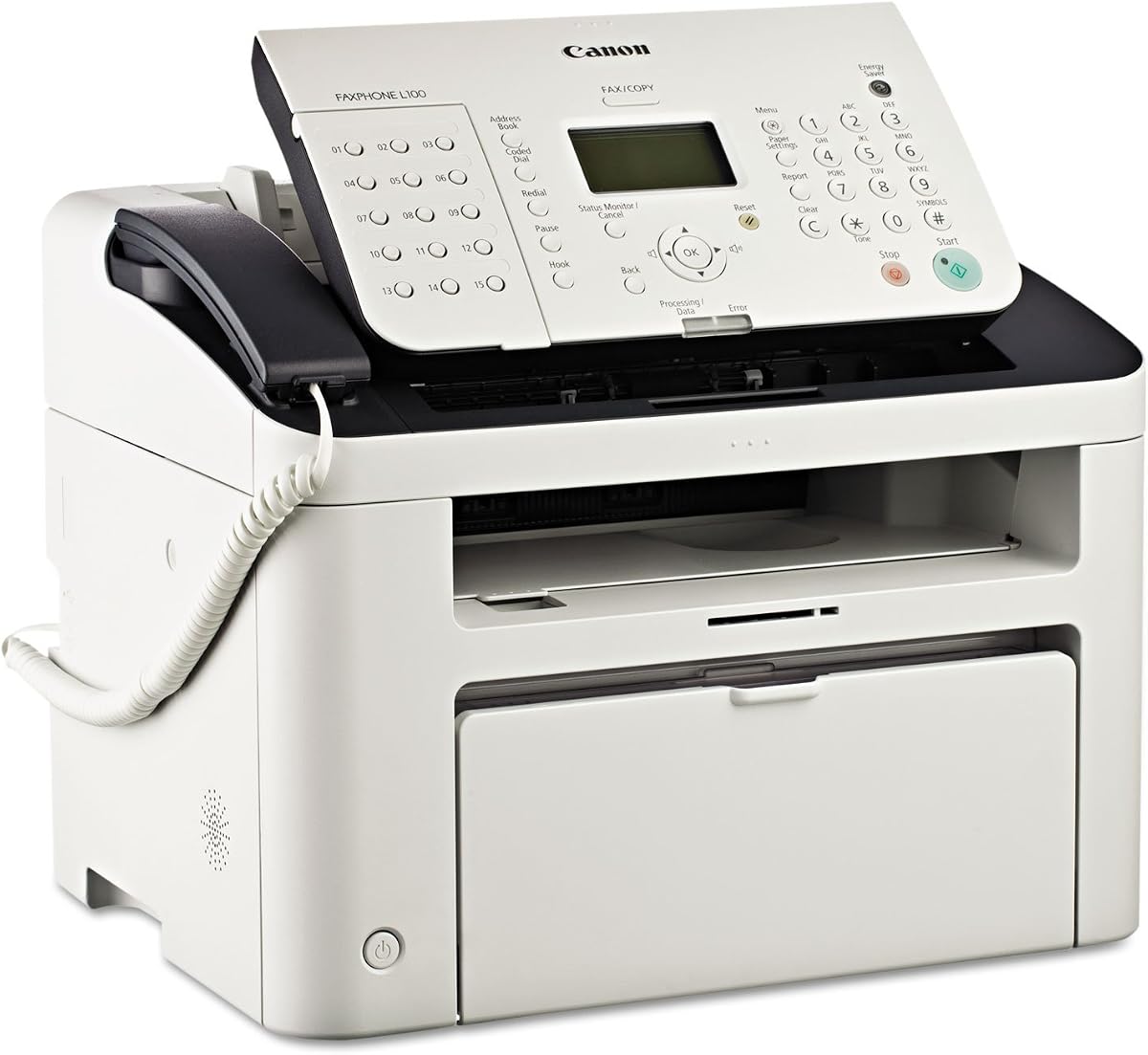
Canon FAXPHONE L100
4.1Editor score
Up to 19 pages per minute
512 sheets memory capacity
30 sheet auto document feeder
This guide compares the top fax machines with phone capabilities for 2026, evaluating speed, memory, and reliability to help you choose the right model.
Finding a reliable fax machine with phone functionality remains crucial for many businesses and home offices. These devices combine communication tools into one unit, streamlining workflows and reducing clutter on your desk while maintaining professional document transmission standards.
We evaluated ten top-rated models based on transmission speed, memory capacity, paper handling, and user feedback. Our comparison focuses on laser and thermal options, highlighting which units offer the best balance of performance and ease of use for daily operations.
Each selection below details specific strengths and potential trade-offs to guide your decision. Prices and availability fluctuate frequently, so always verify current listings before purchasing. This guide ensures you invest in a machine that meets your specific operational needs effectively.
4.1Editor score

4.4Editor score
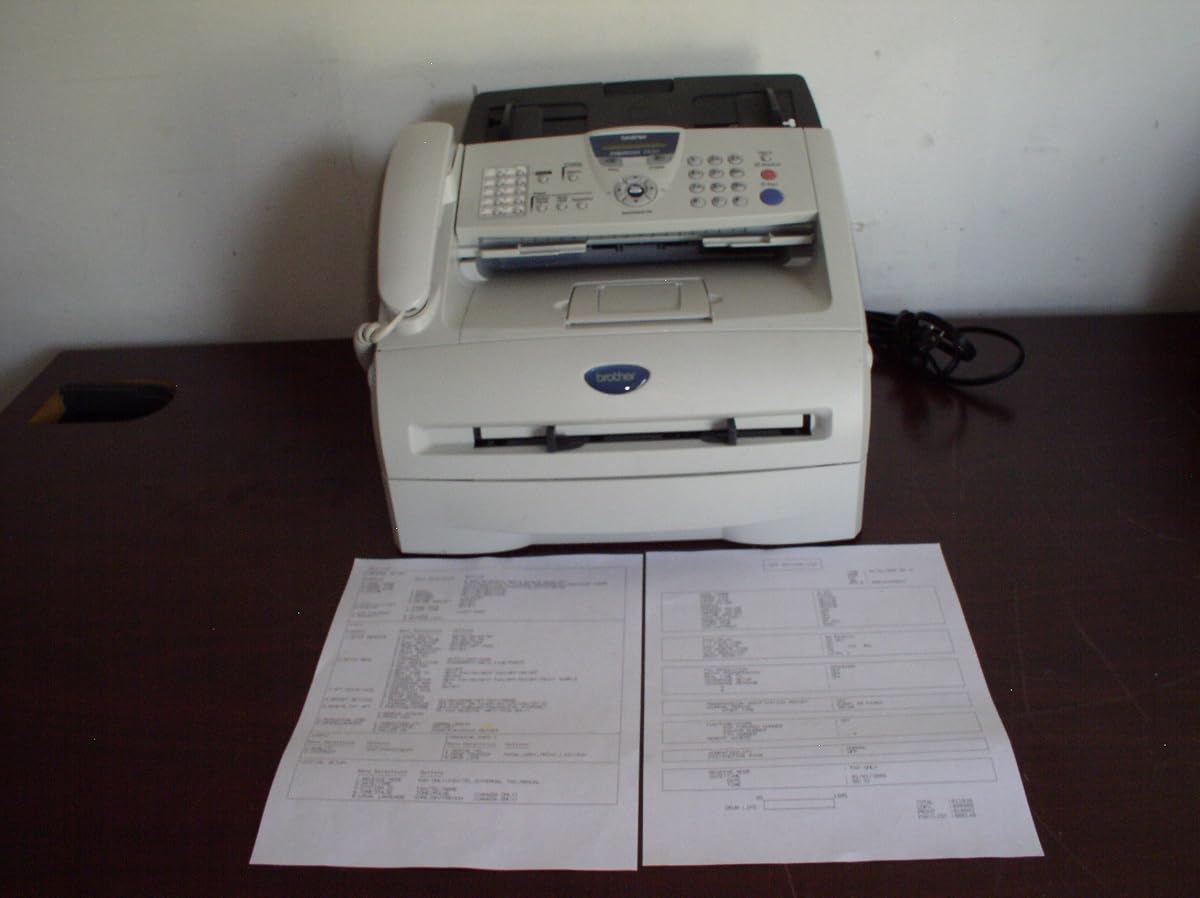
4.2Editor score
This side-by-side comparison outlines key specifications for all ten selected fax machines with phone capabilities, helping you quickly identify the model that best fits your volume and feature requirements.


The Brother PPF4750E stands out as a high-performance business-class laser fax designed for reliability and speed. With a 4.4 star rating, users praise its consistent output quality and fast transmission rates. It remains a top choice for offices needing dependable document handling without complex network setups.
We may earn a commission when you buy through this link, at no additional cost to you.
Its Super G3 plain paper fax technology ensures crisp, legible documents that are easy to file and archive. The laser printing technology delivers sharp text and graphics, avoiding the smearing issues common with thermal models. The copying speed reaches up to 15 pages per minute, keeping workflows efficient during busy periods.
While it lacks modern USB or wireless features found in newer machines, its core fax functions remain robust and straightforward. The build quality suggests longevity, though the physical size requires dedicated desk space. For organizations prioritizing function over connectivity, this trade-off is acceptable for daily operations.
We recommend this unit for small businesses or professionals who handle significant fax volume daily. Its simplicity reduces training time and operational errors. Ensure you have access to standard landline connections to fully utilize its transmission capabilities effectively.
Built for daily high-volume use, this machine minimizes downtime with durable internal components and efficient thermal management during extended operation cycles.
Unlike older thermal models, it uses standard paper, eliminating the need for special rolls and ensuring documents remain legible over time without fading.
We may earn a commission when you buy through this link, at no additional cost to you.
The Brother FAX-575 offers a straightforward combination of fax, phone, and copier functions tailored for personal or small office use. With a 4.1 rating, it is recognized for its ease of operation and consistent fax transmission capabilities. It serves well for those needing basic communication tools without complex setups.
We may earn a commission when you buy through this link, at no additional cost to you.
Equipped with a 9,600 BPS fax modem, this unit transmits pages in approximately 15 seconds, ensuring quick delivery of time-sensitive documents. The 512 KB memory stores up to 25 pages, allowing you to queue faxes even when paper is temporarily out. Black-and-white copying at 400 x 400 dpi provides clear duplicates for internal records.
While functional, the 50-sheet paper capacity may require frequent refills in high-volume scenarios. The device focuses on core utilities rather than advanced networking, making it ideal for environments where simplicity is valued. It fits neatly on compact desks due to its personal-friendly dimensions.
Consider this model if you need an affordable, all-in-one solution for home offices or small startups. It balances performance and cost effectively. Verify current stock levels as availability may vary for this older personal unit.
The 9,600 BPS modem ensures pages transmit rapidly, reducing wait times and freeing up the line for additional calls or faxes immediately.
Combining fax and phone capabilities in one unit saves space and simplifies wiring, making it a practical choice for limited workspace environments.
We may earn a commission when you buy through this link, at no additional cost to you.
This renewed version of the Brother FAX-575 provides the same core functionalities as a new unit at a reduced price point. While rated 3.8 stars, it offers reliable fax, phone, and copy services for budget-conscious buyers. It is suitable for those who prioritize savings over brand new warranty protection.
We may earn a commission when you buy through this link, at no additional cost to you.
The specs mirror the original model, including the 9,600 BPS modem for quick transmission and 512 KB memory for up to 25 pages. You get the same 50-sheet capacity and black-and-white copying capabilities. Refurbished units often undergo testing to ensure basic operational standards are met before sale.
However, the condition of renewed items can vary, and warranty terms are typically shorter than those for new products. Users should inspect the unit carefully upon arrival for any cosmetic or functional issues. It remains a viable option for secondary workspaces or temporary setups.
We suggest buying this if your budget is tight and you accept potential cosmetic imperfections. It performs the same daily tasks as the new version. Check the seller's return policy before completing your purchase to ensure satisfaction.
By choosing a renewed model, you access proven fax and phone features at a fraction of the original cost, ideal for tight budgets.
Despite being refurbished, the transmission speed and memory capacity match the new version, ensuring no loss in core operational efficiency.
We may earn a commission when you buy through this link, at no additional cost to you.
The Canon FAXPHONE L100 is a monochrome laser fax designed for efficiency and speed in demanding environments. With a 4.1 rating, it delivers fast print speeds up to 19 pages per minute, ensuring documents are processed quickly. It includes a telephone handset for integrated voice and data communication.
We may earn a commission when you buy through this link, at no additional cost to you.
Its 30-sheet automatic document feeder simplifies sending multi-page faxes without manual page feeding. The 512-sheet memory capacity allows storage of multiple outgoing and incoming faxes during paper jams or busy periods. With up to 150 sheets paper capacity, it handles volume well for small teams.
While effective, users must account for toner replacement costs, which can add up over time. The physical size is larger than basic thermal units, requiring dedicated space. However, the energy saver mode helps reduce power consumption when not actively printing.
Select this machine if you need high-speed output and multi-page handling without constant supervision. Its laser quality ensures professional results. Confirm toner availability for model 128 before purchase to maintain continuous operation.
The 30-sheet automatic document feeder allows you to load multiple pages at once, streamlining batch faxing tasks and saving valuable time.
With 512 sheets of memory capacity, you can queue significant outgoing documents even if the output tray fills up or paper runs low.
We may earn a commission when you buy through this link, at no additional cost to you.
The CimFAX A5 represents a shift toward paperless faxing by allowing sends from Windows, Mac, Android, and iOS devices. Rated 4.0, it supports 24/7 operation without needing a physical machine on your desk. It is ideal for remote workers who need fax capabilities without hardware maintenance.
We may earn a commission when you buy through this link, at no additional cost to you.
Features include drag-and-drop sending and automatic forwarding of incoming faxes to your email as PDF files. This integration with existing digital workflows reduces physical clutter and speeds up document management. Right-click functionality simplifies the process to just three steps for most users.
Setting up the software on your devices may require initial configuration steps compared to traditional machines. It still connects to phone lines for transmission but handles the processing digitally. Ensure your operating system is compatible with the provided drivers for smooth operation.
Choose this if you prefer managing faxes from computers or phones and want to minimize physical paper storage. The auto-forward feature keeps records organized. Check system requirements before installation to avoid compatibility issues.
Sending directly from your computer or smartphone integrates faxing into your existing digital tools, reducing the need for physical printing and scanning.
Incoming faxes are automatically converted to PDF and sent to your email, ensuring you never miss a document even when away from the office.
We may earn a commission when you buy through this link, at no additional cost to you.
The Brother MFC7240 functions as a comprehensive monochrome workstation combining printing, scanning, copying, and faxing. With a 4.2 rating, users appreciate its versatility and fast print speeds up to 21 pages per minute. It fits well in offices requiring multiple functions in one device.
We may earn a commission when you buy through this link, at no additional cost to you.
It features a 250-sheet capacity paper tray and a 20-page auto document feeder, reducing manual feeding needs for multi-page tasks. The high-quality monochrome scanning resolution ensures clear digital copies of your documents. Connectivity is primarily through wired USB connections.
The machine is limited to monochrome output, which may not suit color document needs. Wireless options are absent, so it must be physically connected to a computer for data transfer. This design prioritizes reliability and speed over mobility.
We recommend this for small offices needing a solid, fast all-in-one solution without network complexity. It handles high-volume tasks efficiently. Confirm USB driver support for your operating system before setting up to ensure smooth integration.
Combining printer, scanner, copier, and fax roles in one unit reduces desk clutter and centralizes document management for small teams.
The 250-sheet capacity tray and 20-page feeder minimize interruptions, allowing longer runs without frequent refills or manual page feeding.
We may earn a commission when you buy through this link, at no additional cost to you.
The Panasonic KX-FHD331 is a plain paper fax machine designed for straightforward operation and reliability. While rated 2.8 stars, it offers essential features like caller ID and an answering machine interface. It is suitable for users prioritizing basic faxing without advanced digital needs.
We may earn a commission when you buy through this link, at no additional cost to you.
It operates at 9.6 Kpbs modem speed and uses standard plain paper, ensuring received documents are durable and easy to archive. The warranty includes a six-month exchange program, which provides some peace of mind for buyers. Setup is generally uncomplicated for landline environments.
However, user feedback suggests inconsistent performance or quality control issues compared to competitors. The slower modem speed may delay transmission in urgent situations. Buyers should consider these factors against the lower price point when deciding.
This model fits well for low-volume users needing simple, direct fax communication. Verify the current warranty terms before purchase to ensure adequate support. It remains an option for basic home office setups.
Using standard paper prevents fading issues associated with thermal rolls, ensuring your received faxes remain legible for future reference and filing.
Integration with existing answering systems allows seamless handling of voice and fax lines, maximizing utility of your telephone setup efficiently.
We may earn a commission when you buy through this link, at no additional cost to you.
The Brother PPF-2800 is a plain paper fax machine focused on ease of use and memory capabilities. With a 3.6 rating, it serves basic faxing needs well, including auto dialing and copying functions. It fits small businesses needing quick, routine communications.
We may earn a commission when you buy through this link, at no additional cost to you.
It features 108-station auto dialing memory, allowing frequent contacts to be reached with single-button presses. The device stores up to 90 pages in memory, useful during high-volume periods. It accepts up to 20 pages in the auto document feeder for convenience.
The print speed of 10 pages per minute is slower than laser options but adequate for standard office tasks. Users report it is reliable but lacks advanced connectivity. It is a cost-effective choice for traditional fax workflows.
We recommend this for offices relying heavily on manual dialing and simple fax tasks. Its memory features save time on repetitive tasks. Ensure paper trays are kept clean to maintain consistent output quality over time.
With 108-station auto dialing, frequently contacted numbers are instantly accessible, reducing time spent looking up and entering phone numbers manually.
Storing up to 90 pages in memory ensures documents are queued properly even if output trays are full or paper jams occur temporarily.
We may earn a commission when you buy through this link, at no additional cost to you.
The Brother IntelliFax 2820 is a monochrome laser fax machine built for high-capacity environments. Rated 4.2 stars, it offers extensive memory and input capacities that reduce downtime. It is ideal for businesses needing reliable, high-volume document processing.
We may earn a commission when you buy through this link, at no additional cost to you.
Its 8 MB memory stores up to 500 pages, allowing for large batch operations without interruption. The 250-sheet input capacity minimizes refills, and the 220-station auto dialing supports frequent contacts. The 14.4 Kbps modem ensures stable transmission speeds.
While the physical footprint is larger than personal models, the performance benefits justify the space. Toner costs may be higher than cheaper thermal alternatives, but the print quality is professional. USB interface allows for future driver updates.
This unit is excellent for busy offices where volume and reliability are top priorities. Its memory features reduce human error during transmission. Regular maintenance of the toner cartridge ensures consistent quality over its lifespan.
The 8 MB memory storing up to 500 pages handles large batches effortlessly, preventing data loss during transmission and freeing up the line quickly.
With 250-sheet input capacity, you spend less time refilling paper, maintaining continuous workflow during busy work hours and peak fax times.
We may earn a commission when you buy through this link, at no additional cost to you.
The Canon FAXPHONE L80 combines laser fax and printing capabilities with an included telephone handset. With a 3.6 rating, it is a solid choice for basic office needs. It delivers quality output suitable for legal and business documents.
We may earn a commission when you buy through this link, at no additional cost to you.
Featuring a 33.6 Kbps modem, it provides reliable transmission speeds. The print speed of 6 pages per minute is modest, and it operates via USB interface. Users receive a 1-year warranty with exchange service for added protection against defects.
The inclusion of a telephone handset simplifies setup, removing the need for separate peripherals. While the speed is lower than competitors, it handles standard fax traffic well. It is compact enough for smaller workspaces.
We suggest this for offices needing a simple, integrated fax and phone solution without complexity. Verify USB compatibility with your setup before purchase. It offers a practical balance of features and reliability for everyday use.
Having a handset included simplifies voice and fax integration, reducing the need for extra hardware and saving desk space effectively.
Laser technology ensures crisp text and consistent output, making documents professional and legible for official business communications and records.
We may earn a commission when you buy through this link, at no additional cost to you.
Selecting the right fax machine requires balancing speed, memory, and connectivity. This guide breaks down the essential factors to ensure you choose a model that fits your workflow.
Transmission speed determines how quickly your faxes are sent and received. Look for modems with speeds of 9.6 Kbps or higher to minimize wait times. Faster speeds improve efficiency, especially during peak business hours.
Prioritize models with high BPS ratings to keep your operations moving quickly without unnecessary delays.
Memory capacity allows the machine to store outgoing and incoming faxes temporarily. Units with larger memory can handle batch transmissions even when paper is out. Check for storage measured in MB or pages.
Choose a unit with enough memory to hold at least a dozen pages to prevent data loss during interruptions.
Paper handling features like capacity and feeders impact workflow efficiency. Models with automatic document feeders save time on multi-page tasks. Consider input tray sizes to reduce refilling frequency.
Select machines with high paper capacity if you handle large volumes daily to maintain productivity.
Connectivity options include USB, landline, and sometimes network connections. Determine if you need direct computer integration for digital document management. Basic models focus on landline connections only.
Opt for USB or network capabilities if you want to integrate faxing with existing computer systems seamlessly.
Printing technology ranges from thermal to laser. Laser offers better quality and longevity but costs more per page. Thermal is cheaper initially but requires special paper that fades over time.
Choose laser for permanent records and thermal for temporary or low-volume needs to balance quality and cost.
The physical size of the machine should match your available workspace. Compact units fit home offices while larger business models require dedicated areas. Consider depth and height in addition to width.
Measure your desk space before purchasing to ensure the unit fits comfortably without crowding other equipment.
Warranty length and support quality affect long-term ownership costs. Manufacturers offering exchange programs or multi-year warranties provide better protection. Check for available technical support channels.
Prefer brands with strong reputations for customer service to minimize downtime if issues arise.
Total cost includes the purchase price and ongoing supplies like toner or paper. Evaluate the cost per page for different models. Sometimes a higher upfront cost saves money over time through efficiency.
Calculate expected supply costs against your volume to find the most economical choice for your specific usage.
To get started, connect the power cord and telephone line securely to the designated ports. Ensure the paper tray is filled correctly according to the manufacturer's guide. Test a one-page fax to verify transmission clarity.
Regular cleaning of the glass scan bed and rollers prevents smudges and paper jams. Keep the machine in a dry environment away from direct sunlight to preserve internal components. Replace toner or thermal paper as needed based on usage volume.
Review the user manual for advanced features like speed dialing or memory broadcasting. Configure settings to save time on frequent tasks. Periodically restart the machine to refresh internal memory and resolve minor glitches.
Traditional fax machines require a dedicated analog telephone line to transmit data. Without a landline connection, the machine cannot send or receive faxes directly. VoIP services may work but often require specific adapters for compatibility.
Paper jams often occur due to dust, worn rollers, or improper paper loading. Regularly clean the rollers and keep the tray free of debris. Ensure paper is aligned correctly and not damp or crumpled before loading.
Thermal fax uses heat-sensitive paper that may fade over time, while laser uses standard paper with toner for permanent records. Laser offers better quality but costs more in supplies. Thermal is cheaper but less durable for long-term storage.
Some models allow direct USB or network connectivity to send faxes from computers. Check the specifications to see if it supports PC fax software or drivers. Without these features, you may need to scan documents manually before faxing.
Slow transmission is often due to modem speed limitations or poor telephone line quality. Check the modem speed rating in the specs. If the line is old or has interference, contacting your phone provider might improve performance.
Most machines allow you to store numbers in memory for quick dialing. Enter the number via the keypad and assign it a speed dial key. Refer to the manual for specific steps as interfaces vary by model.
Many modern units store incoming faxes in memory until paper is restored. Ensure memory capacity is sufficient for your needs. Once paper is refilled, the machine will automatically print stored documents if configured correctly.
We reviewed ten top-rated fax machines with phone capabilities for November 2026. The Brother PPF4750E leads our list for business-grade reliability, while the Canon L100 offers great speed for smaller setups.
When prioritizing, consider your daily volume and need for features like memory storage or auto feeders. Laser models provide better document longevity than thermal ones, though they require more maintenance.
Always check current listings before purchasing as availability and specifications may change. Our analysis ensures you have the information needed to select a machine that supports your communication needs effectively.