
Womier DK75 75% Wireless Gaming Keyboard
4.5Editor score
Silent membrane switches
RGB backlit effects
Long-lasting battery
Explore our expert guide comparing the top 10 green backlit gaming keyboards for 2026 featuring wireless options and customizable RGB lighting.
Finding the right gaming keyboard can transform your setup significantly. A green backlit gaming keyboard offers a unique aesthetic that stands out while providing the tactile feedback needed for intense sessions.
We compared ten top-rated models based on connectivity, build quality, and lighting customization. Our analysis focuses on mechanical and membrane options that deliver consistent performance and style for various users.
Each pick highlights specific strengths like wireless freedom or hot-swappable switches. Keep in mind that availability and stock levels change frequently so check current listings before making your final decision today.
4.5Editor score
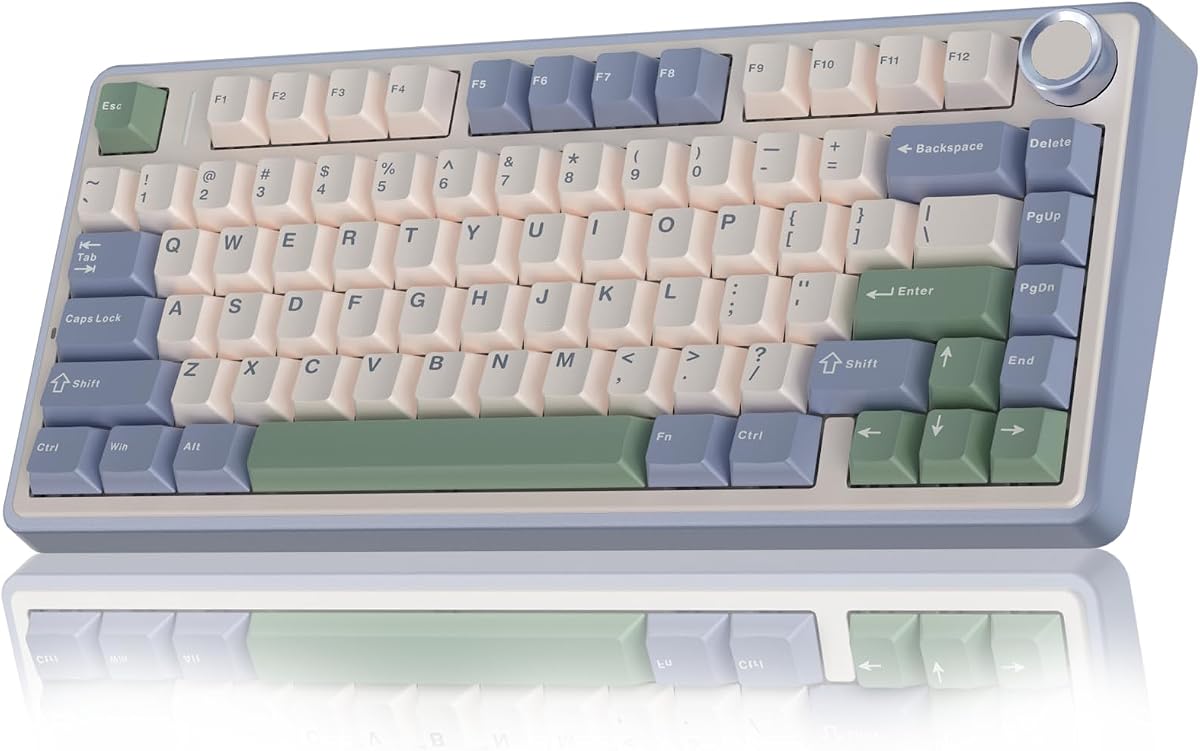
4.6Editor score
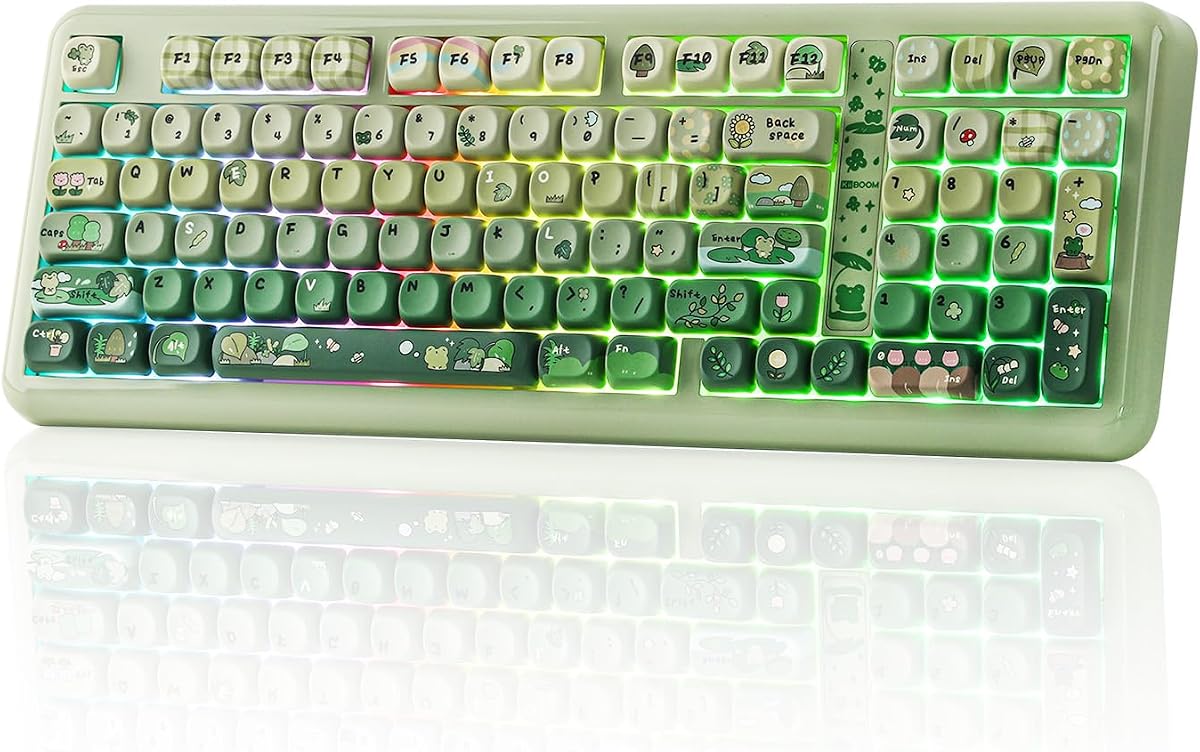
4.8Editor score
This side-by-side comparison highlights the unique features of each model including layout size connectivity options and specific lighting capabilities to help you find the perfect match for your desk setup.


This mechanical keyboard stands out with its creamy typing feel and versatile wireless options making it a top choice for enthusiasts and gamers alike.
We may earn a commission when you buy through this link, at no additional cost to you.
The hot-swappable design allows users to change switches easily while the tri-mode connection supports up to five devices for seamless workflow across platforms.
While the driver is needed for advanced macro programming the hardware offers plenty of on-board customization options that enhance the gaming experience immediately.
If you want a premium feel without sacrificing wireless freedom this model delivers exceptional performance and style for both work and play.
Connect via Bluetooth 5.0 2.4GHz or USB-C to switch between devices effortlessly without interrupting your workflow or gaming sessions.
Enjoy 16 lighting effects and music rhythm modes to match your vibe while maintaining a clean desk setup with wireless connectivity.
We may earn a commission when you buy through this link, at no additional cost to you.
Affordability meets style in this compact model that offers a wide array of RGB effects and a smart display screen for status updates.
We may earn a commission when you buy through this link, at no additional cost to you.
The silent membrane switches make it ideal for shared spaces where noise is a concern while the PBT keycaps ensure long lasting durability.
Although it lacks hot-swappable switches the included features provide excellent value for users looking for a functional wireless keyboard without breaking the bank.
For those prioritizing a quiet typing experience and sleek design at a lower cost this keyboard is a strong contender in its category.
Enjoy smooth cushioned keystrokes with minimal noise perfect for late-night gaming or office use without disturbing others around you.
The rotary knob and screen show battery and connection status giving you instant visual feedback on your device state.
We may earn a commission when you buy through this link, at no additional cost to you.
This keyboard is designed for enthusiasts who demand top-tier sound and feel with a gasket mount and extensive VIA customization support for key mapping.
We may earn a commission when you buy through this link, at no additional cost to you.
The 96% layout saves space while keeping essential keys and the massive battery ensures weeks of usage without frequent recharging cycles.
While the price is higher than budget options the sound dampening materials and premium build quality justify the investment for serious users.
If you seek a fully customizable premium experience with deep sound and feel tuning this model is unmatched in the current market.
VIA compatibility allows you to remap every key and create complex macros to fit your specific workflow or game requirements.
Multiple layers of foam and gasket mounting eliminate hollow sounds for a rich thocky typing experience that enthusiasts love.
We may earn a commission when you buy through this link, at no additional cost to you.
The standout feature here is the vibrant color screen that allows you to display custom gifs and system stats directly on the keyboard surface.
We may earn a commission when you buy through this link, at no additional cost to you.
It combines a mechanical feel with a gasket mount for reduced noise and includes a hot-swap PCB for future customization of switches.
Mac users may find the driver support less extensive but the hardware quality and aesthetic appeal remain high across all usage scenarios.
This is an ideal choice for streamers or users who want a highly personalized visual touch alongside their gaming or typing experience.
Personalize your setup with animated images on the screen to reflect your mood or current system status dynamically.
The gasket mount design provides a soft typing experience while the hot-swap sockets allow for future switch upgrades easily.
We may earn a commission when you buy through this link, at no additional cost to you.
This keyboard offers a unique blend of a compact layout that still includes a full number pad making it great for data entry and gaming.
We may earn a commission when you buy through this link, at no additional cost to you.
The silver paste membrane technology provides a tactile feel that mimics mechanical switches while keeping noise low for quiet environments.
While it is heavier than some ultra-compact models the stability it offers prevents movement during intense gaming or typing sessions effectively.
It is perfect for users who need a number pad but prefer a smaller footprint and a wireless setup without the noise of mechanical switches.
The compact 98-key layout saves space while retaining a full number pad for efficient spreadsheet work or gaming macros.
Constructed with a built-in iron plate the keyboard stays firmly in place even during rapid keystroke sequences.
We may earn a commission when you buy through this link, at no additional cost to you.
This full-size model provides a classic 104-key layout that is perfect for users who rely heavily on number pads and function keys daily.
We may earn a commission when you buy through this link, at no additional cost to you.
The linear red switches offer fast action without tactile bumps ensuring smooth and rapid inputs during competitive gaming or typing tasks.
Although it is a wired device the N-key rollover guarantees that every keypress registers accurately even during intense simultaneous inputs.
For those who prioritize a traditional full layout and reliability over wireless convenience this keyboard is a solid and dependable choice.
Enjoy smooth keystrokes without tactile bumps for rapid input ideal for fast-paced gaming scenarios and long typing sessions.
Keep all standard keys including the number pad for maximum functionality without sacrificing any standard productivity tools.
We may earn a commission when you buy through this link, at no additional cost to you.
The Nova75 features a TFT smart display that provides intuitive control over system settings and custom gifs for a dynamic visual experience.
We may earn a commission when you buy through this link, at no additional cost to you.
It offers a gasket mount build for a premium sound quality and includes a massive battery for weeks of continuous wireless usage without interruption.
While the custom image settings require a software download the physical knob and hardware controls offer immediate access to volume and media functions.
This keyboard is an excellent choice for users who want a mix of advanced visual customization and robust mechanical features in one device.
The built-in screen allows you to visualize connection modes and system stats making management easier without opening software.
With an 8000mAh battery this keyboard lasts longer than most competitors ensuring you stay connected without frequent charging.
We may earn a commission when you buy through this link, at no additional cost to you.
This model is celebrated for its creamy sound profile and aesthetic dual-color keycaps that bring a unique visual touch to any desk.
We may earn a commission when you buy through this link, at no additional cost to you.
The gasket structure with five sound-absorbing layers ensures that each keystroke is smooth and quiet while maintaining a responsive feel.
Macros require Windows software to set up fully but the hardware itself offers a rich feature set out of the box for most users.
If you are looking for a compact mechanical keyboard with a distinct sound and look this is a top tier option to consider.
Five layers of sound dampening materials create a signature sound that enthusiasts love for its smooth and rich feedback.
The dual-color injection-molded keycaps provide a romantic touch to your desktop while ensuring durability and style.
We may earn a commission when you buy through this link, at no additional cost to you.
This keyboard stands out for its support of QMK and VIA which offers deep customization for tech savvy users who want full control.
We may earn a commission when you buy through this link, at no additional cost to you.
The gasket structure with five layers of padding ensures a quiet and satisfying typing experience that is both durable and comfortable.
The package includes spare switches and a puller making it easy to customize right out of the box without additional purchases.
For those who want high end customization at a mid range price this keyboard provides exceptional value and performance.
QMK and VIA support allow you to remap keys and create complex macros for unlimited personalization of your typing experience.
The package comes with spare switches and a puller so you can start customizing your keyboard immediately upon purchase.
We may earn a commission when you buy through this link, at no additional cost to you.
This keyboard blends vintage aesthetics with modern connectivity making it a great choice for users who appreciate a retro look.
We may earn a commission when you buy through this link, at no additional cost to you.
It supports full-key macro programming allowing you to create complex commands for gaming or work efficiency without needing physical mechanical switches.
The dual-mode knob lets you switch between office and gaming modes quickly providing flexibility for different tasks throughout the day.
If you prefer a stylish retro design with wireless freedom and macro capabilities this model offers a unique blend of features.
The 96% layout combines vintage styling with modern features to create a standout piece for any desk environment.
Full-key macro programming helps you execute complex tasks quickly giving you an edge in games or workflows.
We may earn a commission when you buy through this link, at no additional cost to you.
Choosing the right keyboard involves looking at connectivity, layout, and customization options that suit your specific needs and budget.
You can choose from Bluetooth 5.0 2.4GHz wireless or wired USB-C. Wireless offers freedom while wired ensures zero latency. Consider your device types and workflow needs.
Wireless is ideal for clean desks but wired offers stability for competitive play. Check your devices to see which modes they support best.
Sizes range from 60% to 100% full-size. Smaller layouts save space but remove keys like the numpad. Decide if you need number keys or prefer compactness.
Compact layouts free up desk space for mouse movement. Full layouts are better for data entry and traditional workflows.
Mechanical switches offer distinct tactile feedback while membrane switches are quieter and smoother. Hot-swappable keyboards let you change switches later without soldering.
Mechanical switches are durable and customizable while membrane ones reduce noise. Hot-swap allows you to upgrade switches easily.
Look for RGB options with adjustable colors and effects. Some keyboards offer music sync or custom GIFs via software. Ensure the lighting fits your aesthetic preference.
Customizable RGB helps you match your gaming vibe. Check if the software is easy to use for setting effects.
Wireless keyboards come with various battery sizes often from 4000mAh to 8000mAh. A larger battery means less frequent charging but more weight.
Long life ensures uninterrupted use. Consider how often you can recharge based on your usage habits.
Advanced features like macros and custom layers need software. Check if it supports your operating system. Some keyboards have onboard memory for settings.
Good software enhances functionality. Ensure compatibility with your PC or Mac before buying to avoid limitations.
Materials like PBT keycaps and aluminum frames increase durability. Gasket mounts provide better typing feel. A solid base prevents sliding during use.
Durable materials ensure longevity. Check for features like gasket mounts for a premium feel.
Extras like multimedia knobs display screens and multi-device support add convenience. These features enhance workflow but may increase cost.
Consider what extra tools you need. Knobs and screens add utility but weigh them against your budget.
To connect your keyboard pair it via Bluetooth or insert the USB receiver. Switch between devices using the function keys or a dedicated mode button.
Clean the surface regularly with a soft cloth and compressed air. Avoid spills by keeping drinks away from the setup to prevent damage.
Store the keyboard in a dry cool place when not in use. Use a protective cover if you travel frequently to prevent scratches.
Most models support both Windows and Mac systems via Bluetooth or USB-C. Some software features may be limited on Mac but basic functions work out of the box.
Not all models support hot-swapping. Mechanical keyboards like the F75 allow switch changes without soldering while membrane options do not.
Yes most of these keyboards allow RGB customization via physical keys or software. You can change colors and modes to match your style.
Battery life varies by usage but typically lasts for days or weeks on a single charge. Higher usage with RGB on reduces battery life.
Yes these keyboards are designed for gaming with anti-ghosting and responsive keys. Mechanical switches offer faster actuation for competitive games.
Many models offer tri-mode connectivity including Bluetooth 2.4GHz and wired USB-C. You can switch modes freely depending on your needs.
Many models support macro programming via software or onboard memory. Check specific features to ensure it meets your gaming or work needs.
We highlighted ten models ranging from budget friendly to premium options. Each offers a unique blend of wireless freedom and RGB customization.
Focus on your connectivity needs and desired layout size to find the perfect fit. Consider switch types based on your noise tolerance.
Always check current availability and reviews before purchasing as stock changes often. Choose the model that aligns best with your workflow.