
Lightning to HDMI Adapter for iPhone to TV
4.4Editor score
Affordable Price Point
Zero Lag Video Performance
Pocket Size Easy Carry
This guide compares the top HDMI Lightning Adapter for iPhone models to help you choose the best digital AV connector for seamless screen mirroring and
Finding the right HDMI Lightning Adapter for iPhone can transform your viewing experience by connecting your device to larger screens effortlessly. These adapters allow you to mirror your content seamlessly onto televisions, projectors, or monitors for presentations and entertainment needs.
We have carefully evaluated ten leading options based on compatibility, build quality, supported apps, and user feedback to create this comprehensive list. Our analysis focuses on MFi certification, charging ports, and overall reliability to ensure you select a product that meets your specific daily requirements.
Each pick in this guide highlights unique strengths and potential limitations so you can make an informed decision before purchasing. Please note that prices and availability change frequently, so verify current details on the product pages before finalizing your order.
4.4Editor score

4.2Editor score

4.2Editor score
The following comparison table provides a side-by-side overview of all ten products included in this guide to help you quickly identify key differences in features and capabilities.





This Lightning to HDMI Adapter for iPhone stands out as a top choice due to its MFi certification and reliable 1080P support. It offers a seamless way to connect your device to larger screens for presentations or home entertainment.
We may earn a commission when you buy through this link, at no additional cost to you.
The adapter supports a wide range of Apple devices including various iPhone and iPad models. It works well with apps like YouTube and local videos ensuring crystal-clear mirroring without needing extra settings or drivers.
While it does not support HDCP protected apps like Netflix, it handles most other streaming services effectively. The lightweight design makes it easy to carry for travel or business meetings.
This is an excellent option for users needing a dependable way to mirror their screen. Choose this if you prioritize compatibility and ease of use over streaming specific protected content.
Mirror your content instantly with zero lag for smooth viewing experiences on big screens.
Charge your device while using the adapter to avoid battery drain during long sessions.
We may earn a commission when you buy through this link, at no additional cost to you.
This adapter offers a straightforward solution for mirroring iPhone screens to HDMI displays. It features a compact design and supports many iOS devices for versatile use.
We may earn a commission when you buy through this link, at no additional cost to you.
Users can enjoy a superb visual feast with 1080P HD resolution for presentations or movies. The plug and play functionality saves time during installation and setup.
However it does not support paid video apps due to copyright restrictions. This limitation is common across many adapters but may affect some entertainment choices.
Choose this for reliable daily use when streaming local or supported content. It is a solid budget-friendly option for basic mirroring tasks.
Connect without installing drivers or apps for quick and easy mirroring.
We may earn a commission when you buy through this link, at no additional cost to you.
KikoSaka offers a reliable MFi certified adapter that ensures stable connections for Apple devices. It supports various iPhone models and provides a seamless mirroring experience.
We may earn a commission when you buy through this link, at no additional cost to you.
The adapter is designed for easy use with plug and play functionality. It handles standard videos and presentations well for home or office use.
It lacks extra features like USB ports but performs its core function effectively. Users looking for simplicity may appreciate this straightforward design.
This is a good choice if you need a certified adapter without extras. Consider it for basic screen extension tasks.
MFi certification ensures stable video output without connection drops.
We may earn a commission when you buy through this link, at no additional cost to you.
This adapter delivers stunning visuals with crystal-clear 1080P HD resolution. It features a durable construction and supports a variety of apps for streaming.
We may earn a commission when you buy through this link, at no additional cost to you.
Users benefit from delay-free performance making it suitable for gaming or presentations. The MFi certified chip ensures stable video output.
It does not support protected content apps which may limit entertainment options. This is a trade-off common in third-party adapters.
Consider this for its reliability and clear video output. It is a solid choice for presentations and local media.
Enjoy crystal-clear high-definition video for an immersive viewing experience.
We may earn a commission when you buy through this link, at no additional cost to you.
The official Apple adapter guarantees quality and reliable performance for iPhone users. It supports mirroring and video output up to 1080P HD.
We may earn a commission when you buy through this link, at no additional cost to you.
Users appreciate the trusted build quality and straightforward design. It works seamlessly with supported devices and provides consistent results.
It comes at a higher price point but offers peace of mind. The lack of extra ports may be a limitation for some.
Choose this if you prioritize official Apple hardware for your setup. It is ideal for professional and reliable use.
Official hardware ensures consistent performance without compatibility issues.
We may earn a commission when you buy through this link, at no additional cost to you.
This adapter offers excellent value with a low price point and solid performance. It supports 1080P HD mirroring and includes a charging port.
We may earn a commission when you buy through this link, at no additional cost to you.
Users benefit from zero lag video performance which is great for dynamic content. The pocket size makes it easy to carry around.
It requires a charging cable to work which adds a step to setup. However it remains a budget-friendly option for many users.
Select this if you need an affordable way to connect to a TV. It is a great choice for basic streaming needs.
Get reliable mirroring capabilities at a very accessible price point.
We may earn a commission when you buy through this link, at no additional cost to you.
lulaven has built a strong reputation with high ratings from verified users. This adapter offers crystal-clear screen mirroring for business and home use.
We may earn a commission when you buy through this link, at no additional cost to you.
It supports many apps like YouTube and PowerPoint for presentations. The setup is simple requiring no internet or passwords.
It does not support USB-C devices or HDCP content which limits some use cases. This is a specialized choice for Lightning users.
Choose this if you need a trusted option for business meetings. It works well for standard mirroring tasks.
Ideal for presentations and meetings with instant connection to projectors.
We may earn a commission when you buy through this link, at no additional cost to you.
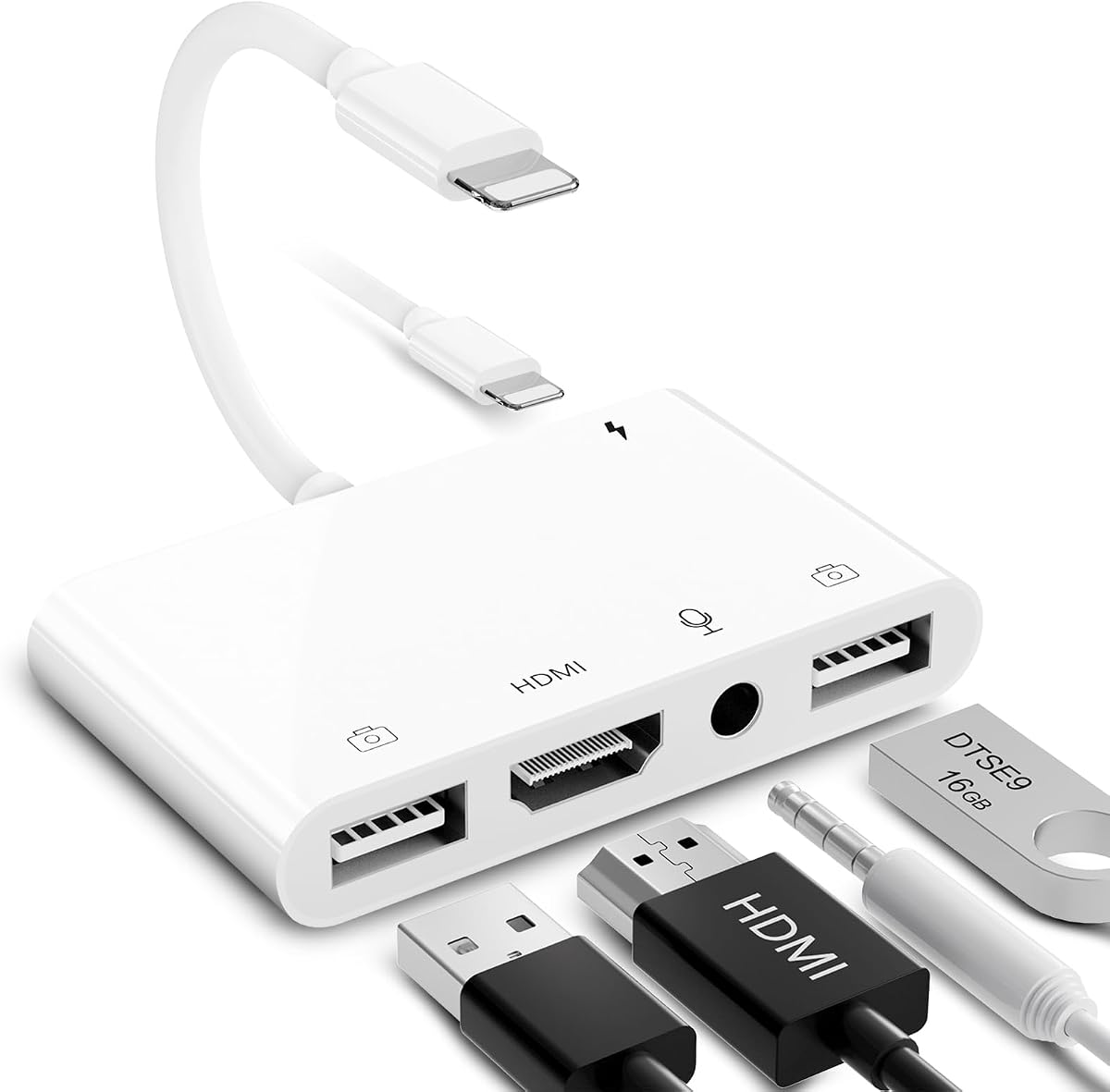
This 5 in 1 adapter expands your device capabilities with USB ports and a microphone jack. It allows for live streaming and data transfer.
We may earn a commission when you buy through this link, at no additional cost to you.
Users can connect keyboards or mice for document editing on their phone. This makes it a versatile tool for productivity.
It may require more setup and power compared to simpler models. The features are great for users needing more than mirroring.
Select this if you need a multi-functional hub for your device. It is a powerful option for advanced users.
Combine video output with data transfer and audio recording capabilities.
We may earn a commission when you buy through this link, at no additional cost to you.
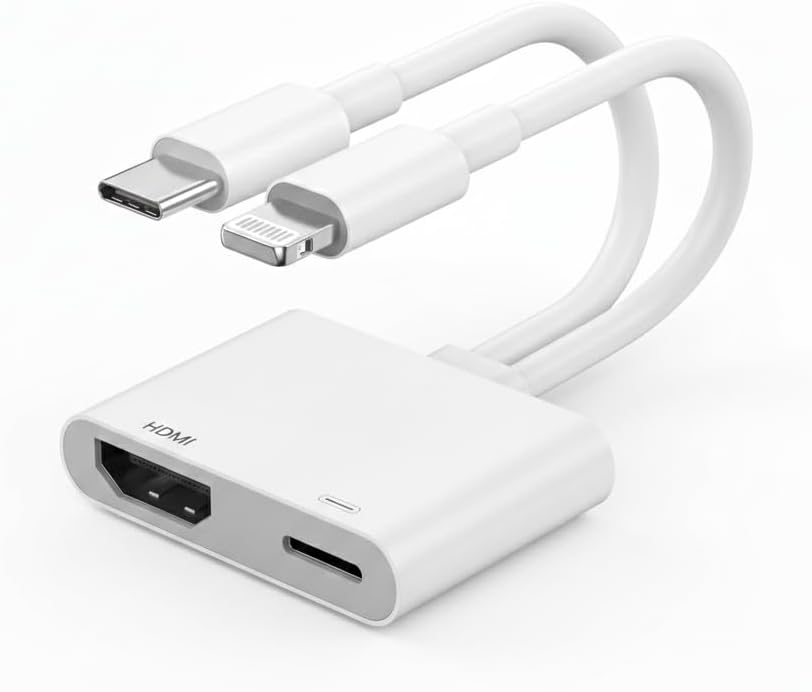
This adapter supports both USB-C and Lightning devices offering great versatility. It provides 4K resolution and fast charging capabilities.
We may earn a commission when you buy through this link, at no additional cost to you.
Users can connect MacBooks or newer iPhones without needing multiple adapters. The plug and play setup makes it easy to use.
Lightning users may still face limitations with HDCP content apps. This is a modern choice for mixed device environments.
Choose this if you own multiple device types needing HDMI output. It is a future-proof option for many.
Support for both connection types ensures longevity with new devices.
We may earn a commission when you buy through this link, at no additional cost to you.
Another option from Apple this adapter provides reliable performance and seamless integration. It supports 1080P HD mirroring for a clean experience.
We may earn a commission when you buy through this link, at no additional cost to you.
Users benefit from high quality construction and official support. It is a trusted choice for professional use.
It comes at a premium price point with basic functionality. Consider it for those prioritizing brand reliability.
Select this for a dependable way to connect Apple devices. It is a standard choice for many users.
Official Apple hardware ensures high quality and consistent performance.
We may earn a commission when you buy through this link, at no additional cost to you.
Choosing the right adapter involves considering several factors to ensure compatibility and performance with your specific device needs.
MFi or Made for iPhone certification ensures the adapter has been approved by Apple. This guarantees stable connections and avoids potential hardware issues.
Always check for MFi labels before purchasing to avoid unreliable third-party products.
Most adapters support up to 1080P HD resolution which is sufficient for most TVs. Some newer models may offer 4K support for sharper visuals.
Verify the supported resolution matches your TV or projector capabilities for best quality.
Many adapters do not support protected apps like Netflix or HBO due to copyright restrictions. Ensure the adapter supports the apps you use most.
Read the supported apps list carefully to avoid limitations on streaming services.
Adapters with a built-in Lightning charging port allow you to charge your device while mirroring. This is useful for long presentations or movies.
Prioritize models with charging ports to prevent battery drain during use.
Durable materials like braided cables or aluminum housings extend the life of the adapter. Flimsy plastic models may break easily over time.
Choose a sturdy build for better value and long-term reliability.
Pocket-sized designs are ideal for travelers or business users who move often. Bulkier adapters may not fit easily in a bag.
Consider the size and weight if you plan to carry the adapter frequently.
Prices range from budget-friendly to premium depending on features. Decide your budget and prioritize essential features like certification or charging.
Set a realistic price range to narrow down options effectively.
Good customer service can help troubleshoot issues quickly. Check if the brand offers warranties or response times.
Look for brands with positive feedback on support and warranty policies.
Connect the Lightning adapter to your iPhone and plug an HDMI cable into the adapter to your TV. Ensure the HDMI source is set to the correct input.
Your device may ask for a Trust confirmation when connected. Tap Trust to enable mirroring and select the correct TV from your settings.
Keep the adapter clean and avoid bending the cables too sharply. Store it in a protective case when not in use to extend its lifespan.
Most Lightning adapters do not support Netflix or other protected streaming apps due to copyright restrictions. You can still view local videos or supported apps like YouTube.
Yes, the adapter connects to your TV via a standard HDMI cable which is usually sold separately. Ensure the cable is HDMI 1080P compatible.
Yes most adapters support both iPhone and iPad devices with Lightning ports. Check the compatibility list for your specific model.
If the adapter has a charging port, you can charge your device while using it. This is recommended for long sessions.
No, these adapters work plug and play without needing extra drivers or apps. Just connect and allow the connection.
Yes, MFi certification ensures the adapter is safe for your device and works reliably. Non-certified products may cause connection issues.
Yes, any HDMI-enabled projector will work with these adapters. Just connect the HDMI cable to the projector input.
We have reviewed ten top adapters offering a mix of budget and premium options to suit different needs. The top picks highlight reliability and performance for most users.
Prioritize MFi certification and charging ports for the best experience. Consider your main use case whether streaming or business presentations.
Always check current prices and availability as they may change. Choose the adapter that best aligns with your daily requirements.