
CENMATE Aluminum 4 Bay
4.3Editor score
Aluminum alloy housing with cooling fan
Supports 2.5 and 3.5 inch drives
USB A and C 3.0 connectivity
Finding the right Jbod enclosure ensures your storage setup matches performance needs without unnecessary complexity. These direct attached solutions let you add capacity fast while keeping data accessible on desktops or workstations efficiently.
We evaluated ten real products based on drive compatibility, transfer speeds, cooling design, and build quality. Each model offers distinct advantages for different workflows, from simple backups to massive media libraries requiring reliable access daily.
Every pick below shows key specs and real use cases so you can choose confidently. Prices fluctuate often, so check current listings before buying to ensure you get the best value for your specific storage requirements today.
4.3Editor score

4.2Editor score
4.7Editor score
As an Amazon Associate we earn from qualifying purchases.
This side-by-side comparison highlights how each model handles drive bays, connection speeds, power needs, and cooling solutions so you can see exactly where they differ for your workflow.





The TERRAMASTER D4-320 stands out as the top Jbod enclosure for users who need raw speed and massive capacity without RAID overhead. With a 4.2 rating from verified buyers, it delivers reliable performance across Windows, Mac, and Linux systems effortlessly.
We may earn a commission when you buy through this link, at no additional cost to you.
Its USB 3.2 Gen2 interface pushes data up to 10Gbps, enabling real-world speeds over 1000MB/s with four large SATA drives. The push-lock tool-free trays make swapping disks easy, while the intelligent fan keeps temperatures safe even during heavy workloads.
Trade-offs include the lack of built-in hardware RAID, meaning you must manage redundancy through software if needed. Also, while the fan is quiet, its physical presence may be noticeable in extremely dark or silent environments during active transfers.
Best for creatives and IT teams who value fast direct access over array logic. If you need a dependable, high-capacity Jbod for backups or media streaming, this model balances speed, capacity, and ease of use better than most competitors.
The 10Gbps interface combined with UASP support ensures files move faster than standard USB 3.0 enclosures, reducing wait times on large datasets.
Tool-free trays and temperature-controlled fans mean maintenance stays simple while drive health is protected by consistent airflow during operation.
We may earn a commission when you buy through this link, at no additional cost to you.
For buyers seeking an affordable entry into multi-drive storage, the CENMATE Aluminum 4 Bay delivers solid value with a 4.3 rating. It handles both SSDs and HDDs in a sturdy aluminum case that helps dissipate heat during daily use.
We may earn a commission when you buy through this link, at no additional cost to you.
The USB 3.0 interface reaches 5Gbps, enough for most backups and media tasks. The built-in fan keeps drives cool under load, and the tool-free trays allow quick swapping. It includes both Type-A and Type-C cables for broad compatibility.
Noise is the main downside, as the fan runs constantly and can reach 50dB. This makes it better suited for offices or workspaces rather than quiet home studios. Also, USB 3.0 is half the speed of Gen2 options.
Ideal for small businesses or students needing extra space without breaking the bank. If you prioritize capacity and stability over peak transfer rates and noise levels, this enclosure offers the best balance in its price tier.
The aluminum alloy body not only looks professional but also acts as a heatsink, helping keep internal temperatures stable during long operations.
Including both USB-A and USB-C cables means you can connect to almost any laptop or desktop without needing extra adapters or cables.
We may earn a commission when you buy through this link, at no additional cost to you.
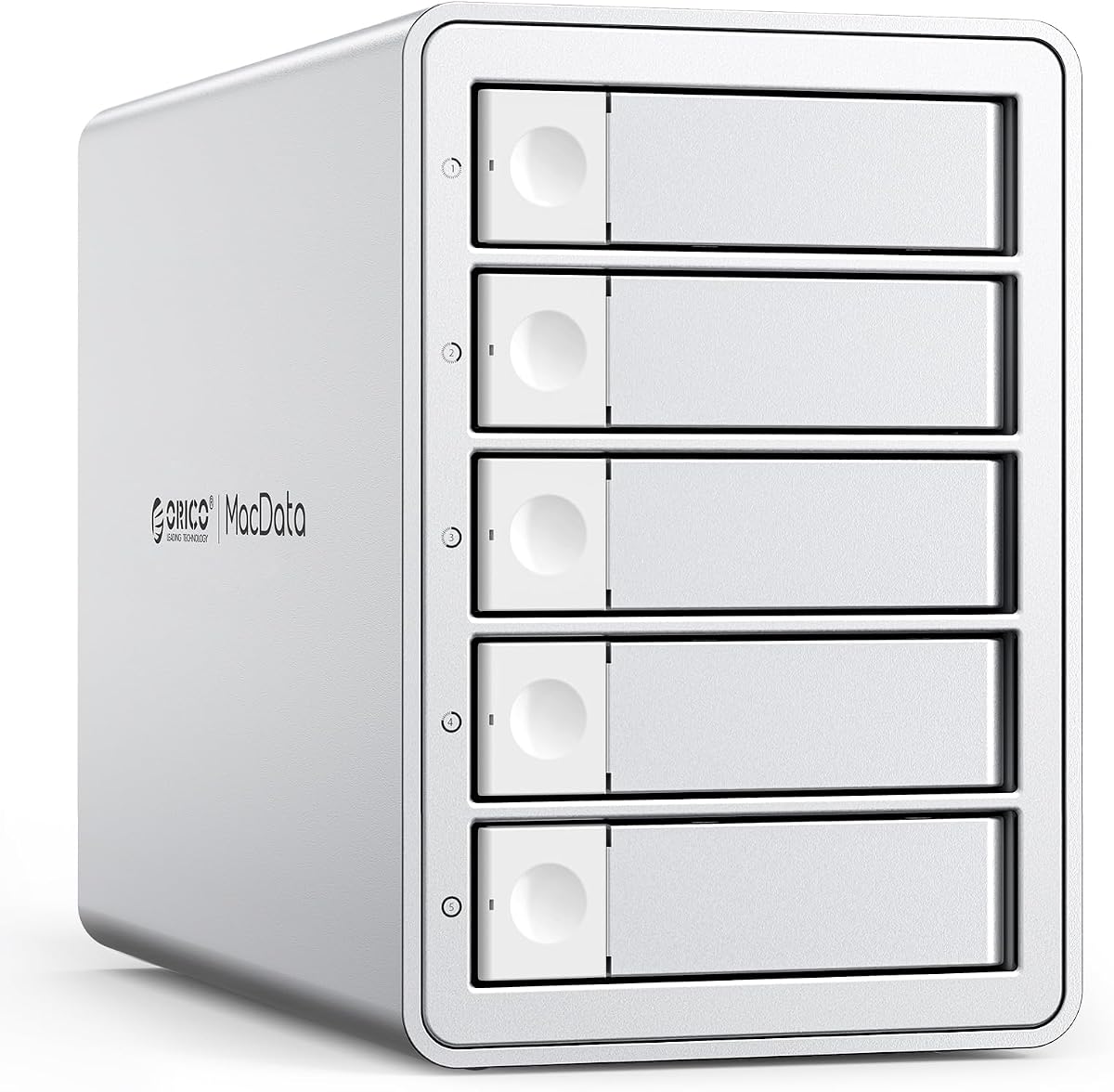
The ORICO 5 Bay RAID leads the premium segment with a 4.7 rating from satisfied users needing both speed and safety. Its hardware RAID controller offers multiple modes including RAID 5 for protection, which software-only solutions cannot provide as reliably.
We may earn a commission when you buy through this link, at no additional cost to you.
A 150W built-in power supply keeps voltage stable even with five high-consumption drives running. The aluminum housing and silent fan ensure long operation life, while USB 3.0 delivers steady transfer rates for backups and media streaming tasks.
The main limitation is USB 3.0 speed, which caps at 5Gbps. This may bottleneck top-tier SSDs, and the price is higher than simpler DAS units. Still, the redundancy features justify the cost for professional workloads needing uptime.
Perfect for media editors and server admins who need redundancy without a full NAS. If your priority is data safety combined with massive local storage, this model offers the most complete feature set in the Jbod category.
Eight RAID modes mean you can switch between speed and safety easily without complex software configurations on your host machine.
The integrated power unit removes external adapter clutter while ensuring every drive gets consistent voltage under heavy multi-disk loads.
We may earn a commission when you buy through this link, at no additional cost to you.
The IO CREST 8-Bay meets growing needs by offering eight bays in one compact steel housing with a 4.0 rating. It supports drives up to 24TB each, reaching massive totals while keeping data accessible via standard USB connections.
We may earn a commission when you buy through this link, at no additional cost to you.
Independent switches let you power off specific drives to save energy or reduce heat. The smart fan adjusts speed based on internal temperature, helping maintain safety during sustained workloads without constant manual input.
Its size can be a constraint on smaller desks. The USB 3.0 speed is also older compared to newer Gen2 options. Still, for pure capacity and drive isolation, it remains a practical choice for archival needs.
Best for users who need expandability without investing in rack systems. If your workflow requires easy access to many drives simultaneously and you have desk space, this model provides excellent scalability and control.
Independent power switches mean you can activate only the drives you need for a task, reducing power draw and noise levels.
Built-in thermal sensors automatically adjust fan speeds to keep internal temps safe, helping extend drive lifespan over time.
We may earn a commission when you buy through this link, at no additional cost to you.
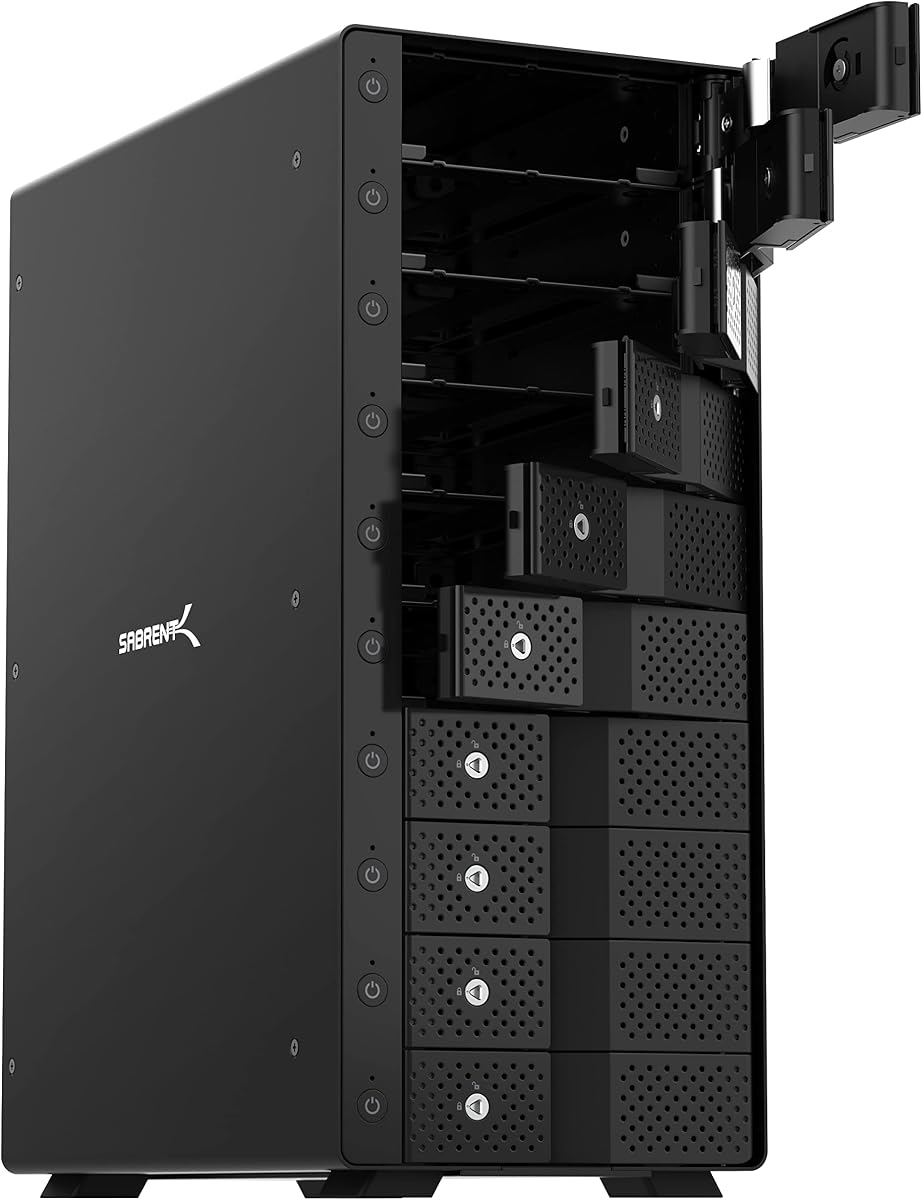
The SABRENT 10-Bay delivers massive scale with ten bays and USB-C 10Gbps in a 4.1-rated dock. Its tray-less design speeds up drive changes, while the dual 120mm fans ensure cooling even when all drives are active.
We may earn a commission when you buy through this link, at no additional cost to you.
Each bay has its own switch and LED so you see activity at a glance. The USB-C interface ensures fast transfers for large media files. However, 2.5-inch drives need an adapter sold separately, adding cost.
Its price and bulk make it best for studios or servers. The aluminum build feels premium, but you need adequate desk or rack space. If you need quick access to many drives with speed, it fits well.
Best for creative teams managing terabytes of footage. If you need maximum capacity and fast access without building a complex array, this dock simplifies your workflow and keeps data accessible daily.
Adding drives is easy since you can mix capacities freely and expand over time without reformatting existing data or arrays.
Dual 120mm fans provide ample airflow across all ten slots, preventing throttling even during long multi-disk backup sessions.
We may earn a commission when you buy through this link, at no additional cost to you.
The QNAP TR-004 stands out by bridging DAS simplicity with RAID safety, earning a 4.2 rating. It supports hardware RAID for redundancy and expands QNAP NAS capacity, making it ideal for users already in that ecosystem.
We may earn a commission when you buy through this link, at no additional cost to you.
Its USB Type-C connection ensures fast data transfer and broad compatibility. Lockable drive bays add physical security for office environments. The setup is plug-and-play, requiring no drivers on Windows, Mac, or Linux.
Compatibility limitations apply to older QNAP models that cannot run updated systems. The price is higher than non-RAID options. Still, the flexibility to use it as standalone or NAS expansion adds significant value.
Best for hybrid workflows needing local and network access. If you want redundancy without full NAS management and have QNAP gear, this enclosure provides the most versatile expansion path available today.
Connect to QNAP NAS units to extend storage capacity directly while retaining independent access via USB for personal backups.
Lockable drive bays ensure physical protection against unauthorized removal while keeping data safe in shared office environments.
We may earn a commission when you buy through this link, at no additional cost to you.
The QNAP TL-R1200C-RP brings server-grade capacity to desktops with twelve bays and redundant power, earning a 4.1 rating. Its rackmount design fits data centers, while the JBOD function allows easy expansion for NAS or workstation setups.
We may earn a commission when you buy through this link, at no additional cost to you.
Redundant power ensures uptime during outages, critical for business continuity. The USB 3.2 Gen 2 port handles fast backups, and its build quality supports 24/7 operation. It is engineered to scale with growing data demands.
It requires rack space and technical setup skills. The price reflects enterprise features not needed by casual users. However, for reliability and capacity in professional environments, it delivers robust long-term value.
Best for businesses needing high availability and scale. If your priority is uptime and storage volume without building a full server array, this enclosure provides enterprise-grade resilience in a compact form.
Redundant power supplies keep drives running through power failures, protecting against downtime and data loss in server rooms.
Designed to expand storage on demand, you can connect multiple units or integrate them into larger QNAP storage ecosystems.
We may earn a commission when you buy through this link, at no additional cost to you.
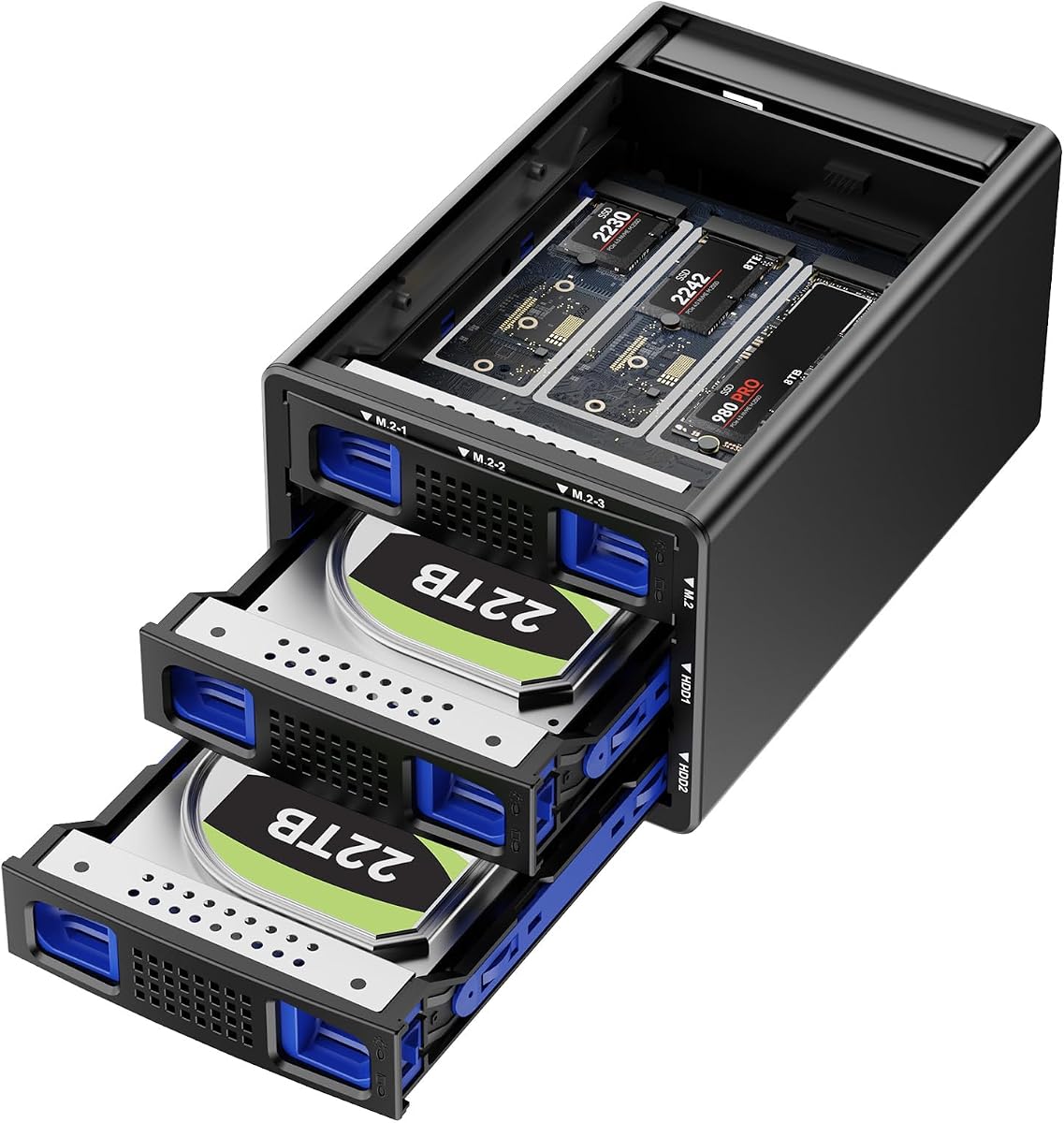
The Hybrid enclosure stands out for supporting both HDDs and NVMe SSDs, earning a 4.6 rating. It merges high-speed cache with massive storage, making it unique among Jbod options needing performance and capacity in one unit.
We may earn a commission when you buy through this link, at no additional cost to you.
RAID modes include 0 and 1 plus JBOD for flexibility. The 10Gbps USB-C ensures NVMe drives deliver their full speed. Aluminum construction and silent fans keep temperatures low during intensive reads.
Configuring mixed-drive RAID can be tricky for non-experts. Documentation could be clearer on M.2 compatibility. Still, the ability to use fast NVMe alongside high-capacity SATA drives is a game changer for hybrid workflows.
Best for advanced users needing cache and archive. If you want NVMe speed for active projects and HDDs for long-term storage in one box, this model offers a unique solution few competitors match today.
Pairing NVMe SSDs with HDDs allows you to cache active files for speed while keeping bulk data affordable and accessible.
Support for multiple RAID modes means you can balance speed and redundancy without needing external software management tools.
We may earn a commission when you buy through this link, at no additional cost to you.
The ORICO 4 Bay Raid offers solid mid-range performance with eight RAID modes, earning a 4.3 rating. It supports 22TB drives for 88TB total, making it practical for large backups without complex software RAID setup.
We may earn a commission when you buy through this link, at no additional cost to you.
A built-in 150W supply keeps voltage stable during multi-drive reads. The aluminum case and silent fan maintain safe temperatures. Safety locks on trays prevent accidental ejections while handling drives.
Its USB 3.0 speed limits peak throughput compared to Gen2 units. Noise levels can rise under load, and setup needs care to avoid data loss during RAID changes. Still, reliability and flexibility stand out.
Best for users needing RAID options without full NAS cost. If you want redundancy and big capacity in a desktop-friendly box, this model delivers dependable protection and ease of use for daily backups.
Eight modes including clone and clear give you options to balance speed and safety without needing external tools.
Integrated power ensures consistent voltage across drives, reducing failure risk during heavy multi-disk transfer tasks.
We may earn a commission when you buy through this link, at no additional cost to you.
The OWC Mercury Elite Pro focuses on performance with a compact design, earning a 3.7 rating. It supports 2.5 and 3.5 drives and delivers up to 947MB/s over USB-C. Its build quality suits professional desktops needing speed and reliability.
We may earn a commission when you buy through this link, at no additional cost to you.
It offers universal drive bays and includes a USB-C cable for immediate use. The enclosure supports both Mac and Windows systems natively. However, RAID features rely on third-party software rather than built-in controllers.
Reviews reflect software dependency as a drawback. For many users, external RAID tools add complexity. Still, for those prioritizing raw speed and size over array logic, it remains a solid professional option.
Best for professionals needing speed without bulk. If you want fast USB-C access in a small form factor and prefer managing RAID via software, this enclosure balances performance with space-saving design.
The compact size and 10Gb/s connection make it ideal for creative pros moving between studio and office efficiently.
Mix and match drive types without needing adapters, allowing flexible upgrades as your storage needs change.
We may earn a commission when you buy through this link, at no additional cost to you.
Choosing the right Jbod enclosure involves evaluating connection types, drive count, RAID needs, and build quality to match your specific workflow and capacity goals.
Connection type determines how fast your data moves between the drives and your computer. USB 3.2 Gen 2 offers up to 10Gbps while older USB 3.0 caps at 5Gbps. Thunderbolt support provides even faster speeds but often costs more and requires compatible ports on your host machine.
Always check that your computer has the right ports to take full advantage of enclosure speed. A mismatch means you will not see faster transfers even if the enclosure supports higher speeds.
The number of bays defines how many drives you can install at once. Models range from four bays to twelve or more, and most support drives up to twenty terabytes per bay. This affects your total capacity and future upgrade path significantly.
Choose enough bays to cover your current needs plus room to grow. Adding a larger enclosure later is often more expensive than buying one with extra space from the start.
Some enclosures include hardware RAID for built-in redundancy while others are DAS without any protection. Hardware RAID 1 or 5 protects data if a drive fails but reduces usable capacity. Software RAID gives flexibility but relies on your operating system.
For important data, choose an enclosure with hardware RAID or backup your drives elsewhere. If you only need raw storage for files that can be rebuilt, a simpler DAS model will save money.
Multi-bay enclosures often need external adapters or built-in power supplies. Built-in units are cleaner but cost more and may not be replaceable. External adapters can be bulkier but easier to swap if they fail unexpectedly.
Look for stable voltage ratings and adequate wattage for your drives. Low-quality power can shorten drive life or cause intermittent disconnects during heavy use in the field.
Multiple drives generate heat so fans are essential to protect data. Aluminum housings help conduct heat away, but fan noise varies by model. Some units are nearly silent while others are audible in quiet environments.
Consider where the enclosure will live. If it will be in a living room or office, check noise specs carefully. If it sits under a desk or in a closet, cooling performance matters more than quiet operation.
Tool-free trays let you swap drives without screws or extra hardware. Fixed trays need tools but may feel more secure in transit. Hot-swap support adds convenience if you change drives frequently for different tasks or backups.
If you often swap drives to share data between systems, tool-free and hot-swap features save time and reduce wear on connectors over months of daily use.
Aluminum or steel housings provide better protection and heat dissipation than plastic. Warranty terms vary by brand and can range from one year to life. Strong build quality reduces risks when moving equipment or using it daily.
Check warranty length and support options before buying. A longer warranty signals confidence in reliability and can save you money if a unit fails early in its lifecycle.
Most Jbod enclosures work across Windows, macOS, and Linux out of the box. Some features like hardware RAID may require specific OS support or drivers. Always confirm compatibility with your current system version before finalizing a purchase.
Ensure the file system format matches your needs. If you switch systems often, exFAT offers broader compatibility, though native formats may give better performance for backups or specific apps.
Begin by connecting the enclosure to power before attaching it to your computer. This avoids inrush issues that can confuse the host system. Once powered, attach the USB or USB-C cable firmly so data flows correctly without drops.
Format your drives before first use to match your operating system needs. Choose NTFS for Windows, APFS for macOS, or exFAT for cross-platform work. This step ensures you can read and write files immediately after setup.
Maintain stable airflow by keeping vents clear of dust or fabric. Clean the fans every few months using compressed air. Regular cleaning prevents overheating and extends drive life significantly during long-term storage use.
A Jbod enclosure lets you connect multiple hard drives independently to one computer. It is useful for backups, media servers, or expanding storage without building a full NAS system.
Yes, most models support both 2.5-inch and 3.5-inch SATA SSDs. Just confirm the enclosure supports your specific drive type before purchase to avoid compatibility issues.
It depends on the model. Some have hardware RAID that needs no software while others require host-based setup. Always check product specs to see what features come built-in.
DAS connects directly to a single computer via USB. NAS works over a network and can serve multiple users at once. Jbod enclosures are typically DAS unless stated otherwise in specs.
Look for USB-C or USB 3.2 Gen 2 ports labeled with a SuperSpeed icon. Older USB 3.0 ports support 5Gbps so you may not get top speeds on those connections.
Many models allow mixing 2.5-inch and 3.5-inch drives but you may need adapters. Check the product details to confirm compatibility before purchasing mixed storage types.
It offers more total capacity and faster combined speeds if configured well. For backups and large projects, it is a cost-effective way to expand storage without complex setups.
The TERRAMASTER D4-320 leads as the best overall choice thanks to fast speeds, tool-free trays, and massive capacity. Budget buyers may prefer the CENMATE Aluminum model for affordability while professionals often pick the ORICO RAID variant for redundancy.
Prioritize connection speed, cooling, and reliability when comparing options. Each model serves different needs, so pick one that matches your drive types and workflow instead of chasing the highest specs alone.
Always verify current pricing and warranty terms before purchasing. Deals and stock levels change often, so checking listings ensures you get the value and support you need for your storage needs.