
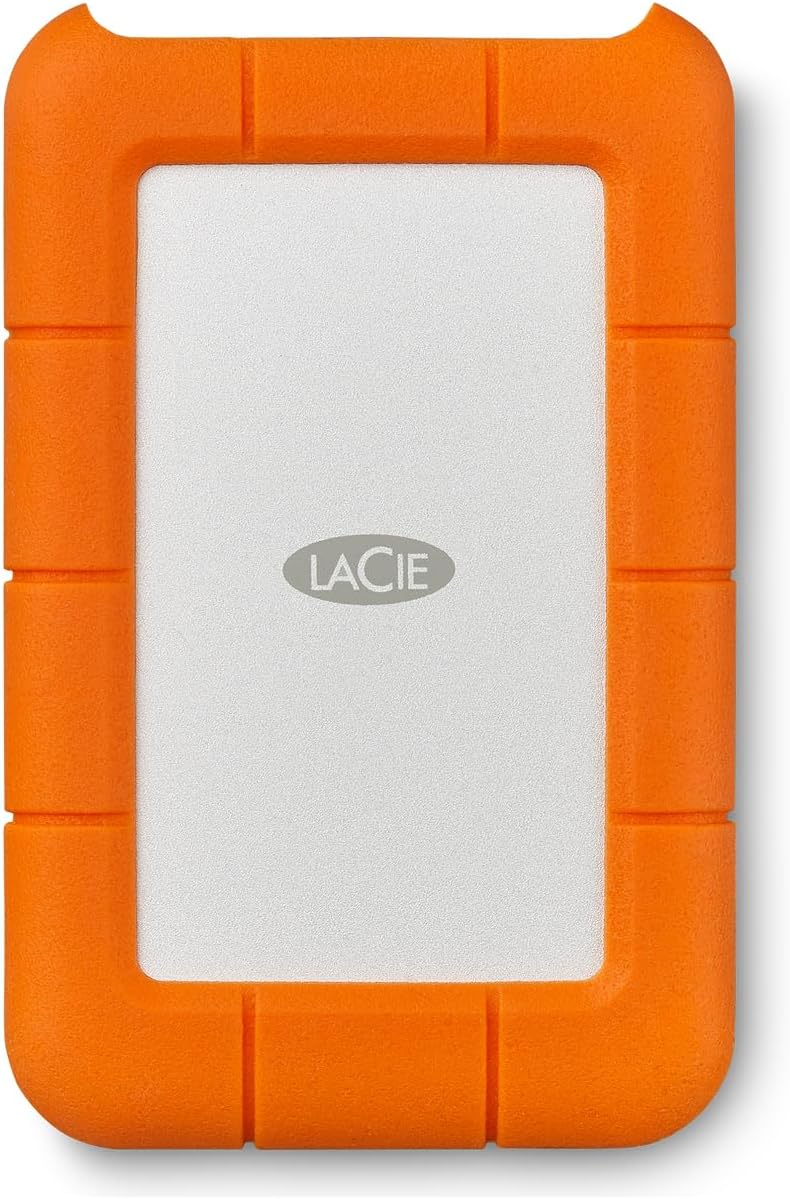
LaCie Rugged Mini USB 3.0 2TB
4.6Editor score
Affordable 2TB option
Includes protective case
USB 3.0 speed
Finding reliable storage is crucial for professionals who work in demanding environments. The LaCie Rugged line offers durable solutions designed to protect your data against drops, dust, and rain while providing fast access to large files on the go.
We evaluated ten distinct models from the LaCie Rugged series based on their build quality, interface speeds, storage capacity, and additional features like data recovery services. Our analysis focuses on real-world usability for photographers, videographers, and IT professionals.
Each pick highlights specific strengths such as Thunderbolt support, RAID configurations, or SSD performance. Keep in mind that availability and pricing can shift frequently, so always check the latest listings before making your final purchase decision online.
4.6Editor score

4.4Editor score

4.4Editor score
As an Amazon Associate we earn from qualifying purchases.
This table provides a side-by-side comparison of all ten LaCie Rugged models, highlighting key specifications like interface type, capacity, and unique features to help you quickly identify the best fit for your workflow needs.


The LaCie Rugged USB-C 4TB stands out as a top choice for professionals needing reliable storage. With a 4.4 rating, it delivers robust protection and fast transfers suitable for field work.
We may earn a commission when you buy through this link, at no additional cost to you.
Its rugged construction handles drops and rain effectively while the USB-C interface ensures compatibility with modern laptops. The 4TB capacity is ample for video projects and large photo libraries.
While it may cost more than basic drives, the peace of mind regarding data safety justifies the investment. Users appreciate the seamless cross-platform compatibility without needing reformatting.
This drive is ideal for photographers and video editors who need secure storage. We recommend it as the best all-rounder in the Rugged lineup for general professional use.
The drive withstands harsh conditions including rain and drops ensuring your data remains safe during travel or on-site shoots.
USB-C connectivity allows for fast data transfers and ensures the drive works with the latest Mac and PC systems without adapters.
We may earn a commission when you buy through this link, at no additional cost to you.
This budget-friendly option offers solid performance with a 4.6 rating. It includes a protective case which adds value and ensures the drive stays safe during transport.
We may earn a commission when you buy through this link, at no additional cost to you.
The USB 3.0 interface provides good speeds for standard file transfers and the 2TB capacity suits most general storage needs. Password protection adds a layer of security for sensitive data.
Users note that reformatting is needed for Mac compatibility which is a minor setup step. The included case is a significant plus for users on the go.
Ideal for students or home users needing reliable storage without breaking the bank. It delivers the core rugged features at a lower price than other models.
The inclusion of a Logic case makes this drive a great value package offering extra protection without additional cost to the buyer.
Built-in password protection helps keep your files secure from unauthorized access making it suitable for personal and work data.
We may earn a commission when you buy through this link, at no additional cost to you.
The Rugged SSD brings speed and toughness together with a 4.4 rating. Its read speed of 950MB/s makes it perfect for editing high resolution video directly from the drive.
We may earn a commission when you buy through this link, at no additional cost to you.
Built to withstand 3 meter drops and water exposure it offers the highest level of physical protection in the lineup. The Data Rescue Service adds an extra safety net for critical files.
While the price is higher and capacity lower than HDD options the performance gains are significant for professionals. The compact size makes it easy to slip into a pocket.
We recommend this for users who prioritize speed and reliability over raw storage volume. It is the best choice for creative pros who need quick access to data on location.
The SSD technology allows for rapid data access enabling smooth playback and editing of large media files without lag or stutter.
With water and 3m drop resistance this drive can survive extreme conditions that would destroy standard portable hard drives easily.
We may earn a commission when you buy through this link, at no additional cost to you.
This drive combines large capacity with useful software features earning a 4.6 rating. The inclusion of a Data Rescue Service plan provides peace of mind against data loss.
We may earn a commission when you buy through this link, at no additional cost to you.
It supports a wide range of devices including iPad and iPhone which is rare for external drives. The 2.5 inch form factor keeps it lightweight and easy to carry everywhere.
Users may need to check cable compatibility for older Apple devices. The data rescue service is a unique selling point that sets it apart from standard storage options.
Ideal for mobile creatives who need to store and access media on various Apple devices. It offers a great balance of capacity features and portability for the average user.
Compatibility with iPad and iPhone allows users to expand mobile storage directly from the drive for photos and documents on the go.
The included data rescue service helps recover lost files in critical situations reducing the risk of permanent data loss for users.
We may earn a commission when you buy through this link, at no additional cost to you.
Offering 5TB of space this drive is perfect for archiving large video libraries or photo projects. It maintains the classic rugged design while updating the connectivity to USB-C.
We may earn a commission when you buy through this link, at no additional cost to you.
The drive is built to handle tough conditions with dust and rain resistance ensuring data safety in outdoor environments. Its lightweight design makes it easy to carry in a camera bag.
While it does not offer Thunderbolt speeds it provides reliable performance for general backup and storage tasks. Users appreciate the balance of capacity and durability in a small package.
We recommend this for users who need maximum storage space without compromising on portability. It is an excellent backup solution for professionals with growing data needs.
The 5TB capacity provides ample room for years of content allowing users to store entire projects without worrying about running out of space.
USB-C connectivity ensures future-proof compatibility with new laptops and devices allowing for fast and reliable data transfers over time.
We may earn a commission when you buy through this link, at no additional cost to you.
This model brings high-speed Thunderbolt connectivity to the Rugged line with a 4.5 rating. It is designed for professionals who need fast access to large files without compromise.
We may earn a commission when you buy through this link, at no additional cost to you.
The integrated Thunderbolt cable wraps around the enclosure for convenience while the drive resists drops and water. The included Adobe Creative Cloud membership adds extra value for creatives.
Users need a compatible Thunderbolt port to utilize the full speed potential. The three year warranty offers long-term protection for your investment in this high-performance drive.
It is the best option for video editors and motion graphics artists working with 4K or 8K footage. The combination of speed and durability justifies the higher cost for pros.
Thunderbolt speeds enable smooth editing of high resolution video directly from the drive reducing rendering times and workflow bottlenecks significantly.
The included Adobe membership provides access to essential creative apps helping users get started or continue their work without additional subscription costs.
We may earn a commission when you buy through this link, at no additional cost to you.
With 8TB of space and RAID capabilities this drive is built for serious data management. It allows users to configure redundancy for safety or performance for speed.
We may earn a commission when you buy through this link, at no additional cost to you.
The flat design is unique and fits easily into gear bags or shipping envelopes making it convenient for transporting large datasets. Password protection adds security to sensitive client files.
Setting up RAID modes requires following the wizard which may be new to some users. The Adobe Creative Cloud membership is a bonus for those working in creative industries.
Ideal for production teams managing massive raw footage volumes. The RAID options provide flexibility that standard external drives cannot match for professional workflows.
Configurable RAID modes let users choose between speed with RAID 0 or safety with RAID 1 based on their specific project needs.
The self-encrypting password system ensures that only authorized users can access the data protecting it from physical theft or unauthorized viewing.
We may earn a commission when you buy through this link, at no additional cost to you.
This drive supports older FireWire 800 interfaces making it valuable for users with legacy Mac hardware. It maintains the rugged design with drop and dust resistance.
We may earn a commission when you buy through this link, at no additional cost to you.
It offers both USB 3.0 and FireWire ports allowing flexibility in connection types. The daisy chain support enables connecting multiple drives without needing extra hubs or power.
The 1TB capacity is smaller than modern standards but sufficient for archival storage. Users with older systems will appreciate the compatibility that newer drives often lack.
We recommend this for users with older workstations who need to migrate data or run legacy software. It bridges the gap between old and new connection standards.
FireWire 800 support allows connection to older Mac Pro systems that do not have modern USB-C or Thunderbolt ports available.
The daisy chain feature lets you connect multiple drives together creating a scalable storage solution without additional cabling complexity.
We may earn a commission when you buy through this link, at no additional cost to you.
This compact drive offers high-speed Thunderbolt performance in a smaller package with a 4.4 rating. It is ideal for users who prioritize speed over massive capacity.
We may earn a commission when you buy through this link, at no additional cost to you.
The integrated Thunderbolt cable wraps neatly around the enclosure for easy transport. Durability is maintained with drop dust and water resistance for field work.
Users should note the 1TB capacity may fill up quickly with large projects. The warranty protection and included software make it a well-rounded choice for creatives.
Recommended for professionals who need quick access to essential files on the go. It is a powerful portable tool for high-speed workflow tasks.
The compact form factor ensures the drive fits easily in any bag while maintaining the high transfer speeds needed for professional video work.
The integrated cable wraps around the case preventing tangles and loss of cables which is a common issue with external drive accessories.
We may earn a commission when you buy through this link, at no additional cost to you.
This model offers RAID configuration options alongside Thunderbolt and USB 3.0 interfaces providing versatile performance for complex workflows. It holds a 4.1 rating for solid reliability.
We may earn a commission when you buy through this link, at no additional cost to you.
Users can choose between performance and safety through the RAID settings. The drive is built to withstand harsh conditions with drop and water resistance similar to other Rugged models.
The setup process involves selecting the right RAID mode for your needs which might require research. The dual interface ensures compatibility with both new and older computers.
Ideal for advanced users who need customizable storage performance. It serves well for video production teams needing flexible data management across different systems.
RAID capabilities allow users to prioritize either data safety or read/write speed depending on their current project requirements.
Support for both Thunderbolt and USB 3.0 ensures you can connect the drive to almost any modern or legacy system without issue.
We may earn a commission when you buy through this link, at no additional cost to you.
Selecting the right LaCie Rugged drive depends on balancing storage capacity, speed requirements, and physical durability based on your specific professional needs.
Consider how much data you typically work with daily. Options range from 1TB for quick file transfers to 8TB for massive video archives. Larger capacities ensure you do not run out of space mid-project.
Choose a capacity that allows for growth and backups without needing multiple drives constantly.
USB-C and Thunderbolt interfaces offer significantly faster transfer rates than USB 3.0 or FireWire. This is critical if you edit video directly from the drive or move large datasets frequently.
Select Thunderbolt for high performance tasks and USB-C for broad compatibility with modern laptops.
All models in this lineup are built to withstand drops and dust. However specific models offer higher drop ratings like 3 meters on SSD versions. Check the water resistance level if you work in rainy environments.
Higher durability ratings protect your data from accidental drops or harsh weather conditions during travel.
Some drives allow you to configure RAID modes for redundancy or performance. RAID 1 mirrors data for safety while RAID 0 doubles speed. This is useful for enterprise or high-stakes creative workflows.
Only choose a RAID model if you need redundancy or faster throughput than a single drive can offer.
Ensure the drive works with your system without requiring constant reformatting. Most Rugged drives are compatible with Mac and PC out of the box but check specific requirements for iPad or iPhone use.
Verify cross-platform support to avoid issues when sharing data between different operating systems.
Many models come with Data Rescue Services or Adobe Creative Cloud memberships which add value to the purchase. Also look for warranty lengths ranging from two to three years for long-term protection.
Software bundles can save money and provide peace of mind against data loss or software costs.
Prices vary significantly between basic HDD models and premium SSDs. Set a budget that balances speed and capacity. While SSDs are faster they cost more per terabyte than traditional hard drives.
Prioritize what matters most to your workflow whether it is capacity cost or raw transfer speed.
Drives come in different sizes including flat designs that fit into shipping envelopes or camera bags. Weight and dimensions matter if you carry the drive daily in a backpack.
Choose a form factor that fits easily into your daily carry gear without adding bulk.
Connect the drive to your computer using the included cable and wait for the system to recognize it. Most drives are plug-and-play but may require formatting for specific file systems.
Store the drive in a dry and cool place when not in use to prevent internal component damage. Avoid leaving it in direct sunlight or extreme temperatures as this can affect performance.
Regularly back up important data to an additional location or cloud service for added security. Even rugged drives are not immune to failure so maintaining multiple copies is best practice.
Yes most models are compatible with both Mac and Windows systems out of the box. You may need to reformat the drive if you want to use it on both systems with the same file system but standard formats like exFAT work on both.
The HDD versions use spinning disks for higher capacity at lower costs while SSD versions use flash memory for much faster read and write speeds. SSDs are more durable due to having no moving parts but are more expensive per terabyte.
No the included Adobe Creative Cloud All Apps Plan membership is typically valid for one month only after redemption. After that period you will need to purchase a subscription separately to continue using Adobe apps.
Check your computer's ports for a Thunderbolt symbol next to a USB-C port. If you are unsure consult your device's specifications online or contact the manufacturer to confirm support before purchasing a Thunderbolt drive.
Many models include a Data Rescue Service that helps recover lost or corrupted files in case of drive failure. You can also use standard backup software to maintain copies of your data separately to prevent permanent loss.
Yes many Rugged drives are water and dust resistant designed to handle rainy conditions. However they are not submersible so you should avoid fully submerging them in water to prevent damage to the internal electronics.
We reviewed ten top models from the LaCie Rugged series each offering unique benefits for different user needs. Whether you need massive capacity or high-speed SSD performance there is a suitable option in this lineup.
Prioritize your workflow requirements such as connection speed or durability rating before making a final decision. The right drive can significantly improve your daily productivity and ensure your data remains safe.
Always check current pricing and availability before purchasing as details can change over time. Investing in a reliable storage solution now will save time and trouble in the long run.