
iFixit Laptop Cleaning Kit
4.9Editor score
Complete screen and fan care
Includes anti-static brush tool
Compact storage pouch included
Discover the top rated laptop fan cleaning kits for 2026. We compare electric dusters, brushes, and cloths to keep your device cool and dust free.
Keeping your laptop fan clean is crucial for performance and longevity. Dust buildup can cause overheating and system throttling. A good cleaning kit helps you maintain your machine without professional help.
We evaluated ten top products based on power, versatility, and user feedback. Our list includes rechargeable dusters, detailed brush sets, and all-in-one kits. Each option serves different needs from quick touch-ups to deep cleaning.
Every pick shows what makes it stand out in the crowded market. Prices and availability change so always check the current listing. Use this guide to find the right tools for your specific laptop model and cleaning habits.
4.9Editor score
4.4Editor score

4.5Editor score
This side by side comparison highlights the key specs of every product on our list. We focus on motor speed, accessories, and battery life to help you decide quickly.




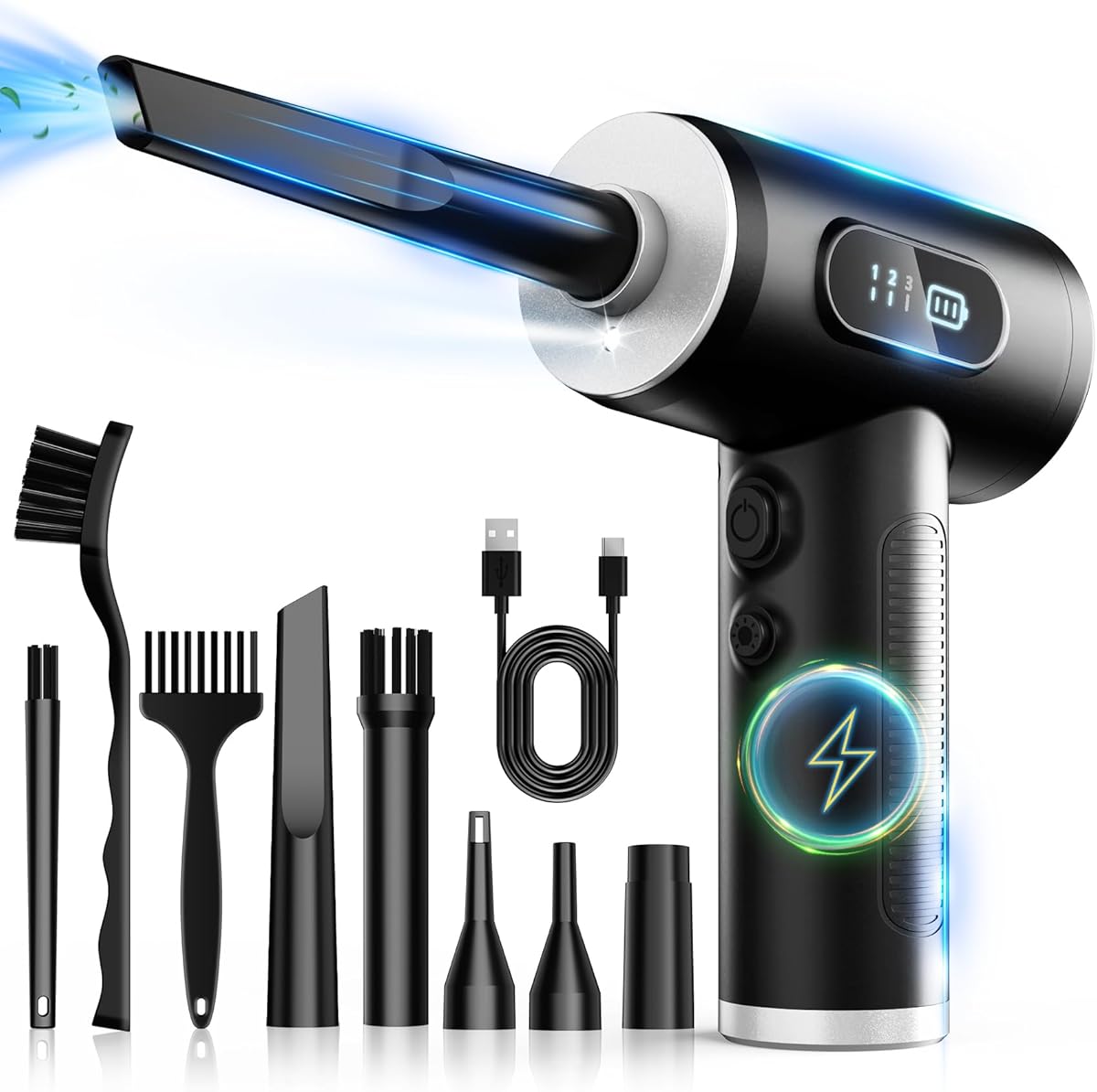
The FRESMOL Compressed Air Duster stands out as the top choice for maintaining your laptop fan and internal components. It features a powerful 100000 RPM motor that generates sufficient pressure to dislodge stubborn dust bunnies from cooling vents and keyboards. With a solid 4.4 rating from users, it proves to be a reliable tool for both casual and heavy duty cleaning needs without the hassle of disposable cans.
We may earn a commission when you buy through this link, at no additional cost to you.
One of its strongest assets is the smart LED display which shows you the current speed mode and remaining battery level at a glance. This prevents unexpected power loss mid cleaning and allows you to adjust airflow intensity instantly. The set includes five nozzles and three brushes ensuring you have the right attachment for tight corners camera gear and laptop ports. The built-in light reveals dust in dark areas making detailed cleaning much easier than relying on room lighting alone.
While it performs exceptionally well, users should note that the battery life depends heavily on the selected speed setting. Higher speeds drain the power faster which may require frequent recharging during extensive cleaning sessions. Additionally, the motor produces a higher noise level compared to traditional compressed air cans. This is a minor trade-off for the environmental and cost benefits of a reusable electric unit that delivers consistent power over time.
This duster is ideal for tech enthusiasts and daily computer users who want a dependable solution for keeping their hardware cool. Its portable safety design and lightweight body make it perfect for travel or use in different rooms around the house. If you are looking for a balance of power and convenience this is the best all round kit to invest in for long term device maintenance and optimal fan performance.
The LED screen helps you track power and speed instantly so you never get caught off guard during a cleaning session.
Five nozzles and three brushes cover every cleaning task from deep fan vents to delicate camera lenses.
We may earn a commission when you buy through this link, at no additional cost to you.
The iFixit Laptop Cleaning Kit earns the best budget badge with an impressive 4.9 user rating. It offers a comprehensive solution for keeping your laptop spotless and looking new with essential tools like microfiber cloths and an anti-static brush. The kit also includes a dust blower for clearing debris from keyboard gaps and cooling fans making it a complete all-in-one package for routine maintenance without spending a fortune.
We may earn a commission when you buy through this link, at no additional cost to you.
For stubborn grime the included anti-static brush and alcohol wipes ensure surfaces are fresh without damaging sensitive components. Specialized swabs and picks help you reach into hard-to-reach areas where dust tends to accumulate around hinges and ports. The compact iFixit Tool Pouch is perfect for staying organized when you are on the go or working at a shared desk space.
The main trade-off is that the dust blower is manual rather than electric which limits the airflow power compared to rechargeable units. While excellent for light dusting and screen care it may struggle with years of built-up dust deep inside a fan assembly. However for the price point it provides exceptional value and peace of mind knowing you have the right tools to avoid static damage.
This kit is perfect for students professionals and anyone looking for a simple effective way to maintain their device aesthetics and function. It covers everything from screen protection to detailed cleaning with high quality tools. If you prioritize organization and safety for your electronics this kit is the best budget option available today.
The anti-static brush ensures you do not damage sensitive circuit boards while removing dust from internal components.
From swabs to alcohol wipes this kit covers every angle of device cleaning from screen to keyboard.
We may earn a commission when you buy through this link, at no additional cost to you.
The MiaEpic Z3 electric air duster claims the best premium spot with its advanced 280000 RPM brushless motor. This ultra-powerful speed generates high-pressure airflow capable of blasting away even stubborn debris from PC components and premium electronics. With a 4.5 rating and eco-friendly reusable design it is ideal for users who value quality and dependable performance over lower cost alternatives that fade over time.
We may earn a commission when you buy through this link, at no additional cost to you.
The smart LCD screen displays real-time battery status and speed levels which helps prevent interruptions during use. Equipped with a bright LED light it easily illuminates dark corners making it perfect for cleaning keyboards PC towers and consoles. The 6-in-1 versatile set includes four precision nozzles and two cleaning brushes for car dashboards camera lenses and inflatables adding significant value to the purchase.
While the power is impressive the higher price point and bulky size may be a consideration for budget-conscious buyers or those with limited storage. The device is built for long-term use and costs less in the long run by eliminating disposable cans. This premium build quality ensures reliability that cheaper models often lack when pushed to their limits over time.
This duster is the ultimate choice for gamers tech enthusiasts and professionals who demand top-tier performance for their equipment. It blends modern style with professional-grade cleaning capability in one sleek unit. If you want the strongest airflow and best tech features this premium kit is worth the investment for your workspace.
The 280000 RPM turbo fan delivers the most powerful airflow available for deep cleaning internal components.
Real-time LCD monitoring keeps you informed of battery and speed so you never run out unexpectedly.
We may earn a commission when you buy through this link, at no additional cost to you.
The WOLFBOX MegaFlow 50 is defined by its extreme lightness at just 0.45 pounds. It delivers up to 110000 RPM to remove dust and debris effectively with three adjustable speed settings. This unit is perfect for portable use and earns a solid 4.6 rating from users who prioritize carrying ease and consistent airflow performance.
We may earn a commission when you buy through this link, at no additional cost to you.
Its economical reusable design with a long-lasting battery offers a sustainable alternative to disposable air cans. You get up to 240 minutes of use on the lowest setting which supports extended cleaning sessions without frequent interruptions. The included lanyard ensures convenient use both indoors and outdoors making it easy to handle while cleaning car interiors or home vents.
While the battery is smaller than some competitors the fast charging capability in just 3.5 hours mitigates downtime effectively. It may not match the raw power of higher-end turbo models but it is more than enough for standard laptop fan maintenance. This reliability ensures optimal performance for daily tasks without overwhelming bulk or complexity.
This duster is ideal for travelers office workers and anyone needing a compact solution for electronics cleaning. The lightweight design reduces hand fatigue during use which is a real benefit for detailed work. If portability is your main concern this kit strikes the perfect balance between power and ease of handling for any user.
Weighing only 0.45 lbs this duster is the lightest option available for travel or daily transport.
Enjoy up to 240 minutes of runtime on low speeds for extended cleaning sessions.
We may earn a commission when you buy through this link, at no additional cost to you.
The Ordilend Keyboard Cleaner & Laptop Cleaning Kit provides a comprehensive all-in-one package for computer PC maintenance. It includes a number of accessories such as a retractable large brush keycap puller and metal pen tip. With a 4.6 rating this kit meets professional cleaning needs at a low cost for students and college users on a budget.
We may earn a commission when you buy through this link, at no additional cost to you.
The retractable keyboard brush works on laptops and keyboards while the mini high-density brush is great for deep cleaning between keys. For stubborn stains the metal pin tip gently removes residue without scratching surfaces. The included polishing cleaning cloth and spray effectively absorb grime leaving no streaks discoloration or fiber shedding on your screens.
Although it lacks an electric air blower the manual tools allow for precise control during detailed cleaning tasks. This approach is beneficial for delicate parts but may require more time than a compressed air unit. The inclusion of cleaning spray and multiple replacement cloths ensures you are well equipped for regular upkeep of your device surfaces.
This kit is perfect for college students office workers and anyone wanting a complete toolkit for desk accessories. It offers exceptional value by combining tools that would otherwise be bought separately. If you want to save on keycaps and screen care this set provides everything you need to keep your workstation looking pristine and functional.
The metal pin tip and retractable brush tackle stubborn grime between keys that air alone misses.
Included spray and thick cloths ensure your display stays streak-free and free of fiber residue.
We may earn a commission when you buy through this link, at no additional cost to you.
The 130000RPM Electric Air Duster stands out with its impressive 8000mAh battery delivering 120 minutes of runtime on Speed 1. This unit features a 2X ultra-powerful brushless motor that blasts even 3-year dust from keyboards in 10 seconds. With a 4.6 rating it offers high-tech precision and a cost-effective reusable alternative to disposable canned air for daily use.
We may earn a commission when you buy through this link, at no additional cost to you.
Its 4-gear adjustable wind speeds let you conquer every cleaning challenge from gentle dusting to heavy-duty clean. The AI chip provides overcharge and overheat protection ensuring safe operation. With 6 versatile nozzles and 10 detail brushes it offers tailored solutions for every task from delicate computer keyboards to car detailing and outdoor inflation tasks.
While the battery life is excellent the device weighs 0.62 lbs which is heavier than the lightest portable options. The long-press activation for storm mode adds a slight learning curve but adds value for specific tough cleaning scenarios. This balance of safety and power makes it a robust choice for users prioritizing battery longevity over ultra-light weight.
This duster is perfect for tech enthusiasts and office workers who need reliable long-lasting performance for various tasks. The included storage bag and lanyard add to the convenience of use anywhere. If battery life is your top priority this model ensures you can finish your cleaning jobs without needing a recharge session.
The upgraded AI Chip protects against overheating and overcharging ensuring safe extended use every time.
An 8000mAh battery offers up to 120 minutes of runtime on low speed for extensive cleaning.
We may earn a commission when you buy through this link, at no additional cost to you.
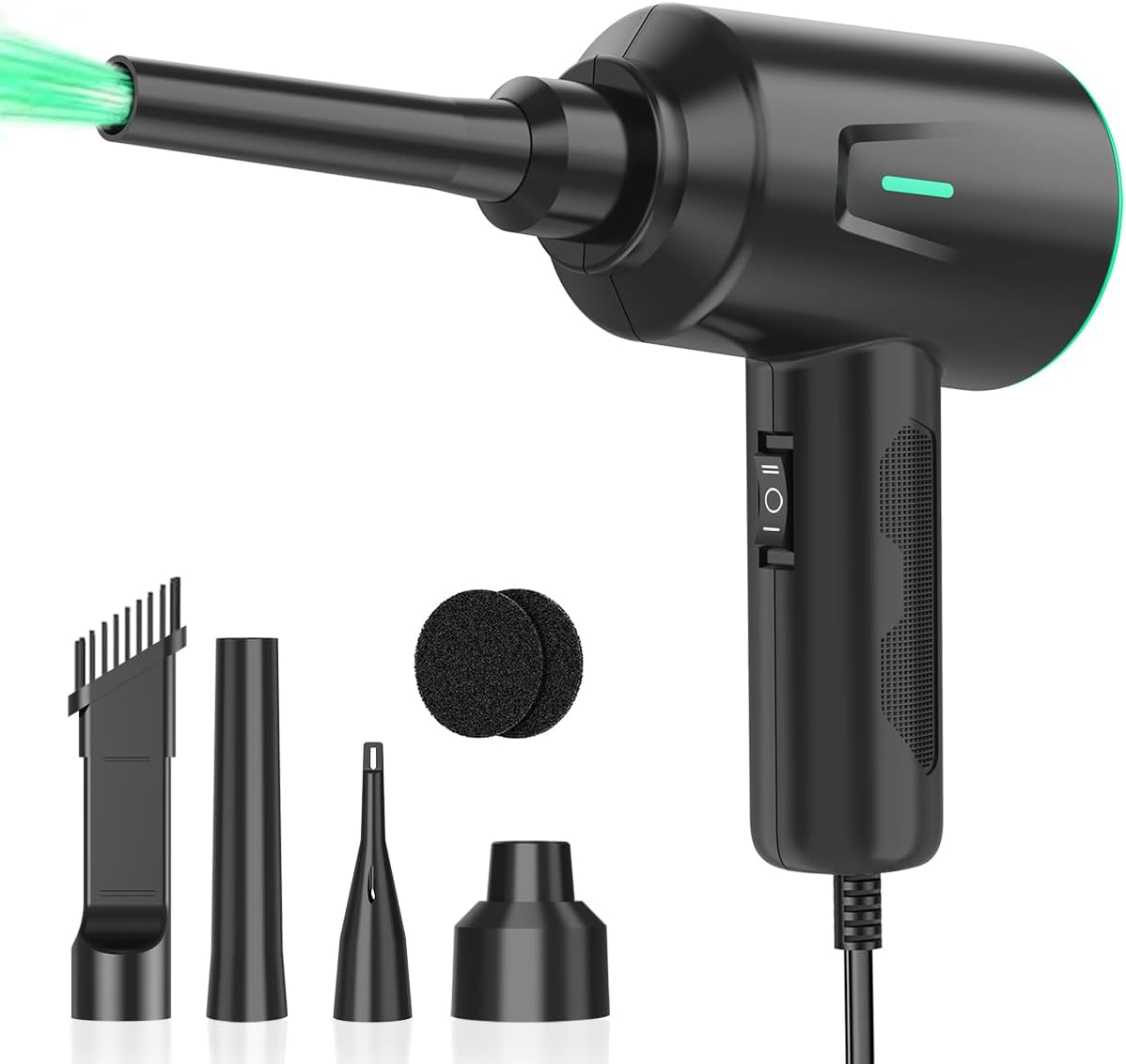
The Meudeen Air Duster is a powerful electric blower that eliminates the need for recharging. It boasts a 500W high power motor that propels air at speeds up to 50m/s with a 2-speed adjustment feature. Its extra long cord and 4.5 rating make it perfect for continuous cleaning without battery anxiety for fixed station users.
We may earn a commission when you buy through this link, at no additional cost to you.
Equipped with four different brushes and two sponge filters this compressor air duster is versatile for all valuable electronic devices. The low-speed wind reaches 100000RPM while high-speed reaches 200000RPM for efficient dust removal every time. An extended 8.2-foot cord weighs just 1.4lb so it offers convenience without the need for recharging on mains power.
While the cord provides constant power it limits mobility compared to cordless models. The device is heavier due to the motor and cord which might cause hand fatigue during long sessions. However the consistent power output ensures effective dust removal without performance drops that rechargeable units might experience over time.
This duster is ideal for home office users or hobbyists who clean equipment at a dedicated desk. The affordable price and versatile features make it a perfect gift for family members and friends. If you prefer a tool that never runs out of power this model delivers continuous high-pressure air exactly when you need it.
With a 500W motor you get stable high-pressure air without worrying about battery charge levels.
The extra long 8.2-foot cord allows you to clean larger areas without moving your power source.
We may earn a commission when you buy through this link, at no additional cost to you.
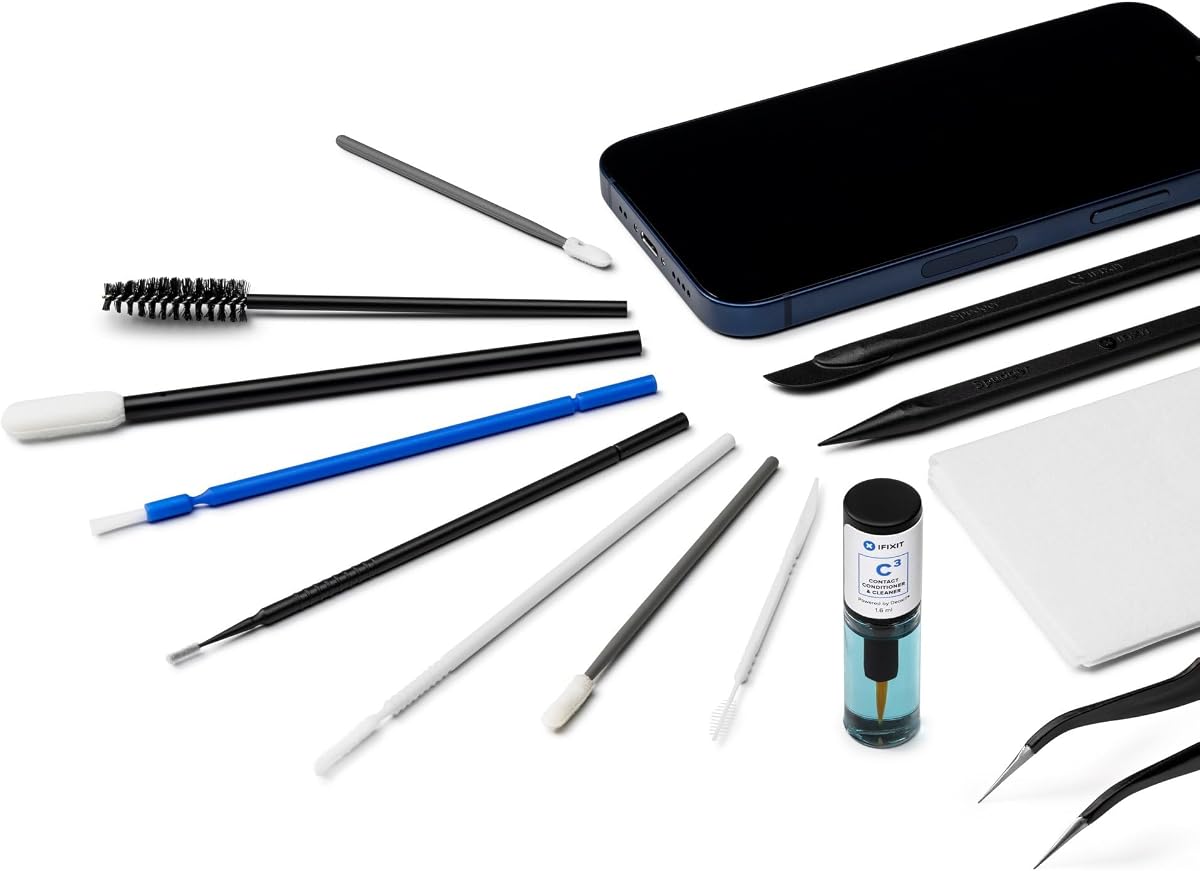
The iFixit Precision Cleaning Kit is designed for tackling hard-to-reach areas on your phone laptop and tablet. It features a Spudger Halberd Spudger Tweezers and various brushes like Cylindrical and Precision Foam Tipped Swabs. With a 4.3 rating this kit is essential for detailed maintenance that regular cleaning misses in small device areas.
We may earn a commission when you buy through this link, at no additional cost to you.
Regular cleaning of your devices is one of the best practices of preventative maintenance to enhance their lifespan. The kit contents include small detailing brushes and plastic picks to clean out dust and grime effectively. All tools are meant to be reused so keep them clean between projects for lasting value and hygiene.
While it lacks an air blower its tools excel at precise removal of debris from ports and slots. It is not a solution for heavy dust but rather for the final detailing stage of a cleaning routine. This specialized approach ensures your device ports stay clear for proper function without introducing liquid risks.
This kit is perfect for tech enthusiasts and repairers who need precision tools for maintenance. It complements any duster by handling the delicate work that requires control and accuracy. If you want to extend the life of your devices this set offers the right tools for safe and effective detailed cleaning.
Tools like the halberd spudger and angled tweezers handle delicate tasks other kits cannot.
Designed for reuse so you keep them clean between projects for lasting value.
We may earn a commission when you buy through this link, at no additional cost to you.
The Keyboard Brush 10 Pcs Kit includes 10 different sizes featuring 7 hard brushes and 3 soft bristle brushes. This versatile set is designed to effectively remove debris from keyboard gaps and dust inside computers ensuring optimal performance. With a 4.4 rating it prevents dust buildup that could damage your equipment saving on costly repairs over time.
We may earn a commission when you buy through this link, at no additional cost to you.
Made with high-quality nylon material the anti-static brushes are safe for cleaning electronic components including computer motherboards. The yellow and blue soft bristle brushes are perfect for cleaning delicate surfaces like computer monitors car screens and camera lenses. This wide range of applications makes it ideal for cleaning fans vents razors and more efficiently.
Since this is purely a manual brush kit it lacks the force of an air duster for deep cleaning. It is best used in combination with an air blower or as a standalone tool for light maintenance. The affordable price makes it a great addition to your cleaning arsenal for specific tight spots.
This kit is perfect for users who need a variety of brush sizes for different surfaces and tight spaces. It offers effective dust removal without worrying about damaging sensitive parts with static. If you need a detailed brush set to complement your main cleaning tool this is the most versatile option available.
High-quality nylon material ensures your components are safe from static damage during cleaning.
Ten different sizes let you tackle everything from wide keyboards to tiny camera lenses.
We may earn a commission when you buy through this link, at no additional cost to you.
The Compressed Air Duster Electric Blower delivers ultra-strong airflow up to 110,000RPM to easily remove dust from keyboards laptops and car vents. With a 4.4 rating this rechargeable air duster is the ultimate all-in-one air blower for home office and outdoor use. Its LED light brightens dark or narrow spaces making it easier to see debris clearly during cleaning.
We may earn a commission when you buy through this link, at no additional cost to you.
It comes with 5 nozzles and 4 brushes for every task including inflating balloons inflatables and removing crumbs from sofas. The ergonomic grip and 3-speed adjustable design provide precise control for travel outdoor camping or PS5 electronics maintenance. Its built-in high-capacity rechargeable battery supports long cleaning with Type-C fast charging for convenience anywhere.
While the battery life is average compared to higher-end units the versatility of this tool makes up for it. It serves well as an inflation tool and home cleaner which adds value beyond just electronics cleaning. The consistent power and eco-friendly design save money and protect the environment with every use.
This duster is perfect for users who need a flexible tool for various cleaning tasks beyond just laptops. Its ergonomic comfort and cordless freedom make it easy to use in any setting. If you want a practical cost-saving upgrade for daily dust removal this model offers a smart green option for every household.
Blow up balloons air mattresses and swim rings with powerful airflow for multiple uses.
Replace wasteful canned air with a reusable blower that delivers consistent power for every task.
We may earn a commission when you buy through this link, at no additional cost to you.
Choosing the right cleaning kit depends on your specific needs and how much dust your device accumulates. This guide breaks down the key factors to consider.
Motor speed determines how effectively the air duster can dislodge dust. Look for models with at least 100000 RPM for decent cleaning force. Higher speeds like 280000 RPM are great for heavy buildup but may be louder.
Choose a motor speed that matches the dirt level in your home or office environment.
If you choose a cordless model check the battery capacity and runtime. Good kits offer 100 minutes or more on low speeds. Fast charging capabilities via Type-C are essential to minimize downtime between uses.
Prioritize long battery life and fast charging to ensure you can finish cleaning jobs without interruption.
Different attachments help reach various parts of your laptop. A good kit includes at least 3 to 5 nozzles for vents keys and camera ports. Brush attachments are also useful for gentle cleaning before blowing air.
More versatile nozzles mean you can clean more types of surfaces effectively with one tool.
Dust often hides in dark corners where visibility is poor. An integrated LED light allows you to see debris clearly inside the laptop chassis. This feature significantly improves cleaning precision and results.
An LED light is a valuable addition for seeing dust in tight and dark areas.
Weight affects how comfortable the duster is to hold during use. Lighter models around 0.5 lbs are easier to handle. Consider the size of the unit if you plan to store it in a small bag.
Select a lightweight and compact unit to reduce hand fatigue during long cleaning sessions.
Electric air dusters are louder than canned air. If you work in a quiet environment look for models with noise reduction features. Check user reviews for feedback on sound levels at different speeds.
Balance power with noise levels to fit your comfort and environment requirements.
Some kits come with microfiber cloths swabs or wipes for screens. Others focus purely on air blowing. Consider if you need a complete solution or just an air blower.
A complete set with cloths offers better value if you want to clean screens and fans together.
Build quality matters for long-term use. Check for reputable brands and warranty terms. Durable plastic and solid motor casing ensure the tool survives regular use.
Invest in a durable kit with warranty protection to ensure your investment lasts for years.
Start by shutting down your laptop and unplugging it from any power source. This prevents accidental short circuits while you are cleaning inside the chassis. Remove any external accessories like USB drives or external drives.
Hold the laptop at an angle so dust can fall away from the components. Use the air blower or brush to clear dust from the vents and fan blades. Always blow air in short bursts to avoid spinning the fan too fast.
Clean the exterior surfaces with microfiber cloths and appropriate cleaning sprays. Store your tools in a dry place to prevent moisture damage. Regularly clean the nozzles and brushes to keep them effective for future use.
Yes but specialized kits with adjustable speeds offer better control. High power can damage the fan blades if it spins too fast. It is safer to use a kit designed for electronics with lower speed settings for fans.
Ideally you should clean your laptop fan every three to six months. If you live in a dusty area or use your laptop heavily consider cleaning it more often. Regular maintenance prevents overheating and extends the device life.
Yes rechargeable dusters are more cost-effective and eco-friendly in the long run. They avoid the waste of disposable cans and provide consistent pressure without freezing. However canned air is convenient for quick small jobs.
Use the lowest speed setting to avoid spinning the fan blades too fast. If the fan spins rapidly it can generate power that may damage the motherboard. A gentle airflow is sufficient to dislodge dust safely.
Not always many laptops have accessible vents that allow external cleaning. However for a thorough clean opening the case is recommended. Always follow manufacturer guidelines and avoid voiding warranties when disassembling.
Yes anti-static brushes are safe for touching internal components. They help loosen dust so the air can blow it away effectively. Always use gentle strokes to avoid bending the delicate fan blades.
Keep the nozzles clean and free of blockages. Charge the battery regularly even when not in use to preserve its health. Store the unit in a dry place to prevent moisture damage to the electronics.
We reviewed ten top products ranging from powerful electric dusters to complete manual kits. The FRESMOL duster stands out for its balance of power and features while the iFixit kit offers great value for budget buyers.
Choose a model that fits your cleaning frequency and technical needs. Consider battery life power and accessories carefully to find the perfect match for your setup.
Prices and availability change often so always check the current listings before buying. Keep your laptop cool and efficient with the right cleaning tools today.