
YCA1030 Dusk to Dawn Sensor
4.4Editor score
UL Listed standard fit
IP65 weatherproof rating
Automatic dusk to dawn
This guide compares the top light sensors for home security, evaluating detection accuracy, smart home integration, and reliability to help you secure your
Light sensors are essential for modern home security systems, enabling automated responses to motion and ambient conditions. They help deter intruders and save energy by activating lights only when necessary. Choosing the right device ensures your home remains safe and efficient.
We evaluated ten leading light sensors based on detection range, connectivity options, and ease of installation. Our analysis covers wireless and hard-wired models suitable for various environments. Each product offers unique features tailored to different security needs and budgets.
Each pick highlights key specifications and real-world performance insights. You will find details on battery life, smart home compatibility, and weather resistance. Please note that prices and availability may change, so verify current offers before purchasing.
4.4Editor score

4.4Editor score

4.4Editor score
This side-by-side comparison highlights key features across all ten products, helping you quickly identify which sensor best matches your specific security requirements and home setup.


The Akamatis Litos v3 combines mmWave radar with an integrated light sensor for precise home automation. With a 4.4 rating, it excels at detecting both motion and stationary objects within a 20 ft range indoors.
We may earn a commission when you buy through this link, at no additional cost to you.
Its HLK-LD2401 radar ensures reliable presence detection even when users are sitting still. The VEML7700 light sensor matches human eye sensitivity, enabling perfect automation rules like turning lights on only when it is dark and someone is present.
While powerful, this device requires an existing Home Assistant installation and basic technical familiarity. The reliance on Wi-Fi rather than Zigbee may be a drawback for users seeking battery efficiency or extensive mesh networks.
This sensor is ideal for tech-savvy users prioritizing local control and accurate detection. If you need to avoid false negatives from stationary occupants, the Litos v3 is a top recommendation for smart homes.
mmWave radar detects micro-movements that traditional PIR sensors miss, ensuring lights stay on while you read or work.
Accurate ambient light readings prevent lights from turning on during daylight, saving energy and reducing unnecessary automation triggers.
We may earn a commission when you buy through this link, at no additional cost to you.
The YCA1030 offers a simple and affordable solution for automatic outdoor lighting control. Rated 4.4 stars, this photocell sensor reliably turns lights on at dusk and off at dawn without needing any smart home infrastructure.
We may earn a commission when you buy through this link, at no additional cost to you.
Its IP65 rating ensures durability against rain and dust, while the built-in time delay prevents flickering caused by car headlights or lightning. It supports a wide voltage range and works with various bulb types including LEDs.
Installation requires electrical knowledge since it is hardwired, making it less flexible than wireless options. The lack of remote control or app connectivity means automation cannot be customized beyond basic timing based on ambient light.
For homeowners seeking basic automation without complexity, this sensor is an excellent choice. It provides reliable performance at a fraction of the cost of smart alternatives.
Supports multiple bulb types and voltage ranges, making it a versatile drop-in replacement for older photocell sensors on light fixtures.
The IP65 rating protects internal components from moisture and debris, ensuring long-term functionality in harsh outdoor conditions.
We may earn a commission when you buy through this link, at no additional cost to you.
The Philips Hue Outdoor Motion Sensor is designed for seamless integration with the Hue ecosystem. With a 4.4 rating, it reliably detects motion across a 160-degree field, ensuring lights activate precisely when needed outdoors.
We may earn a commission when you buy through this link, at no additional cost to you.
Its IP44 rating provides protection against rain and dust, suitable for patios and doorways. The sensor supports automatic dusk to dawn operation, combining motion detection with ambient light awareness for optimal energy savings.
Users must own a Hue Bridge to utilize this device, which adds to the overall system cost. While this creates a closed ecosystem, it ensures stable connections and robust automation features through the Hue app.
If you already use Philips Hue lights, this sensor is the most reliable option for outdoor security and convenience. It offers premium build quality and seamless automation for existing users.
The 160-degree field of view ensures comprehensive monitoring of driveways, porches, and pathways without blind spots.
Integration with Alexa, Google Assistant, and HomeKit allows for voice control and broader smart home automation scenarios.
We may earn a commission when you buy through this link, at no additional cost to you.
This Zigbee sensor combines motion detection with an ambient light sensor for efficient local automation. It is designed for users who prefer Home Assistant or SmartThings over cloud-dependent ecosystems.
We may earn a commission when you buy through this link, at no additional cost to you.
The 0-1000 Lux light sensor allows precise control based on ambient brightness, while the 360-degree adjustable mount ensures perfect positioning. It requires a Zigbee hub but offers reliable performance without internet reliance.
Setup involves verifying compatibility with your hub, as Home Assistant ZHA support may be limited. The lack of direct Wi-Fi means extra hardware is needed, but it improves network stability and battery longevity.
Ideal for DIY enthusiasts, this sensor provides the tools needed for custom automations. It delivers strong performance for those willing to manage local hub configurations.
Combining PIR motion detection with light sensing eliminates false triggers caused by sunlight, ensuring lights only activate when necessary.
The ball-joint mount allows precise aiming for entryways or hallways, optimizing detection coverage for specific security needs.
We may earn a commission when you buy through this link, at no additional cost to you.
The Tapo T100 delivers reliable motion detection with impressive battery efficiency. Powered by Sub-1G protocol, it ensures stable connections while lasting up to two years on a single CR2450 battery.
We may earn a commission when you buy through this link, at no additional cost to you.
Its adjustable sensitivity and 120-degree viewing angle allow customization for different rooms. Smart Actions enable automation even when offline, provided a Tapo hub is present in your network setup.
While effective, this sensor depends on a Tapo hub, limiting its use to the Tapo ecosystem. Users without existing Tapo devices may find the initial investment in hardware unnecessary.
For existing Tapo users, this sensor offers excellent value and performance. It balances cost, battery life, and reliable detection for everyday home security needs.
Sub-1G technology provides extended range and battery life compared to standard Wi-Fi connections, reducing maintenance frequency.
Smart Actions work locally through the hub, ensuring your automations function even during internet outages or cloud disruptions.
We may earn a commission when you buy through this link, at no additional cost to you.
This Philips Hue sensor focuses on monitoring doors and windows with precise contact detection. It sends real-time alerts when openings occur, integrating directly into Hue automations for lights and alarms.
We may earn a commission when you buy through this link, at no additional cost to you.
Its high 4.6 rating reflects reliability in detecting unauthorized access. The adhesive backing ensures easy installation on various surfaces, while tamper detection adds an extra layer of security assurance.
The need for a Hue Bridge means additional costs and setup steps for new users. Additionally, this device is designed for indoor environments, limiting its utility for external perimeter security.
Best suited for homeowners within the Hue ecosystem, this sensor enhances security with minimal effort. It provides peace of mind through instant notifications and automation possibilities.
Receive push notifications immediately when a door or window opens, allowing rapid responses to potential security breaches.
Trigger Hue lights to turn on when doors open, creating a sense of presence that deters potential intruders effectively.
We may earn a commission when you buy through this link, at no additional cost to you.
This two-pack offers reliable photocell switches for multiple outdoor lighting points. With a 4.5 rating, these sensors provide automatic dusk to dawn control, ensuring lights operate only when visibility drops.
We may earn a commission when you buy through this link, at no additional cost to you.
The multi-voltage design supports installations across various regions and electrical setups. Swivel mounting allows precise aiming to avoid false triggers from nearby sources like vehicle headlights or streetlights.
Hardwired installation requires electrical expertise, and the lack of smart features limits remote control. However, for simple automation needs, this offers cost-effective reliability over long periods.
These sensors are ideal for properties requiring multiple outdoor points of light control. They provide consistent performance without the need for complex networking or hub dependencies.
Built-in surge protection safeguards connected fixtures and the sensor itself from voltage spikes caused by lightning or grid instability.
The two-pack configuration allows comprehensive coverage for large properties or multiple entry points without purchasing separately.
We may earn a commission when you buy through this link, at no additional cost to you.
The Ring Motion Detector connects directly through Amazon Sidewalk, eliminating the need for a base station. With a 4.6 rating, it offers straightforward setup for users invested in the Ring security ecosystem.
We may earn a commission when you buy through this link, at no additional cost to you.
Customizable pet-friendly modes reduce false alerts from smaller animals, making it practical for households with pets. Instant notifications ensure timely responses to potential intrusions detected within the room.
Coverage relies on Sidewalk, which may vary depending on your network environment. While this simplifies hardware needs, it depends on your home internet infrastructure and Ring device compatibility.
For Ring users, this sensor provides an easy, no-hub option for expanding security coverage. It delivers instant alerts and integrates seamlessly with existing Ring alarm systems.
Adjustable settings ignore movement from pets under 50 lbs, reducing nuisance notifications while maintaining human detection accuracy.
Connects through your Ring devices' shared network, extending security range without requiring a dedicated hub or extra wiring.
We may earn a commission when you buy through this link, at no additional cost to you.
The YoLink Motion Sensor uses LoRa technology to achieve exceptional range, spanning over 2,000 feet. This makes it ideal for large properties or multi-story homes where standard signals fail.
We may earn a commission when you buy through this link, at no additional cost to you.
It sends critical alerts via SMS and push notifications even if devices are silent, ensuring notifications are always received. Device-to-device pairing works offline, keeping your security functional during internet outages.
A dedicated hub is required for operation, which adds initial setup complexity. The proprietary nature limits integration with non-YoLink platforms, though it offers reliable standalone performance.
For large properties needing long-range coverage, this sensor is unmatched. It ensures alerts reach you via text and works independently of network congestion.
Text and push alerts activate even in silent mode, ensuring emergency security notifications are never missed during critical situations.
Long Range radio technology provides superior penetration through walls and floors compared to standard Wi-Fi or Zigbee protocols.
We may earn a commission when you buy through this link, at no additional cost to you.
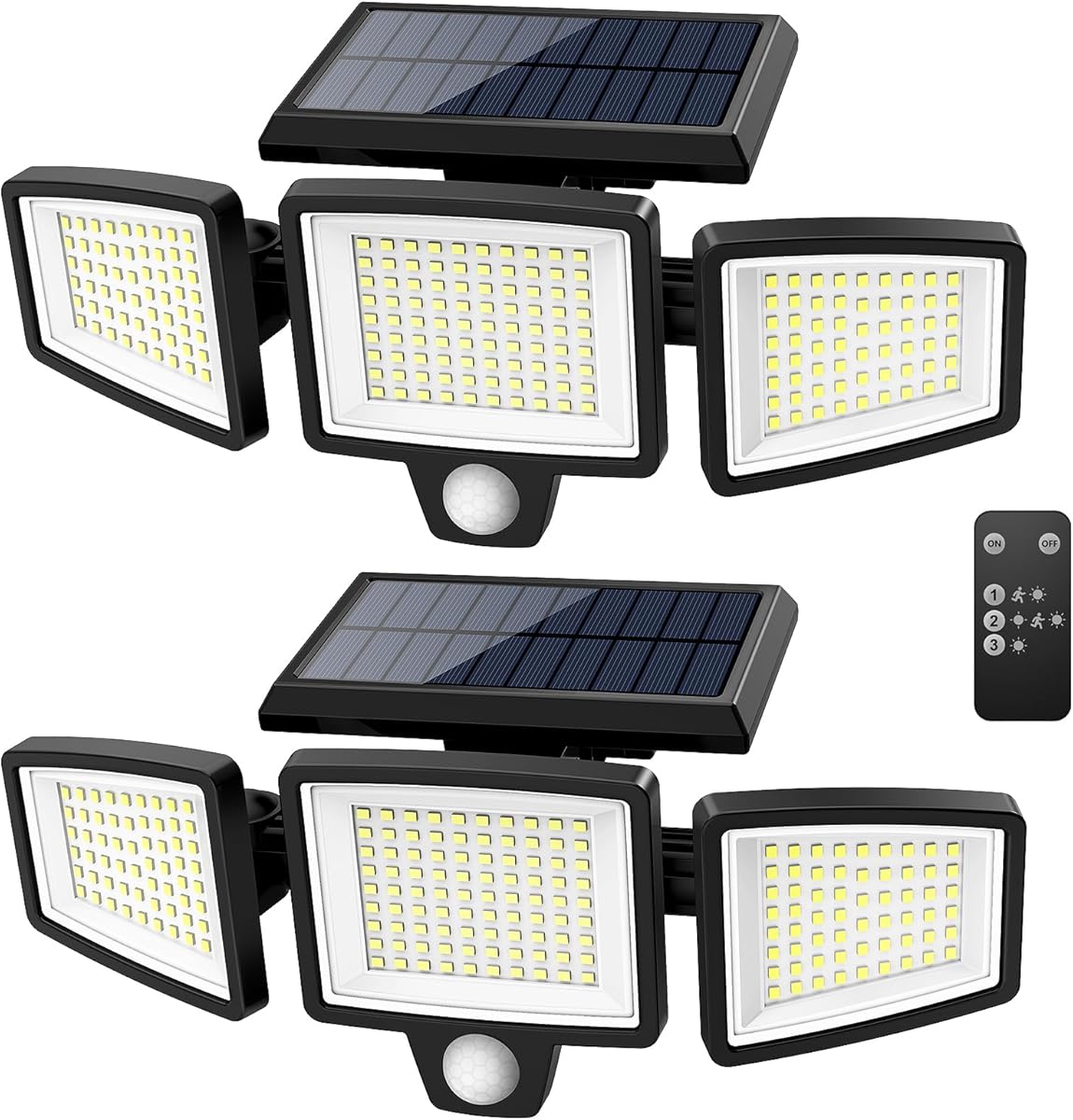
This solar-powered light combines motion sensing with high brightness output. With a 4.4 rating, it delivers 2500 lumens and a wide 270-degree angle for comprehensive outdoor illumination.
We may earn a commission when you buy through this link, at no additional cost to you.
No wiring is needed, allowing flexible installation on walls or fences. The IP65 waterproof rating ensures durability, while the included remote control lets you adjust modes easily from a distance.
Charging depends on consistent sunlight exposure, which may be limiting in cloudy climates. The motion sensor is built-in, so standalone use is its primary function rather than hub integration.
Ideal for remote areas without power, this light provides security through brightness and motion activation. It is a convenient, all-in-one solution for driveway or yard lighting.
With 210 LED beads producing 2500 lumens, this unit provides intense illumination that effectively deters intruders in dark areas.
Solar power and included mounting screws allow quick setup anywhere without needing electrical outlets or complex wiring work.
We may earn a commission when you buy through this link, at no additional cost to you.
Choosing the right light sensor requires evaluating your home layout, connectivity options, and security goals. Below are key factors to consider before purchasing.
Sensors connect via Wi-Fi, Zigbee, or proprietary protocols like LoRa. Wi-Fi offers direct connection but drains battery quickly, while Zigbee requires a hub but saves power. Proprietary systems like LoRa excel in range but limit ecosystem integration.
Select a protocol that matches your existing smart home setup. If you use Home Assistant or SmartThings, Zigbee offers great flexibility. For large properties, specialized systems may provide better range and reliability.
Different sensors cover varying distances and angles, typically from 90 to 160 degrees. Wider angles suit open spaces like hallways, while narrower ones work well for specific entry points like doorways.
Assess your specific security needs and room layout before purchasing. Consider corner placement to maximize coverage and avoid blind spots in critical areas where intruders might hide.
For outdoor use, look for IP ratings indicating protection against dust and water. An IP44 rating handles light rain, while IP65 offers better protection against dust and water jets. Proper ratings ensure longevity in harsh conditions.
Choose a sensor that matches your installation environment. If placing it on an exposed porch, ensure the rating is sufficient to prevent damage from rain, snow, or dust accumulation over time.
Battery-powered sensors vary significantly, lasting from six months to two years depending on usage frequency. Factors like detection range and protocol type impact power consumption, influencing how often you must replace batteries.
Prioritize devices with low-power protocols if you want fewer replacements. Check battery type requirements and ensure the unit offers low-battery alerts to avoid interruptions in your security system.
Integration capabilities vary by platform, from basic apps to advanced automation tools like Home Assistant. Some sensors support voice assistants while others require specific hubs for full functionality. Verify compatibility before purchase.
If you rely on automations, ensure the sensor supports triggers like turning on lights or sending notifications. Platforms offering local control are often more reliable during internet outages than cloud-reliant options.
Installation ranges from plug-and-play adhesive mounts to hardwired setups requiring electrical knowledge. Wireless sensors are simpler to install, but hardwired models offer uninterrupted power without the need for battery changes.
Choose based on your comfort with home improvement tasks. If hiring an electrician is feasible, hardwired options provide long-term stability. Otherwise, wireless adhesive mounts allow quick setup without professional help.
Traditional PIR sensors detect movement, while mmWave radar detects presence, even when stationary. Radar sensors reduce false negatives in scenarios like reading a book, while PIR models are more cost-effective for basic security.
Select based on your usage needs. If you want lights to stay on while working in a room, presence detection is superior. For simple security triggers, traditional motion sensors are often sufficient.
Prices vary from simple hardwired photocells to advanced radar sensors with smart features. While cost is a factor, prioritize reliability and necessary features. Cheap units may save money initially but fail to provide robust security.
Balance your budget with long-term value. A slightly higher upfront cost for a reliable sensor may prevent frequent replacements or inadequate protection, ensuring peace of mind for your property.
Proper placement is crucial for maximizing detection. Mount sensors at eye level or above to cover entry points effectively. Avoid placing them near heat sources or curtains that might cause false triggers.
Regularly test your sensors to ensure they are functioning correctly. Check battery levels or power connections and reset the device if notifications stop coming through. This routine maintains reliability over time.
Keep sensor lenses clean of dust, dirt, or spider webs that may interfere with detection. Wipe gently with a soft cloth. For outdoor units, ensure the housing remains sealed against moisture and debris buildup.
Yes, most modern light sensors are designed to operate 24/7, including complete darkness. Some models include built-in ambient light sensors to activate only in low-light conditions. PIR and mmWave sensors are specifically designed to detect heat or movement without needing visible light.
Not all smart sensors require a hub. Some Wi-Fi models connect directly to your router, while others like Zigbee or LoRa devices need a central hub. Always check product specifications to confirm connectivity requirements before purchasing.
Many sensors offer pet-friendly modes that ignore small animals below a certain weight. Positioning the sensor higher or using models with advanced radar technology can further reduce false triggers from household pets moving around.
Yes, outdoor-specific light sensors are available and come with weatherproof ratings like IP44 or IP65. Ensure the device you choose is explicitly rated for outdoor use to withstand rain, dust, and temperature variations safely.
Motion sensors detect movement, while presence sensors like mmWave radar detect stationary occupants as well. Presence sensors are ideal for keeping lights on while you read or work without moving, whereas motion sensors may turn lights off prematurely.
Battery life varies by model and usage, often ranging from six months to two years. Factors like detection frequency and wireless protocol impact longevity. Look for sensors with low-power modes to extend battery life significantly.
We covered ten top choices ranging from budget hardwired units to advanced mmWave presence sensors. Each offers unique benefits depending on your home setup and technical needs.
Prioritize connectivity and weather resistance when selecting your model. Ensure it fits your ecosystem and offers reliable performance for your specific security requirements.
Prices and availability can change frequently online. Verify current details before purchasing to ensure you get the best value and compatibility for your home.