
Ozeino Wireless Gaming Headset for PS5, PC, Switch| Lossless Audio-40H Batt
4.2Editor score
2.4GHz wireless connection
50mm drivers for bass
Up to 40 hours battery life
Multi-platform compatibility
We compare the top Mac gaming headsets for audio quality, comfort, and connectivity to help you choose the perfect headset for your gaming setup.
Finding the right gaming headset for your Mac can be challenging due to compatibility issues and varying audio standards. This guide highlights ten top models designed to deliver immersive sound and clear communication for every type of gamer.
We evaluated each headset based on driver quality, microphone clarity, connection stability, and long-term comfort. Our analysis includes wired and wireless options that work seamlessly with macOS to ensure a smooth gaming experience across titles.
Each product entry provides detailed specs, pros and cons, and real-world usage insights to help you make an informed decision. Please note that product availability and pricing may change over time so verify details before purchasing.
4.2Editor score

4.6Editor score
4.2Editor score
The following table offers a side-by-side comparison of all ten selected headsets so you can quickly evaluate their key specifications and features at a glance.




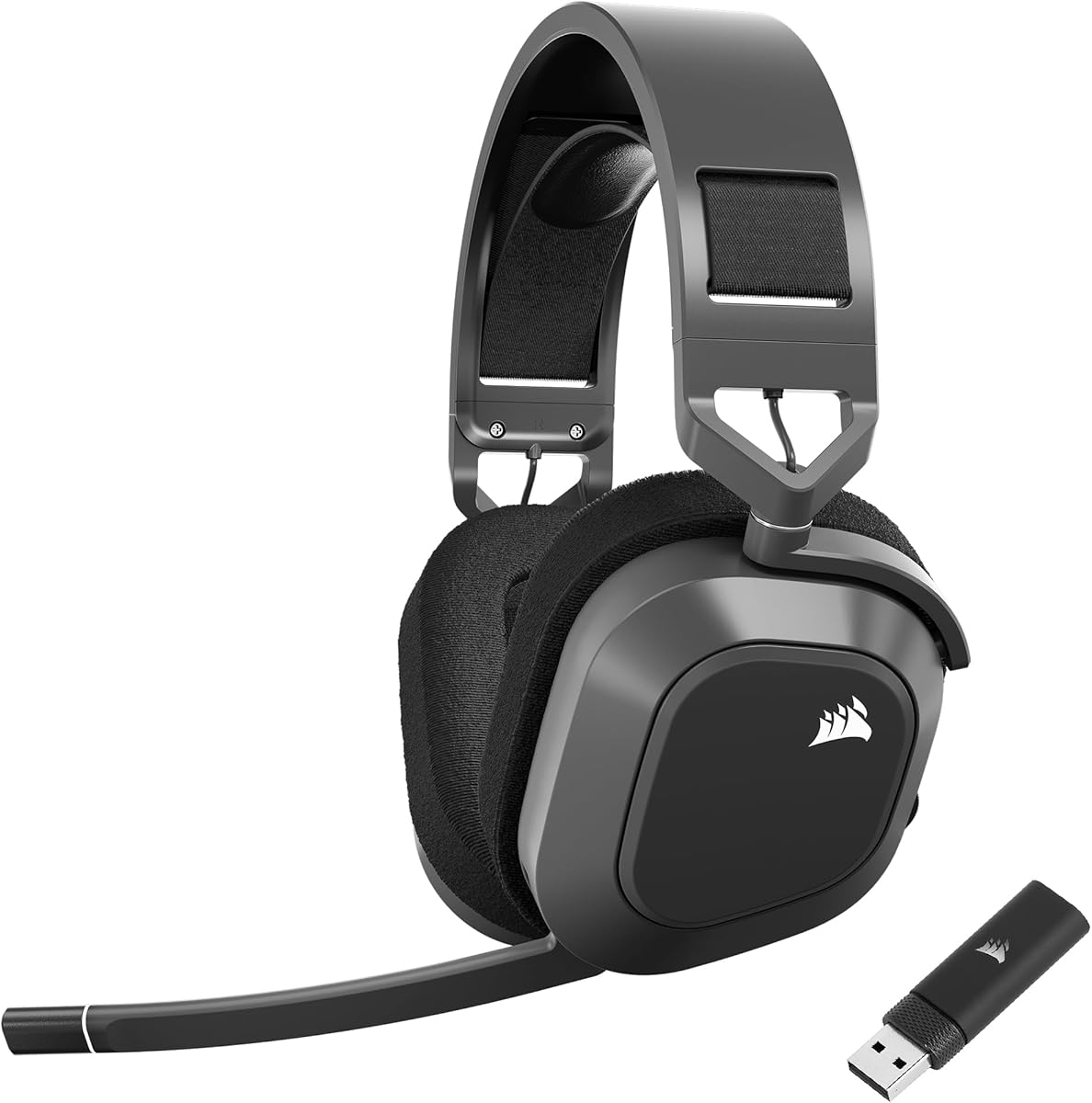
The Corsair HS80 MAX Wireless stands out as a top-tier option for Mac users who demand high-fidelity audio. With a rating of 4.2 stars, it delivers exceptional sound quality that enhances immersive gaming experiences across multiple platforms.
We may earn a commission when you buy through this link, at no additional cost to you.
Its standout feature is the 24bit/96kHz high-fidelity sound which provides double the audio resolution of typical gaming headsets. This ensures every footstep and explosion is rendered with precision. The dual wireless capability lets you switch between low-latency 2.4GHz for gaming and Bluetooth for mobile convenience.
While the headset offers incredible battery life ranging from 65 hours on 2.4GHz to 130 hours via Bluetooth, enabling RGB lighting reduces this significantly to 24 hours. Additionally the premium price may be a barrier for budget-conscious buyers compared to other options on this list.
For gamers who prioritize audio fidelity and versatility, the HS80 MAX is a worthy investment. Its memory foam ear pads and floating headband ensure comfort during marathon sessions. We recommend this model for those seeking the best wireless performance for Mac gaming.
The 24bit/96kHz resolution ensures you hear subtle audio cues that standard headsets miss providing a competitive edge in sound-dependent titles.
Seamlessly switch between PC gaming via 2.4GHz and listening to music on your phone via Bluetooth without needing multiple headsets.
We may earn a commission when you buy through this link, at no additional cost to you.
The Ozeino Wireless Gaming Headset offers incredible value for budget-conscious gamers looking for reliable performance on their Mac. With a 4.2-star rating it provides a balanced mix of features at a fraction of the cost of premium models.
We may earn a commission when you buy through this link, at no additional cost to you.
Its key strength lies in the 2.4GHz wireless connection which boasts less than 30ms delay ensuring smooth gameplay without lag. The 50mm drivers deliver robust bass and clear highs allowing you to hear critical audio cues like footsteps and reloading sounds distinctly.
While the battery life is solid at up to 40 hours note that Bluetooth mode is not directly compatible with Mac or PCs without an extra adapter. This limits seamless switching to mobile devices compared to dual-mode competitors that support both natively.
This headset is ideal for those who want plug-and-play performance without breaking the bank. The intuitive button layout makes volume and muting easy during intense matches. We recommend it for entry-level gamers seeking a no-fuss wireless solution.
Less than 30ms delay ensures audio stays synced with on-screen action which is crucial for competitive multiplayer gaming.
Delivers reliable wireless audio at a price point that undercuts most other options making it accessible for casual players.
We may earn a commission when you buy through this link, at no additional cost to you.
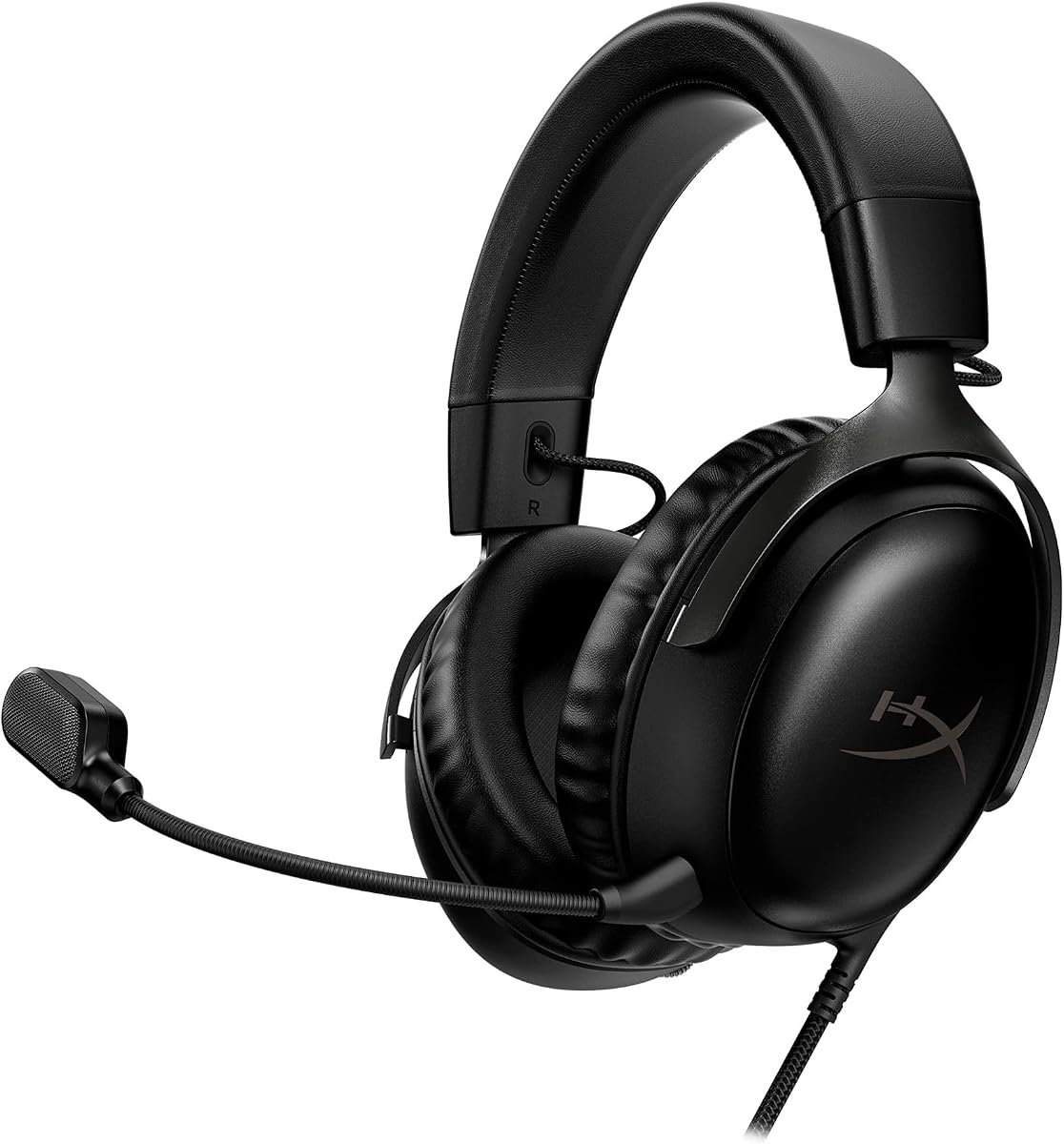
The HyperX Cloud III in White earns our Editor's Choice award due to its exceptional comfort and versatile connectivity. With a high rating of 4.6 stars it represents a top choice for Mac gamers who prioritize long-term wearability and audio clarity.
We may earn a commission when you buy through this link, at no additional cost to you.
Its angled 53mm drivers are tuned to optimize gaming audio ensuring you hear explosions and dialogue with equal precision. The memory foam ear cushions wrapped in premium leatherette provide a plush fit that reduces fatigue during extended sessions. The full metal frame adds significant durability against daily wear.
The primary trade-off is that this is a wired headset so you cannot enjoy the freedom of wireless movement. Additionally it relies on USB-C USB-A or 3.5mm connections which may require dongles for older Mac ports. However the stability and power-free operation offset these minor inconveniences.
For players who value comfort and build quality over wireless convenience, this headset is hard to beat. The convenient inline audio controls allow quick volume adjustments without menu navigation. We highly recommend it for stationary gaming setups on Mac.
Memory foam and leatherette materials ensure maximum comfort reducing ear strain during long gaming marathons.
Includes USB-C USB-A and 3.5mm connectors for broad compatibility across PC console and mobile devices.
We may earn a commission when you buy through this link, at no additional cost to you.
The Black variant of the HyperX Cloud III shares the same high-quality engineering as the White version but often appeals to users preferring a darker aesthetic. With a 4.3 rating it maintains the reputation for durability and audio performance that HyperX is known for.
We may earn a commission when you buy through this link, at no additional cost to you.
Its angled drivers deliver spatial audio that immerses you in the game soundstage. The upgraded 10mm microphone with a built-in mesh filter captures clear voice chat while filtering out disruptive background noise. This makes it ideal for team-based games where communication is key.
While the aluminum frame ensures resilience during travel it adds weight that some users might notice over many hours of use. The cable is sturdy but less flexible than braided alternatives found on some competitors. Still the audio consistency and build quality are hard to fault.
If you want a reliable wired headset that stands up to daily use, this Black model is a strong contender. The on-cup controls offer convenience for muting and volume. We suggest this for gamers who value clarity and longevity.
Angled drivers and spatial audio support create a realistic soundscape for immersive gameplay.
Noise-cancelling mic ensures teammates hear you clearly even in noisy environments.
We may earn a commission when you buy through this link, at no additional cost to you.
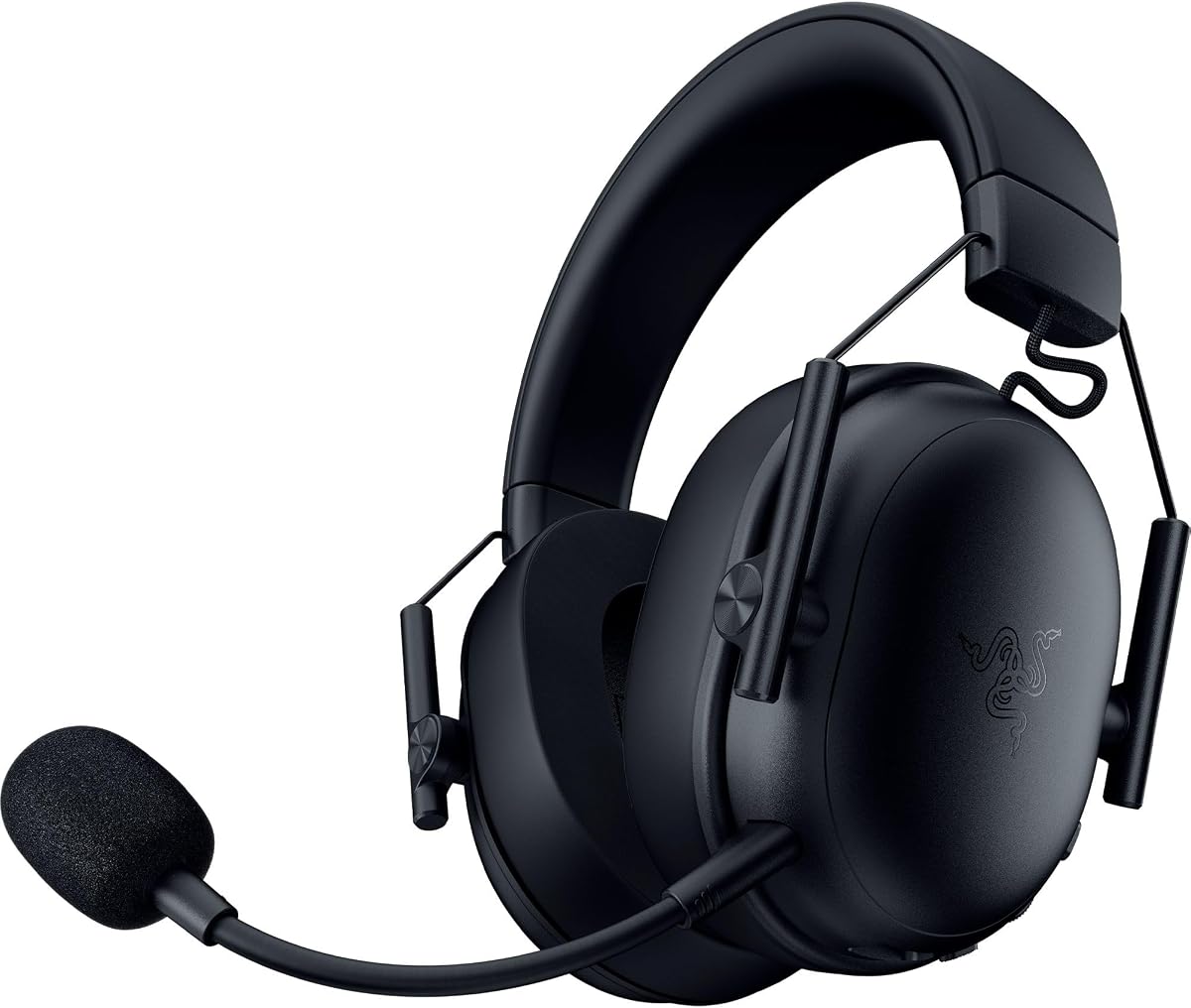
The Razer BlackShark V3 X is designed for competitive gamers who need a lightweight headset for long sessions. Weighing only 270 grams it reduces neck strain significantly compared to bulkier models. Its 4.2 rating reflects solid performance in sound and comfort.
We may earn a commission when you buy through this link, at no additional cost to you.
Equipped with TRIFORCE 50mm Gen-2 drivers it offers improved clarity and positional audio. The HyperSpeed wireless technology ensures low-latency performance essential for fast-paced games. You can switch between 2.4GHz and Bluetooth via SmartSwitch Dual Wireless which adds versatility for mobile use.
However battery life is moderate compared to some competitors and the microphone while detachable lacks active noise cancellation which might be noticeable in noisy rooms. The 7.1 surround sound adds depth but can be tuned down if too artificial for your taste.
For those seeking a nimble wireless option with reliable connectivity, this headset delivers. The plush earcups provide a secure fit without clamping. We recommend it for users prioritizing weight and wireless flexibility.
Ultra-lightweight frame reduces fatigue during tournament play or long ranked sessions.
Switch between PC and mobile devices seamlessly using dual wireless connectivity modes.
We may earn a commission when you buy through this link, at no additional cost to you.
The Corsair HS80 RGB Wireless brings immersive Dolby Atmos support to Mac gaming which is rare in this price range. With a 4.1 rating it balances audio quality and wireless performance effectively for users who want spatial audio features.
We may earn a commission when you buy through this link, at no additional cost to you.
Its SLIPSTREAM wireless technology offers extremely low latency ensuring your audio stays synced with gameplay. The 50mm drivers cover an expanded frequency range from 20Hz to 30kHz capturing deep bass and crisp highs. The broadcast-grade omni-directional microphone ensures your voice is relayed with high clarity.
The headset is slightly heavier than competitors due to its robust build and RGB lighting which can also impact battery life. The RGB effects are visually appealing but add to power consumption which may require frequent charging during long sessions.
For gamers who want immersive surround sound and RGB aesthetics, this headset is a great pick. The comfort is solid despite the weight thanks to plush memory foam. We suggest it for users valuing audio features over lightweight design.
True three-dimensional sound places you in the center of the action for maximum immersion.
SLIPSTREAM technology provides a stable and lag-free connection up to 50 feet.
We may earn a commission when you buy through this link, at no additional cost to you.
The Razer Kraken V4 X offers a straightforward solution for Mac users preferring wired reliability. With a 4.4 rating it provides consistent audio quality without needing batteries or pairing processes. The TRIFORCE 40mm drivers ensure clear highs mids and lows.
We may earn a commission when you buy through this link, at no additional cost to you.
Its convertible Type C and Type A cable makes it easy to switch between Macs and other devices quickly. The retractable microphone design protects the mic when not in use and helps keep the headset compact. The 7.1 surround sound delivers a wide soundstage for immersive gaming.
While the leatherette cushions are comfortable they may feel warm after long hours compared to mesh fabric alternatives. The cable is standard and can tangle if not managed properly. These are minor issues given the low price point and solid performance.
This headset is a reliable choice for users who prioritize simplicity and performance. It requires no software to get started and works out of the box. We recommend it for casual gamers and those new to Mac gaming.
No software required just plug and play for immediate gaming enjoyment.
Keeps the mic protected and out of the way when you are just listening to audio.
We may earn a commission when you buy through this link, at no additional cost to you.
The Valorise Wireless Gaming Headset boasts an extraordinary 100-hour battery life which makes it perfect for travelers who forget to charge often. With a 4.4 rating it balances performance and convenience well for Mac and multi-platform users.
We may earn a commission when you buy through this link, at no additional cost to you.
Its dual connection support includes 2.4GHz wireless for low latency gaming and Bluetooth 5.4 for mobile devices. The 7.1 surround sound ensures you hear enemies approaching with precision. The ENC noise-canceling microphone ensures clear team communication even in noisy environments.
While it lacks Xbox compatibility the wide range of supported devices covers most use cases. The battery life is the standout feature but note that enabling RGB lights reduces playtime to 45 hours in 2.4GHz mode. This is acceptable if you can switch lighting modes.
This headset is ideal for users who want long usage times without constant charging. The ergonomic design ensures comfort during long sessions. We recommend it for mobile gamers and frequent travelers on a budget.
Up to 100 hours on a single charge means less time plugging in and more time playing.
Switch easily between PC console and mobile devices using versatile connection options.
We may earn a commission when you buy through this link, at no additional cost to you.
The Razer Barracuda X Chroma stands out for its SmartSwitch Dual Wireless which lets you connect to two devices simultaneously. With a 4.3 rating it is designed for users who switch between PC gaming and mobile communication often.
We may earn a commission when you buy through this link, at no additional cost to you.
Its TRIFORCE 40mm drivers deliver balanced audio across mids highs and lows. The 70-hour battery life supports long usage periods without interruption. The 6-zone earcup lighting adds visual flair that syncs with games and apps via Razer Synapse.
Note that it is not compatible with Xbox consoles which limits some multi-platform setups. The 285g weight is moderate but noticeable compared to lighter options. However the swiveling earcups and breathable cushions keep comfort high even for long sessions.
For users needing seamless multi-device connectivity this headset is an excellent choice. The Chroma effects offer personalization without affecting audio performance. We recommend it for tech-savvy gamers using multiple platforms.
Toggle between PC and phone with a button press for continuous audio across devices.
Chroma lighting syncs with games and apps for a unified gaming setup experience.
We may earn a commission when you buy through this link, at no additional cost to you.
The Corsair Void RGB Elite is a classic choice that continues to perform well for Mac users. With a 4.3 rating it provides stable wireless audio and solid build quality that withstands regular use. Its white color offers a distinct look for your setup.
We may earn a commission when you buy through this link, at no additional cost to you.
Its custom-tuned 50mm drivers cover an expanded frequency range ensuring precise sound reproduction. The aluminum yoke construction adds durability making it resilient against accidental drops. The flip-up mute function offers quick access for muting without fumbling with buttons.
The lack of Bluetooth limits connectivity to only the included USB adapter and wired options. Also charging via Micro USB is outdated compared to USB-C. However these constraints do not affect core audio performance which remains strong for its price.
For users who value stability and durability over modern features like Bluetooth, this headset is a great pick. The microfiber mesh pads keep you cool during long sessions. We recommend it for traditional gamers who prefer simplicity.
Aluminum yokes ensure the headset withstands wear and tear over years of use.
Flip-up microphone function allows fast muting without navigating software menus.
We may earn a commission when you buy through this link, at no additional cost to you.
Choosing the right headset requires evaluating key factors like connectivity audio quality and comfort to match your specific gaming needs on Mac.
Mac gaming headsets generally offer wireless 2.4GHz Bluetooth or wired USB connections. Wireless models using 2.4GHz dongles provide low latency essential for competitive gaming while Bluetooth offers convenience for mobile devices. Wired headsets ensure zero latency and no battery worries but limit mobility.
Ensure the connection matches your Mac ports. Most modern Macs use USB-C so check if the headset includes a USB-C dongle or adapter.
Look for headsets with large drivers like 50mm for immersive sound and deep bass. High-fidelity options with 24bit audio deliver better clarity and detail which is crucial for detecting in-game cues like footsteps.
Consider surround sound features like 7.1 surround for directional audio but ensure your Mac supports Dolby Atmos or DTS if needed for full compatibility.
Clear voice communication is vital for team games. Look for noise-canceling or beamforming microphones that isolate your voice from background noise. Retractable or detachable mics add convenience when listening to music or watching videos.
Check if the mic supports flip-up mute or LED indicators so you know when you are muted during intense gameplay sessions.
Memory foam ear cushions and breathable fabric prevent heat buildup during long sessions. Aluminum frames offer durability while plastic builds reduce weight. The headband design should distribute weight evenly to avoid discomfort.
Try to read weight specifications as lighter headsets under 300g are better for extended use without causing neck strain.
Wireless headsets range from 20 to over 100 hours on a single charge. Longer battery life means less downtime but may come with heavier units. Some models allow simultaneous charging and use which is useful for uninterrupted gaming.
Check charging ports; USB-C is standard on newer models but Micro USB may be found on older designs.
While most headsets list multi-platform support verify Mac compatibility specifically since some require software that only runs on Windows. Bluetooth modes might have limited features on macOS compared to PC software.
Avoid headsets that explicitly exclude macOS in their specs to prevent driver issues or feature limitations.
Budget models offer decent performance but may lack advanced features like Bluetooth or high-res audio. Premium models justify higher costs with better build and audio fidelity. Determine how much you spend based on usage frequency.
Mid-range options often provide the best balance of features and cost for most casual and competitive gamers.
RGB lighting and EQ customization can enhance the experience but may drain battery or require software. Consider if these extras matter to you versus pure performance. Some models include in-line controls for easy access to volume.
Check warranty terms and customer support responsiveness to ensure long-term reliability and peace of mind.
Always connect wireless dongles directly to your Mac USB ports rather than hubs to ensure stable signal strength and reduce latency issues.
Regularly clean the ear cushions with a dry cloth to remove sweat and dust buildup which preserves hygiene and comfort over time.
Update any required software via the manufacturer app for Mac to ensure drivers are current and features like surround sound are enabled properly.
All ten headsets listed support Mac either via USB-C USB-A or 3.5mm inputs. However Bluetooth features may vary by device and software support. Always check product details for specific OS requirements.
Only some models like the Valorise or BlackShark V3 X support Xbox. Others like the Razer Barracuda X and Ozeino do not support Xbox consoles directly.
The Valorise Wireless Gaming Headset offers up to 100 hours on a single charge when lights are off making it the longest lasting wireless option in this list.
Yes wired headsets with USB-C USB-A or 3.5mm connectors work flawlessly on Mac without needing drivers or pairing. They provide the most stable audio connection.
2.4GHz wireless offers lower latency ideal for gaming while Bluetooth provides better range for mobile devices. Dual-mode headsets let you switch between both for maximum flexibility.
Most models include physical mute buttons on the earcup or a flip-up mute function. Check the product specs for specific controls to ensure ease of use during play.
Basic functionality works without software but advanced EQ and RGB lighting often require manufacturer apps like Corsair iCUE or Razer Synapse which may have limited Mac support.
The HyperX Cloud III and Corsair HS80 RGB feature superior microphones with noise cancellation making them ideal for clear voice communication and calls.
The top three picks offer distinct advantages whether you prioritize budget value the HyperX Cloud III or premium features in the Corsair HS80 MAX. Each model delivers solid audio and comfort tailored for Mac users.
Consider what matters most to you like wireless convenience sound fidelity or microphone clarity. A headset that fits your gaming style will enhance your experience more than high specs alone.
Always verify current product availability and pricing before purchasing as deals change frequently. Check your Mac port compatibility to ensure a smooth setup experience.