
CENMATE Aluminum 8 Bay Hard Drive RAID Enclosure
3.8Editor score
Supports 160TB max capacity
USB 3.0 with 5Gbps
8 configurable RAID modes included
Compare the top 8 Bay Hardware RAID Enclosures for storage needs including speed capacity and reliability to find the best external drive solution today.
Finding the right 8 Bay Hardware RAID Enclosure is essential for professionals who need massive storage capacity and reliable data protection in a single unit.
We compared ten leading models based on interface speed cooling performance build quality and RAID flexibility to help you choose the best option for your workflow.
Each pick highlights key strengths and weaknesses so you can decide quickly. Keep in mind that prices and stock levels change frequently on retailer sites.
3.8Editor score

5.0Editor score

3.9Editor score
This table compares all ten models side by side including their interface type maximum capacity and key features so you can see the differences at a glance.
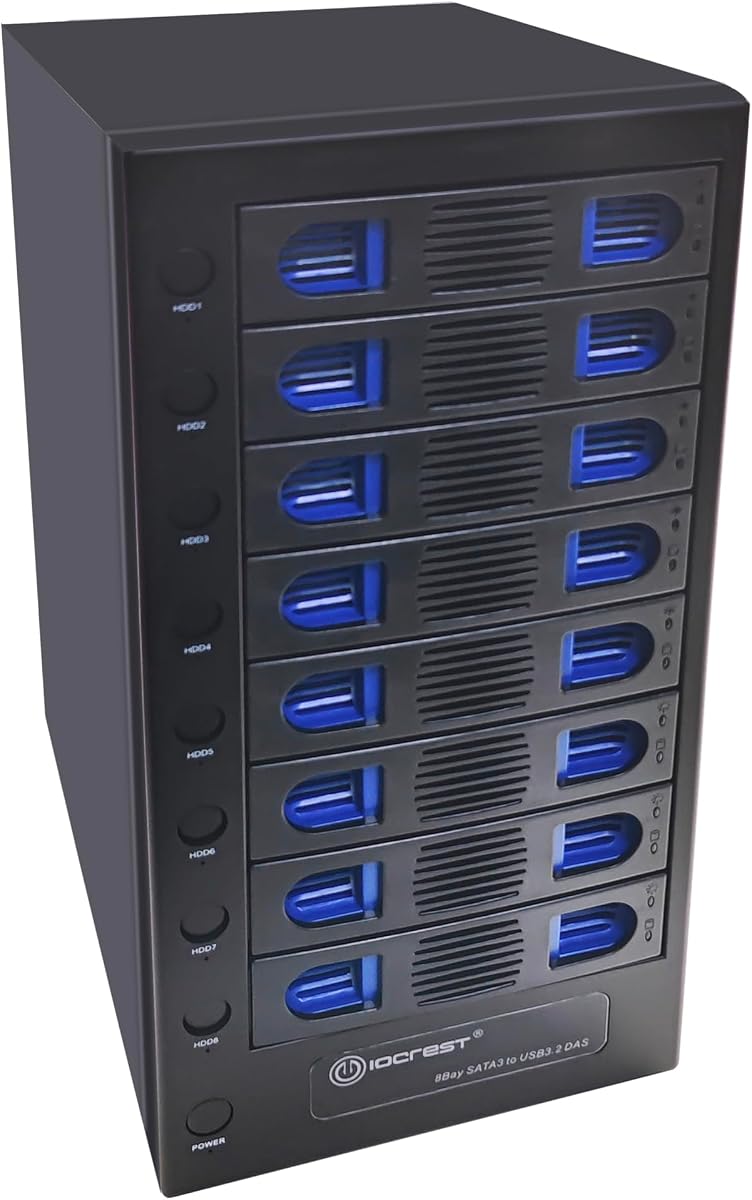


The CENMATE Aluminum 8 Bay Hard Drive RAID Enclosure stands out as a budget friendly option for users needing high capacity storage without breaking the bank.
We may earn a commission when you buy through this link, at no additional cost to you.
Its eight RAID modes including RAID 0 5 and 10 provide robust data protection and speed options while the USB 3.0 interface delivers solid transfer rates for daily tasks.
While the fan noise can be noticeable in quiet environments the aluminum construction ensures drives stay cool during extended use which is critical for data safety.
This enclosure is best suited for small businesses or home users who want hardware RAID functionality at an accessible price and are willing to follow setup instructions carefully.
Switch between RAID modes to prioritize speed redundancy or capacity depending on your current workflow needs.
The aluminum chassis and dual fans work together to maintain safe operating temperatures even when all bays are fully loaded.
We may earn a commission when you buy through this link, at no additional cost to you.
The SanDisk Professional G-RAID Shuttle 8-Bay Thunderbolt 3 offers unmatched performance for professionals working with 8K video or large datasets.
We may earn a commission when you buy through this link, at no additional cost to you.
Its pre configured RAID 5 setup ensures data protection while the removable Ultrastar drives allow for easy transport or replacement without tools.
The Thunderbolt 3 connection provides blazing fast speeds and the ability to charge your laptop adds convenience for mobile workflows.
This drive is ideal for studios or creatives who need enterprise level performance and portability and are willing to invest in premium hardware.
Achieve read and write speeds that keep pace with demanding editing software and large file transfers.
Take your massive storage anywhere with a durable design built for fieldwork and studio environments alike.
We may earn a commission when you buy through this link, at no additional cost to you.
The OWC ThunderBay 8 is a premium storage solution designed for professionals who need massive expandability and fast data transfer speeds.
We may earn a commission when you buy through this link, at no additional cost to you.
Its dual Thunderbolt 3 ports allow you to connect other devices while the universal drive bays accept any mix of SSDs and HDDs.
The ability to daisy chain multiple units means you can scale your storage to over a petabyte with minimal cabling complexity.
Choose this enclosure if you work on Mac or Windows high end systems and need a reliable expandable storage hub that is future proof.
Link up to six units together to create a massive storage array that grows with your data needs.
Get up and running instantly without installing drivers thanks to its broad OS compatibility.
We may earn a commission when you buy through this link, at no additional cost to you.
This CENMATE DAS enclosure provides a simpler alternative to RAID for users who prefer independent drive management without data protection complexity.
We may earn a commission when you buy through this link, at no additional cost to you.
The USB 3.0 interface combined with hot swap support means you can change drives on the fly without shutting down your system.
While it does not support RAID modes the aluminum construction and fan cooling keep your drives safe during heavy use.
Ideal for media servers or archives where you can manage backups independently and want flexible hot swap access to data.
Replace individual drives instantly without interrupting your workflow or powering down your computer.
Connect multiple enclosures via the USB HOST port to expand capacity seamlessly.
We may earn a commission when you buy through this link, at no additional cost to you.
The 10Gbps version of this CENMATE enclosure offers significantly faster speeds than standard USB 3.0 which helps with large file workflows.
We may earn a commission when you buy through this link, at no additional cost to you.
Its USB-C port makes it compatible with newer laptops and MacBooks without needing adapters which simplifies your desktop setup.
While it lacks RAID protection the high speed and hot swap features make it great for scratch disk or archive storage needs.
Choose this model if you need faster throughput for video editing or data backup and have a modern USB-C capable computer.
Double your transfer speeds with USB-C 3.2 Gen 2 for more efficient large file handling.
Compatible with USB 3.0 and 3.1 ports ensuring broad device support.
We may earn a commission when you buy through this link, at no additional cost to you.
This enclosure supports high capacity drives up to 22TB per bay which is excellent for users needing maximum storage in a compact chassis.
We may earn a commission when you buy through this link, at no additional cost to you.
The independent power switches let you turn off individual drives to save energy and reduce heat when you do not need full capacity.
Smart fan technology adjusts speeds based on temperature ensuring your drives stay cool without constant noise in your workspace.
Best for archivists or media professionals who need large drive capacity and fine control over power management.
Fan speed adjusts automatically to keep your drives cool during heavy workloads.
Toggle power to specific drives to reduce noise and power consumption as needed.
We may earn a commission when you buy through this link, at no additional cost to you.
The OWC ThunderBay Flex 8 is more than storage it is a full expansion hub that supports both drive bays and PCIe add on cards.
We may earn a commission when you buy through this link, at no additional cost to you.
With front facing card readers and USB ports it acts as a convenient dock for cameras and mobile devices while providing storage.
The PCIe slot allows you to add network cards or capture hardware making it versatile for video production or remote work.
Choose this if you need an all in one solution that combines storage expansion and device connectivity in a single enclosure.
Add networking capture or storage hardware internally via the PCIe x16 connector.
Access your SD cards and USB devices easily without reaching around your computer.
We may earn a commission when you buy through this link, at no additional cost to you.
The QNAP TL-D810TC4-US is designed to scale up storage for QNAP NAS users but also works well as a standalone DAS for desktop users.
We may earn a commission when you buy through this link, at no additional cost to you.
Its USB-C interface delivers fast speeds and the free JBOD manager gives you visibility into drive health and configuration options.
You can easily add this enclosure to your existing network storage or use it as a local backup drive for your workstation.
Ideal for QNAP owners who need more space or users who want a reliable high speed DAS solution from a trusted brand.
Expands your existing QNAP NAS storage without needing extra network hardware.
Monitor drive health and manage configurations with the free QNAP utility.
We may earn a commission when you buy through this link, at no additional cost to you.
This is not a simple enclosure but a full NAS case that lets you build a custom computer with eight drive bays inside.
We may earn a commission when you buy through this link, at no additional cost to you.
Dual air channels separate drive cooling from CPU heat ensuring everything runs cool and quietly even under heavy load.
Hot swap bays allow you to change drives without opening the case which is perfect for media servers or backup systems.
Best for DIYers who want to build a dedicated NAS server with total control over hardware and software choice.
Independent air ducts prevent drive heat from overheating your motherboard and CPU.
Choose your own motherboard and CPU to tailor performance to your needs.
We may earn a commission when you buy through this link, at no additional cost to you.
ICY DOCK provides a compact solution for server cases needing eight 2.5 inch drives in a standard 5.25 inch slot.
We may earn a commission when you buy through this link, at no additional cost to you.
The locking trays keep SSDs or HDDs secure during transport or vibration which is critical for rack mounted servers.
Metal construction ensures durability and heat dissipation while SAS compatibility means it works with enterprise drives too.
Perfect for IT professionals building custom servers or workstations that need eight SSDs in a compact internal space.
Locking trays ensure your drives stay in place even during movement or vibration.
SAS and SATA support make it compatible with a wide range of server drives.
We may earn a commission when you buy through this link, at no additional cost to you.
Choosing the right 8 Bay Hardware RAID Enclosure involves evaluating several critical factors to ensure it meets your performance and budget needs.
The interface type determines how fast data moves between your computer and the enclosure. USB 3.0 offers 5Gbps while USB 3.2 Gen 2 provides 10Gbps. Thunderbolt 3 and 4 reach 40Gbps which is vital for 4K editing.
Prioritize USB-C or Thunderbolt if you work with large video files to avoid bottlenecks.
Hardware RAID protects your data if a drive fails. Common modes include RAID 0 for speed RAID 1 for redundancy and RAID 5 for balance. Some units allow you to switch modes easily.
Choose RAID 5 or 10 if data safety matters more than raw speed for your workflow.
Check if the enclosure supports both 2.5 and 3.5 inch drives. Some models only support smaller SSDs while others handle large mechanical hard drives up to 22TB per bay.
Ensure the max capacity per drive meets your future storage expansion plans.
Eight drives generate significant heat. Look for units with metal housings and adjustable fans. Noise levels matter if you work in a quiet home studio.
Opt for models with smart thermal sensors to balance cooling and noise automatically.
Hot swap allows you to remove or insert drives without powering off the enclosure. This is crucial for servers or environments where uptime is essential.
If you change drives often choose a model with tool free hot swap bays.
Metal enclosures dissipate heat better than plastic and protect drives from physical damage. Check if drive trays have locking mechanisms for secure transport.
Invest in a steel or aluminum build for long term reliability.
Prices vary from budget USB models to premium Thunderbolt units. Determine your performance needs before paying for speed you do not need.
Balance upfront cost with long term storage expansion needs.
Some enclosures allow you to connect multiple units together to expand capacity beyond eight bays. This requires Thunderbolt or USB HOST ports.
Check if the model supports daisy chaining if you anticipate massive storage growth.
Always connect the enclosure to a stable power source and allow it to spin up before inserting drives. This prevents electrical surges that could damage components.
Use the provided software or physical switches to configure RAID modes before adding drives. Remember that switching RAID modes will erase all data on the drives.
Keep the enclosure in a well ventilated area and clean the fans regularly to avoid dust buildup that causes overheating and drive failure.
Most enclosures are compatible with Mac OS but check if the interface matches your ports. Thunderbolt 3 models work best with modern Macs while USB options may need adapters.
In RAID 5 you can lose one drive without losing data. The system will continue running and you can replace the failed drive to rebuild redundancy.
Yes most enclosures sell empty and you must buy compatible drives separately. Check the maximum supported capacity per bay before purchasing drives.
Hardware RAID is faster and does not use your computer CPU while software RAID is flexible but relies on your computer CPU and can slow down system performance.
You can connect to USB 2.0 but speeds will be much slower. Always use USB 3.0 or higher ports to get the full performance of the enclosure.
Power off the unit unplug the cables wait a few minutes and reconnect them. Some models have a reset button to press while powering on to restore factory settings.
NAS connects to a network while DAS connects directly to a computer via USB or Thunderbolt. DAS is simpler and faster for single user setups.
Yes hot swap allows you to remove and insert drives without powering off the enclosure but ensure your OS is configured to recognize the change safely.
The CENMATE Aluminum 8 Bay RAID offers excellent budget value while the SanDisk Professional G-RAID Shuttle leads in performance for pros.
Prioritize speed and reliability if you work with large media files or choose a DAS model for simpler storage expansion needs.
Always check current pricing and availability before buying since these products change frequently on retailer sites.