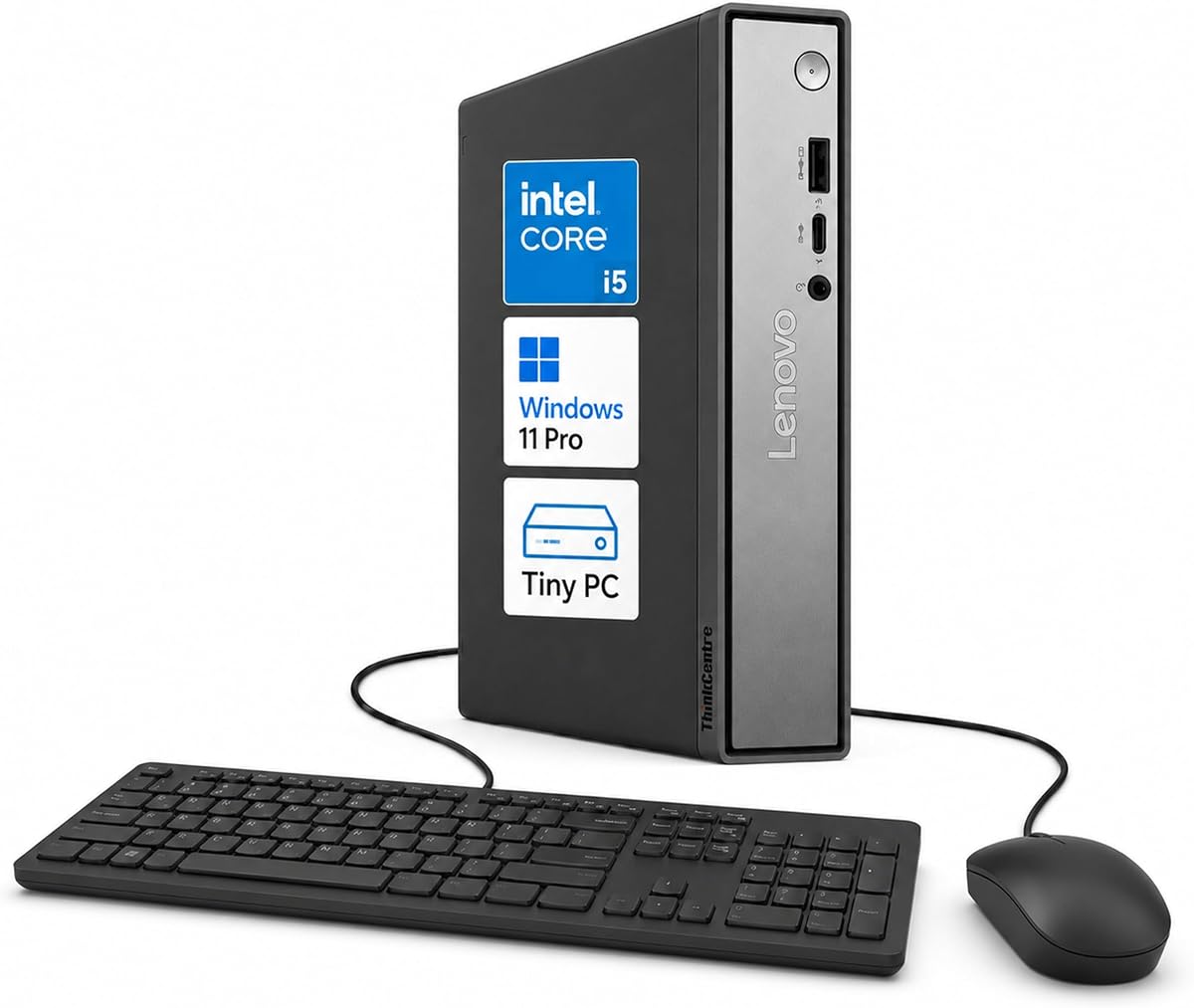
Lenovo ThinkCentre Neo 50q
5.0Editor score
13th Gen i5-13420H
Supports up to three displays
Compact 1L tiny PC design
This guide compares the top Intel Core i5 Mini PC models for 2026, evaluating performance, size, connectivity, and value for office and home use.
Finding the right compact computer can transform your workspace efficiency. Intel Core i5 Mini PC options offer powerful performance in a tiny footprint. These systems handle multitasking, media streaming, and professional apps with ease while saving valuable desk space.
We evaluated ten top models based on processor speed, memory capacity, storage options, and connectivity features. Each unit was assessed for build quality, thermal management, and real-world usability. Our goal is to help you choose the system that fits your specific workflow needs.
Each pick highlights unique strengths from business-ready features to budget-friendly designs. Prices and availability fluctuate frequently so check current listings before purchasing. Use this guide to find the perfect balance of power and portability for your next setup upgrade.
5.0Editor score

4.5Editor score

4.4Editor score
Below is a side-by-side comparison of all ten Intel Core i5 Mini PC models. Review key specs including processor generation, RAM, storage, and ports to find the best fit for your needs.


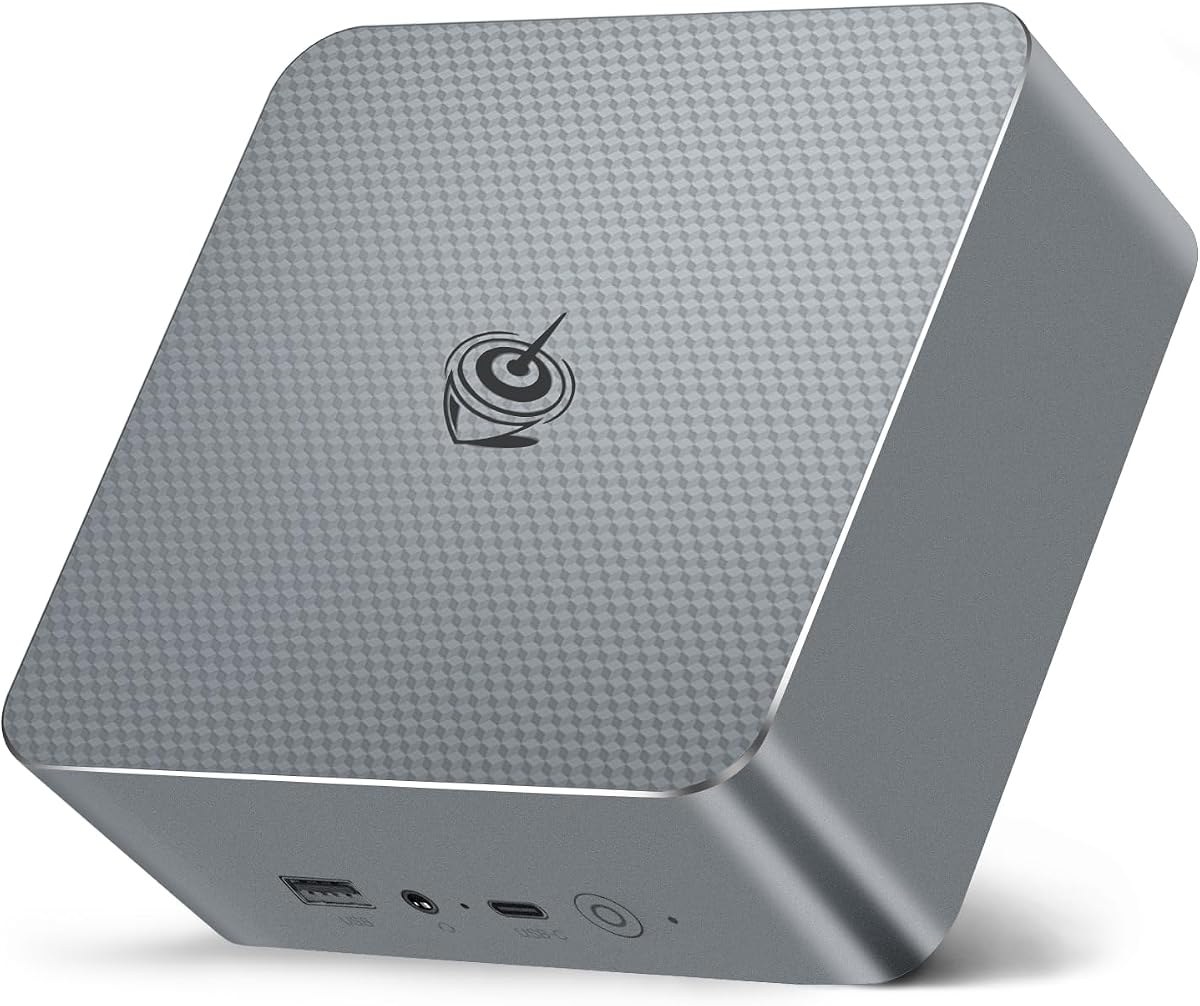

The ASUS NUC 13 pro stands out as a top-tier mini PC with its 13th Gen Intel Core i5-1340P processor. It scores a strong 4.5 rating for combining compact size with serious performance power.
We may earn a commission when you buy through this link, at no additional cost to you.
Its 12-core hybrid architecture delivers exceptional multitasking while Thunderbolt 4 ports support fast data transfer and multiple displays. Preinstalled Windows 11 Pro and enterprise features make it ideal for business workflows.
The premium price reflects its build quality and feature set. Some users may find the requirement to remove memory and SSD before service inconvenient compared to user-accessible designs.
Business users needing reliable performance and global support will appreciate this unit. It remains our Editor's Choice for those seeking a powerful and future-proof compact solution.
The Intel NUC Pro Software Suite helps ensure digital signage runs smoothly even during system failures with hardware alarm clocks and remote management tools.
With two DDR4 slots supporting up to 64GB RAM and dual M.2 slots for storage expansion this NUC adapts to evolving professional computing demands.
We may earn a commission when you buy through this link, at no additional cost to you.
The Lenovo ThinkCentre Neo 50q earns a perfect 5.0 rating for its seamless blend of performance and professional reliability. It is powered by the 13th Gen Intel Core i5-13420H with AI-assisted tools for productivity.
We may earn a commission when you buy through this link, at no additional cost to you.
Its compact 1L chassis supports up to three displays making it ideal for multitasking environments. DDR5 memory ensures smooth operation while TPM 2.0 security protects business data.
Though the price is premium its robust build and trusted Lenovo reputation justify the investment. Users report quiet operation and efficient cooling even under sustained workloads.
For professionals seeking a premium mini PC with strong security and display versatility this model is unmatched. It fits perfectly in modern offices and classrooms.
Compatible AI-assisted tools help with writing summarizing and task organization boosting productivity for office applications and research tasks.
Support for two DisplayPort outputs plus one HDMI port allows expansion to three screens for enhanced data analysis and collaborative workflows.
We may earn a commission when you buy through this link, at no additional cost to you.
The GMKtec M3 offers remarkable value with its 12th Gen Intel Core i5-12450H and generous 1TB storage. It holds a solid 4.4 rating from buyers appreciating its budget-friendly price.
We may earn a commission when you buy through this link, at no additional cost to you.
Despite its lower cost it delivers fast performance for daily tasks and media playback. The dual band WiFi and Gigabit LAN ensure stable connectivity for home and office use.
It lacks a professional Windows license and warranty is limited to one year. However for personal or light business use this trade-off saves significant money.
Home users and students will love this cost-effective mini PC. It proves you do not need to spend heavily to get reliable Intel Core i5 performance.
The included 1TB NVMe SSD provides room for large media libraries and applications without needing immediate upgrades or external drives.
Supports three displays via two HDMI and one USB-C port enabling productive dual or triple screen setups for browsing or trading.
We may earn a commission when you buy through this link, at no additional cost to you.
The MINISFORUM NAB5R excels for network and server applications thanks to its dual 2.5Gb Ethernet ports. It receives a 4.5 rating for its powerful 13th Gen Core i5-13500H CPU.
We may earn a commission when you buy through this link, at no additional cost to you.
Its ability to drive four 4K displays makes it suitable for creative and trading setups. The included Windows 11 IoT Enterprise offers long-term stability for industrial or business deployments.
Some home users may find the IoT OS less familiar than standard Windows. Also connectivity options are robust but require planning for maximum utilization.
Network engineers and power users will appreciate this unique feature set. It bridges the gap between a desktop and a network appliance effectively.
Dual Ethernet ports enable firewalls link aggregation and NAS solutions providing a compact dedicated box for network management tasks.
Quad 4K support via HDMI and USB-C allows massive workspace expansion for video editing financial analysis or dashboard monitoring.
We may earn a commission when you buy through this link, at no additional cost to you.
The HP Mini PC is a reliable choice for business users needing dual-monitor support without taking up much space. It earns a 4.3 rating for its stable Intel Q370 chipset and professional build.
We may earn a commission when you buy through this link, at no additional cost to you.
With fast PCIe NVMe storage and 16GB RAM it handles everyday office apps smoothly. The 1.35-inch thin chassis fits neatly behind monitors or under desks.
Its 256GB storage may fill up quickly with large files. The 6-core processor is capable but not the fastest compared to newer 12th or 13th Gen options.
Ideal for call centers or offices with standardized displays this HP unit is dependable. It prioritizes stability and compatibility over cutting-edge speed.
The Intel Q370 chipset ensures reliable performance for mission-critical workflows reducing downtime in professional environments.
Measuring under 7 inches wide and 1.4 inches tall it integrates effortlessly into tight workstation configurations.
We may earn a commission when you buy through this link, at no additional cost to you.
The Lenovo ThinkCentre Tiny M70q brings the latest 14th Gen Intel Core i5-14400T and DDR5 memory to the tiny PC market. It scores a 4.2 rating for its modern architecture and strong warranty.
We may earn a commission when you buy through this link, at no additional cost to you.
Its 10-core design offers smooth multitasking while DDR5 ensures quicker data access than older DDR4 systems. Windows 11 Pro adds security and remote management tools.
The cost is higher than many competitors which may deter budget shoppers. Storage expansion requires opening the chassis which is less user-friendly.
Businesses upgrading from older systems will find this a seamless fit. It balances new tech with trusted Lenovo reliability for office environments.
DDR5 memory provides faster data throughput improving application load times and system responsiveness.
A full three-year warranty covers hardware issues giving buyers confidence in long-term ownership.
We may earn a commission when you buy through this link, at no additional cost to you.
The KAMRUI Hyper H2 pushes boundaries with its 14th Gen Intel Core i5-14500HX offering desktop-level performance in a mini PC. It earns a 4.5 rating for raw power and cooling design.
We may earn a commission when you buy through this link, at no additional cost to you.
With 14 cores it handles resource-heavy tasks like code compilation and media editing. The dual-fan system keeps thermal throttling at bay during long workloads.
It may run slightly warmer than simpler models. Also the price targets power users who need maximum speed in a compact frame.
Creative professionals and power users should consider this unit. It delivers exceptional performance without requiring a full tower system.
Dual fans and heat pipes ensure the CPU stays cool under full load preventing performance drops.
Seven USB ports plus HDMI and Display-C support extensive peripheral connectivity without dongles.
We may earn a commission when you buy through this link, at no additional cost to you.
The Intel NUC 13 Pro branded version brings the same reliable core as the ASUS model with a 4.6 rating. It features the 13th Gen Core i5-1340P and supports up to four screens.
We may earn a commission when you buy through this link, at no additional cost to you.
Intel Wi-Fi 6E and Thunderbolt 4 ensure top-speed connectivity. Its small footprint fits easily on any desk or behind a monitor.
Since it matches the ASUS pricing buyers might choose based on warranty preferences. The lack of extra internal bays limits future upgrades.
Those loyal to the Intel NUC brand will appreciate this unit. It delivers refined performance and support for business and home use.
Two HDMI and two Thunderbolt 4 ports support four displays simultaneously for extensive workspace setups.
Its 4.6-inch square design leaves ample room on crowded workstations.
We may earn a commission when you buy through this link, at no additional cost to you.
The Beelink EQI13 stands out with a built-in power supply eliminating the clutter of an external adapter. It receives a 4.5 rating for its convenience and solid performance.
We may earn a commission when you buy through this link, at no additional cost to you.
Featuring 13th Gen Core i5 performance and dual 2.5Gb Ethernet it suits both office and home networking. The internal 85W supply keeps cable management neat.
Storage is slightly smaller at 500GB. The cooling fan may be audible under heavy use though it remains below typical desktop noise.
Buyers wanting tidy setups will appreciate the integrated power. It balances practicality with modern performance features.
The built-in power supply means only a single power cable is needed for operation.
Dual 2.5Gb Ethernet supports fast file transfers and link aggregation for advanced networking.
We may earn a commission when you buy through this link, at no additional cost to you.
The HP EliteDesk 800 G4 offers the lowest price while providing 16GB RAM and solid 8th Gen performance. It scores a 4.0 rating for excellent value among renewed models.
We may earn a commission when you buy through this link, at no additional cost to you.
It handles basic office apps and web browsing well. Windows 11 is supported through Windows updates ensuring security and compatibility.
The older CPU limits future-proofing compared to newer models. Renewed units may show minor cosmetic wear but perform like new.
Budget buyers needing a reliable workhorse will find this ideal. It is perfect for schools or offices needing multiple low-cost units.
Each unit is professionally tested to perform like new with reliable functionality.
The 6-core CPU handles multitasking and office suites efficiently for standard tasks.
We may earn a commission when you buy through this link, at no additional cost to you.
Choosing the right mini PC involves evaluating performance needs, storage, connectivity, and budget. Consider these factors to match the system to your workflow.
Look for 12th to 14th Gen Intel Core i5 processors with hybrid architectures offering performance and efficiency cores. More cores and threads improve multitasking and handling modern applications.
Prioritize newer generations for better energy efficiency and software support over many years.
16GB is the sweet spot for most users while 32GB or 64GB suits heavy multitaskers. Ensure the system supports DDR4 or DDR5 for faster data access.
Check for upgradable slots if you plan to increase memory later without replacing the unit.
NVMe SSDs deliver much faster boot and app loading than SATA drives. Aim for at least 512GB capacity or plan for expansion via extra M.2 slots.
Consider storage flexibility to keep your system responsive as your file library grows.
Identify needed ports such as HDMI, DisplayPort, USB-C, and Thunderbolt. Wi-Fi 6E and Bluetooth 5.2+ improve wireless performance and reduce cable clutter.
Multiple video outputs allow for multi-monitor setups that boost productivity.
Effective cooling prevents thermal throttling and noise spikes under load. Look for dual-fan systems or large heatsinks for continuous use.
Passive cooling works for light tasks but active fans sustain performance better.
A minimum of one year warranty protects against defects. Business models often offer extended coverage and onsite service.
Check support channels and reputation before purchasing especially from smaller brands.
Windows 11 Pro adds business tools and security features. Ensure the OS is included or budget for a license if barebone units are offered.
Preinstalled OS saves time and guarantees compatibility with hardware drivers.
Home entertainment requires strong graphics and HDMI ports. Business needs lean on security TPM chips and manageability features.
Network enthusiasts may need multiple Ethernet ports for routing or server tasks.
Place your mini PC in a well-ventilated area away from walls or enclosed cabinets to ensure airflow. Mounting behind a monitor with a VESA bracket keeps desks tidy but check ventilation clearance.
Update drivers and OS regularly through Windows Update to maintain security and performance. Use built-in disk cleanup tools or third-party utilities to manage storage efficiently.
Avoid placing liquids near the unit and use a surge protector to guard against electrical issues. Dust intake vents occasionally with compressed air to keep cooling fans functioning smoothly.
Yes light and indie games run well on integrated Intel Iris Xe graphics. However AAA titles will require an external GPU via Thunderbolt. For casual gaming these mini PCs are excellent.
Most models allow RAM and SSD upgrades if they have open slots. Check manufacturer specs before buying to confirm accessibility. Some compact designs limit user access for warranty reasons.
Many include Windows 11 Home or Pro but some budget models may not. Always verify OS details in the product listing. Licensed versions save cost compared to adding later.
Intel Core i5 mini PCs typically draw under 30W idle and 65W under load. They are efficient and can often be powered by USB-C chargers. This helps save electricity costs over time.
Absolutely. Many support 4K HDR video output and have multiple HDMI ports. With a remote app they function well as home theater PCs. The compact size fits easily in entertainment centers.
Business models like Lenovo ThinkCentre include TPM 2.0 and remote management features. Some have centralized software for deployment and monitoring. These tools simplify IT workflows significantly.
The ASUS NUC 13 pro Lenovo ThinkCentre Neo 50q and GMKtec M3 lead our list for balance of features and value. Each excels in its own niche ranging from premium to budget categories.
Prioritize processor generation RAM size and connectivity based on your daily tasks. Consider warranty and cooling for long-term reliability especially in business environments.
Prices and stock change so verify details before checkout. Use this guide to find a mini PC that delivers efficiency and performance for your space and schedule.