
Wireless Caregiver Pager
4.7Editor score
1500 feet range
58 ringtones
IP55 waterproof
Keeping elderly parents safe and connected requires the right tools. Modern gadgets offer peace of mind by enabling quick communication and daily assistance without constant supervision.
We compared ten highly rated products based on reliability, ease of use, and range. Our selection focuses on devices that solve common challenges faced by seniors and their caregivers at home.
Each pick highlights key features, pros, and cons to help you decide. Prices and availability change frequently, so check current listings before purchasing to ensure you get the best deal available today.
4.7Editor score

4.8Editor score

4.4Editor score
As an Amazon Associate we earn from qualifying purchases.
This side-by-side comparison highlights the core specifications of each device to help you identify the best fit for your specific caregiving needs and home environment.
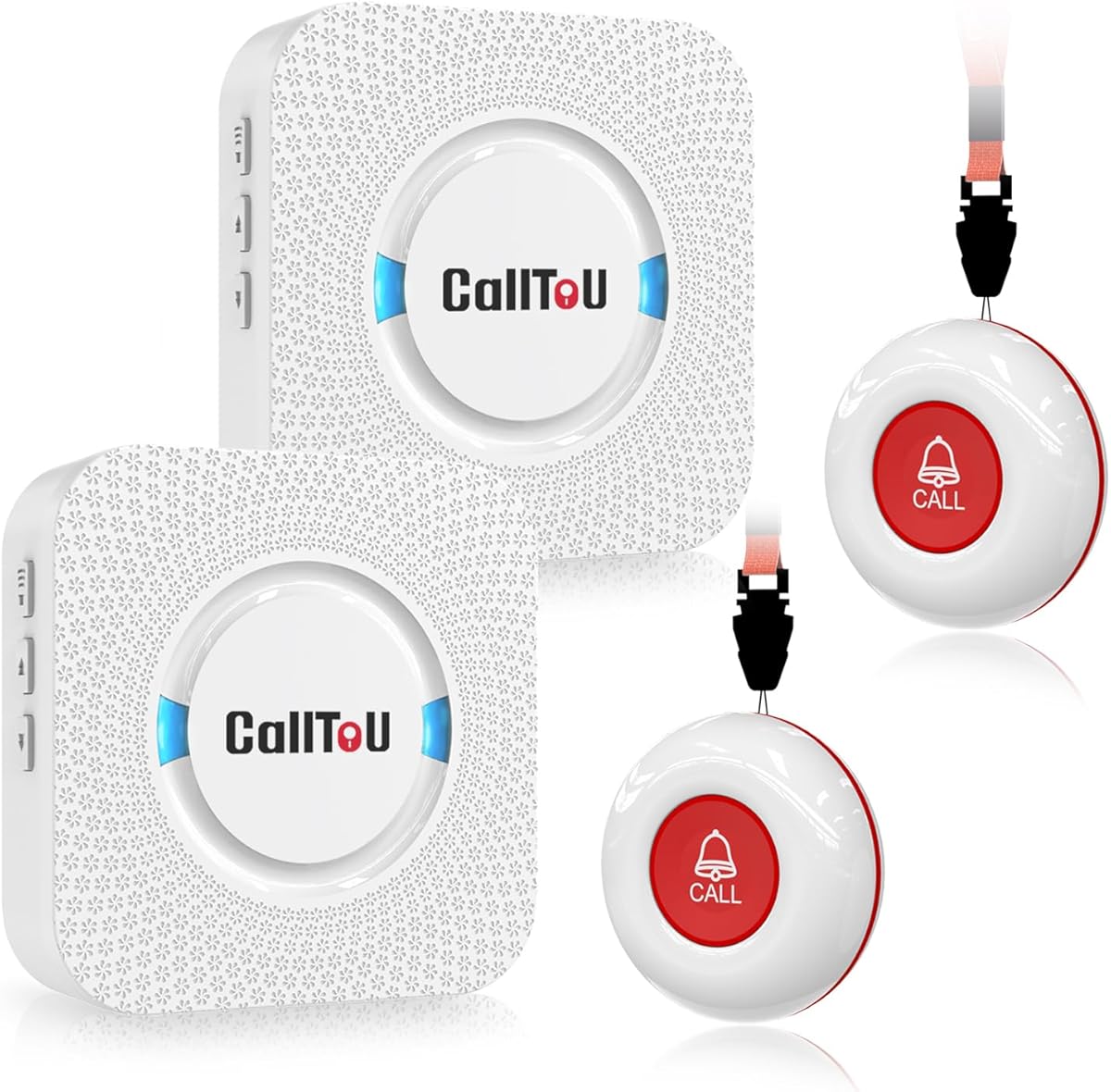


This device stands out as a top choice for modern caregiving by connecting directly to your smartphone. It offers instant alerts without monthly fees, making it both effective and economical for long-term use.
We may earn a commission when you buy through this link, at no additional cost to you.
The Wi-Fi integration ensures that family members receive notifications wherever they are. You can set up shared alerts so multiple people know immediately when help is needed.
While it relies on an internet connection, the range is sufficient for most homes. The waterproof design allows placement in bathrooms where falls are more likely to occur.
If you want remote monitoring without a subscription, this system is an ideal investment for peace of mind and quick emergency response.
You can share alerts with family members globally and customize ringtone options to identify who needs help instantly.
Choose from screw mounting, adhesive patches, or lanyard hanging to place buttons exactly where seniors need them most.
We may earn a commission when you buy through this link, at no additional cost to you.
This pager delivers reliable performance at a very competitive price. It is perfect for families who need a straightforward call system without complex setup or monthly costs.
We may earn a commission when you buy through this link, at no additional cost to you.
Its impressive range covers large properties or multi-story homes easily. The receiver offers a wide variety of ringtones and volume settings to suit different hearing abilities.
While it does not connect to phones, the physical alert is loud and clear. The waterproof design ensures it works even in humid areas like washrooms.
If you are looking for a simple, durable system that covers a wide area without breaking the bank, this pager is the best budget pick available.
With 1500 feet of wireless transmission, caregivers can roam freely while staying connected to the call button anywhere on the property.
You can add more buttons and receivers to monitor multiple rooms or caregivers without replacing the entire system.
We may earn a commission when you buy through this link, at no additional cost to you.
This camera bridges the gap between monitoring and direct communication. Seniors can see family faces on a dedicated screen without needing smartphones or apps.
We may earn a commission when you buy through this link, at no additional cost to you.
The camera tracks movement automatically to keep seniors in view. It also detects distress sounds like crashes or cries, alerting family members immediately via phone.
Privacy is respected with a physical privacy mode that hides the lens. You can set timers to limit recording hours and protect daily dignity.
If reducing loneliness and visual contact are priorities, this device offers a premium experience that goes beyond simple audio alerts.
Family can call with one button press on the device, and the video appears on the screen instantly without technical setup.
Rotate the lens mechanically or set timers to ensure the camera is off during private moments.
We may earn a commission when you buy through this link, at no additional cost to you.
This system is designed with durability and wet environments in mind. The waterproof nature makes it safe to use in bathrooms or outdoor areas where spills might happen.
We may earn a commission when you buy through this link, at no additional cost to you.
The range covers most single-story homes effectively. Volume adjustments allow you to ensure the sound is audible over daily household noise.
Two buttons are included so you can place one in different locations like bedrooms or living rooms. This flexibility helps cover all main areas of the house.
If your main concern is bathroom safety or water resistance, this model offers excellent protection and simple functionality for home care.
The waterproof build ensures the buttons work reliably even in humid or wet conditions like shower rooms.
The button can be worn as a pendant for elderly users who move around the house frequently.
We may earn a commission when you buy through this link, at no additional cost to you.
This option adds convenience by including a wristband for the elderly user. It allows them to wear the call button easily without holding it or searching for it.
We may earn a commission when you buy through this link, at no additional cost to you.
The range is substantial at 1000 feet outdoors. Caregivers can work in other parts of the house and still receive alerts reliably.
A silent LED flash mode ensures quiet notifications for sleepers or shared spaces. However, the button is only splash proof so it needs removal during bathing.
For users who prefer hands-free access to an emergency button, this set provides a comfortable and effective solution for daily care.
Use the flash-only mode to notify caregivers without disturbing light sleepers or other family members.
Buttons can be placed on bedsides, wheelchairs, or walls depending on the user needs specific location needs.
We may earn a commission when you buy through this link, at no additional cost to you.
This clock is specifically designed to reduce confusion for seniors with memory loss. It spells out time and day fully without confusing abbreviations.
We may earn a commission when you buy through this link, at no additional cost to you.
The display changes brightness automatically to match day and night cycles. Alarms can be set with tags like Medicine or Appointment to prompt daily tasks.
It supports eight languages which makes it versatile for diverse households. The large screen ensures visibility even for those with poor eyesight.
If your loved one struggles to keep track of time or medication schedules, this clock provides a gentle and clear daily structure.
Visual icons like sun and moon help seniors identify morning and night without reading numbers alone.
Custom alarm tags remind users to take pills or eat meals on time every single day.
We may earn a commission when you buy through this link, at no additional cost to you.
This clock adds voice announcement to visual displays which helps users with weak vision. Pressing a button speaks the time aloud in a clear voice.
We may earn a commission when you buy through this link, at no additional cost to you.
The large screen is easy to read from a distance. It supports multiple alarms which allows for structured daily routines like meals and medication.
It automatically adjusts for daylight savings time to keep clocks accurate year-round. The interface is designed to be intuitive for elderly users.
If speaking the time aloud is helpful for your parent, this model combines visual clarity with audio cues for maximum convenience.
Lightly press the back button to hear the current time spoken in English or other supported languages.
Soft dimming reduces eye strain at night while maintaining enough light to check the display comfortably.
We may earn a commission when you buy through this link, at no additional cost to you.
This device allows you to customize sounds and notifications via a mobile app. You can choose from twenty different ringtones to identify specific alerts.
We may earn a commission when you buy through this link, at no additional cost to you.
Shared users receive notifications so multiple family members can respond. It supports offline upgrades for text or phone calls if you prefer that method.
The lifetime service support provides reassurance for long-term use. It is designed to help you stay informed wherever you are or when you are offline.
If you like to personalize alert settings and ensure family are always notified this WiFi system offers flexible control and support.
Set specific ringtone tones for different buttons to know which device triggered the call immediately.
Invite siblings or other caregivers to receive alerts so no one is ever left out of the loop.
We may earn a commission when you buy through this link, at no additional cost to you.
This clock offers extensive customization with twelve display themes and color options. It also plays photos from a card to brighten the living space.
We may earn a commission when you buy through this link, at no additional cost to you.
Alarms can be set for specific needs like birthdays or meetings with icons. Sleep mode turns the screen off instantly for undisturbed rest.
The battery backup ensures settings are kept during power cuts. Volume control allows alarms to be set as loud or soft as needed.
If you want a clock that acts as a photo frame and reminder system this versatile model adapts to many personal preferences.
Insert an SD card to cycle through family photos and keep cherished memories visible on the screen.
A simple top button switches the screen to dark mode for a completely quiet night.
We may earn a commission when you buy through this link, at no additional cost to you.
This system offers basic simplicity with two buttons and a portable pager. It works well for small homes where complex systems are not needed.
We may earn a commission when you buy through this link, at no additional cost to you.
You can choose between a chime or a continuous siren alert. The pager is lightweight and can be clipped to a belt for mobility.
Belt clips and wall brackets are included to make mounting easy. Battery life is designed to be long on both pagers and buttons.
If you prefer a plug-and-play setup that requires no technical knowledge this compact set is ideal for straightforward home care.
Switch modes to a chime for routine help or siren for emergency alerts to match the situation.
The pager fits easily in a pocket or belt clip so caregivers stay connected while moving around.
We may earn a commission when you buy through this link, at no additional cost to you.
Selecting the right gadgets requires considering several factors to ensure safety and usability for your parents.
Check the wireless range of pagers to ensure it covers your entire home including all floors. Larger homes need devices with at least 1000 feet range to avoid signal loss in remote areas.
Ensure the coverage matches your house layout so caregivers hear alerts even when in the kitchen or garden.
Devices should have large buttons and simple interfaces that seniors can operate without frustration. Look for clear instructions and minimal setup steps.
A straightforward design reduces errors and ensures the elderly can use the device independently during emergencies.
If you plan to place a button in a bathroom or kitchen verify the waterproof rating. Splash proof devices may not survive full submersion or heavy water exposure.
Choose fully waterproof units for wet areas to prevent accidental damage and ensure reliability during high humidity.
Decide whether you prefer a physical pager or a mobile app notification. Apps allow remote monitoring but rely on Wi-Fi and smartphone availability.
If internet stability is a concern choose a device with a dedicated physical receiver that works independently of apps.
Long battery life is crucial for wearables and portable pagers to avoid frequent replacements. Check if the device has a backup power source for the main receiver.
Select units with ultra-long lasting batteries to reduce maintenance effort and ensure continuous operation.
Ensure the device offers adjustable volume levels to accommodate hearing loss. Some pagers also include flashing lights for those who cannot hear well.
Multiple alert options like sound and light provide redundant ways to notify caregivers of an emergency.
Many medical alert devices charge monthly fees but some gadgets offer unlimited use without extra costs. Avoid hidden fees by reading product descriptions carefully.
Choose no monthly fee options to keep long term care affordable and budget friendly.
Look for versatile mounting solutions such as wall brackets, lanyards, or adhesive pads. This allows you to place buttons exactly where they are needed most.
Flexible mounting ensures the device is accessible to the senior whether sitting, standing, or lying down.
Start by placing the call button within easy reach of the senior where they spend most time such as bedside or living room. Ensure the receiver is plugged in and within range.
Test the device by pressing the button regularly to confirm the sound and alert work properly. Replace batteries immediately if the indicator shows low power to avoid failure.
Keep the area around the device clear of obstructions to maintain signal strength. Clean buttons gently with a dry cloth and avoid submerging them unless fully waterproof.
Most of the pagers and cameras listed do not require monthly subscriptions. They operate on a one-time purchase model. However some specific medical alert systems might offer optional monitoring plans for extra safety.
Yes most devices are designed to be user friendly with large buttons. Simple instructions and quick setup allow seniors to call for help independently without needing constant assistance from caregivers.
If a Wi-Fi device loses connection it may stop sending app notifications. Some systems have backup modes but physical receivers usually still work locally if they are plugged in.
Many models feature waterproof or water resistant buttons for bathroom use. Always check the specific IP rating to know if it can handle full immersion or just splashes before installing it.
Ranges vary from 500 to 1500 feet depending on the model. Open spaces allow longer distances while walls reduce range so ensure the device covers all rooms in your home.
Some apps and systems allow shared alerts so several family members can be notified. This ensures that if one person is unavailable someone else receives the call request immediately.
Yes visual clocks with clear icons and time labels help dementia patients understand daily schedules. Simple alarms also help them remember medication times and appointments effectively.
Many brands offer customer support and warranties ranging from one to eighteen months. You can usually contact the seller via Amazon for setup questions or replacement parts if needed.
The top three picks offer distinct advantages depending on your needs for visual connection, budget, or app integration. Each device helps maintain safety and connection for aging parents.
Prioritize features that match your parents lifestyle such as waterproof buttons for bathroom safety or simple clocks for memory support. Reliability and ease of use are the most important factors to consider.
Always verify current prices and availability before buying since stock changes frequently. Choosing the right gadget today can provide peace of mind and better daily living for your family.